A
EntertainmentAI AppIntermittent

A-Z Dictionary

by Widget(Community)

Available in:FRUSGBESKRIN
Available on:ChatGPT

Visitor takeaway

55/100

Fair AI-discovery coverage across description, prompts, keywords, visuals, tool metadata, health, and freshness.

Routing category

Entertainment

This app has a primary category, so visitors can browse and compare it in the right directory context.

Connector evidence

Reachable

Tedix can reach this MCP endpoint and can show live capability evidence when tools are discovered.

Directory freshness

8h ago

Catalog metadata was refreshed 8h ago (July 18, 2026).

Description

Displays the definition of any word or phrase, including usage, examples, history and related words (similar and opposites) Just connect this app and ask ChatGPT to define something!

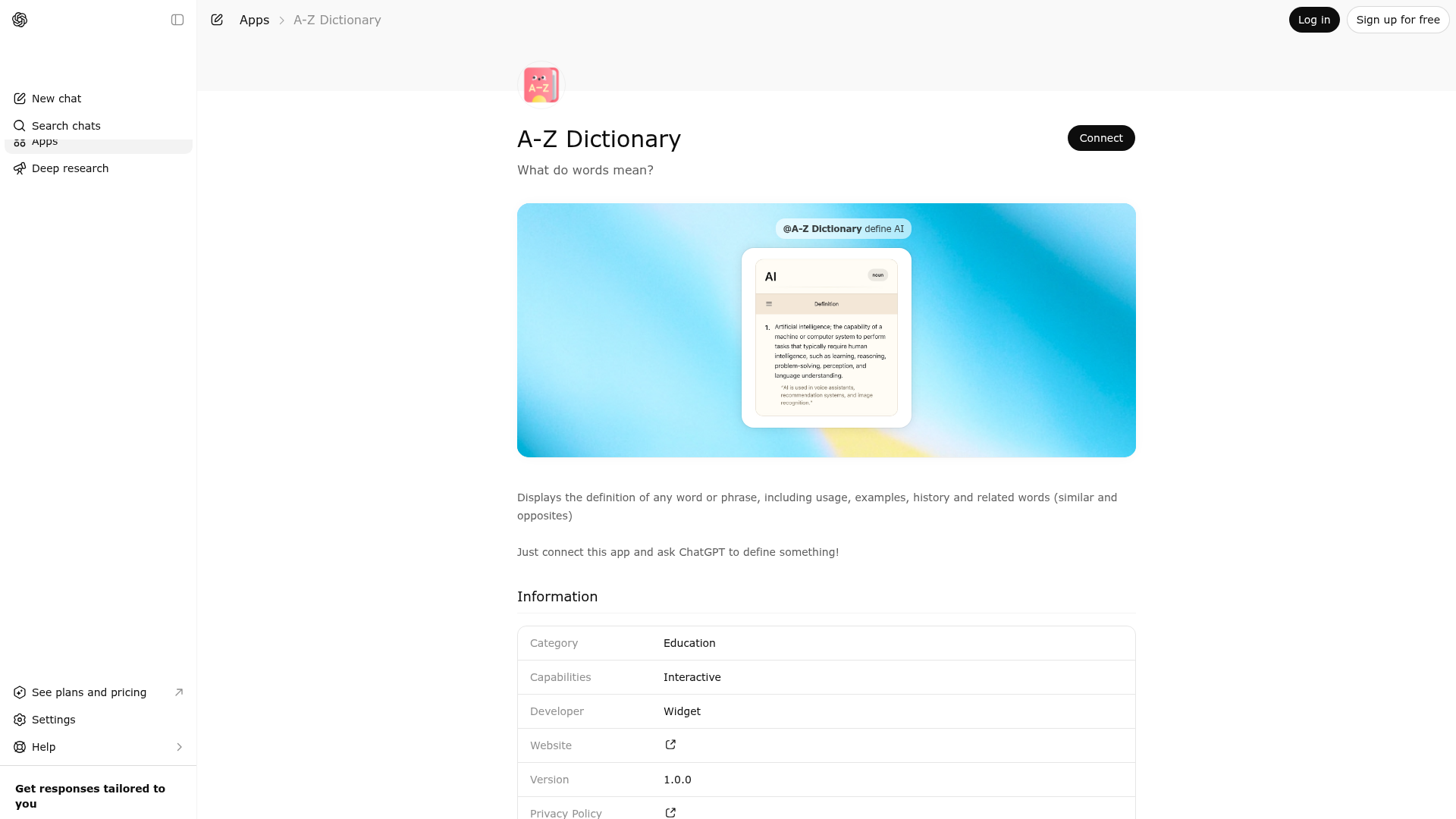
Website Preview

Screenshot of A-Z Dictionary website

App Screenshots

A-Z Dictionary screenshot

Capabilities

Works in Conversation

AI Agent Discovery

A-Z Dictionary is indexed by Tedix as a structured entertainment listing for AI assistants, search crawlers, and users comparing agent-ready apps.

  • A-Z Dictionary is categorized as Entertainment.
  • Developer: Widget.
  • Connector type: AI-Powered App.
  • Current connector status: Intermittent.
  • Observed distribution channels: chatgpt.
  • Available regions: FR, US, GB, ES, KR, IN.
  • Declared capabilities: support interactive workflows.

Use this page to understand whether A-Z Dictionary is relevant for entertainment workflows in AI assistants.

For MCP discovery, this listing helps crawlers connect A-Z Dictionary to tool, resource, prompt, and server-health signals instead of treating it as a generic directory entry.

The canonical Tedix directory URL is https://tedix.dev/apps/a-z-dictionary/.

Crawlable Profile

Source and availability

Tedix identifies A-Z Dictionary from Upstream Mcp tool source; Store sources: ChatGPT app store; Distribution: Ecosystem Directory; Tenant install: A platform catalog operator must create or reconcile the base app before tenants can install this entry.. Availability is reported for FR, US, GB, ES, KR, IN.

Auth, tools, and actions

Authentication: Open Access. A-Z Dictionary is flagged for Works in Conversation. Current MCP inventory reports 1 tools, 1 resources, and 0 prompts.

  • Dictionary · Read-only action

    Use this tool when the user asks for the meaning, definition, or explanation of a word or phrase in a dictionary sense to be displayed.

Verification freshness

  • Catalog synced8h ago (July 18, 2026)
  • Connector checked2d ago (July 16, 2026)
  • MCP scanned2d ago (July 16, 2026)
  • Website enrichedMay 28, 2026
  • Directory updated8h ago (July 18, 2026)

Alternatives and related apps

Comparable apps in Entertainment include 123 Piano, 789 Sudoku, ABC Crossword, AI Color Picker - Design Tool.

Publisher Intelligence

Public trust signals for visitors and practical recommendations for publishers. Use this section to understand what Tedix can verify today and what would make the app easier for AI agents to find.

Visitor takeaway

55/100

Fair AI-discovery coverage across description, prompts, keywords, visuals, tool metadata, health, and freshness.

Routing category

Entertainment

This app has a primary category, so visitors can browse and compare it in the right directory context.

Connector evidence

Reachable

Tedix can reach this MCP endpoint and can show live capability evidence when tools are discovered.

Directory freshness

8h ago

Catalog metadata was refreshed 8h ago (July 18, 2026).

Server Statusdictionary-widget-mcp-server v0.1.0

Tools
Resources
Prompts

MCP list method errors: prompts: RPC error -32601: Method not found

https://dictionary.widgets.widget.olutely.com/dictionary/mcp

Last checked: 2d ago

Technical Details
Connection Latency849ms
Error

MCP list method errors: prompts: RPC error -32601: Method not found

Tools(1)

Showing 1 of 1 tools

Sorted by toolName
ToolDescriptionFlagsTestLast Tested
dictionary
Use this tool when the user asks for the meaning, definition, or explanation of a word or phrase in a dictionary sense to be displayed.
read-only
100%Latency 260ms
May 9, 2026

Discoverability Score

55

Fair

55 of 100 — how easily AI agents can find this app

  • Description quality
    20/20
  • Example prompts
    0/20
  • Keyword coverage
    0/15
  • Category clarity
    5/5
  • Tool metadata
    16/20
  • Visual assets
    5/20
  • Endpoint health
    8/10
  • Data freshness
    15/15

How to Improve

Add at least 2 example prompts. Prompt examples strongly improve app matching and click-through intent.

Increase keyword coverage (discovery + trigger) to improve retrieval for long-tail queries.

Provide a stable HTTPS logo URL (avoid connectors://) so cards render consistently across clients.

Add at least 2 screenshots that show real workflows to increase confidence and conversion.

Read the full discoverability guide →

Technical Details

Status
ENABLED
Type
AI-Powered App
Auth
Open Access
Listed on
ChatGPT
Added
March 27, 2026
Last synced
8h ago
Last checked
2d ago
Version
0.1.0
Distribution
Ecosystem Directory

Related Appsin Entertainment

A
AI Color Picker - Design Tool
Widget

Pick any color you like and talk about it with AI. Tap, drag, or click on the color picker to choose a color. Then ask questions, get ideas, and learn what makes that color special. There is no right or wrong answer. Just pick a color and start the conversation. This app makes colors easy to understand. You do not need to know art, design, or color theory. The AI explains things in simple words. Ask why a color feels calm. Ask why two colors look good together. Ask what a color might mean in different places or for different people. The AI helps you learn one step at a time. Try bright colors, dark colors, soft colors, or bold colors. Move around the picker to see tiny changes. Even a small change can make a color feel very different. Talk about what you see. Ask what changed and why. Need help choosing colors? The AI can suggest colors that work well together. Explore matching colors, opposite colors, warm colors, cool colors, and balanced color sets. Make palettes for websites, apps, games, logos, posters, drawings, rooms, clothes, or school projects. Want a happy feeling? A calm feeling? A strong feeling? A fun feeling? Tell the AI what you want. It can suggest colors that fit your idea. You can also show the AI a color you already picked and ask what other colors match it. Learn about color harmony in a simple way. Find complementary colors that stand out. Explore analogous colors that sit close together. Try triadic colors for a playful look. Build monochromatic palettes from light and dark shades of the same color. The AI explains each idea with easy examples. Discover what colors can mean. Red can feel exciting. Blue can feel peaceful. Green can remind people of nature. Yellow can feel bright and cheerful. Purple can feel rich or magical. Black can feel bold. White can feel clean. These ideas are common, but they are not rules. The AI can explain different views from around the world. Working on a design? Ask for ideas for buttons, backgrounds, text, icons, charts, banners, or menus. Building a brand? Explore colors for logos, products, packaging, and marketing. Decorating a room? Compare paint colors and ask how they might look together. Picking clothes? Ask which colors work well for outfits. If you know color codes, the AI can help with those too. Talk about HEX, RGB, HSL, and other common color formats. Ask how colors change on screens. Learn how brightness, saturation, and hue work. If you are new to these ideas, the AI explains them in plain language. Accessibility matters. Ask how easy it is to read text on a color. Learn why some color pairs are easier to see than others. Explore better color choices for people with different kinds of color vision. Small changes can make designs easier for everyone to use. This app is great for students, teachers, artists, designers, developers, creators, hobbyists, and anyone who enjoys colors. You can ask simple questions or deep questions. You can explore for one minute or one hour. Every conversation starts with the color you choose. Try fun games too. Ask the AI to guess what a color reminds you of. Ask for color trivia. Build a rainbow. Find colors that match the seasons. Explore colors from nature, space, oceans, forests, flowers, food, animals, or famous works of art. Make up stories inspired by colors or invent names for your favorite shades. There is always something new to discover. Every color has its own story. Every small change creates a new idea. Pick a color, ask a question, and keep exploring. Whether you want to learn, create, compare, imagine, or simply play with colors, this app gives you an easy and friendly way to turn every color into a conversation.

All app names, logos, and trademarks belong to their respective owners.