Visitor takeaway
52/100
Fair AI-discovery coverage across description, prompts, keywords, visuals, tool metadata, health, and freshness.
by Spheric Admin Ltd(Community)
Visitor takeaway
52/100
Fair AI-discovery coverage across description, prompts, keywords, visuals, tool metadata, health, and freshness.
Routing category
Entertainment
This app has a primary category, so visitors can browse and compare it in the right directory context.
Connector evidence
Reachable
Tedix can reach this MCP endpoint and can show live capability evidence when tools are discovered.
Directory freshness
8h ago
Catalog metadata was refreshed 8h ago (July 18, 2026).
An easy way to play a quick game of sudoku inside ChatGPT! e.g. - \"Let's play sudoku\" - \"Give me an easy game of sudoku\"

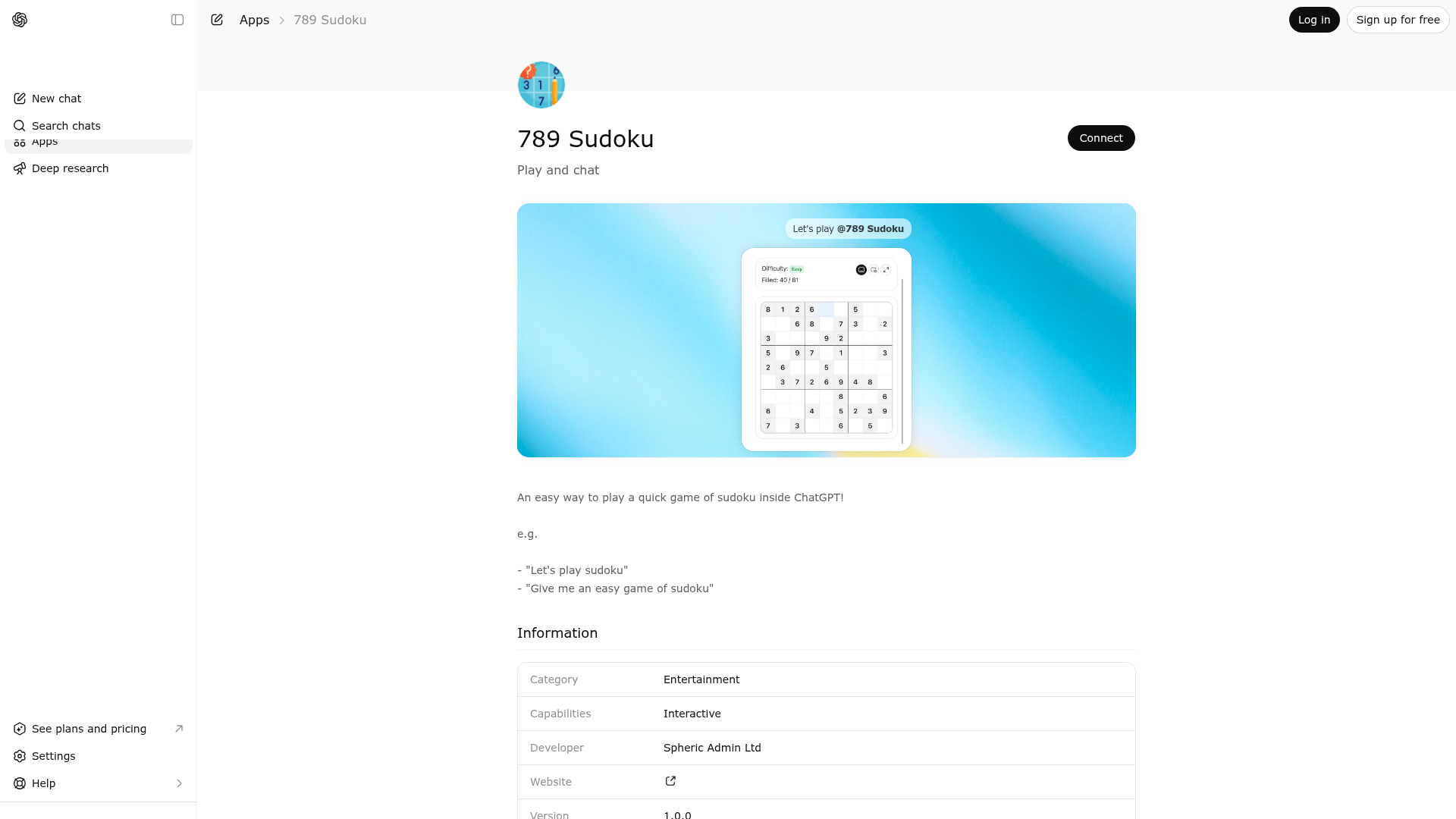
789 Sudoku is indexed by Tedix as a structured entertainment listing for AI assistants, search crawlers, and users comparing agent-ready apps.
Use this page to understand whether 789 Sudoku is relevant for entertainment workflows in AI assistants.
For MCP discovery, this listing helps crawlers connect 789 Sudoku to tool, resource, prompt, and server-health signals instead of treating it as a generic directory entry.
The canonical Tedix directory URL is https://tedix.dev/apps/789-sudoku/.
Tedix identifies 789 Sudoku from Upstream Mcp tool source; Store sources: ChatGPT app store; Distribution: Ecosystem Directory; Tenant install: A platform catalog operator must create or reconcile the base app before tenants can install this entry.. Availability is reported for FR, US, GB, ES, KR, IN.
Authentication: Open Access. 789 Sudoku is flagged for Works in Conversation. Current MCP inventory reports 1 tools, 1 resources, and 0 prompts.
Use to start a playable Sudoku game inside ChatGPT. Call this tool when the user explicitly asks to play Sudoku, asks for a logic puzzle, asks for a brain-training or cognitive game, or otherwise indicates that they want an interactive Sudoku board rendered in chat. The tool accepts a difficulty level of easy, medium, or hard and returns a fresh valid Sudoku puzzle for that difficulty. The returned structured content contains the initial board state, which the widget uses to render the puzzle and track the player's progress. The widget is the correct experience when the user wants to interact with a board, fill cells, or play a complete game without leaving the conversation. Do not use this tool for plain-text explanations of Sudoku rules, textual puzzle walkthroughs, or requests that explicitly forbid widget or tool usage. Do not call it when the user only wants discussion about focus, brain training, or general games without asking to start one. If the user does want to begin playing, this tool is the authoritative way to launch the in-chat Sudoku board.
Comparable apps in Entertainment include 123 Piano, A-Z Dictionary, ABC Crossword, AI Color Picker - Design Tool.
Public trust signals for visitors and practical recommendations for publishers. Use this section to understand what Tedix can verify today and what would make the app easier for AI agents to find.
Visitor takeaway
52/100
Fair AI-discovery coverage across description, prompts, keywords, visuals, tool metadata, health, and freshness.
Routing category
Entertainment
This app has a primary category, so visitors can browse and compare it in the right directory context.
Connector evidence
Reachable
Tedix can reach this MCP endpoint and can show live capability evidence when tools are discovered.
Directory freshness
8h ago
Catalog metadata was refreshed 8h ago (July 18, 2026).
https://sudoku.widgets.widget.olutely.com/mcpLast checked: May 30, 2026
Call the `play-sudoku-game` tool when the user wants to play Sudoku or asks for a brain-training or logic-puzzle game. The widget resource is `sudoku-game`. Do not call the tool when the user asks for plain text only or explicitly forbids tool usage.
Showing 1 of 1 tools
| Tool | Description | Flags | Test | Last Tested | |
|---|---|---|---|---|---|
play-sudoku-game | Use to start a playable Sudoku game inside ChatGPT. Call this tool when the user explicitly asks to play Sudoku, asks for a logic puzzle, asks for a brain-training or cognitive game, or otherwise indicates that they want an interactive Sudoku board rendered in chat. The tool accepts a difficulty level of easy, medium, or hard and returns a fresh valid Sudoku puzzle for that difficulty. The returned structured content contains the initial board state, which the widget uses to render the puzzle and track the player's progress. The widget is the correct experience when the user wants to interact with a board, fill cells, or play a complete game without leaving the conversation. Do not use this tool for plain-text explanations of Sudoku rules, textual puzzle walkthroughs, or requests that explicitly forbid widget or tool usage. Do not call it when the user only wants discussion about focus, brain training, or general games without asking to start one. If the user does want to begin playing, this tool is the authoritative way to launch the in-chat Sudoku board. | read-only | 100%Latency 748ms | May 9, 2026 |
Fair
52 of 100 — how easily AI agents can find this app
Add at least 2 example prompts. Prompt examples strongly improve app matching and click-through intent.
Increase keyword coverage (discovery + trigger) to improve retrieval for long-tail queries.
Provide a stable HTTPS logo URL (avoid connectors://) so cards render consistently across clients.
Add at least 2 screenshots that show real workflows to increase confidence and conversion.