
Weavely Forms & Surveys
by Weave.ly (Community)
Description
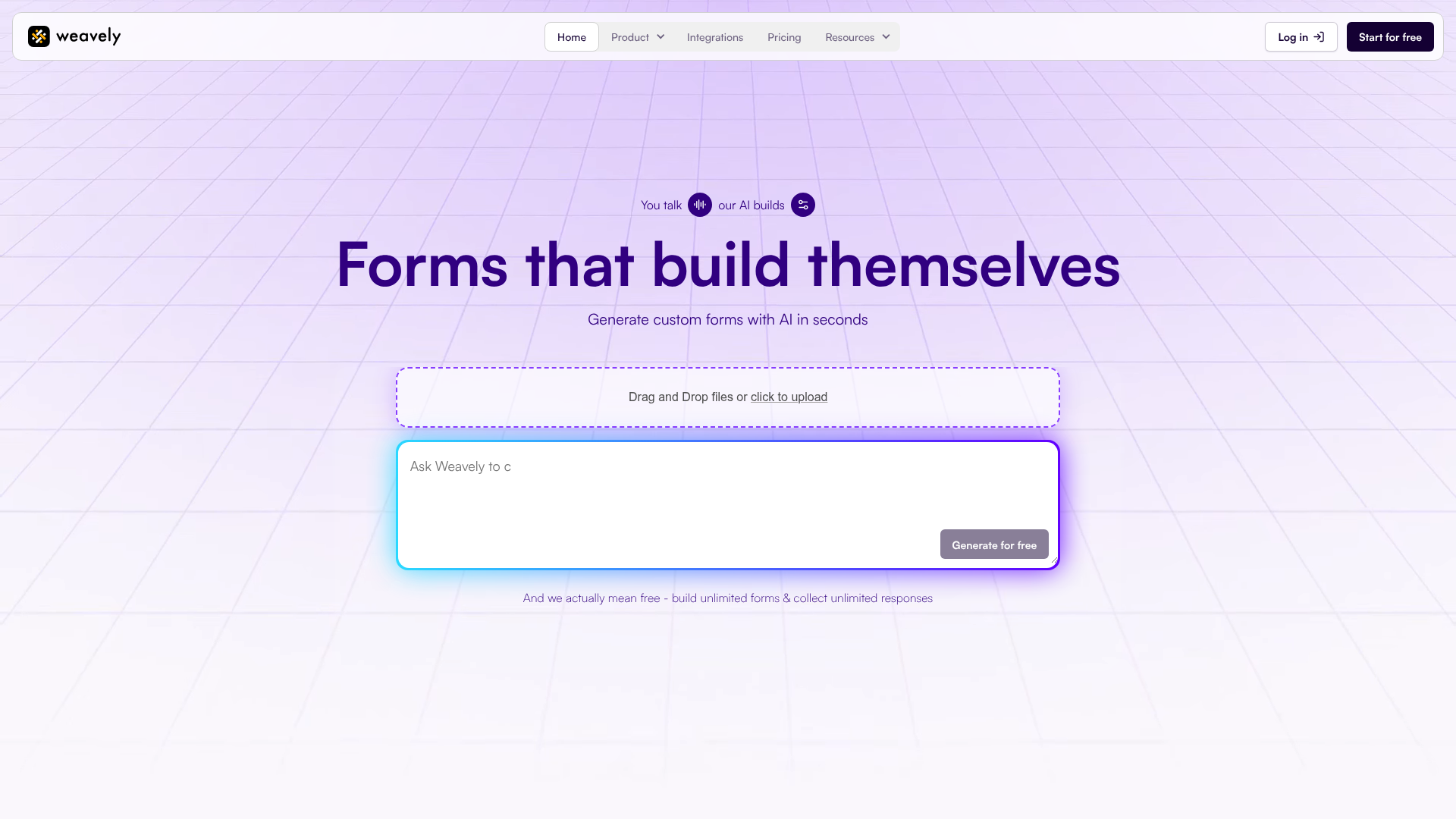
Create surveys, registration forms, lead capture forms, NPS and CSAT surveys, and more for free. No templates, no drag-and-drop. Supports file uploads, signatures, dropdowns, multi-step flows, conditional logic, rating scales, and all the field types you'd expect from a full form builder. What you can do: - Describe any form and get a working, shareable version instantly - Tweak themes, reorder fields, add logic — all through conversation - Preview it live, then publish with one click
Website Preview

App Screenshots
Capabilities
No special capabilities listed
AI Agent Discovery
Weavely Forms & Surveys is indexed by Tedix as a structured productivity listing for AI assistants, search crawlers, and users comparing agent-ready apps.
- Weavely Forms & Surveys is categorized as Productivity.
- Developer: Weave.ly.
- Connector type: AI-Powered App.
- Current connector status: Connected.
- Observed distribution channels: chatgpt.
- Available regions: US, FR, GB, ES, KR, IN.
Use this page to understand whether Weavely Forms & Surveys is relevant for productivity workflows in AI assistants.
For MCP discovery, this listing helps crawlers connect Weavely Forms & Surveys to tool, resource, prompt, and server-health signals instead of treating it as a generic directory entry.
The canonical Tedix directory URL is https://tedix.dev/apps/weavely-forms-surveys/.
Crawlable Profile
Source and availability
Tedix identifies Weavely Forms & Surveys from Upstream Mcp tool source; Store sources: ChatGPT app store; Distribution: Ecosystem Directory. Availability is reported for US, FR, GB, ES, KR, IN.
- ChatGPT app store Auth not flagged · RELEASED · US, FR, GB, ES, KR, IN
Auth, tools, and actions
Authentication: Open Access. No special capability flags are currently listed. Current MCP inventory reports 14 tools, 1 resources, and 3 prompts.
- Add Element · App action
Add an element to a page. The element is appended to the end of the page. Call this sequentially — NEVER call multiple add_element in parallel. Use get_form_summary to see available pageIds. Element types and their specific params: - Input fields: input-text, input-number, input-email, input-phone-number, input-url, input-time, input-date, text-area - File upload: input-file (supports maxFiles, maxFileSize, allowedFileType) - Choice fields: radio-buttons, checkbox-buttons, dropdown, ranking (require options; support randomize; radio/checkbox-buttons also support allowOtherOption) - Image choice: image-choice (requires options; supports multiple selection. NOTE: to assign images to options, use the Weavely platform after publishing) - Single checkbox: checkbox (a single yes/no toggle; supports defaultChecked) - Matrix: matrix (a grid question. matrixRows are the row labels, matrixColumns are the column options [{label, value}], matrixMultiple allows selecting multiple columns per row) - Rating: star-rating (defaults to 5 stars; supports stars count), scale-rating (defaults to 10; supports scales count), range-slider (defaults 0-100; supports min, max, step) - Display: heading, paragraph (label is the display text; paragraph supports HTML) - Media: embed-html (codeSnippet), embed-audio (url), embed-video (url). NOTE: the image element is not available through this tool — use the Weavely platform to add images. - Special: signature For choice types, provide options as [{label: "...", value: "..."}]. The value is the internal identifier (use lowercase-kebab-case).
- Add Page · App action
Add a new form page. By default it is inserted before the ending page. Use this to create multi-page forms. After adding, use add_element to populate the page.
- Create Form · App action
Create a new EMPTY Weavely form. Returns a formId and a live preview URL. PREFER create_form_bulk INSTEAD when the user has described the form they want upfront (e.g. "build me a contact form with name, email, and message"). create_form_bulk creates the form AND all its pages/elements in a single tool call, which is much faster and avoids many sequential permission prompts in MCP clients like ChatGPT. Only use create_form when you genuinely need to start from an empty form and add elements one at a time. IMPORTANT: This MUST be the first tool you call — all other tools require the formId returned by this tool. IMPORTANT: Call all tools ONE AT A TIME, sequentially. NEVER call multiple tools in parallel. IMPORTANT: Pass the formId from this response to ALL subsequent tool calls. IMPORTANT: Always share the shareableUrl with the user in your response text so they can open the form preview. The form is a PREVIEW only — it is not published yet. The user CANNOT claim, sign up, or take ownership of the form from the preview URL. The ONLY way to publish is through the publish_form tool. When the user wants to publish, save, or share their form, you MUST use the publish_form tool. Do NOT tell them to visit the preview URL to claim or publish — that is not possible. After calling this, use add_element, add_page, set_theme, etc. to build the form step by step. Every subsequent tool call refreshes the live preview widget automatically — no extra "show preview" call is needed. PLATFORM FEATURES NOT AVAILABLE IN THIS TOOL: Weavely supports many features that are only available on the Weavely platform (not through this tool). If the user asks about any of the following, let them know the feature exists but they need to publish their form first and then configure it on the Weavely platform: - Integrations: Make, Zapier, n8n, Google Sheets, HubSpot, Airtable, Notion, and more - Email notifications: receive an email on each submission, or send confirmation emails to respondents - Social media preview: customize the Open Graph image, title, and description for link sharing - Custom domain: serve the form on the user's own domain - Form icon: customize the favicon/icon shown in the browser tab - Embed codes: get HTML embed snippets to embed the form on any website - Image content: adding images to image-choice options or using the image element requires the Weavely platform (image uploads are not supported through this tool) Tell the user to publish first (via publish_form), then visit the Weavely editor to set these up.
- Create Form (Bulk) · App action
Create a complete Weavely form with multiple pages and elements in a SINGLE tool call. Use this when the user describes the form they want upfront — it is far faster than create_form followed by many add_page/add_element calls, and avoids multiple permission prompts in MCP clients (e.g. ChatGPT) where every tool call must be approved. This tool intentionally accepts a MINIMAL spec per element: only `type`, `label`, and (for choice elements and matrix) lists of labels for options/rows. Values are auto-generated from labels (lowercase-kebab-case). For anything more detailed — placeholders, required flags, descriptions, theme, settings, conditional logic, scale/star counts, embed URLs, etc. — call update_element, set_theme, set_settings, or set_logic AFTER this tool returns. The bulk tool only produces a minimally usable form. Element types: input-text, input-number, input-email, input-phone-number, input-url, input-time, input-date, text-area, input-file, radio-buttons, checkbox-buttons, dropdown, ranking, image-choice, checkbox, matrix, star-rating, scale-rating, range-slider, heading, paragraph, embed-html, embed-audio, embed-video, signature. Notes: - For choice types (radio-buttons, checkbox-buttons, dropdown, ranking, image-choice), provide `options` as a list of label strings. - For matrix, provide BOTH `options` (the column answer choices, e.g. ["Agree", "Neutral", "Disagree"]) AND `rows` (the row sub-questions, e.g. ["Product quality", "Customer service"]). A matrix without rows or columns is unusable. - For all other element types, `options` and `rows` are ignored. - A "Thank you" ending page is added automatically — do not include it in `pages`. IMPORTANT: Always share the shareableUrl with the user in your response text so they can see their form. The widget renders automatically in clients that support it; the URL is the fallback for text-only clients. Use update_element / set_theme / set_settings / set_logic to refine after this returns. Use publish_form only when the user explicitly asks to publish.
- Get Form Summary · Read-only action
Get the current form structure: pages, elements (with IDs, types, labels), theme, and settings. Call this to see available page and element IDs before making edits. Requires create_form to have been called first.
- Publish Form · External-world action
Publish the form so the user can keep it, share it, and collect real responses. ONLY call this when the user EXPLICITLY asks to publish, save, or share their form. Do NOT call this automatically — the preview URL is sufficient during the building process. Creates a permanent copy of the form and returns an editor URL. The user can create a Weavely account there to claim full ownership. IMPORTANT: If this tool fails, tell the user there was an error publishing and they should try again. Do NOT suggest visiting the preview URL to claim or publish — that is NOT possible. The preview URL is a temporary link that cannot be claimed or converted into a permanent form.
- Remove Element · High-impact write action
Remove an element from the form by its ID. Use get_form_summary to find element IDs.
- Remove Page · High-impact write action
Remove a form page and all its elements. Cannot remove the ending page or the last remaining form page.
Plus 6 additional actions in the full tool inventory.
Verification freshness
- Catalog synced 10h ago (June 6, 2026)
- Connector checked May 30, 2026
- MCP scanned May 30, 2026
- Website enriched May 28, 2026
- Directory updated 10h ago (June 6, 2026)
Alternatives and related apps
Comparable apps in Productivity include AI Voice Generator, AI Wisebase, AWS Marketplace, AccurateScribe.ai – Transcribe.
Publisher Intelligence
Insights and recommendations for app publishers. See how your app performs and how to improve discoverability.
Server Status weavely v2.0.0
https://mcp.weavely.ai/mcp Last checked: May 30, 2026
Technical Details
Tools(14)
Showing 14 of 14 tools
| Tool | Description | Flags | Test | Last Tested | |
|---|---|---|---|---|---|
add_element | Add an element to a page. The element is appended to the end of the page. Call this sequentially — NEVER call multiple add_element in parallel. Use get_form_summary to see available pageIds. Element types and their specific params: - Input fields: input-text, input-number, input-email, input-phone-number, input-url, input-time, input-date, text-area - File upload: input-file (supports maxFiles, maxFileSize, allowedFileType) - Choice fields: radio-buttons, checkbox-buttons, dropdown, ranking (require options; support randomize; radio/checkbox-buttons also support allowOtherOption) - Image choice: image-choice (requires options; supports multiple selection. NOTE: to assign images to options, use the Weavely platform after publishing) - Single checkbox: checkbox (a single yes/no toggle; supports defaultChecked) - Matrix: matrix (a grid question. matrixRows are the row labels, matrixColumns are the column options [{label, value}], matrixMultiple allows selecting multiple columns per row) - Rating: star-rating (defaults to 5 stars; supports stars count), scale-rating (defaults to 10; supports scales count), range-slider (defaults 0-100; supports min, max, step) - Display: heading, paragraph (label is the display text; paragraph supports HTML) - Media: embed-html (codeSnippet), embed-audio (url), embed-video (url). NOTE: the image element is not available through this tool — use the Weavely platform to add images. - Special: signature For choice types, provide options as [{label: "...", value: "..."}]. The value is the internal identifier (use lowercase-kebab-case). | — | 100%Latency 323ms | May 29, 2026 | |
add_page | Add a new form page. By default it is inserted before the ending page. Use this to create multi-page forms. After adding, use add_element to populate the page. | — | 100%Latency 161ms | May 29, 2026 | |
create_form | Create a new EMPTY Weavely form. Returns a formId and a live preview URL. PREFER create_form_bulk INSTEAD when the user has described the form they want upfront (e.g. "build me a contact form with name, email, and message"). create_form_bulk creates the form AND all its pages/elements in a single tool call, which is much faster and avoids many sequential permission prompts in MCP clients like ChatGPT. Only use create_form when you genuinely need to start from an empty form and add elements one at a time. IMPORTANT: This MUST be the first tool you call — all other tools require the formId returned by this tool. IMPORTANT: Call all tools ONE AT A TIME, sequentially. NEVER call multiple tools in parallel. IMPORTANT: Pass the formId from this response to ALL subsequent tool calls. IMPORTANT: Always share the shareableUrl with the user in your response text so they can open the form preview. The form is a PREVIEW only — it is not published yet. The user CANNOT claim, sign up, or take ownership of the form from the preview URL. The ONLY way to publish is through the publish_form tool. When the user wants to publish, save, or share their form, you MUST use the publish_form tool. Do NOT tell them to visit the preview URL to claim or publish — that is not possible. After calling this, use add_element, add_page, set_theme, etc. to build the form step by step. Every subsequent tool call refreshes the live preview widget automatically — no extra "show preview" call is needed. PLATFORM FEATURES NOT AVAILABLE IN THIS TOOL: Weavely supports many features that are only available on the Weavely platform (not through this tool). If the user asks about any of the following, let them know the feature exists but they need to publish their form first and then configure it on the Weavely platform: - Integrations: Make, Zapier, n8n, Google Sheets, HubSpot, Airtable, Notion, and more - Email notifications: receive an email on each submission, or send confirmation emails to respondents - Social media preview: customize the Open Graph image, title, and description for link sharing - Custom domain: serve the form on the user's own domain - Form icon: customize the favicon/icon shown in the browser tab - Embed codes: get HTML embed snippets to embed the form on any website - Image content: adding images to image-choice options or using the image element requires the Weavely platform (image uploads are not supported through this tool) Tell the user to publish first (via publish_form), then visit the Weavely editor to set these up. | — | 100%Latency 783ms | May 29, 2026 | |
create_form_bulk | Create a complete Weavely form with multiple pages and elements in a SINGLE tool call. Use this when the user describes the form they want upfront — it is far faster than create_form followed by many add_page/add_element calls, and avoids multiple permission prompts in MCP clients (e.g. ChatGPT) where every tool call must be approved. This tool intentionally accepts a MINIMAL spec per element: only `type`, `label`, and (for choice elements and matrix) lists of labels for options/rows. Values are auto-generated from labels (lowercase-kebab-case). For anything more detailed — placeholders, required flags, descriptions, theme, settings, conditional logic, scale/star counts, embed URLs, etc. — call update_element, set_theme, set_settings, or set_logic AFTER this tool returns. The bulk tool only produces a minimally usable form. Element types: input-text, input-number, input-email, input-phone-number, input-url, input-time, input-date, text-area, input-file, radio-buttons, checkbox-buttons, dropdown, ranking, image-choice, checkbox, matrix, star-rating, scale-rating, range-slider, heading, paragraph, embed-html, embed-audio, embed-video, signature. Notes: - For choice types (radio-buttons, checkbox-buttons, dropdown, ranking, image-choice), provide `options` as a list of label strings. - For matrix, provide BOTH `options` (the column answer choices, e.g. ["Agree", "Neutral", "Disagree"]) AND `rows` (the row sub-questions, e.g. ["Product quality", "Customer service"]). A matrix without rows or columns is unusable. - For all other element types, `options` and `rows` are ignored. - A "Thank you" ending page is added automatically — do not include it in `pages`. IMPORTANT: Always share the shareableUrl with the user in your response text so they can see their form. The widget renders automatically in clients that support it; the URL is the fallback for text-only clients. Use update_element / set_theme / set_settings / set_logic to refine after this returns. Use publish_form only when the user explicitly asks to publish. | — | 100%Latency 382ms | May 29, 2026 | |
get_form_summary | Get the current form structure: pages, elements (with IDs, types, labels), theme, and settings. Call this to see available page and element IDs before making edits. Requires create_form to have been called first. | read-only | 100%Latency 137ms | May 29, 2026 | |
publish_form | Publish the form so the user can keep it, share it, and collect real responses. ONLY call this when the user EXPLICITLY asks to publish, save, or share their form. Do NOT call this automatically — the preview URL is sufficient during the building process. Creates a permanent copy of the form and returns an editor URL. The user can create a Weavely account there to claim full ownership. IMPORTANT: If this tool fails, tell the user there was an error publishing and they should try again. Do NOT suggest visiting the preview URL to claim or publish — that is NOT possible. The preview URL is a temporary link that cannot be claimed or converted into a permanent form. | — | 100%Latency 139ms | May 29, 2026 | |
remove_element | Remove an element from the form by its ID. Use get_form_summary to find element IDs. | destructive | 100%Latency 144ms | May 29, 2026 | |
remove_page | Remove a form page and all its elements. Cannot remove the ending page or the last remaining form page. | destructive | 100%Latency 288ms | May 29, 2026 | |
reorder_elements | Move an element to a new position within the same page or to a different page. Use get_form_summary to see current page and element IDs. | — | 100%Latency 146ms | May 29, 2026 | |
reorder_pages | Reorder the form pages. Provide the form page IDs in the desired order. The ending page is always kept last automatically — do not include it. | — | 100%Latency 138ms | May 29, 2026 | |
set_logic | Set conditional logic rules and/or event triggers. This replaces ALL existing rules/triggers. Use get_form_summary to see element and page IDs for building conditions. Logic rule structure (FOLLOW THIS EXACTLY): { "id": "<uuid>", "name": "Human-readable rule description", "conditions": [ { "id": "<uuid>", "variable": "field:<elementId>", "operator": "isNotEmpty", "value": null } ], "logicalOperator": "all", "actions": [ { "id": "<uuid>", "name": "showElement", "data": { "elementId": "<elementId>" } } ] } CRITICAL: In actions, the action type key is "name" NOT "type". Using "type" will break the form. CRITICAL: In conditions, always include "value" (set to null for operators like isEmpty/isNotEmpty that don't need a value). Condition operators: isEmpty, isNotEmpty, isEqual, isNotEqual, contains, doesNotContain, startsWith, endsWith, lessThan, lessThanOrEqual, greaterThan, greaterThanOrEqual For isEqual/isNotEqual/contains/etc., set "value" to the comparison string. Action names: hideElement, showElement, hidePage, skipToPage, setEnding Action data: { elementId: "..." } for element actions, { pageId: "..." } for page actions. logicalOperator: "all" (AND) or "any" (OR) for combining multiple conditions. Event trigger structure (FOLLOW THIS EXACTLY): { "id": "<uuid>", "name": "Human-readable trigger description", "trigger": { "name": "formSubmitted" }, "actions": [ { "id": "<uuid>", "name": "openUrl", "data": { "url": "https://example.com" } } ] } CRITICAL: "trigger" is an object with a "name" key, NOT a plain string. Trigger names: formSubmitted, formLoaded, formPageShown Action names: openUrl (requires data.url), restartForm (no data needed) All IDs (rule id, condition ids, action ids) must be UUIDs. | — | 100%Latency 140ms | May 29, 2026 | |
set_settings | Configure form-level settings. Only send what you want to change. Supported language codes: ar, ca, zh-Hans, zh-Hant, hr, cs, da, nl, en, et, fi, fr, de, el, he, hi, hu, id, it, ja, ko, no, pl, pt, ru, es, sv, tr, uk, vi. | — | 100%Latency 138ms | May 29, 2026 | |
set_theme | Set the form's visual theme. Choose colors, fonts, layout, and component styles that match the form's topic and tone. Be creative — pick a cohesive palette. Only send what you want to change — unset properties keep their current values. COLORS (all hex values): - primary: main accent color (buttons, highlights) - background: page background - text: general body text - question: question/label text - answer: user input text - secondary: secondary UI elements - surface: input field backgrounds - border: input borders, dividers - error: validation error color FONT: - family: global font family shorthand (Google Fonts compatible: Inter, Poppins, Playfair Display, Space Grotesk, DM Sans, Lora, etc.) - text: { size: "16px", family: "Inter" } - headings: { size: "32px", family: "Playfair Display" } LAYOUT types: - "under": questions stacked vertically (default) - "left": labels left, inputs right - "right": labels right, inputs left - "clean": minimal, no visual separators - "over": background image with overlay - "through": full-bleed background COMPONENTS: - form: { variables: { gap: "30px", maxWidth: "700px", textAlign: "left" } } - input: { preset: "default" | "square" } - button: { preset: "default" | "square", hoverAnimation: { preset: "default" | "grow" } } - question: { variables: { fontWeight: "500" } } | — | 100%Latency 138ms | May 29, 2026 | |
update_element | Update an existing element's properties. Only send the fields you want to change. Use get_form_summary to find element IDs. Note: you cannot change an element's type — remove it and add a new one instead. | — | 100%Latency 131ms | May 29, 2026 |
Discoverability Score
Fair
65 of 100 — how easily AI agents find your app
- Description quality20/20
- Example prompts0/20
- Keyword coverage0/15
- Tool metadata20/20
- Visual assets13/20
- Endpoint health10/10
- Data freshness15/15
How to Improve
Add at least 2 example prompts. Prompt examples strongly improve app matching and click-through intent.
Increase keyword coverage (discovery + trigger) to improve retrieval for long-tail queries.
Add at least 2 screenshots that show real workflows to increase confidence and conversion.
Technical Details
- Status
- ENABLED
- Type
- AI-Powered App
- Auth
- Open Access
- Listed on
- ChatGPT
- Added
- May 19, 2026
- Last synced
- 10h ago
- Last checked
- May 30, 2026
- Version
- 2.0.0
- Distribution
- Ecosystem Directory