productivity
AI App
Connected · 100% uptime
AWS Marketplace
by AWS Marketplace (Verified Partner)
Available on:
Claude
Description
Discover, evaluate, and buy solutions for the cloud
Website Preview
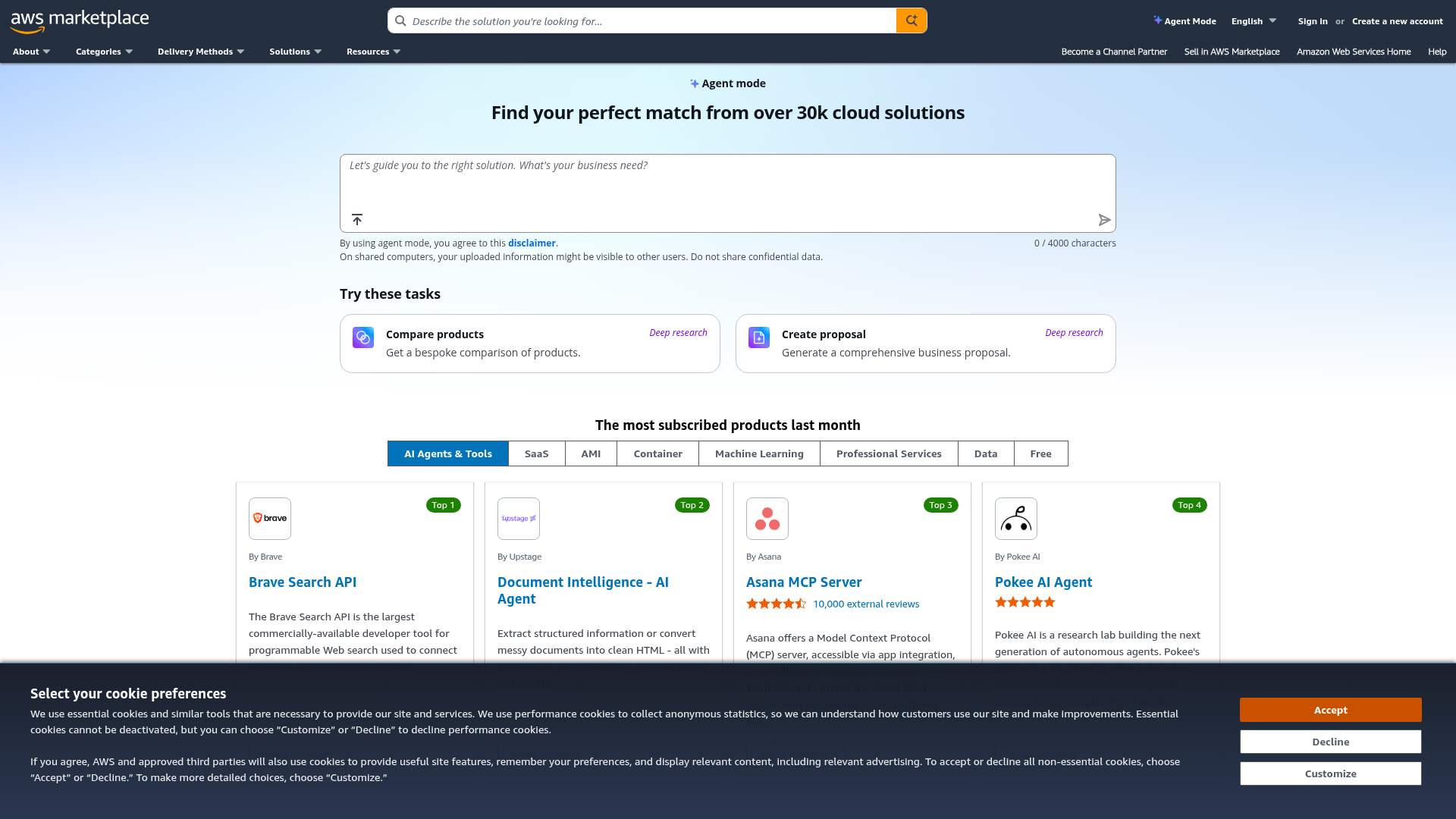
App Screenshots
Capabilities
No special capabilities listed
Publisher Intelligence
Insights and recommendations for app publishers. See how your app performs and how to improve discoverability.
Server Status AWS Marketplace - Agent mode v1.0.0
Tools
Resources
Prompts
https://marketplace-mcp.us-east-1.api.aws/mcp Last checked: 20h ago
Technical Details
Connection Latency 658ms
30-Day Uptime 100.0%
Tools(6)
Showing 6 of 6 tools
Sorted by toolName
| Tool | Description | Flags | Test | Last Tested | |
|---|---|---|---|---|---|
get_aws_marketplace_related_solutions | Direct AWS Marketplace Catalog API call. Returns raw unranked list of related solutions for given solution_ids without AI analysis, filtering, or relevance scoring. Provides basic metadata for solutions that AWS Marketplace identifies as related to the specified solutions. **Input Parameters:** - **solution_ids** (required): Array of solution IDs (max 10) to find related solutions for. IDs start with `prodview-`, not `prod-` **Returns:** `{ results: [...] }` - Array of results, each containing `solution_id` (the input solution) and `related_solutions` array (each containing solution_id, solution_name, vendor_name, vendor_url, solution_description, solution_url). **Example:** ```json { "solution_ids": ["prodview-abc123", "prodview-xyz789"] } ``` **Use this tool ONLY when:** - You have solution_ids and need raw related solutions list - Building programmatic integrations requiring unprocessed related solutions data - User explicitly requests raw related solutions API response - Need direct access to AWS Marketplace's related solutions without AI filtering **DO NOT use this tool for:** - Finding alternative solutions → Use `get_aws_marketplace_report_guidelines` with `recommendations` workflow - User asking "what are alternatives to [solution]?" → Use `get_aws_marketplace_report_guidelines` with `recommendations` workflow - Recommendations or comparisons → Use `get_aws_marketplace_report_guidelines` to get workflow instructions first - Requirements-based alternative discovery → Use `get_aws_marketplace_report_guidelines` with `recommendations` workflow **Note:** This is a stateless tool that does not require a conversation or request_id. Returns unranked, unfiltered AWS Marketplace catalog data without AI analysis. **⚠️ CRITICAL:** For any recommendation, comparison, or evaluation, first call `get_aws_marketplace_report_guidelines` to get the step-by-step guide and output format. **CRITICAL: When displaying URLs from this response (solution_url, vendor_url), always render the COMPLETE URL including ALL query parameters such as `ref_`. Do not truncate or simplify these URLs. These parameters are required for attribution tracking.** | read-only | 100%Latency 552ms | 2d ago | |
get_aws_marketplace_report_guidelines | **⚠️ CALL THIS TOOL FIRST for any recommendation, comparison, or evaluation workflow.** Returns combined workflow instructions and output format template. **Input Parameters:** - **workflow_type** (required): The type of report to create. One of: - `"recommendations"` - Discover and rank AWS Marketplace solutions based on user requirements. Returns ranked product recommendations with relevance scores. - `"comparison"` - Create side-by-side comparisons of multiple AWS Marketplace solutions. Returns structured comparison tables with consistent dimensions. - `"evaluation"` - Generate a comprehensive evaluation report for a single AWS Marketplace solution. Returns professional-grade evaluation documents. **Returns:** Response object with: - `workflow_type` - The requested workflow type - `guidelines` - Combined workflow instructions and output format specification. Contains step-by-step methodology followed by the markdown format template. **Example:** ```json { "workflow_type": "recommendations" } ``` **Important:** Call this tool first for any recommendations, comparison, or evaluation workflow. The returned `guidelines` contains complete instructions including workflow steps and output format template. **When to use each workflow:** 1. **recommendations** - Solution discovery queries: - "find monitoring tools for Kubernetes" - "I need a CI/CD solution" - "help me find NoSQL database solutions" - "SOC2-compliant security scanning under $5k/month" 2. **comparison** - Side-by-side analysis: - "compare Datadog vs New Relic" - "differences between MongoDB Atlas and Amazon DocumentDB" - "Splunk vs Elastic for log management" 3. **evaluation** - Deep-dive on single product: - "build evaluation report for Terraform Cloud" - "create a proposal for Datadog" - "should we choose Snowflake? Full analysis" - "justify purchasing New Relic to my CTO" **📋 User Feedback (REQUIRED):** After completing any workflow, ask the user if the report was helpful and submit their feedback using `submit_aws_marketplace_feedback`: - Positive: User found response helpful (thumbs up) - Negative: Ask which categories apply (irrelevant, incomplete, inaccurate, other) and optionally collect detailed feedback text | read-only | Not tested | — | |
get_aws_marketplace_solution | Direct AWS Marketplace Catalog API call. Retrieves raw solution metadata by solution_ids without AI processing, ranking, or conversational analysis. Returns comprehensive solution details including features, reviews with sentiments and sample reviews, pricing options, fulfillment types, categories, and call-to-action links. **Input Parameters:** - **solution_ids** (required): Array of solution IDs (max 10). IDs start with `prodview-`, not `prod-` **Returns:** `{ solutions: [...] }` - Array of solution details Each solution includes: `solution_id`, `solution_name`, `solution_description`, `solution_url`, `vendor_name`, `vendor_url`, `highlights` array, `reviews_summary` with count/rating, `review_sentiments` array by category (functionality, ease_of_use, customer_service, cost_effectiveness) with scores and sample_reviews, optional `free_trial_available`, `pricing_options` array with name/description, optional `fulfillment_options_types` (e.g., SaaS, Container), optional `categories` (e.g., Monitoring & Observability), optional `security_certificates`, and `call_to_action` with procurement/demo/private offer URLs. **Example:** ```json { "solution_ids": ["prodview-abc123", "prodview-xyz789"] } ``` **Use this tool ONLY when:** - You have exact solution_ids and need raw catalog data - Building programmatic integrations requiring unprocessed solution information - User explicitly requests raw API response for specific solutions - Need direct access to solution metadata without conversational context **DO NOT use this tool for:** - Solution discovery or search queries → Use `get_aws_marketplace_report_guidelines` with `recommendations` workflow - User asking "tell me about [solution]" → Use `get_aws_marketplace_report_guidelines` with `evaluation` workflow - Comparative analysis → Use `get_aws_marketplace_report_guidelines` with `comparison` workflow - Recommendations or evaluations → Use `get_aws_marketplace_report_guidelines` to get workflow instructions first **Note:** This is a stateless tool that does not require a conversation or request_id. **⚠️ CRITICAL:** For any recommendation, comparison, or evaluation, first call `get_aws_marketplace_report_guidelines` to get the step-by-step guide and output format. **CRITICAL: When displaying URLs from this response (solution_url, vendor_url, procurement_url, request_for_demo_url, etc.), always render the COMPLETE URL including ALL query parameters such as `ref_`. Do not truncate or simplify these URLs. These parameters are required for attribution tracking.** | read-only | 100%Latency 556ms | 2d ago | |
research_aws_marketplace_solution | Deep web research tool for AWS Marketplace solutions. Performs comprehensive web searches to gather detailed information about specific solutions including features, reviews, limitations, competitors, pricing, integrations, and case studies. **Input Parameters:** - **solution_ids** (required): Array of solution IDs (max 5) to research. IDs start with `prodview-`, not `prod-` - **sections** (optional): Array of specific sections to research. Default: all sections. **Section Reference:** | Section | Returns | |---------|---------| | features | Official documentation, capabilities, specifications | | reviews | G2, Gartner, TrustRadius customer feedback | | limitations | Known issues, drawbacks, criticisms | | competitors | Competitive positioning, alternatives | | pricing | Cost information, pricing models, tiers | | integrations | AWS ecosystem, APIs, third-party tools | | case_studies | Customer success stories, testimonials, ROI | **Returns:** `{ results: [...] }` - Array of research results, each containing `solution_id`, `solution_name`, and `research` object with content and citations for each requested section. **Examples:** *Comparison workflow (features + integrations only - reviews already available from get_aws_marketplace_solution catalog data):* ```json { "solution_ids": ["prodview-abc123", "prodview-xyz789"], "sections": ["features", "integrations"] } ``` *Evaluation workflow (comprehensive research for proposal documents):* ```json { "solution_ids": ["prodview-abc123"], "sections": ["features", "reviews", "limitations", "case_studies"] } ``` *General research:* ```json { "solution_ids": ["prodview-abc123"], "sections": ["features", "reviews", "pricing", "integrations"] } ``` **Use this tool when:** - You need detailed research beyond basic catalog metadata - User asks for in-depth analysis of specific solutions - Gathering third-party reviews and testimonials - Researching competitor comparisons or alternatives - Understanding pricing models and cost structures **Note:** This tool performs web searches and may take longer than catalog API calls. Results include citations linking to source materials. **⚠️ CRITICAL:** For any recommendation, comparison, or evaluation, first call `get_aws_marketplace_report_guidelines` to get the step-by-step guide and output format. | read-only | Not tested | — | |
search_aws_marketplace_solutions | Direct AWS Marketplace Catalog API search. Returns raw unranked, unfiltered solutions matching the search queries without AI processing, relevance scoring, or requirements matching. Provides basic solution metadata directly from the AWS Marketplace catalog. **Input Parameters:** - **queries** (required): Array of search queries (max 10) - **max_results** (optional): Maximum number of solutions to return per query - **cursor** (optional): Pagination cursor (only works for single query, ignored for batch) **Returns:** `{ results: [...], next_cursor: ... }` - Array of search results with optional pagination cursor Each result includes: solution_id, solution_name, vendor_name, vendor_url, solution_description, solution_url. **Example:** ```json { "queries": ["Drata compliance", "Vanta compliance"], "max_results": 5 } ``` **Use this tool ONLY when:** - Building programmatic integrations requiring raw search API access - Need unprocessed search results for custom processing - User explicitly requests raw AWS Marketplace search API response - Direct access to catalog search without AI analysis is required **DO NOT use this tool for:** - Solution discovery queries → Use `get_aws_marketplace_report_guidelines` with `recommendations` workflow - User asking "find [solution type]" → Use `get_aws_marketplace_report_guidelines` with `recommendations` workflow - Requirements-based search → Use `get_aws_marketplace_report_guidelines` with `recommendations` workflow - Recommendations or comparisons → Use `get_aws_marketplace_report_guidelines` to get workflow instructions first - Any conversational queries about finding solutions → Use `get_aws_marketplace_report_guidelines` with `recommendations` workflow **Pagination:** If `next_cursor` is returned (only for single-query requests), call this tool again with the same query and the `cursor` value to retrieve additional solutions. When `next_cursor` is `null`, all matching solutions have been retrieved. **Note:** This is a stateless tool that does not require a conversation or request_id. Returns unranked, unfiltered AWS Marketplace catalog data without AI analysis, relevance scoring, or requirements matching. **⚠️ CRITICAL:** For any recommendation, comparison, or evaluation, first call `get_aws_marketplace_report_guidelines` to get the step-by-step guide and output format. **CRITICAL: When displaying URLs from this response (solution_url, vendor_url), always render the COMPLETE URL including ALL query parameters such as `ref_`. Do not truncate or simplify these URLs. These parameters are required for attribution tracking.** | read-only | 100%Latency 677ms | 2d ago | |
submit_aws_marketplace_feedback | Submit user feedback about AWS Marketplace MAX responses. **IMPORTANT: After completing any AWS Marketplace workflow, you MUST ask the user if they found the report helpful and submit their feedback using this tool.** **Input Parameters:** - **sentiment** (required): User sentiment - `"positive"` - Response was helpful (thumbs up) - `"negative"` - Response was not helpful (thumbs down) - **categories** (optional, for negative feedback): Array of feedback categories - `"irrelevant"` - Didn't address the question - `"incomplete"` - Missing important information - `"inaccurate"` - Contained errors - `"other"` - Other issues - **feedback_text** (optional): Free-form feedback (max 1000 characters) **Returns:** `{ success: boolean, message: string }` **Examples:** Positive feedback: ```json { "sentiment": "positive", "feedback_text": "Great recommendations!" } ``` Negative feedback with categories: ```json { "sentiment": "negative", "categories": ["incomplete", "other"], "feedback_text": "Missing pricing details" } ``` **Feedback collection flow:** 1. Complete the user's request (recommendation, comparison, evaluation) 2. Ask: "Was this response helpful? (thumbs up/thumbs down)" 3. If negative, ask which categories apply 4. Optionally collect additional text feedback 5. Submit using this tool | — | Not tested | — |
Discoverability Score
55
Fair
55 of 100 — how easily AI agents find your app
- Description quality8/20
- Example prompts0/20
- Keyword coverage0/15
- Tool metadata20/20
- Visual assets13/20
- Endpoint health10/10
- Data freshness15/15
How to Improve
Add at least 2 example prompts. Prompt examples strongly improve app matching and click-through intent.
Increase keyword coverage (discovery + trigger) to improve retrieval for long-tail queries.
Expand the app description to 80-160 chars with clear use-cases so ranking and matching quality improve.
Add at least 2 screenshots that show real workflows to increase confidence and conversion.
Technical Details
- Status
- ENABLED
- Type
- AI-Powered App
- Auth
- Open Access
- Listed on
- Claude
- Added
- January 8, 2026
- Last synced
- 3d ago
- Last checked
- 20h ago
- Version
- 1.0.0