
Tarot
by Vidline Inc. (Verified Partner)
Description
Kick-start your tarot reading right inside ChatGPT. Ask AI Tarot to shuffle digital tarot cards, lay a three-card spread, and return clear, private divination insights—no ads or waiting rooms. How to Use Tarot in ChatGPT 1. Connect: Connect the Tarot app to ChatGPT. 2. Trigger: Type Commands: Simply type "@" then choose the Tarot app, or type “Tarot” (followed by a space) in the chat box. 3. Create: You are ready to go! Try asking specifically: "Pull tarot cards for my love life." "Draw three tarot cards and interpret the spread for my upcoming week." “Provide a three-card tarot reading on balancing work and health.” Want to dive deeper? Keep asking follow-ups in chat or open the full app for richer symbolism and saved readings.
About This App
Unlock the answers you seek in seconds. Ask any question and get a personal AI tarot reading—insightful, instant, and completely confidential.
Last updated: May 19, 2026
Website Preview
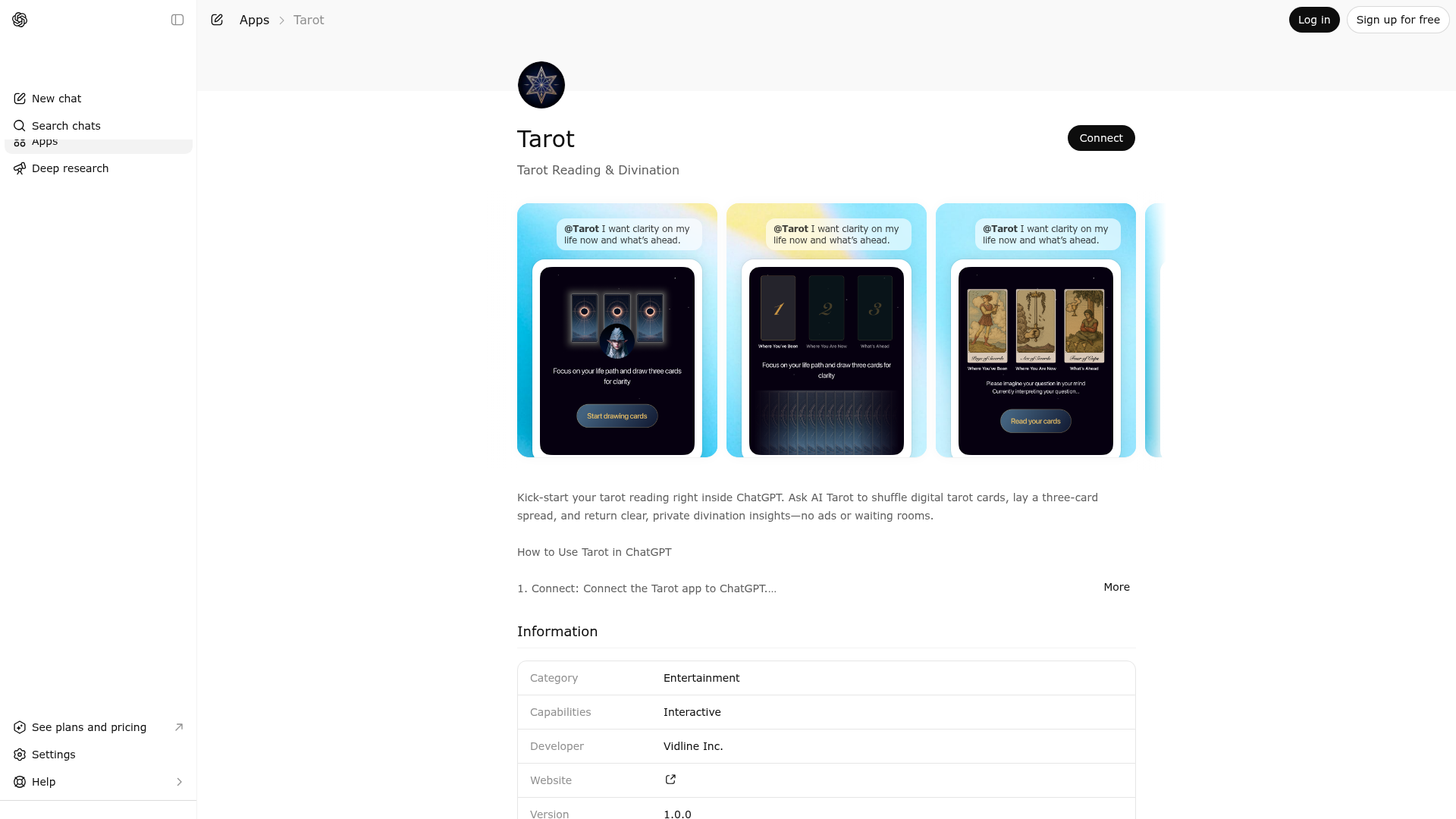
App Screenshots
Capabilities
Publisher Intelligence
Insights and recommendations for app publishers. See how your app performs and how to improve discoverability.
Server Status tarot-node v0.1.0
https://tarot.toolpipe.ai/mcp Last checked: 6h ago
Technical Details
Tools(1)
Showing 1 of 1 tools
| Tool | Description | Flags | Test | Last Tested | |
|---|---|---|---|---|---|
create_tarot_spread | Initialize a tarot reading session by creating a 3-card spread based on the user's question. 【Language Rule】 ⚠️ ALL user-facing text (user_question, position names/meanings, opening_message) MUST be in the SAME language as user's input. If user asks in Spanish, output Spanish. If user asks in Chinese, output Chinese. English definition below is for structure only. 【When to Use】 • User requests tarot guidance explicitly • User seeks spiritual/intuitive insight on a decision or situation 【Core Function】 Analyze the question and select the most appropriate 3-card spread structure. Prioritize proven classic spreads, customize only when needed. 【Key Principles】 1. **Classic First**: Use established spreads (Past-Present-Future, Problem-Cause-Solution, etc.) for 80%+ of questions 2. **Semantic Adaptation**: Adjust position wording to match question context while keeping proven structure 3. **Innovate Sparingly**: Create new structures only when classics genuinely don't fit 【Call Timing】 Call immediately after understanding the question. Don't output lengthy text beforehand. 【After Tool Execution】 System renders card drawing interface. Output brief guidance (3-4 lines) in user's language: ``` ✨ [Acknowledge their question] [Preview what the 3 positions explore] 👆 [Call-to-action pointing to interface] ``` **Important**: ✅ Keep brief (3-5 lines max) ✅ Don't interpret cards before they're drawn ✅ Clear call-to-action pointing to interface ✅ Use user's language 【Version】: Supports exactly 3 cards. Architecture designed for 1-7 cards in future. | read-only | 100%Latency 203ms | Mar 28, 2026 |
Discoverability Score
Fair
58 of 100 — how easily AI agents find your app
- Description quality20/20
- Example prompts0/20
- Keyword coverage0/15
- Tool metadata16/20
- Visual assets13/20
- Endpoint health10/10
- Data freshness11/15
How to Improve
Add at least 2 example prompts. Prompt examples strongly improve app matching and click-through intent.
Increase keyword coverage (discovery + trigger) to improve retrieval for long-tail queries.
Add at least 2 screenshots that show real workflows to increase confidence and conversion.
Technical Details
- Status
- ENABLED
- Type
- AI-Powered App
- Auth
- Open Access
- Listed on
- ChatGPT
- Added
- December 18, 2025
- Last synced
- May 3, 2026
- Last checked
- 6h ago
- Version
- 0.1.0
- Distribution
- Ecosystem Directory