
Paloma
by Paloma Software Corporation (Community)
Description
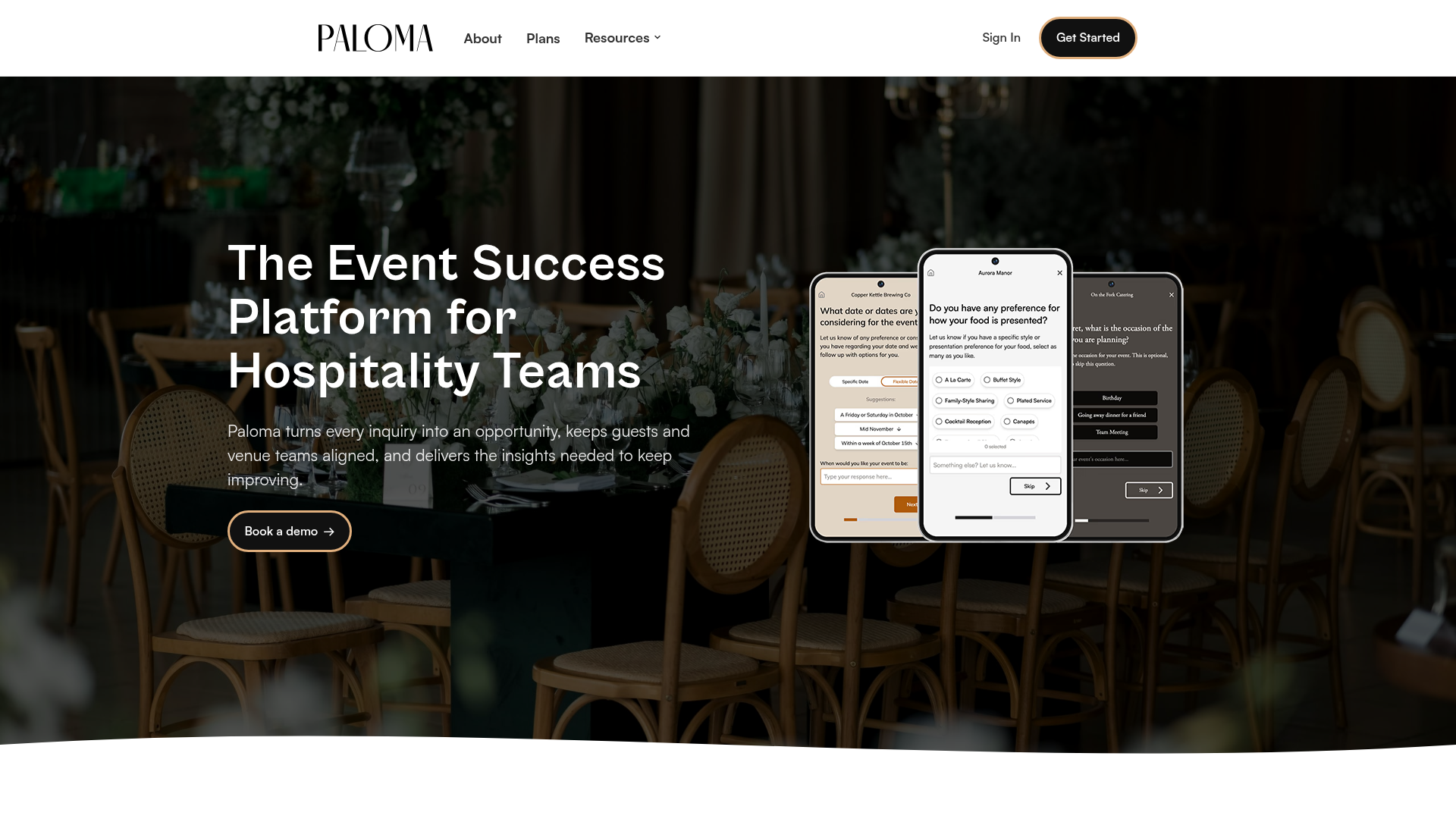
Paloma helps you find and book venues for private parties, events, and large group dining. Share your event details such as guest count, date, budget, and preferences, and Paloma connects you with venues that match based on real availability, amenities, and capabilities. From birthday parties and corporate gatherings to private dining rooms and large group tables at restaurants, Paloma makes it easy to discover suitable spaces and move from search to inquiry with confidence.
Website Preview

App Screenshots
Capabilities
No special capabilities listed
AI Agent Discovery
Paloma is indexed by Tedix as a structured lifestyle listing for AI assistants, search crawlers, and users comparing agent-ready apps.
- Paloma is categorized as Lifestyle.
- Developer: Paloma Software Corporation.
- Connector type: AI-Powered App.
- Current connector status: Connected.
- Observed distribution channels: chatgpt.
- Available regions: US.
Use this page to understand whether Paloma is relevant for lifestyle workflows in AI assistants.
For MCP discovery, this listing helps crawlers connect Paloma to tool, resource, prompt, and server-health signals instead of treating it as a generic directory entry.
The canonical Tedix directory URL is https://tedix.dev/apps/paloma/.
Crawlable Profile
Source and availability
Tedix identifies Paloma from Upstream Mcp tool source; Store sources: ChatGPT app store; Distribution: Ecosystem Directory. Availability is reported for US.
- ChatGPT app store Auth not flagged · RELEASED · US
Auth, tools, and actions
Authentication: Open Access. No special capability flags are currently listed. Current MCP inventory reports 1 tools, 1 resources, and 0 prompts.
- Show Venues · External-world action
Displays available venues for hosting private parties and events in a specific metro area or city. Use this tool when a user wants to find, browse, or explore venues for private events such as birthday parties, corporate gatherings, work socials, wedding-related events, holiday parties, or large-group dining or private dining at restaurants. A location (metro area or city name such as Toronto, New York City, or Los Angeles) is required; if it cannot be inferred from context, you must ask the user for it. When asking for location, you must explicitly state that the user may also provide additional optional details in the same response—such as preferred date or dates, party size, occasion, budget range, vibe preferences, booking urgency, or desired amenities—to help narrow results, and that these details are not required. However, only location is required: if after one clarification turn location is the only confirmed detail, you should still proceed with calling the tool and displaying the widget. The tool performs a detailed search and returns complete venue data, including detailed venue information such as venue name, address, phone number, website, match scores, and explanations of how and why each venue matched the search criteria. Venues are sorted by match quality with a matchScore (0.0 to 1.0) based on weighted date match (75%) and party size match (25%), with higher scores appearing first. The widget displays an interactive venue browser (list or map) allowing users to view venue details and make inquiries directly to venues. When users provide contact information (email or phone) during an inquiry, the tool sends that inquiry externally (e.g., via email to the venue) with explicit user consent. All venue data is available immediately in the widget state for you to use when answering user questions about the venues, their features, spaces, match quality, amenities, or any other venue-specific details. If no venues are returned, this indicates that Paloma does not currently have venues available in that location. In this case, you should inform the user that Paloma doesn't have applicable venues in that location and ask them how they would like to proceed—for example, they may want to search the web for alternative venues, or try a different location. Do NOT use this tool for: - Small-group dining under 10 guests with no mention of a private event (e.g., "table for 4", "dinner for two", "book a restaurant for 6"). However, if the party size is 10 or more, or if there is mention of wanting a private space, ALWAYS use this tool regardless of phrasing — "table for 40", "dinner for 25", and "seat 15 people" all qualify as large-group dining. - General information questions about a specific venue (e.g., "what's the capacity of X?", "what are the hours of Y?"). Only use this tool when the user wants to search for and browse multiple venues. - Hotels, accommodation, or general business listings.
Verification freshness
- Catalog synced 1d ago (June 5, 2026)
- Connector checked May 30, 2026
- MCP scanned May 30, 2026
- Website enriched May 28, 2026
- Directory updated 1d ago (June 5, 2026)
Alternatives and related apps
Comparable apps in Lifestyle include 12andus Astrology, A-Z Dog Breeds, ASOS Stylist, AccuWeather®.
Publisher Intelligence
Insights and recommendations for app publishers. See how your app performs and how to improve discoverability.
Server Status paloma-mcp v1.0.0
https://mcp.app.palomaparties.com/mcp Last checked: May 30, 2026
Technical Details
Tools(1)
Showing 1 of 1 tools
| Tool | Description | Flags | Test | Last Tested | |
|---|---|---|---|---|---|
show_venues | Displays available venues for hosting private parties and events in a specific metro area or city. Use this tool when a user wants to find, browse, or explore venues for private events such as birthday parties, corporate gatherings, work socials, wedding-related events, holiday parties, or large-group dining or private dining at restaurants. A location (metro area or city name such as Toronto, New York City, or Los Angeles) is required; if it cannot be inferred from context, you must ask the user for it. When asking for location, you must explicitly state that the user may also provide additional optional details in the same response—such as preferred date or dates, party size, occasion, budget range, vibe preferences, booking urgency, or desired amenities—to help narrow results, and that these details are not required. However, only location is required: if after one clarification turn location is the only confirmed detail, you should still proceed with calling the tool and displaying the widget. The tool performs a detailed search and returns complete venue data, including detailed venue information such as venue name, address, phone number, website, match scores, and explanations of how and why each venue matched the search criteria. Venues are sorted by match quality with a matchScore (0.0 to 1.0) based on weighted date match (75%) and party size match (25%), with higher scores appearing first. The widget displays an interactive venue browser (list or map) allowing users to view venue details and make inquiries directly to venues. When users provide contact information (email or phone) during an inquiry, the tool sends that inquiry externally (e.g., via email to the venue) with explicit user consent. All venue data is available immediately in the widget state for you to use when answering user questions about the venues, their features, spaces, match quality, amenities, or any other venue-specific details. If no venues are returned, this indicates that Paloma does not currently have venues available in that location. In this case, you should inform the user that Paloma doesn't have applicable venues in that location and ask them how they would like to proceed—for example, they may want to search the web for alternative venues, or try a different location. Do NOT use this tool for: - Small-group dining under 10 guests with no mention of a private event (e.g., "table for 4", "dinner for two", "book a restaurant for 6"). However, if the party size is 10 or more, or if there is mention of wanting a private space, ALWAYS use this tool regardless of phrasing — "table for 40", "dinner for 25", and "seat 15 people" all qualify as large-group dining. - General information questions about a specific venue (e.g., "what's the capacity of X?", "what are the hours of Y?"). Only use this tool when the user wants to search for and browse multiple venues. - Hotels, accommodation, or general business listings. | — | 100%Latency 4.4s | May 29, 2026 |
Discoverability Score
Fair
62 of 100 — how easily AI agents find your app
- Description quality20/20
- Example prompts0/20
- Keyword coverage0/15
- Tool metadata16/20
- Visual assets13/20
- Endpoint health10/10
- Data freshness15/15
How to Improve
Add at least 2 example prompts. Prompt examples strongly improve app matching and click-through intent.
Increase keyword coverage (discovery + trigger) to improve retrieval for long-tail queries.
Add at least 2 screenshots that show real workflows to increase confidence and conversion.
Technical Details
- Status
- ENABLED
- Type
- AI-Powered App
- Auth
- Open Access
- Listed on
- ChatGPT
- Added
- April 28, 2026
- Last synced
- 1d ago
- Last checked
- May 30, 2026
- Version
- 1.0.0
- Distribution
- Ecosystem Directory