Lnk.Bio
by Lnk.Bio (Community)
Description
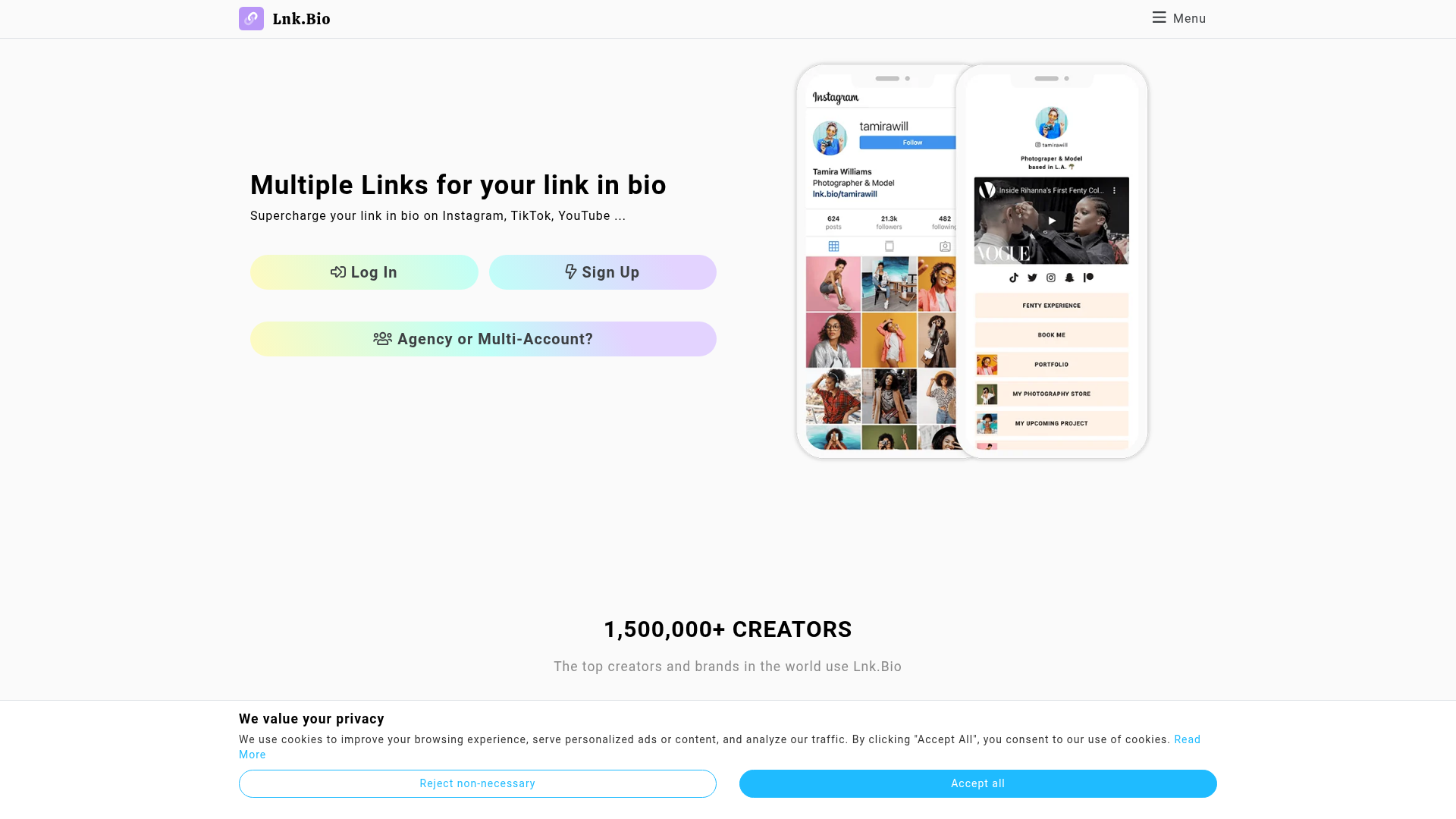
Manage your entire Lnk.Bio profile directly from Claude. Add, edit, schedule, and reorder links. Create pages, add content blocks like titles, bios, and buttons. Set up social icons for Instagram, TikTok, and more. Browse and apply themes, customize colors and fonts, or set wallpapers. Make Lnk.Bio a native part of your AI workflow, so you can build and update your link-in-bio page faster, through conversation.
Website Preview

App Screenshots
Capabilities
No special capabilities listed
AI Agent Discovery
Lnk.Bio is indexed by Tedix as a structured lifestyle listing for AI assistants, search crawlers, and users comparing agent-ready apps.
- Lnk.Bio is categorized as Lifestyle.
- Developer: Lnk.Bio.
- Connector type: AI-Powered App.
- Current connector status: Connected.
- Observed distribution channels: chatgpt.
- Available regions: US, FR, GB, ES, KR, IN.
Use this page to understand whether Lnk.Bio is relevant for lifestyle workflows in AI assistants.
For MCP discovery, this listing helps crawlers connect Lnk.Bio to tool, resource, prompt, and server-health signals instead of treating it as a generic directory entry.
The canonical Tedix directory URL is https://tedix.dev/apps/lnkbio/.
Crawlable Profile
Source and availability
Tedix identifies Lnk.Bio from Upstream Mcp tool source; Store sources: ChatGPT app store; Distribution: Ecosystem Directory. Availability is reported for US, FR, GB, ES, KR, IN.
- ChatGPT app store Auth required · RELEASED · US, FR, GB, ES, KR, IN
Auth, tools, and actions
Authentication: Requires Login. No special capability flags are currently listed. Current MCP inventory reports 33 tools, 0 resources, and 0 prompts.
- add_block · External-world action
Use this to add a structural block to the page layout. Blocks control what is rendered: without BLOCK_PROFILEPIC the profile picture is invisible, without BLOCK_LNKS links are invisible. Build the full block skeleton BEFORE populating content. Call list_blocks first to avoid duplicates. Follow the archetype from list_block_types. WARNING: add_block PREPENDS by default. Calling it multiple times without the "after" parameter produces REVERSE visual order. Always call sort_blocks after adding all blocks to set the correct order with BLOCK_PROFILEPIC at position 0. For BLOCK_ICONS: create the block first, then use search_icons + add_icon to populate it. Add links via add_link (they render inside BLOCK_LNKS).
- add_icon · Repeatable action
Add an icon to a BLOCK_ICONS block. Each icon type can only appear once per block. Instagram and TikTok usernames are automatically formatted to full URLs.
- add_link · External-world action
Use this to add a link to the profile. IMPORTANT: links are stored but will NOT appear unless the page has a BLOCK_LNKS block. Ensure the block skeleton is built first. ALWAYS attempt to source an image before creating the link: browse the destination URL for the site's og:image, logo, or favicon. Links with images receive 2-3x more clicks than text-only links. Only omit the image if the destination site has no usable image at all. Titles should be clean, plain text (e.g. "Start Learning For Free", "Download the App").
- add_page · External-world action
Use this to create a new page. New pages are EMPTY. After creating, you must add at least BLOCK_PROFILEPIC (for the profile picture and username to appear) and BLOCK_LNKS (for links to appear) using add_block. Title must be at least 5 characters. Custom URLs require a UNIQUE subscription.
- apply_theme · High-impact write action
Apply a free theme to the profile. Use list_themes to find theme IDs. Only free themes can be applied via API. Applying a theme overrides any custom colors, fonts, and wallpapers the user has set.
- delete_block · High-impact write action
Delete a block from a page. The block and its data are permanently removed.
- delete_icon · High-impact write action
Remove an icon from a BLOCK_ICONS block. The block itself is not deleted, only the specified icon.
- delete_link · High-impact write action
Permanently delete a link from the user's Lnk.Bio profile. This cannot be undone.
Plus 25 additional actions in the full tool inventory.
Verification freshness
- Catalog synced 1d ago (June 5, 2026)
- Connector checked May 30, 2026
- MCP scanned May 30, 2026
- Website enriched May 28, 2026
- Directory updated 1d ago (June 5, 2026)
Alternatives and related apps
Comparable apps in Lifestyle include 12andus Astrology, A-Z Dog Breeds, ASOS Stylist, AccuWeather®.
Publisher Intelligence
Insights and recommendations for app publishers. See how your app performs and how to improve discoverability.
Server Status Lnk.Bio MCP Server v2.0.0
https://mcp.lnk.bio/ Last checked: May 30, 2026
Server Instructions
Use these tools to manage the authenticated user's Lnk.Bio profile. All tools require the user to have connected their Lnk.Bio account. QUALITY RULES (follow these for every operation): 1. IMAGES ON LINKS: When calling add_link, try to include the image parameter whenever possible. Browse the destination URL to find the site's logo, Open Graph image (og:image), or a representative image. Use the direct, publicly-accessible image URL so Lnk.Bio's server can fetch it. If you cannot find a suitable image, it is OK to create the link without one. NEVER use emojis in link titles. No emoji characters anywhere in link titles. Titles must be clean, plain text only. 2. ALWAYS START WITH get_profile: Before any create, build, or improve operation, call get_profile first to check the current state. This tells you the username and whether a profile picture is set. If profile_pic is empty, set one using update_profile_pic before doing anything else. Ask the user for their preferred image, or use their brand logo from their website. Then call get_style to check if a theme is applied. If no theme is set, apply one using list_themes + apply_theme. 3. SOCIAL ICONS ON EVERY PROFILE: When building or improving a profile, ALWAYS add a BLOCK_ICONS block and populate it with the user's social media links. IMPORTANT: first call list_blocks to check if a BLOCK_ICONS block already exists. If it does, use that block_id. Do NOT create a duplicate. If none exists, the required sequence is: (1) add_block with type=BLOCK_ICONS to create the block, (2) search_icons to find each platform's type_id (e.g. search "instagram", "tiktok", "youtube"), (3) add_icon for each platform with the block_id from step 1. Email, phone, and WhatsApp are also icons (not links). Search "email", "phone", or "whatsapp" to find them. Ask the user which social platforms they use if not already specified. 4. DO NOT ADD BLOCK_TITLE, BLOCK_HEADLINE, OR BLOCK_BUTTON: These blocks must NEVER be added unless the user explicitly asks for one. The BLOCK_PROFILEPIC block IS the header of the page. It already displays the profile picture, name, and username prominently at the top. There is no need for any other heading, title, or welcome message. Adding BLOCK_TITLE or BLOCK_HEADLINE creates an ugly, redundant banner that makes the page look unprofessional. If you feel tempted to add a heading like "Welcome to..." or the business name, DO NOT. The BLOCK_PROFILEPIC already handles that. BLOCK_BUTTON must NOT be used to add links. All links must be added via add_link, which places them inside the BLOCK_LNKS container. BLOCK_BUTTON creates a standalone button that looks inconsistent with the rest of the page. Use add_link instead. 5. USE VIDEO BLOCKS: When the user mentions a YouTube, Vimeo, or TikTok video, or when their content includes video URLs, add a BLOCK_VIDEO block via add_block with the video URL in the data field. Only use real, verified video URLs that you know exist. Do NOT invent or guess video URLs. If the user did not provide a specific video URL, ask them for it. 6. BLOCK ORDER MATTERS: The order of blocks on a page determines how the profile looks. BLOCK_PROFILEPIC must ALWAYS be the FIRST block on the page (position 0). When adding blocks with add_block, omit the "after" parameter to insert at the beginning, then use sort_blocks at the end to set the correct final order. The recommended block order from top to bottom is: 1. BLOCK_PROFILEPIC (profile picture + username) - MUST be first 2. BLOCK_BIO (short description of the user or business) 3. BLOCK_ICONS (social media icons) 4. BLOCK_VIDEO (if applicable - video content goes above links) 5. BLOCK_LNKS (links container - links are call-to-action items and go near the bottom) After adding all blocks, call sort_blocks to enforce this order. 7. FULL PROFILE SETUP: When asked to "create", "set up", or "build" a profile, follow this exact order. IMPORTANT: Lnk.Bio separates DATA (profile pic, links) from LAYOUT (blocks that render them). Uploading a profile picture does NOT display it. Adding links does NOT show them. The page needs explicit BLOCK_PROFILEPIC and BLOCK_LNKS blocks to render those. Build the block skeleton FIRST, then populate content. PHASE 1 - INSPECT: a) Call get_profile to check the current state b) Call get_style to check if a theme is applied c) Call list_block_types to pick a layout archetype matching the user (creator, business, local_business, musician, journalist, personal) d) Call list_blocks to see the current block structure PHASE 2 - BUILD BLOCK SKELETON (structure first, following the chosen archetype): e) Add BLOCK_PROFILEPIC if missing (required for profile picture and username to render) f) Add BLOCK_BIO g) Add BLOCK_ICONS for social media h) Add BLOCK_VIDEO if the user has video content (only with real URLs) i) Add BLOCK_LNKS if missing (required for links to render) j) Add BLOCK_MAP if local business k) Add second BLOCK_ICONS for contact info (email, phone, whatsapp) if business l) Call sort_blocks to set the correct order: BLOCK_PROFILEPIC first PHASE 3 - POPULATE CONTENT (data into the skeleton): m) Set the profile picture if missing (update_profile_pic) n) Apply a theme if none is set (list_themes + apply_theme) o) Add social icons (search_icons + add_icon into the BLOCK_ICONS block) p) Add links via add_link (not BLOCK_BUTTON), each with an image when possible PHASE 4 - VALIDATE: q) Call list_blocks to confirm the final rendered structure matches the archetype r) Verify BLOCK_PROFILEPIC is at position 0 8. IMPROVING AN EXISTING PROFILE: When asked to "improve", "update", or "fix" a profile, start by auditing the current state: call get_profile, list_blocks, and list_links. Then look for gaps: missing profile picture, no social icons block, links without images, no bio block, no video block, wrong block order (BLOCK_PROFILEPIC not first). Suggest and fix what is missing. EXAMPLE OF A WELL-DESIGNED PROFILE (top to bottom): - BLOCK_PROFILEPIC: logo + @username - BLOCK_BIO: "Learn languages the fun way. Free, fun, and effective lessons." - BLOCK_ICONS: Instagram, TikTok, YouTube, X, Facebook - BLOCK_VIDEO: YouTube trailer embed - BLOCK_LNKS: 4 links with clean titles (e.g. "Start Learning For Free", "Download on the App Store") - BLOCK_MAP: (only for local businesses that have a physical location) - BLOCK_ICONS: email, phone, whatsapp (contact info as icons, not links) - No BLOCK_TITLE, no BLOCK_HEADLINE, no BLOCK_BUTTON, no emojis in titles Use this as a reference when building profiles. Adapt the blocks to the user's needs, but follow this general structure. TECHNICAL REFERENCE: - BLOCK_PROFILEPIC is required: a page must contain a BLOCK_PROFILEPIC block for the profile picture and username to appear. The main page has one by default, but new pages do not. Always ensure a BLOCK_PROFILEPIC exists on every page. - BLOCK_LNKS is required: a page must contain at least one BLOCK_LNKS block for links (added via add_link) to appear. The main page has one by default, but new pages do not. Always ensure a BLOCK_LNKS exists before adding links to a page. - Link IDs: found in meta.id from list_links - Block IDs: returned by list_blocks - Page IDs: returned by list_pages - Call list_block_types to discover available block types and their data format before adding blocks - Call search_icons to find icon type_ids before adding icons to a BLOCK_ICONS block - Call list_fonts and list_themes to discover available font and theme IDs before applying them
Technical Details
Tools(33)
Showing 33 of 33 tools
| Tool | Description | Flags | Test | Last Tested | |
|---|---|---|---|---|---|
add_block | Use this to add a structural block to the page layout. Blocks control what is rendered: without BLOCK_PROFILEPIC the profile picture is invisible, without BLOCK_LNKS links are invisible. Build the full block skeleton BEFORE populating content. Call list_blocks first to avoid duplicates. Follow the archetype from list_block_types. WARNING: add_block PREPENDS by default. Calling it multiple times without the "after" parameter produces REVERSE visual order. Always call sort_blocks after adding all blocks to set the correct order with BLOCK_PROFILEPIC at position 0. For BLOCK_ICONS: create the block first, then use search_icons + add_icon to populate it. Add links via add_link (they render inside BLOCK_LNKS). | — | 0%Latency 742ms | May 30, 2026 | |
add_icon | Add an icon to a BLOCK_ICONS block. Each icon type can only appear once per block. Instagram and TikTok usernames are automatically formatted to full URLs. | — | 0%Latency 471ms | May 30, 2026 | |
add_link | Use this to add a link to the profile. IMPORTANT: links are stored but will NOT appear unless the page has a BLOCK_LNKS block. Ensure the block skeleton is built first. ALWAYS attempt to source an image before creating the link: browse the destination URL for the site's og:image, logo, or favicon. Links with images receive 2-3x more clicks than text-only links. Only omit the image if the destination site has no usable image at all. Titles should be clean, plain text (e.g. "Start Learning For Free", "Download the App"). | — | 0%Latency 257ms | May 30, 2026 | |
add_page | Use this to create a new page. New pages are EMPTY. After creating, you must add at least BLOCK_PROFILEPIC (for the profile picture and username to appear) and BLOCK_LNKS (for links to appear) using add_block. Title must be at least 5 characters. Custom URLs require a UNIQUE subscription. | — | 0%Latency 461ms | May 30, 2026 | |
apply_theme | Apply a free theme to the profile. Use list_themes to find theme IDs. Only free themes can be applied via API. Applying a theme overrides any custom colors, fonts, and wallpapers the user has set. | destructive | 0%Latency 659ms | May 30, 2026 | |
delete_block | Delete a block from a page. The block and its data are permanently removed. | destructive | 0%Latency 241ms | May 30, 2026 | |
delete_icon | Remove an icon from a BLOCK_ICONS block. The block itself is not deleted, only the specified icon. | destructive | 0%Latency 5.1s | May 30, 2026 | |
delete_link | Permanently delete a link from the user's Lnk.Bio profile. This cannot be undone. | destructive | 0%Latency 446ms | May 30, 2026 | |
delete_page | Permanently delete a page. The main page (PAGE_LNKS) cannot be deleted. This cannot be undone. | destructive | 0%Latency 244ms | May 30, 2026 | |
edit_icon | Update the URL of an existing icon in a BLOCK_ICONS block. | destructive | 0%Latency 244ms | May 30, 2026 | |
edit_link | Update one or more properties of an existing link. Only included fields are updated; omitted fields are left unchanged. Empty strings clear optional fields like image, group_id, and schedule. | destructive | 0%Latency 252ms | May 30, 2026 | |
edit_page | Update properties of an existing page. Only included fields are updated. The main page (PAGE_LNKS) cannot have its URL or icon changed, and cannot be hidden. An empty url string clears the custom URL. | destructive | 0%Latency 446ms | May 30, 2026 | |
get_profile | Use this as the FIRST call when creating, building, or improving a profile. Returns username, profile URL, and profile picture. If profile_pic is empty or shows the default avatar, set a real one using update_profile_pic. Then call get_style to check the theme, then call list_block_types to pick a layout archetype matching the user (creator, business, local_business, musician, journalist, personal), then call list_blocks to see the current page structure. Follow the archetype's blocks array to build the page. BLOCK_PROFILEPIC must always be first. Add links via add_link. Call sort_blocks at the end to enforce order. | read-only | 0%Latency 557ms | May 30, 2026 | |
get_style | Use this after get_profile to check the current style. If no theme is applied (theme_id is 0 or empty), apply one using list_themes + apply_theme to give the profile a polished, professional look. | read-only | 0%Latency 242ms | May 30, 2026 | |
list_block_types | Use this BEFORE adding any blocks. Returns available block types AND example_layouts with proven archetypes (creator, business, local_business, musician, journalist, personal). Pick the archetype closest to the user, then follow its blocks array as the page structure, its icons list, and its link_titles for clean title inspiration. Check the "recommended" and "warning" fields on each type. Never add BLOCK_TITLE, BLOCK_HEADLINE, or BLOCK_BUTTON. | read-only | 0%Latency 236ms | May 30, 2026 | |
list_blocks | Use this to see the current block structure of a page. Call this before adding blocks to avoid duplicates. Check the _hints field in the response for warnings. Correct block order: BLOCK_PROFILEPIC (first, this is the page header), BLOCK_BIO, BLOCK_ICONS, BLOCK_VIDEO, BLOCK_LNKS. Use sort_blocks to fix order if needed. | read-only | 0%Latency 895ms | May 30, 2026 | |
list_fonts | List available font families. Optionally filter by name. Use the font_id when setting fonts via set_fonts. | read-only | 0%Latency 243ms | May 30, 2026 | |
list_forms | List available forms (id, name, type). Use form IDs when creating a BLOCK_FORM block. Requires UNIQUE subscription. | read-only | 0%Latency 250ms | May 30, 2026 | |
list_groups | Retrieve all link groups on the user's Lnk.Bio profile. Requires a MINI subscription. | read-only | 0%Latency 240ms | May 30, 2026 | |
list_icons | List all icons in a BLOCK_ICONS block. Returns each icon's type, URL, visibility, and position. | read-only | 0%Latency 251ms | May 30, 2026 | |
list_links | Use this to retrieve all links on the user's Lnk.Bio profile. Check the results for links missing images. For every link without an image, browse its destination URL to find the og:image, logo, or favicon, then call edit_link to attach it. | read-only | 0%Latency 238ms | May 30, 2026 | |
list_pages | List all pages for the authenticated user, including position, visibility status, and remaining page quota. | read-only | 0%Latency 247ms | May 30, 2026 | |
list_themes | Use this to find a theme for the profile. Every profile should have a theme applied for a professional look. Filter by name or color to match the user's brand. Use the theme_id with apply_theme. | read-only | 0%Latency 245ms | May 30, 2026 | |
reset_theme | Remove the active theme and reset all colors, wallpapers, and effects to their default values. | destructive | 0%Latency 246ms | May 30, 2026 | |
search_icons | Use this to find icon type_ids before calling add_icon. Every profile should have social media icons. Common searches: "instagram", "tiktok", "youtube", "twitter", "facebook", "linkedin". IMPORTANT: email, phone, and WhatsApp are also icons (not links). When a user wants to add their email, phone, or WhatsApp, search for them here and add them as icons in a BLOCK_ICONS block, not as links. Minimum 3 characters. | read-only | 0%Latency 2.6s | May 30, 2026 | |
set_colors | Update one or more color properties. Only included fields are updated. Pass an empty string to reset a color to default. Requires UNIQUE subscription. | destructive | 0%Latency 2.9s | May 30, 2026 | |
set_fonts | Update one or more font settings. Use list_fonts to find font IDs. Pass an empty string to reset to default. Requires UNIQUE subscription. | destructive | 0%Latency 241ms | May 30, 2026 | |
set_wallpapers | Set mobile and/or desktop wallpaper images. Provide a URL to an image (jpg, png, gif, svg). Pass an empty string to remove. Requires UNIQUE subscription. | destructive | 0%Latency 243ms | May 30, 2026 | |
sort_blocks | Use this after adding all blocks to enforce the correct visual order. Every block currently in the page must be included. BLOCK_PROFILEPIC MUST be at position 0 (first) so the profile picture and name appear at the top. Recommended order: BLOCK_PROFILEPIC, BLOCK_BIO, BLOCK_ICONS, BLOCK_VIDEO, BLOCK_LNKS. | — | 0%Latency 245ms | May 30, 2026 | |
sort_icons | Rearrange the order of icons within a BLOCK_ICONS block. All icons currently in the block must be included. | — | 0%Latency 248ms | May 30, 2026 | |
sort_links | Set the position for multiple links at once. Only the specified links are updated; others keep their current position. | — | 0%Latency 251ms | May 30, 2026 | |
sort_pages | Set the order of all pages. Every page must be included in the request. | — | 0%Latency 247ms | May 30, 2026 | |
update_profile_pic | Use this to upload a profile picture. IMPORTANT: uploading the picture does NOT make it visible. The page must have a BLOCK_PROFILEPIC block for the picture to render. Build the block skeleton first (add_block), then upload the picture. Ask the user for their preferred image, or use their brand logo from their website. | destructive | 0%Latency 252ms | May 30, 2026 |
Discoverability Score
Fair
65 of 100 — how easily AI agents find your app
- Description quality20/20
- Example prompts0/20
- Keyword coverage0/15
- Tool metadata20/20
- Visual assets13/20
- Endpoint health10/10
- Data freshness15/15
How to Improve
Add at least 2 example prompts. Prompt examples strongly improve app matching and click-through intent.
Increase keyword coverage (discovery + trigger) to improve retrieval for long-tail queries.
Add at least 2 screenshots that show real workflows to increase confidence and conversion.
Technical Details
- Status
- ENABLED
- Type
- AI-Powered App
- Auth
- Requires Login
- Listed on
- ChatGPT
- Added
- May 9, 2026
- Last synced
- 1d ago
- Last checked
- May 30, 2026
- Version
- 2.0.0
- Distribution
- Ecosystem Directory