InstaSite Builder
by Pyxl (Community)
Description
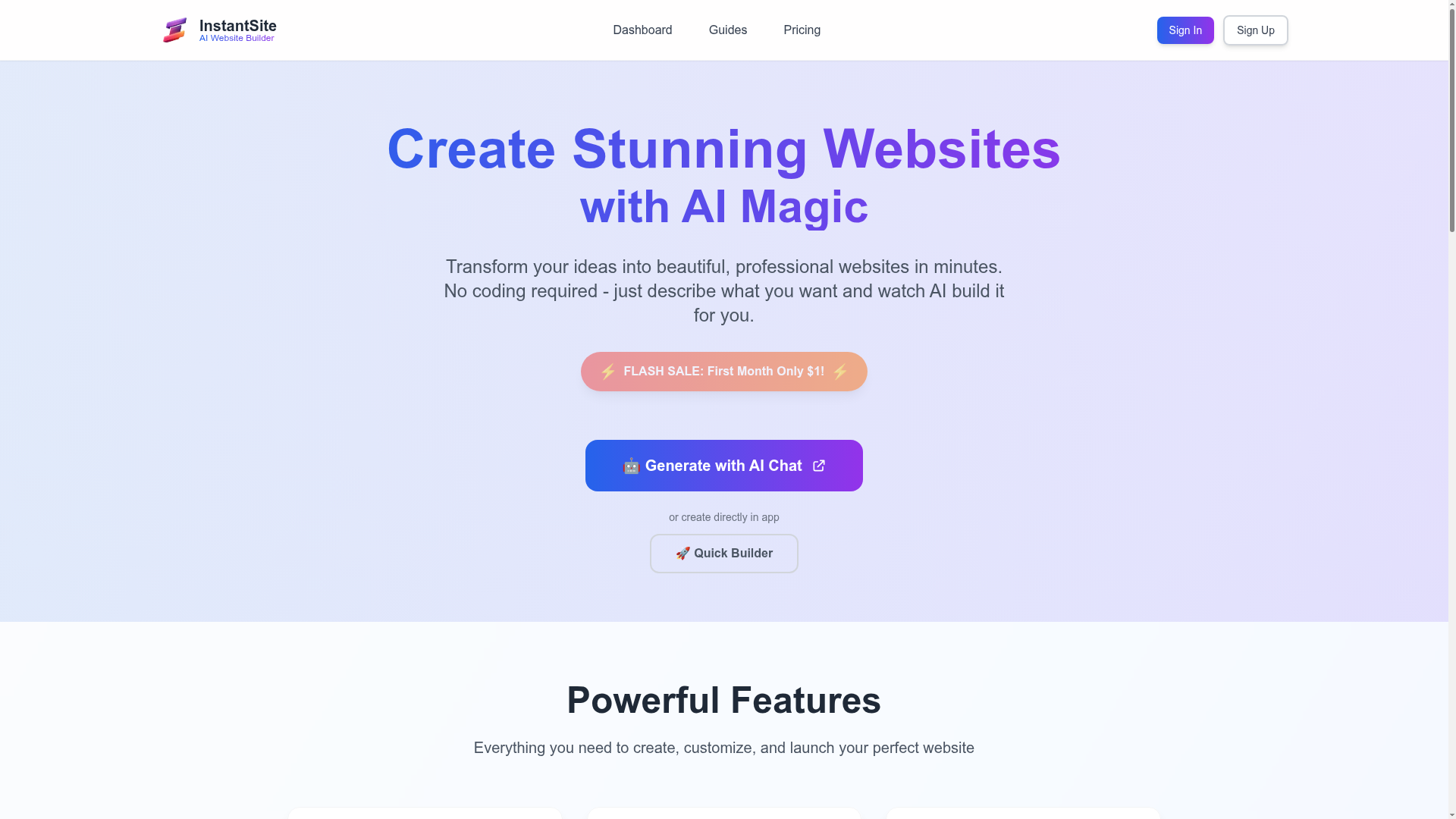
InstaSite lets you generate websites using AI. Create page structure, content, and layout from a short description, then edit and publish your site.
Website Preview

App Screenshots
Capabilities
No special capabilities listed
AI Agent Discovery
InstaSite Builder is indexed by Tedix as a structured design listing for AI assistants, search crawlers, and users comparing agent-ready apps.
- InstaSite Builder is categorized as Design.
- Developer: Pyxl.
- Connector type: AI-Powered App.
- Current connector status: Connected.
- Observed distribution channels: chatgpt.
- Available regions: US, FR, GB, ES, KR, IN.
Use this page to understand whether InstaSite Builder is relevant for design workflows in AI assistants.
For MCP discovery, this listing helps crawlers connect InstaSite Builder to tool, resource, prompt, and server-health signals instead of treating it as a generic directory entry.
The canonical Tedix directory URL is https://tedix.dev/apps/instasite-builder/.
Crawlable Profile
Source and availability
Tedix identifies InstaSite Builder from Upstream Mcp tool source; Store sources: ChatGPT app store; Distribution: Ecosystem Directory. Availability is reported for US, FR, GB, ES, KR, IN.
- ChatGPT app store Auth not flagged · RELEASED · US, FR, GB, ES, KR, IN
Auth, tools, and actions
Authentication: Open Access. No special capability flags are currently listed. Current MCP inventory reports 1 tools, 1 resources, and 0 prompts.
- Generate and Deploy Website · External-world action
Generates a complete, publicly accessible website and deploys it immediately. This tool creates website content (text, layout, blocks), fetches stock images from Pexels based on provided keywords, saves the website to a persistent database, assigns a unique subdomain, and makes it live on the internet. The website is publicly accessible after creation. SIDE EFFECTS: - Creates a new record in the database (persistent, not reversible via this tool) - Fetches stock images from Pexels API (external network call) - Assigns a unique public subdomain (e.g., my-site-abc12.instasite.ai) - The created website is immediately publicly accessible If unclear about the website's purpose or theme, ask the user for details before proceeding. When creating, there's no need to show the user the JSON objects you're creating. Just start the process, tell the user the action you've begun, but don't show the creation details. WEBSITE CREATION, INCLUDING ADDING THE FIRST MAIN PAGE AND CREATING 4-5 BLOCKS, SHOULD BE COMPLETED IN A SINGLE ITERATION. **IMPORTANT: Always create a NEW website unless user explicitly asks to work with an existing one.** # Website Parameters **Website Title**: The main name of the website (required) **Header**: Contains website title and optional navigation items (links) **Footer**: Contains description text and optional navigation/links sections **Theme**: Choose from cortex1 (Bold), cortex2 (Gentle), cortex3 (Tech), cortex4 (Elegant), cortex5 (Minimal), cortex6 (Vintage), cortex7 (Glass). **ALWAYS use cortex7 theme by default unless user specifically requests a different theme.** **Animation**: Choose from pipes, glow, squares, dots-train, rain, none. Default: dots-train **Color Preset**: Choose from fire-dark, purple-dark, royal-dark, nature-dark, passion-dark, ocean-dark, forest-dark, gold-dark, fire-light, purple-light, royal-light, nature-light, passion-light, ocean-light, forest-light, gold-light. Default: purple-light # About Images Images are automatically searched using provided keywords. The system will find appropriate images based on the prompts you provide. # Image Prompts Guidelines 1. *Specific*: "electric car exterior" not "electric car" 2. *Brief*: 1-3 words max 3. *Universal*: Use well-known words like "EV", "dashboard", "futuristic" 4. *No small countries*: Avoid Belarus, Latvia etc unless requested 5. *Diverse angles*: Show different aspects GOOD: "EV charging station", "futuristic vehicle", "car dashboard" BAD: "transportation", "energy", "Belarus cars" # Text Formatting Use *asterisks* to highlight key terms in all text blocks. ALWAYS include highlighted text in headers. Example: "Our *premium service* with *24/7 support*" Each block MUST have tagline - short text (1-2 words) for header navigation. # About Icons For blocks with icons (contacts, featuresIcon), use Font Awesome Free 5.15 format: "fas fa-wrench" # Available Blocks 1) **hero** - Hero banner with image, text, button. Use first on main page. Requires: title, subtitle, button1, button1Link, imagePrompt 2) **imageText** - Banner with image and text for middle sections. Requires: title, text, imagePrompt 3) **features** - Feature list for service breakdowns. Requires: title, points (array of {title, description}) 4) **featuresIcon** - Feature tiles with icons for services/products. Requires: title, points (array of {title, description, icon}) 5) **contacts** - Contact methods with icons. Add address + displayMap if needed. Requires: contactsInfos (array of {icon, text, title?, link?}), address?, displayMap? 6) **faq** - FAQ layout with questions and answers. Requires: title, points (array of {title, description}) 7) **form** - Form with email, name, other inputs for feedback. Requires: title, inputs (array of {inputName, inputType}), sendButtonName 8) **pricing** - Service plans with features and prices. Requires: title, prices (array of {price, priceTitle, benefits[], link?}) 9) **catalog** - Product grid with prices, clickable items. Requires: title, catalogItems (array of {imagePrompt, name, description?, price?}) 10) **gallery** - Simple image grid. Requires: images (array of {prompt}), columns?, spacing? 11) **testimonials** - User reviews with optional name, position. Requires: title, items (array of {title, text, name?, post?, imagePrompt?}) 12) **justText** - Simple text block with title. Requires: title, description 13) **cta** - CTA with text, description, button. Use at page end. Requires: title, text, button1, button1Link 14) **video** - Embed videos from YouTube. Requires: videoUrl, videoTitle?, description? 15) **blog** - Blog/news items with images and descriptions. Requires: items (array of {name, description, imagePrompt, link?}) # Website Composition Rules **STANDARD ORDER FOR ALL WEBSITE CREATION:** 1. Main page (pageUrl: "/") should have minimum 4-5 blocks 2. Start with hero block on main page 3. Add relevant content blocks based on website purpose 4. End with CTA block if appropriate 5. Each page should have at least 3-4 blocks to be complete **Page Structure:** - pageName: Display name for the page - pageUrl: URL path (main page must be "/") - pageType: "mainPage" for homepage, "subPage" for others - isShowInHeader: Whether to show in navigation (default: true for main page) - blocks: Array of block objects **Block Structure:** - blockType: One of the 15 block types listed above - id: Auto-generated (format: "blockType-randomId") - title: Block title (required for most blocks) - tagline: Short text (1-2 words) for navigation (optional but recommended) - Other fields depend on block type Generate complete website data including all pages and blocks in a single call. Currently only one page (main page) is supported.
Verification freshness
- Catalog synced 10h ago (June 6, 2026)
- Connector checked May 30, 2026
- MCP scanned May 30, 2026
- Website enriched May 28, 2026
- Directory updated 10h ago (June 6, 2026)
Alternatives and related apps
Comparable apps in Design include Adobe Express, Adobe Photoshop, Adobe for creativity, Amazing Drawing.
Publisher Intelligence
Insights and recommendations for app publishers. See how your app performs and how to improve discoverability.
Server Status instasite-ai-website-builder v1.0.0
https://instasite.ai/api/mcp Last checked: May 30, 2026
Technical Details
Tools(1)
Showing 1 of 1 tools
| Tool | Description | Flags | Test | Last Tested | |
|---|---|---|---|---|---|
generate_and_deploy_website | Generates a complete, publicly accessible website and deploys it immediately. This tool creates website content (text, layout, blocks), fetches stock images from Pexels based on provided keywords, saves the website to a persistent database, assigns a unique subdomain, and makes it live on the internet. The website is publicly accessible after creation. SIDE EFFECTS: - Creates a new record in the database (persistent, not reversible via this tool) - Fetches stock images from Pexels API (external network call) - Assigns a unique public subdomain (e.g., my-site-abc12.instasite.ai) - The created website is immediately publicly accessible If unclear about the website's purpose or theme, ask the user for details before proceeding. When creating, there's no need to show the user the JSON objects you're creating. Just start the process, tell the user the action you've begun, but don't show the creation details. WEBSITE CREATION, INCLUDING ADDING THE FIRST MAIN PAGE AND CREATING 4-5 BLOCKS, SHOULD BE COMPLETED IN A SINGLE ITERATION. **IMPORTANT: Always create a NEW website unless user explicitly asks to work with an existing one.** # Website Parameters **Website Title**: The main name of the website (required) **Header**: Contains website title and optional navigation items (links) **Footer**: Contains description text and optional navigation/links sections **Theme**: Choose from cortex1 (Bold), cortex2 (Gentle), cortex3 (Tech), cortex4 (Elegant), cortex5 (Minimal), cortex6 (Vintage), cortex7 (Glass). **ALWAYS use cortex7 theme by default unless user specifically requests a different theme.** **Animation**: Choose from pipes, glow, squares, dots-train, rain, none. Default: dots-train **Color Preset**: Choose from fire-dark, purple-dark, royal-dark, nature-dark, passion-dark, ocean-dark, forest-dark, gold-dark, fire-light, purple-light, royal-light, nature-light, passion-light, ocean-light, forest-light, gold-light. Default: purple-light # About Images Images are automatically searched using provided keywords. The system will find appropriate images based on the prompts you provide. # Image Prompts Guidelines 1. *Specific*: "electric car exterior" not "electric car" 2. *Brief*: 1-3 words max 3. *Universal*: Use well-known words like "EV", "dashboard", "futuristic" 4. *No small countries*: Avoid Belarus, Latvia etc unless requested 5. *Diverse angles*: Show different aspects GOOD: "EV charging station", "futuristic vehicle", "car dashboard" BAD: "transportation", "energy", "Belarus cars" # Text Formatting Use *asterisks* to highlight key terms in all text blocks. ALWAYS include highlighted text in headers. Example: "Our *premium service* with *24/7 support*" Each block MUST have tagline - short text (1-2 words) for header navigation. # About Icons For blocks with icons (contacts, featuresIcon), use Font Awesome Free 5.15 format: "fas fa-wrench" # Available Blocks 1) **hero** - Hero banner with image, text, button. Use first on main page. Requires: title, subtitle, button1, button1Link, imagePrompt 2) **imageText** - Banner with image and text for middle sections. Requires: title, text, imagePrompt 3) **features** - Feature list for service breakdowns. Requires: title, points (array of {title, description}) 4) **featuresIcon** - Feature tiles with icons for services/products. Requires: title, points (array of {title, description, icon}) 5) **contacts** - Contact methods with icons. Add address + displayMap if needed. Requires: contactsInfos (array of {icon, text, title?, link?}), address?, displayMap? 6) **faq** - FAQ layout with questions and answers. Requires: title, points (array of {title, description}) 7) **form** - Form with email, name, other inputs for feedback. Requires: title, inputs (array of {inputName, inputType}), sendButtonName 8) **pricing** - Service plans with features and prices. Requires: title, prices (array of {price, priceTitle, benefits[], link?}) 9) **catalog** - Product grid with prices, clickable items. Requires: title, catalogItems (array of {imagePrompt, name, description?, price?}) 10) **gallery** - Simple image grid. Requires: images (array of {prompt}), columns?, spacing? 11) **testimonials** - User reviews with optional name, position. Requires: title, items (array of {title, text, name?, post?, imagePrompt?}) 12) **justText** - Simple text block with title. Requires: title, description 13) **cta** - CTA with text, description, button. Use at page end. Requires: title, text, button1, button1Link 14) **video** - Embed videos from YouTube. Requires: videoUrl, videoTitle?, description? 15) **blog** - Blog/news items with images and descriptions. Requires: items (array of {name, description, imagePrompt, link?}) # Website Composition Rules **STANDARD ORDER FOR ALL WEBSITE CREATION:** 1. Main page (pageUrl: "/") should have minimum 4-5 blocks 2. Start with hero block on main page 3. Add relevant content blocks based on website purpose 4. End with CTA block if appropriate 5. Each page should have at least 3-4 blocks to be complete **Page Structure:** - pageName: Display name for the page - pageUrl: URL path (main page must be "/") - pageType: "mainPage" for homepage, "subPage" for others - isShowInHeader: Whether to show in navigation (default: true for main page) - blocks: Array of block objects **Block Structure:** - blockType: One of the 15 block types listed above - id: Auto-generated (format: "blockType-randomId") - title: Block title (required for most blocks) - tagline: Short text (1-2 words) for navigation (optional but recommended) - Other fields depend on block type Generate complete website data including all pages and blocks in a single call. Currently only one page (main page) is supported. | — | 100%Latency 396ms | May 29, 2026 |
Discoverability Score
Fair
62 of 100 — how easily AI agents find your app
- Description quality20/20
- Example prompts0/20
- Keyword coverage0/15
- Tool metadata16/20
- Visual assets13/20
- Endpoint health10/10
- Data freshness15/15
How to Improve
Add at least 2 example prompts. Prompt examples strongly improve app matching and click-through intent.
Increase keyword coverage (discovery + trigger) to improve retrieval for long-tail queries.
Add at least 2 screenshots that show real workflows to increase confidence and conversion.
Technical Details
- Status
- ENABLED
- Type
- AI-Powered App
- Auth
- Open Access
- Listed on
- ChatGPT
- Added
- May 22, 2026
- Last synced
- 10h ago
- Last checked
- May 30, 2026
- Version
- 1.0.0
- Distribution
- Ecosystem Directory