Innovist
by Onesto Labs Private Limited (Community)
Description
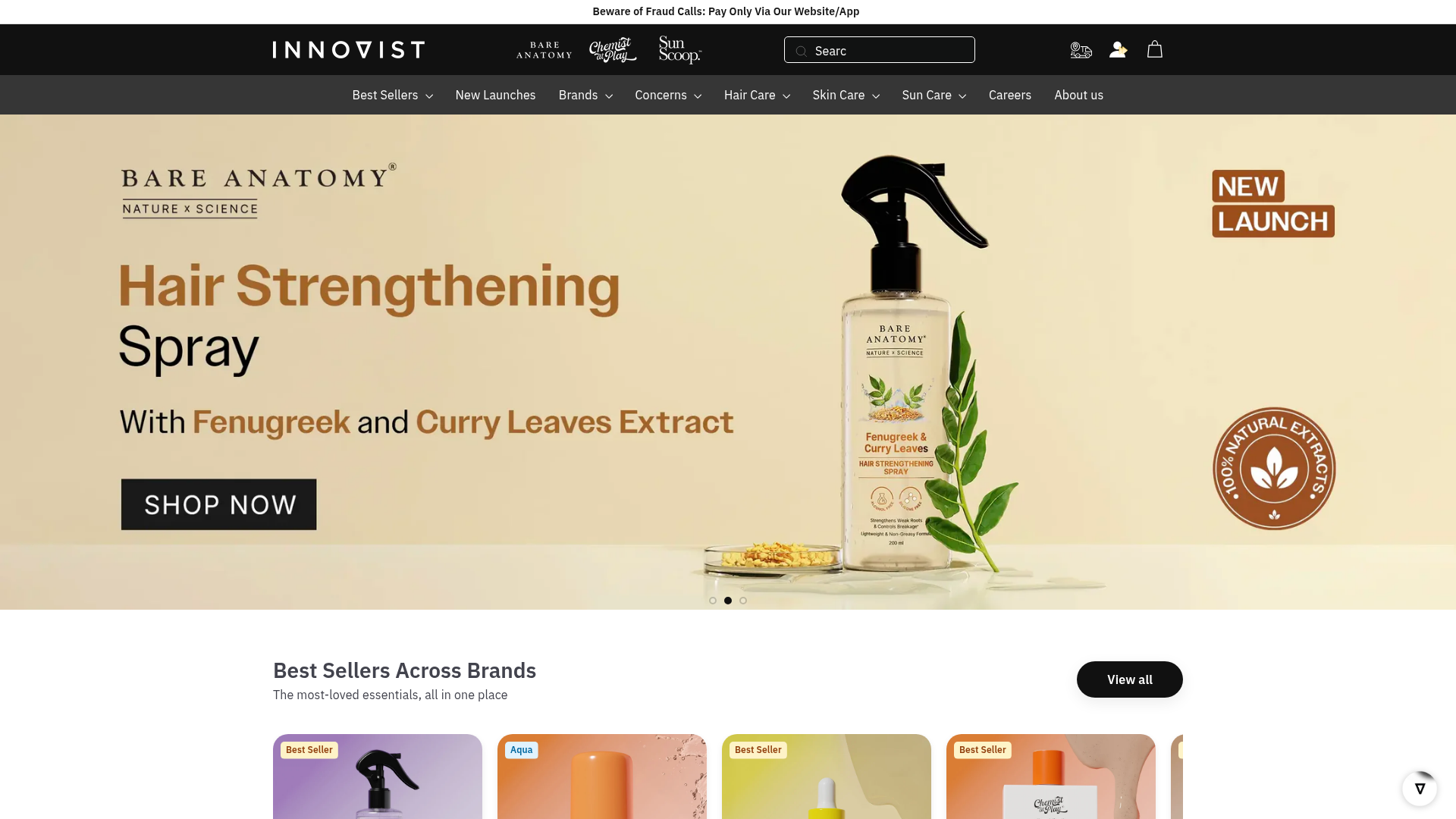
Browse and shop Innovist’s beauty and personal care collection directly within ChatGPT. Search for products by type or concern, apply filters by brand or category, and view detailed product information. Easily manage your shopping cart, track orders, and check order status. Complete your purchase securely through Razorpay — all within the conversation.
Website Preview

App Screenshots
Capabilities
No special capabilities listed
AI Agent Discovery
Innovist is indexed by Tedix as a structured shopping listing for AI assistants, search crawlers, and users comparing agent-ready apps.
- Innovist is categorized as Shopping.
- Developer: Onesto Labs Private Limited.
- Connector type: AI-Powered App.
- Current connector status: Connected.
- Observed distribution channels: chatgpt.
- Available regions: US, FR, GB, ES, KR, IN.
Use this page to understand whether Innovist is relevant for shopping workflows in AI assistants.
For MCP discovery, this listing helps crawlers connect Innovist to tool, resource, prompt, and server-health signals instead of treating it as a generic directory entry.
The canonical Tedix directory URL is https://tedix.dev/apps/innovist/.
Crawlable Profile
Source and availability
Tedix identifies Innovist from Upstream Mcp tool source; Store sources: ChatGPT app store; Distribution: Ecosystem Directory. Availability is reported for US, FR, GB, ES, KR, IN.
- ChatGPT app store Auth not flagged · RELEASED · US, FR, GB, ES, KR, IN
Auth, tools, and actions
Authentication: Open Access. No special capability flags are currently listed. Current MCP inventory reports 10 tools, 1 resources, and 0 prompts.
- add_to_cart · External-world action
Add a product to the shopping cart. IMPORTANT: productId must be the `id` field from product-search results. If cartId is omitted, a new cart is created — its ID is returned in the response. Pass this cartId to all subsequent cart operations.
- clear_cart · High-impact write action
Remove all items from the cart. Removes all line items from the Shopify cart.
- create_checkout · High-impact write action
Create a Razorpay order from the cart and return a hosted checkout URL. Pass either cartId (from add_to_cart) OR cartItems array directly. For Shopify: cartItems lets you skip the add_to_cart step entirely.
- get_filter_options · Read-only action
Get available filter values (categories, brands, tags, sizes, colors, price range) for the store. Call this tool before search_products when the user mentions specific brands, categories, sizes, colors, or other product attributes. WORKFLOW: 1. User mentions a filter (brand/category/size/color/tags) — call this tool first. 2. Use exact values from the response. 3. Call search_products with the user's query and those exact filter values. 4. Always follow this tool with a search_products call — never stop here. RETURNS: - productTypes: available categories (e.g., ['T-Shirts', 'Jeans', 'Phones']) - vendors: available brands (e.g., ['Nike', 'Adidas', 'Apple']) - tags: available tags (e.g., ['sale', 'new-arrival', 'bestseller']) - priceRange: {min, max} bounds - variantOptions: sizes, colors, materials (e.g., [{name: 'Size', values: ['S', 'M', 'L']}]) EXAMPLES: 'show me nike shoes' → get_filter_options, then search_products({query: 'shoes', vendor: 'Nike'}) 'blue t-shirts on sale' → get_filter_options, then search_products({query: 't-shirts', tags: ['sale'], variantOptions: [{name: 'Color', value: 'Blue'}]})
- get_order_status · Read-only action
Get order status and details using a Razorpay order ID. Returns order information including items, shipping address, payment status, and fulfillment status. Use this when the user asks about their order with an order ID.
- get_product_details · Read-only action
Show detailed information for a specific product. Use this tool when the user wants to see more details about a single product, view product images, or check available variants (sizes, colors). Use the productId from the search results.
- remove_from_cart · High-impact write action
Remove a product from the cart or reduce its quantity.
- Search and Browse Products · Read-only action
**Product Search Results**: The interactive widget above shows your filtered product results. You can browse products, apply additional filters, add items to cart, and complete checkout. The widget automatically updates based on your search criteria and applied filters.
Plus 2 additional actions in the full tool inventory.
Verification freshness
- Catalog synced 1d ago (June 5, 2026)
- Connector checked May 30, 2026
- MCP scanned May 30, 2026
- Website enriched May 28, 2026
- Directory updated 1d ago (June 5, 2026)
Alternatives and related apps
Comparable apps in Shopping include 1800Flowers, Access Yami, Appy Coupons, Autoinsurance.net.
Publisher Intelligence
Insights and recommendations for app publishers. See how your app performs and how to improve discoverability.
Server Status Chat2Checkout v0.1.0
https://innovist.agent.razorpay.com/mcp Last checked: May 30, 2026
Technical Details
Tools(10)
Showing 10 of 10 tools
| Tool | Description | Flags | Test | Last Tested | |
|---|---|---|---|---|---|
add_to_cart | Add a product to the shopping cart. IMPORTANT: productId must be the `id` field from product-search results. If cartId is omitted, a new cart is created — its ID is returned in the response. Pass this cartId to all subsequent cart operations. | — | 100%Latency 1.5s | May 29, 2026 | |
clear_cart | Remove all items from the cart. Removes all line items from the Shopify cart. | destructive | 100%Latency 567ms | May 29, 2026 | |
create_checkout | Create a Razorpay order from the cart and return a hosted checkout URL. Pass either cartId (from add_to_cart) OR cartItems array directly. For Shopify: cartItems lets you skip the add_to_cart step entirely. | destructive | 100%Latency 441ms | May 29, 2026 | |
get_filter_options | Get available filter values (categories, brands, tags, sizes, colors, price range) for the store. Call this tool before search_products when the user mentions specific brands, categories, sizes, colors, or other product attributes. WORKFLOW: 1. User mentions a filter (brand/category/size/color/tags) — call this tool first. 2. Use exact values from the response. 3. Call search_products with the user's query and those exact filter values. 4. Always follow this tool with a search_products call — never stop here. RETURNS: - productTypes: available categories (e.g., ['T-Shirts', 'Jeans', 'Phones']) - vendors: available brands (e.g., ['Nike', 'Adidas', 'Apple']) - tags: available tags (e.g., ['sale', 'new-arrival', 'bestseller']) - priceRange: {min, max} bounds - variantOptions: sizes, colors, materials (e.g., [{name: 'Size', values: ['S', 'M', 'L']}]) EXAMPLES: 'show me nike shoes' → get_filter_options, then search_products({query: 'shoes', vendor: 'Nike'}) 'blue t-shirts on sale' → get_filter_options, then search_products({query: 't-shirts', tags: ['sale'], variantOptions: [{name: 'Color', value: 'Blue'}]}) | read-only | 100%Latency 896ms | May 29, 2026 | |
get_order_status | Get order status and details using a Razorpay order ID. Returns order information including items, shipping address, payment status, and fulfillment status. Use this when the user asks about their order with an order ID. | read-only | 100%Latency 786ms | May 29, 2026 | |
get_product_details | Show detailed information for a specific product. Use this tool when the user wants to see more details about a single product, view product images, or check available variants (sizes, colors). Use the productId from the search results. | read-only | 100%Latency 954ms | May 29, 2026 | |
remove_from_cart | Remove a product from the cart or reduce its quantity. | destructive | 100%Latency 1.3s | May 29, 2026 | |
search_products | **Product Search Results**: The interactive widget above shows your filtered product results. You can browse products, apply additional filters, add items to cart, and complete checkout. The widget automatically updates based on your search criteria and applied filters. | read-only | 100%Latency 1.3s | May 29, 2026 | |
update_cart_item | Update the quantity of a specific cart line item. Use quantity 0 to remove. | destructive | 100%Latency 525ms | May 29, 2026 | |
view_cart | Retrieve current cart contents, including items and quantities. Pass `pincode` (Shopify) or `areaCode` (Fynd) to also check delivery serviceability for all items in the cart. | read-only | 100%Latency 622ms | May 29, 2026 |
Discoverability Score
Fair
65 of 100 — how easily AI agents find your app
- Description quality20/20
- Example prompts0/20
- Keyword coverage0/15
- Tool metadata20/20
- Visual assets13/20
- Endpoint health10/10
- Data freshness15/15
How to Improve
Add at least 2 example prompts. Prompt examples strongly improve app matching and click-through intent.
Increase keyword coverage (discovery + trigger) to improve retrieval for long-tail queries.
Add at least 2 screenshots that show real workflows to increase confidence and conversion.
Technical Details
- Status
- ENABLED
- Type
- AI-Powered App
- Auth
- Open Access
- Listed on
- ChatGPT
- Added
- May 9, 2026
- Last synced
- 1d ago
- Last checked
- May 30, 2026
- Version
- 0.1.0
- Distribution
- Ecosystem Directory