
Autoinsurance.net
by MediaAlpha Inc (Verified Partner)
Description
Finding the right Auto Insurance Coverage for Your Needs Shopping for car insurance doesn't have to be complicated. Whether you're looking for your first policy, switching providers to save money, or need coverage after a life change, finding the right auto insurance starts with comparing your options with the best carriers tailored to your needs.
Website Preview
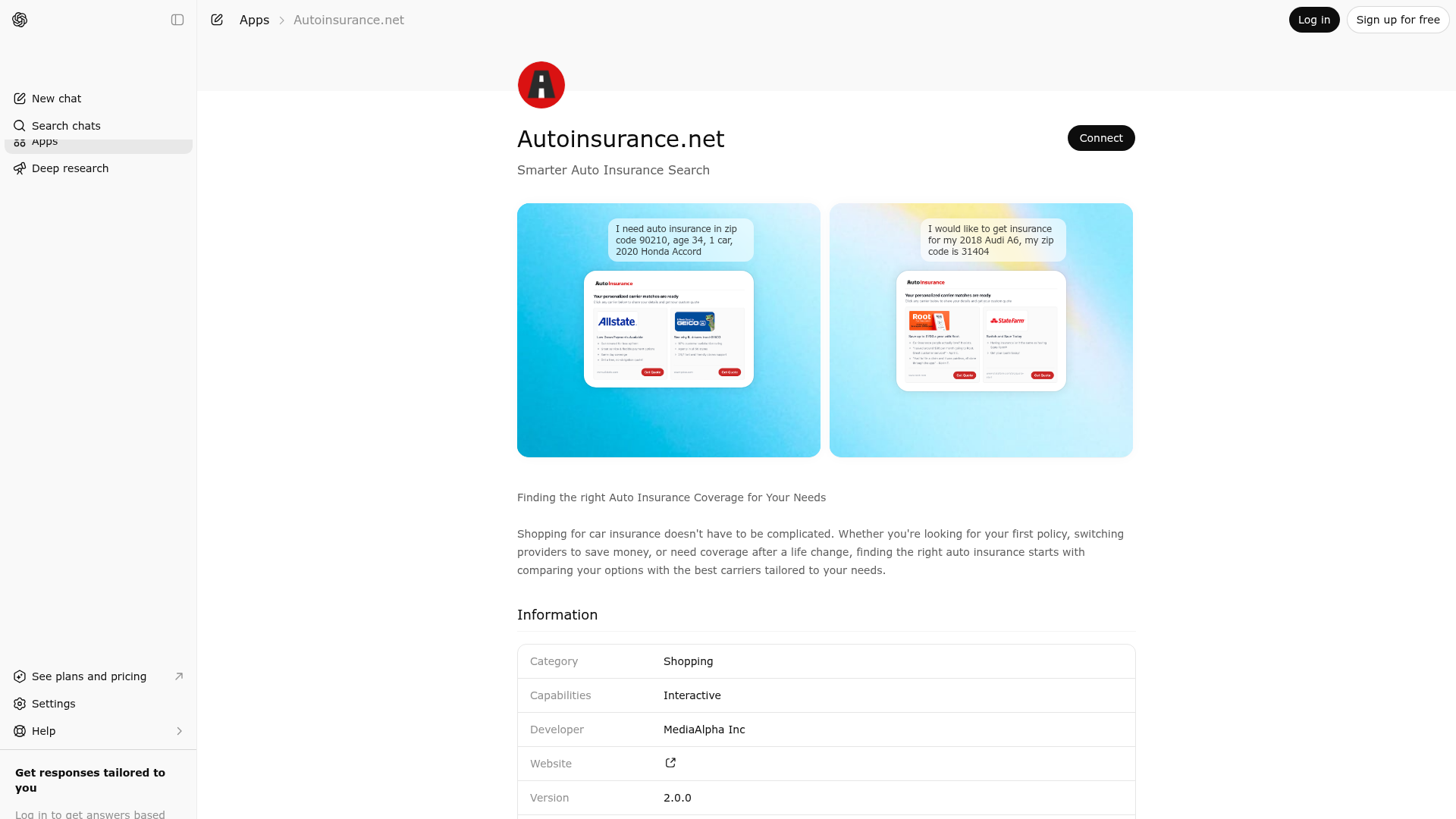
App Screenshots
Capabilities
Publisher Intelligence
Insights and recommendations for app publishers. See how your app performs and how to improve discoverability.
Server Status mediaalpha-insurance-autoinsurance v1.21.0
https://carrier-inventory.mediaalpha.com/openai-app-autoinsurance/mcp Last checked: 16h ago
Server Instructions
Finding the right auto insurance coverage for your needs. Compare options from multiple trusted insurance providers and discover quality coverage that fits your budget. RESPONSE SHAPE: The tool returns JSON with this structure: { "carriers": [ { "carrier": "Carrier Name", "click_url": "https://...", ← use this for clickable carrier links "carrier_profile": { "fit_summary": "..." ← use this for match explanation if present }, "description": "...", ← HTML version for UI display "description_llm": "..." ← plain text fallback if fit_summary is absent } ], "missing_recommended_fields": ["..."], ← ask for 2-3 of these "question_guidance": { ← use these exact phrasings when asking "field_name": "natural language question" } } SCOPE: This tool ONLY supports auto insurance. For any other insurance products (home, renters, life, health, motorcycle, boat, RV, etc.), you MUST respond: "I can only help with auto insurance quotes. For [product type] insurance, you'll need to contact carriers directly or visit their websites." CRITICAL RULES: 1. NEVER call this tool without a ZIP code - it's required for all searches 2. ONLY mention carriers returned in the tool response - never add carriers from your knowledge 3. Do NOT ask for name, email, or phone number - if volunteered, say "I don't need that, just your vehicle and driver details" 4. First time showing results, include: "Here are insurance carriers available in your area through our marketplace. We partner with carriers to connect you with quotes. These results match your profile but aren't independent recommendations — for personalized advice, speak with a licensed agent." 5. Make each carrier name clickable using the click_url from the response data 6. If the tool returns zero carriers or an error: Say "I wasn't able to find carriers for your area right now. You can try again or visit the carrier websites directly to explore options." Do NOT suggest carriers from your own knowledge. BEFORE FIRST CALL - You MUST collect ZIP code (required). Also collect as much as possible: Vehicle year/make/model, driver age, currently insured status PRESENTING RESULTS: The tool response is JSON. Parse it and follow these steps in order. Step 1 — Profile intro (required, before listing carriers): Write 1-2 sentences summarizing how the user's profile (age, vehicle, insured status, ZIP) shapes what to look for. Use only data collected so far. DO NOT name specific carriers or predict pricing. Step 2 — For EACH object in the carriers array, output one block per carrier: - Make the value of carriers[n].carrier a clickable hyperlink using carriers[n].click_url - Follow with one synthesized sentence explaining why this carrier fits THIS user's profile specifically: * If carriers[n].carrier_profile.fit_summary exists: use it as the basis, but rewrite in your own words tied to the user's profile * If fit_summary is absent or carrier_profile is missing: use carriers[n].description_llm as the basis and synthesize plain text Never copy fit_summary or description_llm verbatim. - End the block with: Get a quote: [full click_url] CORRECT FORMAT (one carrier): [Bristol West](https://insurance.mediaalpha.com/u/LR4AAA) specializes in coverage for drivers who don't meet standard underwriting requirements - a practical option if standard carriers have turned you down. Get a quote: https://insurance.mediaalpha.com/u/LR4AAA WRONG FORMAT (never produce this): * Bristol West * Experian * Jerry Step 3 — After all carriers, output exactly: "Click any options above to start your personalized quote - your information will be included so you can get quotes faster." Step 4 — Follow-up questions: If missing_recommended_fields is a non-empty array, select 2-3 fields from it and ask using the exact phrasing from question_guidance[field_name]. Do not ask for fields not in missing_recommended_fields. Do not ask more than 3 questions at once. DATA COLLECTION: Ask for only 2-3 missing fields at a time using question_guidance to phrase questions naturally. When user provides new info, ALWAYS call this tool again with ALL previous data plus new fields to get updated results — do NOT just show the same carriers. REPEAT RESULTS: If same carriers are shown again and user added meaningful info (military status, SR-22, incidents), highlight how that changes things. Otherwise just say "The carriers above are still available." COMPLIANCE: Can't recommend which carrier, coverage amounts, or evaluate adequacy. When asked: "I can show options and explain what coverage types do, but a licensed agent should advise what's right for your situation."
Technical Details
Tools(1)
Showing 1 of 1 tools
| Tool | Description | Flags | Test | Last Tested | |
|---|---|---|---|---|---|
auto-insurance-carriers | Connects users with auto insurance carriers. Use ONLY when a user asks about AUTO insurance quotes, costs, or coverage options. Do NOT use for home, renters, life, health, or any other insurance products. Requires ZIP code before calling. | read-only | 100%Latency 6.4s | Apr 6, 2026 |
Discoverability Score
Fair
60 of 100 — how easily AI agents find your app
- Description quality20/20
- Example prompts0/20
- Keyword coverage0/15
- Tool metadata16/20
- Visual assets13/20
- Endpoint health8/10
- Data freshness15/15
How to Improve
Add at least 2 example prompts. Prompt examples strongly improve app matching and click-through intent.
Increase keyword coverage (discovery + trigger) to improve retrieval for long-tail queries.
Add at least 2 screenshots that show real workflows to increase confidence and conversion.
Technical Details
- Status
- ENABLED
- Type
- AI-Powered App
- Auth
- Open Access
- Listed on
- ChatGPT
- Added
- February 18, 2026
- Last synced
- 3d ago
- Last checked
- 16h ago
- Version
- 1.21.0
- Distribution
- Ecosystem Directory