Autodesk Product Help
by Autodesk, Inc. (Community)
Description
The Autodesk Product Help MCP Server connects AI agents directly to Autodesk's official product documentation, enabling accurate, real-time answers across 110+ products. As a secure, read-only interface, it allows AI tools to search, navigate, and retrieve trusted Autodesk help content. This enables support for natural language queries, accelerates onboarding, and provides a reliable foundation for intelligent agents built on authoritative Autodesk product documentation.
Website Preview
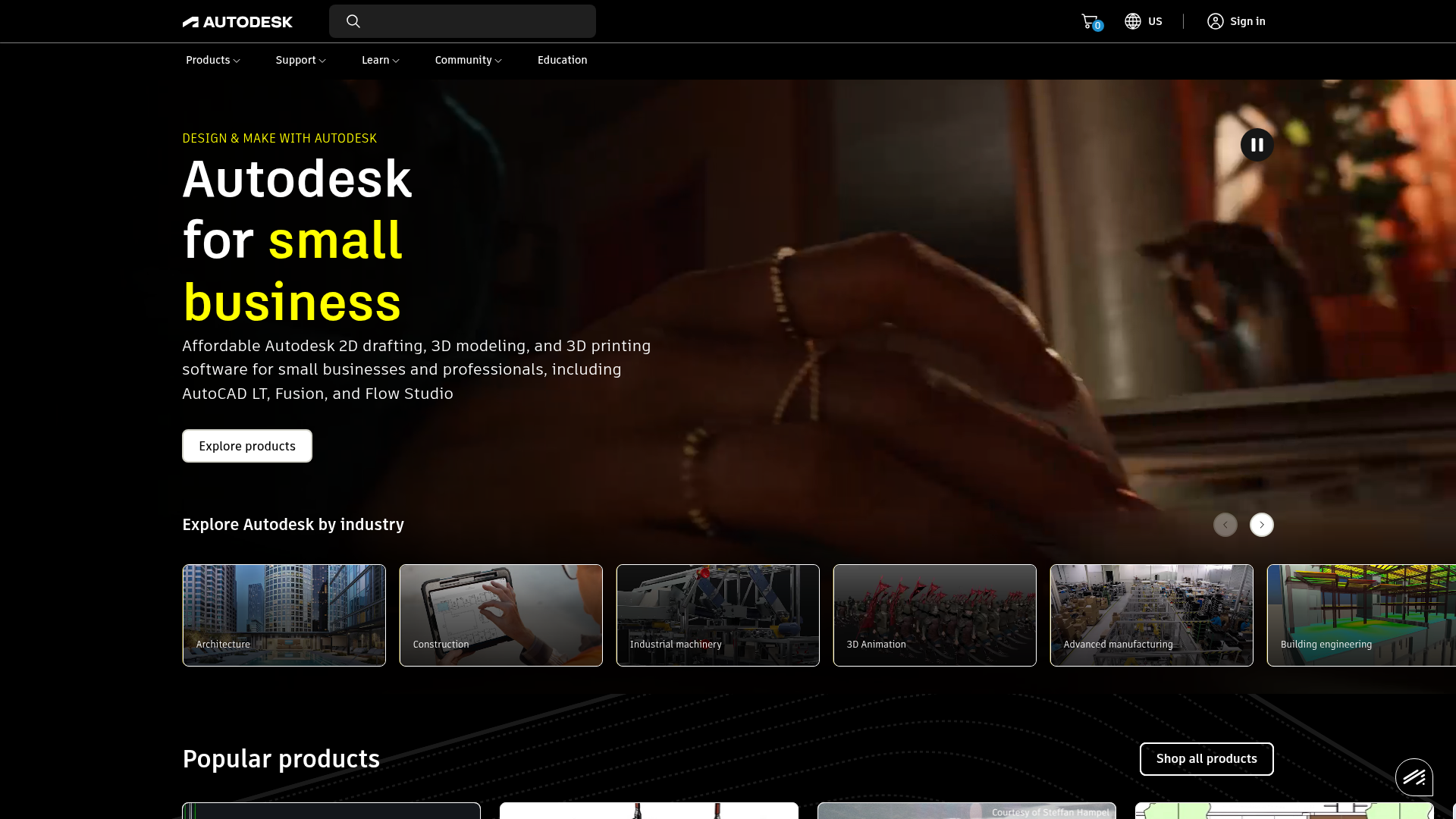
App Screenshots
Capabilities
No special capabilities listed
AI Agent Discovery
Autodesk Product Help is indexed by Tedix as a structured productivity listing for AI assistants, search crawlers, and users comparing agent-ready apps.
- Autodesk Product Help is categorized as Productivity.
- Developer: Autodesk, Inc..
- Connector type: AI-Powered App.
- Current connector status: Connected.
- Observed distribution channels: claude.
Use this page to understand whether Autodesk Product Help is relevant for productivity workflows in AI assistants.
For MCP discovery, this listing helps crawlers connect Autodesk Product Help to tool, resource, prompt, and server-health signals instead of treating it as a generic directory entry.
The canonical Tedix directory URL is https://tedix.dev/apps/autodesk-product-help/.
Crawlable Profile
Source and availability
Tedix identifies Autodesk Product Help from Upstream Mcp tool source; Store sources: Claude connector directory; Distribution: Ecosystem Directory.
- Claude connector directory Auth not flagged · RELEASED
Auth, tools, and actions
Authentication: Open Access. No special capability flags are currently listed. Current MCP inventory reports 2 tools, 0 resources, and 0 prompts.
- Get Available Products · Read-only action
Returns the canonical Autodesk product catalog (closed set). Each item has: product_name, product_code, and release_codes. Use this to discover or validate product values for other product-scoped tools. Not required if valid product context is already available. Terminology: release_codes = the code only (e.g. 2025), not the human-readable release name (release_name, e.g. 'AutoCAD 2025').
- Search Help Content · Read-only action
Search Autodesk Help/Support documentation and return the most relevant documents for a user question. Use when: - The user asks how to do something in an Autodesk product. - The user reports an error (include the exact error text/code in the query). - The user needs official troubleshooting steps or reference documentation. Call shape (recommended): - Always pass: `query`, `locale`. - If your agent has a default product context, pass it directly via `product_code` (preferred) or `product_name`. - Pass `release_code` only when you can validate it for that product. Behavior: 1) Locale: - Read `locale` from your current context. Do not guess locale. - Pass that locale as the `locale` parameter. 2) Product and release filters (best-effort): - If your agent already has a default `product_code` or `product_name`, pass it directly. - Only call `get_available_products` to validate/normalize when: a) product is missing/unknown in context, OR b) the user explicitly specifies a product that may differ from your default, OR c) you have a `release_code` that may not be valid for the product, OR d) the product/release value appears malformed or not an allowed enum/value. - If you cannot confidently map to an exact allowed value from `get_available_products`, omit that field rather than guessing. - If both `product_name` and `product_code` are present, they must refer to the same product; `product_code` takes precedence. 3) Query construction: - Make the query keyword-rich: include product + feature/task nouns. - Include exact error text/codes when relevant. - Use the user's wording where possible. - Do not include secrets, credentials, or personal data. Returns: - Up to `max_results` documents sorted by relevance. Each item includes title, url, locale, body, media_type, source (and may include internal IDs for debugging/deduplication).
Verification freshness
- Catalog synced 1d ago (June 5, 2026)
- Connector checked May 30, 2026
- MCP scanned May 30, 2026
- Website enriched May 29, 2026
- Directory updated 1d ago (June 5, 2026)
Alternatives and related apps
Comparable apps in Productivity include AI Voice Generator, AI Wisebase, AWS Marketplace, AccurateScribe.ai – Transcribe.
Publisher Intelligence
Insights and recommendations for app publishers. See how your app performs and how to improve discoverability.
Server Status autodesk-knowledge-public-v1-mcp-server v3.0.0b2
https://developer.api.autodesk.com/knowledge/public/v1/mcp Last checked: May 30, 2026
Server Instructions
Autodesk Knowledge MCP Public Server (v1) for external consumers.Provides tools for product catalog access and help content search.
Technical Details
Tools(2)
Showing 2 of 2 tools
| Tool | Description | Flags | Test | Last Tested | |
|---|---|---|---|---|---|
get_available_products | Returns the canonical Autodesk product catalog (closed set). Each item has: product_name, product_code, and release_codes. Use this to discover or validate product values for other product-scoped tools. Not required if valid product context is already available. Terminology: release_codes = the code only (e.g. 2025), not the human-readable release name (release_name, e.g. 'AutoCAD 2025'). | read-only | 100%Latency 287ms | May 29, 2026 | |
search_help_content | Search Autodesk Help/Support documentation and return the most relevant documents for a user question. Use when: - The user asks how to do something in an Autodesk product. - The user reports an error (include the exact error text/code in the query). - The user needs official troubleshooting steps or reference documentation. Call shape (recommended): - Always pass: `query`, `locale`. - If your agent has a default product context, pass it directly via `product_code` (preferred) or `product_name`. - Pass `release_code` only when you can validate it for that product. Behavior: 1) Locale: - Read `locale` from your current context. Do not guess locale. - Pass that locale as the `locale` parameter. 2) Product and release filters (best-effort): - If your agent already has a default `product_code` or `product_name`, pass it directly. - Only call `get_available_products` to validate/normalize when: a) product is missing/unknown in context, OR b) the user explicitly specifies a product that may differ from your default, OR c) you have a `release_code` that may not be valid for the product, OR d) the product/release value appears malformed or not an allowed enum/value. - If you cannot confidently map to an exact allowed value from `get_available_products`, omit that field rather than guessing. - If both `product_name` and `product_code` are present, they must refer to the same product; `product_code` takes precedence. 3) Query construction: - Make the query keyword-rich: include product + feature/task nouns. - Include exact error text/codes when relevant. - Use the user's wording where possible. - Do not include secrets, credentials, or personal data. Returns: - Up to `max_results` documents sorted by relevance. Each item includes title, url, locale, body, media_type, source (and may include internal IDs for debugging/deduplication). | read-only | 100%Latency 318ms | May 29, 2026 |
Discoverability Score
Fair
62 of 100 — how easily AI agents find your app
- Description quality20/20
- Example prompts0/20
- Keyword coverage0/15
- Tool metadata16/20
- Visual assets13/20
- Endpoint health10/10
- Data freshness15/15
How to Improve
Add at least 2 example prompts. Prompt examples strongly improve app matching and click-through intent.
Increase keyword coverage (discovery + trigger) to improve retrieval for long-tail queries.
Add at least 2 screenshots that show real workflows to increase confidence and conversion.
Technical Details
- Status
- ENABLED
- Type
- AI-Powered App
- Auth
- Open Access
- Listed on
- Claude Connector
- Added
- April 28, 2026
- Last synced
- 1d ago
- Last checked
- May 30, 2026
- Version
- 3.0.0b2
- Distribution
- Ecosystem Directory