Wise
by Wise (Tedix-built MCP) (Community)
Description
Wise Platform API for read-only business account access: profiles, balances, statements, account details, activities, recipients, transfers, currencies, and rates.
Website Preview
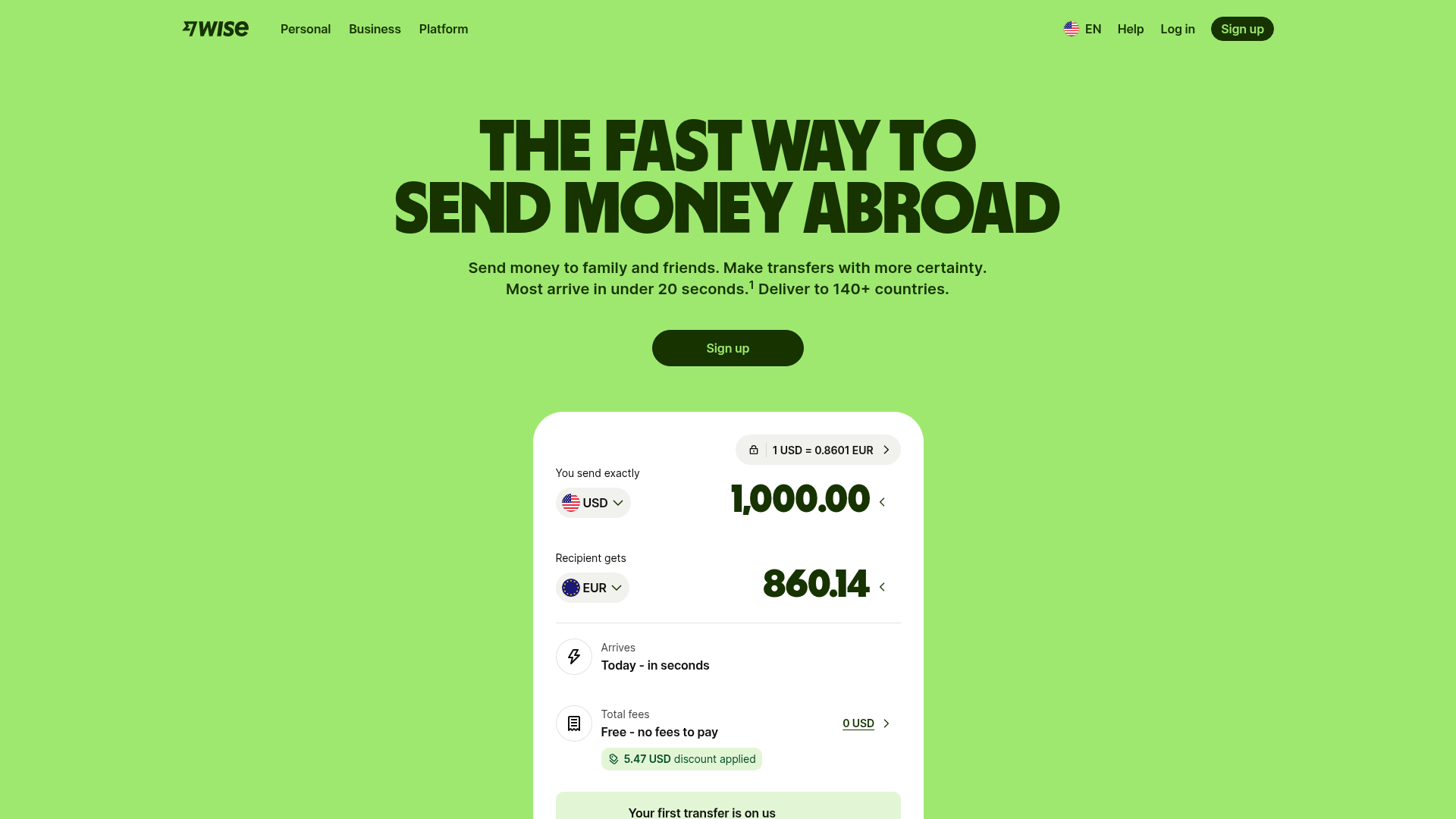
App Screenshots
Capabilities
No special capabilities listed
Publisher Intelligence
Insights and recommendations for app publishers. See how your app performs and how to improve discoverability.
Server Status Wise v1.0.0
Server is not responding. Tool discovery is paused until health checks recover.
https://wise.mcp.tedix.dev/mcp Last checked: 4h ago
Server Instructions
Use Wise tools for read-only business account inspection. Start with profile_list to identify the business profile, then use balance, statement, activity, recipient, transfer, currency, and rate tools as needed. Do not initiate recipients, transfers, funding, balance creation, card changes, or verification updates from this app.
Tools(25)
Showing 25 of 25 tools
| Tool | Description | Flags | Test | Last Tested | |
|---|---|---|---|---|---|
activity_list | List of activities belonging to user profile. Activities represent snapshots of performed actions and can be filtered by various parameters to narrow down the results. | read-only | Not tested | — | |
balance_capacity | Returns the deposit limit for a profile based on regulatory requirements. Useful for personal profiles located in countries that have hold limits. We advise calling this API before depositing money into an account if the profile is located in Singapore or Malaysia. | read-only | Not tested | — | |
balance_get | Returns a balance based on the specified balance ID. | read-only | Not tested | — | |
balance_list | Retrieves the user's multi-currency account balance accounts. Returns all balance accounts the profile has in the types specified. The `types` parameter must include at least one type. To return more than one type, comma-separate the values. | read-only | Not tested | — | |
balance_statement_get | Retrieve a statement for the specified balance account. The response format depends on the URL path: - `statement.json` - JSON format - `statement.csv` - CSV format - `statement.pdf` - PDF format (includes Wise branding) - `statement.xlsx` - Excel format - `statement.xml` - CAMT.053 XML format - `statement.mt940` - MT940 format - `statement.qif` - QIF format The period between `intervalStart` and `intervalEnd` cannot exceed 469 days (around 1 year 3 months). {% admonition type="warning" %} This endpoint is SCA protected when it applies. If your profile is registered within the UK and/or EEA, SCA most likely applies to you. The additional authentication is only required once every 90 days, viewing the statement on the website or in the mobile app counts towards that as well. [Learn more](/guides/developer/auth-and-security/sca-and-2fa) {% /admonition %} | read-only | Not tested | — | |
bank_account_details_get | Returns a list with all the `AVAILABLE` and `ACTIVE` account details for the given profile, including examples. Account receive options can also include local and international details to receive money on the currency balance. Example bank account details are returned for any currency where bank account details have not been requested and issued. Examples will always include an `id` of `null`. | read-only | Not tested | — | |
bank_account_details_orders_list | Returns the bank account assignment requests for a profile and multi-currency account. The response includes bank-details orders in the following statuses: `PENDING_USER`, `PENDING_TW`, `REQUIREMENTS_FULFILLED`, `DONE`. | read-only | Not tested | — | |
currencies_get | Returns all currencies available for creating transfers. Currency names are returned in English by default — pass an `Accept-Language` header to receive localized names. | read-only | Not tested | — | |
profile_business_representative_get | Get Business Representative info by Business Profile ID. | read-only | Not tested | — | |
profile_director_list | Returns the list of director objects associated with the business profile. | read-only | Not tested | — | |
profile_extension_requirements_get | {% admonition type="warning" %} This endpoint is deprecated. Please check the [Additional Verification](/api-reference/verification) endpoints for providing additional verification details for a profile. {% /admonition %} After having a profile created, in some situations we can need more specific information about it. In order to know which fields are required for a given profile, and to send the information over, we expose a few endpoints: - `GET /v1/profiles/{profileId}/extension-requirements` - `POST /v1/profiles/{profileId}/extension-requirements` and - `POST /v1/profiles/{profileId}/extensions` - `GET /v1/profiles/{profileId}/extensions` The `GET` and `POST` profile extension-requirements endpoints help you to figure out which fields are required to create a valid profile for different regions. You can use this data to build a dynamic user interface on top of these endpoints. The `POST` and `GET` profile extensions endpoints allow you to send the extra profile information and retrieve it, respectively. **This format for dynamic forms is the same as the one used for recipient creation.** See [Recipient Requirements](/api-reference/recipient/recipientaccountrequirementsget). Using profile extension requirements {% .title-4 .m-t-3 %} 1. First create a profile. See [Create Personal Profile](/api-reference/profile/profilepersonalcreate) and [Create Business Profile](/api-reference/profile/profilebusinesscreate). 2. Call `GET /v1/profiles/{profileId}/extension-requirements` to get the list of fields you need to fill with values in the "details" section for adding information that will make a profile valid. 3. Some fields require multiple levels of fields in the details request. This should be handled by the client based on the `refreshRequirementsOnChange` field. A top level field can have this field set to true, indicating that there are additional fields required depending on the selected value. To manage this you should create a request with all of the initially requested data and call the POST `extension-requirements` endpoint. You will be returned a response similar the previously returned data from GET `extension-requirements` but with additional fields. 4. Once you have built your full profile extension details object you can add it to add information to the profile. Building a user interface {% .title-4 .m-t-3 %} When requesting the form data from the `extension-requirements` endpoint, the response defines different types of extensions that can be added. Each extension type then has multiple fields describing the form elements required to be shown to collect information from the user. Each field will have a type value, these tell you the field type that your front end needs to render to be able to collect the data. A number of field types are permitted, these are: | type | UI element | |--------|-----------------------------------| | text | A free text box | | select | A selection box/dialog | | radio | A radio button choice between options | | date | A text box with a date picker | Example data is also included in each field which should be shown to the user, along with a regex or min and max length constraints that should be applied as field level validations. You can optionally implement the dynamic validation using the `validationAsync` field, however these checks will also be done when a completed profile extension is submitted to `POST /v1/profiles/{profileId}/extensions`. | read-only | Not tested | — | |
profile_extensions_get | {% admonition type="warning" %} This endpoint is deprecated. Please check the [Additional Verification](/api-reference/verification) endpoints for providing additional verification details for a profile. {% /admonition %} Retrieve the extra profile information previously submitted via extensions. See the [GET extension-requirements](/api-reference/profile/profileextensionrequirementsget) endpoint for full details on how to use these endpoints together. | read-only | Not tested | — | |
profile_get | Get profile info by ID. | read-only | Not tested | — | |
profile_list | List of all profiles belonging to user. | read-only | Not tested | — | |
profile_ubo_list | Returns the list of all ultimate beneficial owners associated with the business profile. | read-only | Not tested | — | |
quote_get | Get quote info by ID. If the quote has expired (not used to create a transfer within 30 minutes of quote creation), it will only be accessible for approximately 48 hours via this endpoint. | read-only | Not tested | — | |
rate_get | {% admonition type="warning" %} The `from`, `to`, and `group` parameters are not testable in our Sandbox environment at this time. {% /admonition %} `GET /v1/rates`<br> Fetch latest exchange rates of all currencies. `GET /v1/rates?source=EUR&target=USD`<br> Fetch latest exchange rate of one currency pair. `GET /v1/rates?source=EUR&target=USD&time=2019-02-13T14:53:01`<br> Fetch exchange rate of specific historical timestamp. `GET /v1/rates?source=EUR&target=USD&from=2019-02-13T14:53:01&to=2019-03-13T14:53:01&group=day`<br> Fetch exchange rate history over period of time with daily interval. `GET /v1/rates?source=EUR&target=USD&from=2019-02-13T14:53:01&to=2019-03-13T14:53:01&group=hour`<br> Fetch exchange rate history over period of time with hourly interval. `GET /v1/rates?source=EUR&target=USD&from=2019-02-13T14:53:01&to=2019-03-13T14:53:01&group=minute`<br> Fetch exchange rate history over period of time with 1 minute interval. {% admonition type="warning" %} This endpoint only supports Bearer authentication for non-Affiliate partners. {% /admonition %} | read-only | Not tested | — | |
recipient_account_requirements_get | {% admonition type="info" %} Please note that to use v1.1 `Accept-Minor-Version: 1` request header must be set. {% /admonition %} `GET /v1/quotes/{quoteId}/account-requirements`<br> `POST /v1/quotes/{quoteId}/account-requirements`<br> `GET /v1/account-requirements?source=EUR&target=USD&sourceAmount=1000` You can use the data returned by this API to build a dynamic user interface for recipient creation. The `GET` and `POST` account-requirements endpoints help you to figure out which fields are required to create a valid recipient for different currencies. This is a step-by-step guide on how these endpoints work. Use the `GET` endpoint to learn what datapoints are required to send a payment to your beneficiary. As you build that form, use the POST endpoint to learn if any additional datapoints are required as a result of passing a field that has `"refreshRequirementsOnChange": true` in the `GET` response. You should be posting the same recipient account payload that will be posted to `/v1/accounts`. An example of this would be `address.country`. Some countries, like the United States, have a lower level organization, `"state"` or `"territory"`. After POSTing the recipient payload with address.country = "US", the list of possible states will appear in the response. The third endpoint above is used to get account requirements for a specific currency route and amount without referring to a quote but with the amount, source and target currencies passed as URL parameters. Generally this approach is not recommended, you should have your user create a quote resource first and use this to generate the recipient account requirements. This is because some payout methods will only surface when the profile-context is known, for example (at the time of this writing), Business Payments to Chinese Yuan use a different payout method than what is revealed by `GET /v1/account-requirements?source=USD&target=CNY&sourceAmount=1000`. All new integrations should use the v1.1 of `GET` and `POST` account requirements, enabled using the `Accept-Minor-Version` header. It enables you to fetch the requirements including both the recipient name and email fields in the dynamic form, simplifying implementation of the form. Name and email address dynamic fields are required to support currencies such as KRW, JPY and RUB, and also remove the need for manual name validation. These endpoints allow use of both v1 and v2 quotes using long or UUID based IDs, supporting legacy implementations using v1 quotes. These endpoints accept an optional query parameter **originatorLegalEntityType**. When the transfer is initiated by a [Third Party Partner](/guides/product/kyc/partner-accounts) we are not aware whether the actual sender is a business or person. In such cases, this parameter should be passed to receive correct requirements. The legal entity type should be one of the following values: `BUSINESS`, `PRIVATE`. This parameter is optional and the default value is the type of the partner profile. #### Collecting Recipient Address Normally our account requirements will instruct when a recipient address is required. However, in some situations it's desirable to force the requirement so that an address can be provided to Wise. To do this, add the query parameter `?addressRequired=true` to your request and address will always be returned as a required field. {% admonition type="warning" %} Address requirement fields are subject to change. Your integration should be built in a way to handle unrecognized or changed fields. {% /admonition %} | read-only | Not tested | — | |
recipient_get | Get recipient account info by ID. {% admonition type="info" %} V1 and v2 versions are cross compatible, but the v2 endpoint provides additional features. {% /admonition %} | read-only | Not tested | — | |
recipient_list | Fetch a list of the user's recipient accounts. Use the `profileId` parameter to filter by the profile who created the accounts, you should do this based on the personal or business profile ID you have linked to, based on your use case. Other filters are listed below for your convenience, for example `currency` is a useful filter to use when presenting the user a list of recipients to choose from in the case they have already submitted the target currency in your flow. #### Pagination Pagination is supported for this endpoint. The response includes the `seekPositionForNext` and `size` parameters to manage this. It works by setting `size` and `seekPosition` parameters in the call. Set the value in the `seekPositionForNext` of the previous response into the `seekPosition` parameter of your subsequent call in order to get the next page. To get the current page again, use the `seekPositionForCurrent` value. #### Sorting You can also set the `sort` parameter to control the sorting of the response, for example: `?sort=id,asc` sort by `id` ascending.<br> `?sort=id,desc` sort by `id` descending.<br> `?sort=currency,asc` sort by currency ascending. All query parameters are optional. | read-only | Not tested | — | |
total_funds | Provides an overview of your account's total valuation and available liquidity across all balances. Returns total worth, total available (including overdraft), total cash, and overdraft details. #### Example (Assuming GBP and USD has 1:1 exchange rate) | Scenario | GBP balance | USD balance | Total Worth | Total Available | Overdraft Usage | Overdraft Limit | | ---------------------------------------- | ----------- | ----------- | ----------- | --------------- | --------------- | --------------- | | Positive account value with no overdraft | 2000 | 0 | 2000 | 2000 | 0 | 0 | | Positive account value with overdraft | 2000 | -100 | 1900 | 2400 | 100 | 500 | | Negative account value with overdraft | 0 | -100 | -100 | 400 | 100 | 500 | | read-only | Not tested | — | |
transfer_get | Get transfer info by ID. To receive dynamic updates as the state of the transfer changes, see the [webhooks documentation](/guides/developer/webhooks). | read-only | Not tested | — | |
transfer_list | Get the list of transfers for a given user's profile (defaults to user's personal profile). You can add query parameters to specify user's profile (personal or business), time period and/or payment status. For example, you can query all failed payments created since last week, or all completed payments created since yesterday. | read-only | Not tested | — | |
transfer_payments_list | Fetch completed payments used to fund the transfer. In most cases there should only be a single payment associated with the transfer. There are rare occasions that a transfer can be funded with multiple payment methods and when this occurs the first completed payment method would be used to calculate the fees provided on the quote. | read-only | Not tested | — | |
transfer_payout_info_get | Fetch banking reference information for transfers that are in `outgoing_payment_sent` status, enabling you to track transfers with the transfer recipient's bank. It may take up to 3 days to get the correct information through this endpoint, as some partners don't share the information until 3 days later. | read-only | Not tested | — |
Discoverability Score
Fair
62 of 100 — how easily AI agents find your app
- Description quality20/20
- Example prompts0/20
- Keyword coverage0/15
- Tool metadata20/20
- Visual assets13/20
- Endpoint health6/10
- Data freshness15/15
How to Improve
Add at least 2 example prompts. Prompt examples strongly improve app matching and click-through intent.
Increase keyword coverage (discovery + trigger) to improve retrieval for long-tail queries.
Add at least 2 screenshots that show real workflows to increase confidence and conversion.
Technical Details
- Status
- ENABLED
- Type
- AI-Powered App
- Auth
- API Key Required
- Listed on
- Added
- May 16, 2026
- Last synced
- 4h ago
- Last checked
- 4h ago
- Version
- 1.0.0
- Distribution
- Individual