
Vio.com
by Vio.com (Verified Partner)
Description
Compare hotel prices and find the best hotel deals across booking sites with Vio in ChatGPT. Search hotels by destination, explore results on an interactive map, compare live prices and real-time availability, and review hotel details before opening the best deal. Best for travelers who want an easy way to compare hotels and book confidently with Vio.
Website Preview
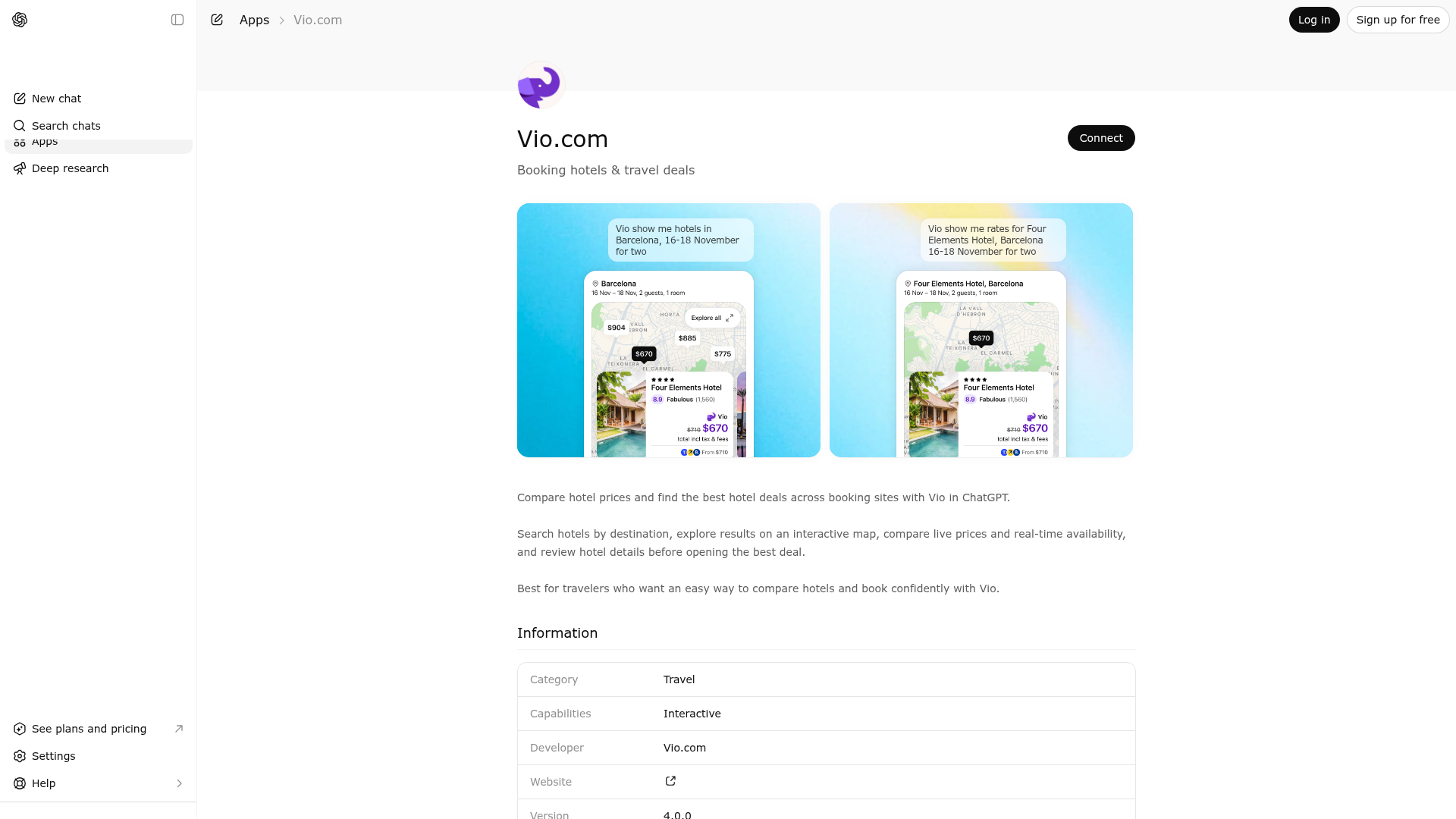
App Screenshots
Capabilities
Publisher Intelligence
Insights and recommendations for app publishers. See how your app performs and how to improve discoverability.
Server Status vio-mcp v1.0.0
https://mcp.vio.com/mcp?ui=true&api_key=8290b1f5cb2ba88786816b9c8469c045 Last checked: 6h ago
Technical Details
Tools(3)
Showing 3 of 3 tools
| Tool | Description | Flags | Test | Last Tested | |
|---|---|---|---|---|---|
get_hotels | Fetch detailed information for hotels by ID. Use this to get data for specific hotel IDs from previous search results. Specify which data blocks to fetch (details, offers, rooms, reviews, etc.). Use the search tool for location-based discovery. | read-only | 100%Latency 261ms | May 11, 2026 | |
search_hotels | Search for hotels and accommodations by location, coordinates, or hotel ID. Pass any user-provided location/address/landmark to the query parameter - the geocoding service will resolve it. IMPORTANT: When query mentions "family" or "families", exclude hostels using filters.excludePropertyTypes: ["hostel"]. Place filter parameters inside the filters object. RESULT HANDLING: Results are ranked with best filter matches first. If filters cannot be fully satisfied, partial matches are returned. Always display results to the user immediately. Do NOT retry or paginate unless user explicitly requests more. When hasMoreResults=false, all matching hotels have been returned. UI UPDATE RULE: When a hotel UI widget is already displayed from a previous search, you MUST call this tool again for any user request that changes the search criteria (filters, dates, location, guests, sorting, etc.). Do NOT answer filter/refinement questions from memory or prior results - always call the tool to refresh the UI with updated results. | read-only | 100%Latency 2.8s | May 11, 2026 | |
search_hotels_availability | Discover WHEN to go — date-axis tool. Returns a price calendar of cheapest rates for each check-in date across a date range, so the user can pick the best dates to travel. Use this when the user is flexible on dates and wants to compare across them: "cheapest week in May", "price calendar for June", "when is Paris cheaper", "best dates to fly to Tokyo this fall", "should I go in May or June". Do NOT use this tool for: (a) fixed-date searches ("hotels in Paris for June 1-3") — use search_hotels; (b) "is this hotel a good deal?" / value or historical-trend questions — use search_hotels with include=["analytics"]; (c) hotel discovery / filtering by amenities or features — use search_hotels. IMPORTANT: hotel selection — by default we pick the top hotels by popularity, which gives a representative date trend across mainstream options but NOT the absolute floor. When the user asks for the cheapest possible trip ("cheapest", "lowest price", "willing to compromise on quality"), pass `sortField: "price"` with `sortOrder: "ascending"` so the calendar reflects the actual price floor, optionally with `filters.guestRating: [7, 8, 9, 10]` to keep quality reasonable. Without this the calendar can overstate prices by 30-90% on most dates. IMPORTANT: When query mentions "family" or "families", exclude hostels using filters.excludePropertyTypes: ["hostel"]. | read-only | 100%Latency 90ms | May 11, 2026 |
Discoverability Score
Fair
58 of 100 — how easily AI agents find your app
- Description quality20/20
- Example prompts0/20
- Keyword coverage0/15
- Tool metadata16/20
- Visual assets13/20
- Endpoint health10/10
- Data freshness11/15
How to Improve
Add at least 2 example prompts. Prompt examples strongly improve app matching and click-through intent.
Increase keyword coverage (discovery + trigger) to improve retrieval for long-tail queries.
Add at least 2 screenshots that show real workflows to increase confidence and conversion.
Technical Details
- Status
- ENABLED
- Type
- AI-Powered App
- Auth
- Open Access
- Listed on
- ChatGPT
- Added
- February 9, 2026
- Last synced
- May 3, 2026
- Last checked
- 6h ago
- Version
- 1.0.0
- Distribution
- Ecosystem Directory
