Valpas Hotels
Description
Search for hotels equipped with Valpas patented bed bug prevention technology. Every hotel in our results is Valpas-certified, so you can travel with confidence knowing your accommodation prioritises hygiene, cleanliness, and guest safety. What you can do: - Search for Valpas-protected hotels by city, neighbourhood, price, and style - Browse detailed hotel information including photos, amenities, ratings, and guest reviews - Get direct booking links to reserve your room Whether you're planning a leisure trip, a business stay, or managing travel for a group, simply describe what you're looking for - "Find a boutique hotel in Paris with great reviews" or "Show me safe, clean hotels in Berlin near the city center" - and Valpas will recommend verified properties that match. All results are limited to hotels using Valpas anti-bed-bug technology. If no protected hotels match your exact criteria, the app will let you know and suggest adjusting your filters.
Website Preview
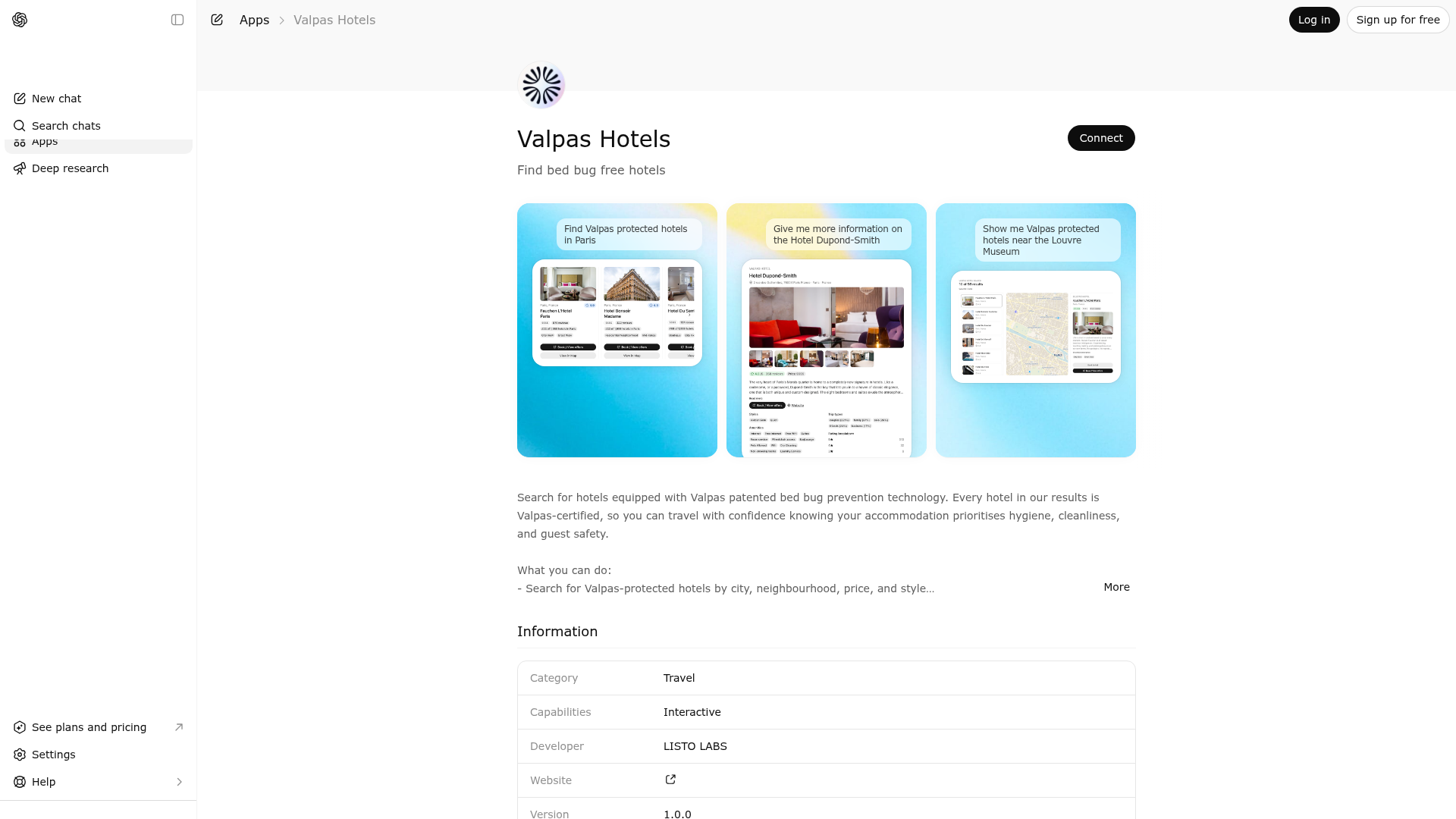
App Screenshots
Capabilities
Publisher Intelligence
Insights and recommendations for app publishers. See how your app performs and how to improve discoverability.
Server Status valpas v0.2.0
https://valpas-mcp-3b7e1c9d-5a42-4f8e-b6d1-9c2a7e4f1b8a.listoai.co/mcp Last checked: 6h ago
Server Instructions
Valpas is a hotel search and recommendation service exclusively for Valpas-protected accommodations — hotels equipped with patented bed bug prevention technology. # Available tools - search_hotels: Search for hotels by location, rating, price, style, and neighborhood. Start with a broad city search and narrow down. - get_hotel_details: Get full details (photos, amenities, reviews, booking links) for a specific hotel by id or name. # Workflow 1. Use search_hotels to find hotels matching the user's preferences. 2. Use get_hotel_details when the user wants more information about a specific hotel. You can pass either an id from search results or the hotel name directly. 3. If the user asks about a specific hotel by name, you can call get_hotel_details directly with the name — no need to search first. 4. If search returns 0 results, relax filters progressively: remove neighborhoods first, then widen price_levels, then remove styles. # Scope - All results are Valpas-verified hotels only. - This service is search and recommendation only — it does not process bookings or payments. - For booking, provide the hotel's booking URL so the user can complete the reservation themselves. # NOT for — do not invoke this app for: - Airbnbs, apartments, hostels, or vacation rentals. - Restaurants, dining, cafés, or bars. - Flights, car rentals, or transportation. - Tourist attractions, activities, or sightseeing. - General travel tips or city guides. Only invoke when the user explicitly mentions 'hotel' or 'hotels'.
Technical Details
Tools(2)
Showing 2 of 2 tools
| Tool | Description | Flags | Test | Last Tested | |
|---|---|---|---|---|---|
get_hotel_details | Use this tool when the user wants full details about a specific hotel — photos, amenities, reviews, rating breakdown, booking links. # When to use - User asks about a specific hotel by name. - User clicks on or asks about a specific hotel from search results. - User wants to see photos, amenities, reviews, or booking options for a hotel. - User asks to compare two specific hotels — call this once per hotel. # How to use - Pass either the hotel's `id` from search results, or the hotel's `name`. - If you have an id, prefer id for an exact match. # Policy - Read-only — does not book or modify anything. - Always provide the booking URL and website URL so the user can take action. | read-only | 100%Latency 1.1s | May 9, 2026 | |
search_hotels | Use this tool ONLY when the user explicitly asks for HOTELS. The user's message must contain the word 'hotel' or 'hotels'. If the user asks for an Airbnb, apartment, hostel, or vacation rental, do NOT use this tool — it only has hotels. # When to use - User explicitly mentions 'hotel' or 'hotels' (e.g., 'Find hotels in Paris'). - User requests hotels by style or type (e.g., 'boutique hotels in Rome'). # When NOT to use — DO NOT TRIGGER for: - Airbnb, apartments, hostels, vacation rentals, or any non-hotel lodging. - Restaurants, cafés, bars, or dining recommendations. - Flights, transportation, car rentals, or travel logistics. - Tourist attractions, activities, sightseeing, or things to do. - General city guides, weather, or travel tips. - Details about a specific hotel the user already knows — use get_hotel_details instead. - Multi-city comparisons in one query — run one search per city. # How to use 1. Start broad: set q to the city name (e.g., q='Paris'). Add filters only if the user specifies them. 2. If a search returns 0 results, relax filters progressively — remove neighborhoods first, then widen price_levels, then remove styles. 3. The q parameter matches each word independently. 4. Do NOT repeat terms in q that are already covered by neighborhoods or styles filters. # Policy - All results are Valpas-verified hotels only. - This tool is search-only — it does not book or reserve rooms. | read-only | 100%Latency 697ms | May 9, 2026 |
Discoverability Score
Fair
52 of 100 — how easily AI agents find your app
- Description quality20/20
- Example prompts0/20
- Keyword coverage0/15
- Tool metadata16/20
- Visual assets5/20
- Endpoint health10/10
- Data freshness11/15
How to Improve
Add at least 2 example prompts. Prompt examples strongly improve app matching and click-through intent.
Increase keyword coverage (discovery + trigger) to improve retrieval for long-tail queries.
Provide a stable HTTPS logo URL (avoid connectors://) so cards render consistently across clients.
Add at least 2 screenshots that show real workflows to increase confidence and conversion.
Technical Details
- Status
- ENABLED
- Type
- AI-Powered App
- Auth
- Open Access
- Listed on
- ChatGPT
- Added
- March 11, 2026
- Last synced
- May 3, 2026
- Last checked
- 6h ago
- Version
- 0.2.0
- Distribution
- Ecosystem Directory