TuEspacioPR
by ISCG Investments, LLC (Community)
Description
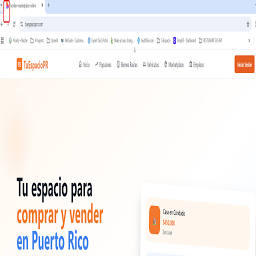
TuEspacio brings Puerto Rico's classifieds into ChatGPT. Ask in plain English — English or Spanish — and instantly browse local listings posted by real people across the island. Search across six categories: Real estate — homes, apartments and land for sale or rent Vehicles — cars, trucks, motorcycles and boats Marketplace — furniture, electronics, appliances and everyday items Services — plumbers, electricians, beauty, repairs and more Jobs — full-time, part-time and freelance openings Explora — places to visit, restaurants and things to do Filter by municipality, price, condition or category. See photos, prices and contact details right inside the chat, and tap through to message the seller on tuespaciopr.com. Every listing is posted directly by Puerto Rican residents and small businesses, so what you see is what's actually available on the island today. TuEspacio is free to use and free to list — your space, your search, your Puerto Rico.
Capabilities
No special capabilities listed
AI Agent Discovery
TuEspacioPR is indexed by Tedix as a structured ai application listing for AI assistants, search crawlers, and users comparing agent-ready apps.
- TuEspacioPR is categorized as AI application.
- Developer: ISCG Investments, LLC.
- Connector type: AI-Powered App.
- Current connector status: Intermittent.
- Observed distribution channels: chatgpt.
- Available regions: US, FR, GB, ES, KR, IN.
Use this page to understand whether TuEspacioPR is relevant for ai application workflows in AI assistants.
For MCP discovery, this listing helps crawlers connect TuEspacioPR to tool, resource, prompt, and server-health signals instead of treating it as a generic directory entry.
The canonical Tedix directory URL is https://tedix.dev/apps/tuespaciopr/.
Crawlable Profile
Source and availability
Tedix identifies TuEspacioPR from Upstream Mcp tool source; Store sources: ChatGPT app store; Distribution: Ecosystem Directory. Availability is reported for US, FR, GB, ES, KR, IN.
- ChatGPT app store Auth not flagged · RELEASED · US, FR, GB, ES, KR, IN
Auth, tools, and actions
Authentication: Open Access. No special capability flags are currently listed. Current MCP inventory reports 17 tools, 6 resources, and 0 prompts.
- compare_job_listings · Read-only action
Compare 2 to 4 active job listings side-by-side. Returns the same gallery UI limited to the requested ids plus a structured comparison summary (salary range overlap, remote count, experience levels, short notes) the agent can use to highlight differences. Do NOT use with fewer than 2 or more than 4 ids, with non-UUID strings, or to compare jobs from different domains.
- compare_listings · Read-only action
Compare 2 to 4 active real estate listings side-by-side. Returns the same gallery UI limited to the requested ids plus a structured comparison summary (min/max price, price spread, max beds/baths, largest area, short notes) the agent can use to highlight differences. Do NOT use with fewer than 2 or more than 4 ids, with non-UUID strings, or to compare listings from different domains (vehicles, marketplace, services, jobs, explore have their own compare tools).
- compare_marketplace_listings · Read-only action
Compare 2 to 4 active marketplace listings side-by-side. Returns the same gallery UI limited to the requested ids plus a structured comparison summary (min/max price, price spread, short notes) the agent can use to highlight differences. Do NOT use with fewer than 2 or more than 4 ids, with non-UUID strings, or to compare items from different domains.
- compare_service_listings · Read-only action
Compare 2 to 4 active service listings side-by-side. Returns the same gallery UI limited to the requested ids plus a structured comparison summary (min/max price among priced listings, verified-provider count, short notes) the agent can use to highlight differences. Do NOT use with fewer than 2 or more than 4 ids, with non-UUID strings, or to compare providers from different domains.
- compare_vehicle_listings · Read-only action
Compare 2 to 4 active vehicle listings side-by-side. Returns the same gallery UI limited to the requested ids plus a structured comparison summary (min/max price, price spread, newest year, lowest mileage, short notes) the agent can use to highlight differences. Do NOT use with fewer than 2 or more than 4 ids, with non-UUID strings, or to compare vehicles from different domains.
- get_explore_details · Read-only action
Get full details for ONE SPECIFIC Explora place when the user has named or pointed at a single place. Returns full description, all photos, category, municipality, address, hours, price range, tips, amenities and contact info for exactly ONE listing. DO NOT use this tool for list/browse intents — if the user says 'muéstrame todos', 'qué ríos hay', 'lista de playas', 'recómiendame', 'todos los lugares de Zerep', or any query that expects multiple results, call `search_explore_places` instead. This tool is ONLY for drilling into a single, specific place the user already identified by name (e.g. 'cuéntame de Charco Prieto', 'detalles de Cascada Las Delicias'). Pass `id` ONLY when you have a UUID from a previous search result. If the user just describes the place in words (name, category, municipality) pass that text in `query` — NOT in `id`. Influencer names ('Zerep') in `query` are auto-detected and used as a user_id filter. Provide at least one of `id` or `query`. IMPORTANT: When summarising the result for the user, use ONLY the fields returned in the structured payload (`title`, `description`, `category`, `municipality`, `address`, `hours`, `priceRange`, `tips`, `amenities`, `contactPhone`, `contactEmail`, `websiteUrl`, `latitude`, `longitude`, `imageUrls`). Do NOT invent operating hours, entrance fees, directions, or any other field not present in the response. Quote the `description` and `tips` verbatim when the user asks for them. Also do NOT use for transactional intents (real estate, vehicles, marketplace, services, jobs all have their own tools).
- get_job_details · Read-only action
Get full details for a single job listing: full description, requirements, benefits, salary range, company name & logo, location, job type, experience level, remote flag and contact info. Pass `id` ONLY when you have a UUID from a previous search result. If the user just describes the role in words (category, company, position, location, remote flag) pass that text in `query` — NOT in `id`. When the user references a job by COMPANY, CATEGORY, MUNICIPALITY or SALARY shown in a previous gallery (e.g. 'the YesLawyer Legal job') ALSO pass `company`, `category`, `municipality` and/or `salaryMin` to disambiguate — these are STRONG hints used to pick the right listing. Provide at least one of `id` or `query`. IMPORTANT: When summarising the result for the user, use ONLY the fields returned in the structured payload (`title`, `companyName`, `description`, `requirements`, `benefits`, `category`, `jobType`, `experienceLevel`, `salaryMin`, `salaryMax`, `salaryCurrency`, `location`, `municipality`, `isRemote`, `contactPhone`, `contactEmail`). Do NOT invent requirements, benefits, salary numbers, company history, or any other field not present in the response. Quote the `description`, `requirements` and `benefits` verbatim when the user asks for those sections. Do NOT use for browse/list intents (use `search_job_listings`); call this only after a search has surfaced a specific job the user is asking about.
- get_listing_details · Read-only action
Get full details for a single real estate listing: full description, all photos, area, bedrooms/bathrooms, location, contact info, and verified-realtor flag. Pass `id` ONLY when you have a UUID from a previous search result. If the user just describes the listing in words (address, neighborhood, title fragment, distinctive feature) pass that text in `query` — NOT in `id`. When the user references a listing by PRICE or other facts shown in a previous gallery (e.g. 'the $385,000 apartment in Fajardo'), ALSO pass `price`, `propertyType` and/or `municipality` to disambiguate — these are STRONG hints used to pick the right listing. Provide at least one of `id` or `query`. IMPORTANT: When summarising the result for the user, use ONLY the fields returned in the structured payload (`description`, `price`, `bedrooms`, `bathrooms`, `areaSqm`, `location`, `municipality`, `contactPhone`, `contactEmail`, `isVerifiedRealtor`, `imageUrls`). Do NOT invent HOA / maintenance fees, amenities, parking spaces, square-foot conversions, or any other field that is not present in the response. `areaSqm` is square METERS — if you convert to square feet, say so explicitly. Quote the `description` verbatim when the user asks for the full description. Do NOT use for browse/list intents (use `search_real_estate_listings`); call this only after a search has surfaced a specific property the user is asking about.
Plus 9 additional actions in the full tool inventory.
Verification freshness
- Catalog synced 4h ago (June 12, 2026)
- Connector checked 1h ago (June 12, 2026)
- MCP scanned 1h ago (June 12, 2026)
- Directory updated 1h ago (June 12, 2026)
Publisher Intelligence
Insights and recommendations for app publishers. See how your app performs and how to improve discoverability.
Server Status tuespacio-mcp v1.0.0
https://mcp.tuespaciopr.com/mcp Last checked: 1h ago
Server Instructions
TuEspacio is a Puerto Rico marketplace platform. This MCP server exposes read-only search, details and compare tools across six domains: real estate, vehicles, marketplace, services, jobs and Explora (tourism / places to visit). All listings are public and link back to tuespaciopr.com. Privacy Policy: https://tuespaciopr.com/privacy-policy Website: https://tuespaciopr.com Support: contacto@tuespaciopr.com To list a property, vehicle, service, job or item, users sign up at https://tuespaciopr.com and post for free. ChatGPT users can browse and compare listings directly through this connector — no sign-in required.
Technical Details
Tools(17)
Showing 17 of 17 tools
| Tool | Description | Flags | Test | Last Tested | |
|---|---|---|---|---|---|
compare_job_listings | Compare 2 to 4 active job listings side-by-side. Returns the same gallery UI limited to the requested ids plus a structured comparison summary (salary range overlap, remote count, experience levels, short notes) the agent can use to highlight differences. Do NOT use with fewer than 2 or more than 4 ids, with non-UUID strings, or to compare jobs from different domains. | read-only | Not tested | — | |
compare_listings | Compare 2 to 4 active real estate listings side-by-side. Returns the same gallery UI limited to the requested ids plus a structured comparison summary (min/max price, price spread, max beds/baths, largest area, short notes) the agent can use to highlight differences. Do NOT use with fewer than 2 or more than 4 ids, with non-UUID strings, or to compare listings from different domains (vehicles, marketplace, services, jobs, explore have their own compare tools). | read-only | Not tested | — | |
compare_marketplace_listings | Compare 2 to 4 active marketplace listings side-by-side. Returns the same gallery UI limited to the requested ids plus a structured comparison summary (min/max price, price spread, short notes) the agent can use to highlight differences. Do NOT use with fewer than 2 or more than 4 ids, with non-UUID strings, or to compare items from different domains. | read-only | Not tested | — | |
compare_service_listings | Compare 2 to 4 active service listings side-by-side. Returns the same gallery UI limited to the requested ids plus a structured comparison summary (min/max price among priced listings, verified-provider count, short notes) the agent can use to highlight differences. Do NOT use with fewer than 2 or more than 4 ids, with non-UUID strings, or to compare providers from different domains. | read-only | Not tested | — | |
compare_vehicle_listings | Compare 2 to 4 active vehicle listings side-by-side. Returns the same gallery UI limited to the requested ids plus a structured comparison summary (min/max price, price spread, newest year, lowest mileage, short notes) the agent can use to highlight differences. Do NOT use with fewer than 2 or more than 4 ids, with non-UUID strings, or to compare vehicles from different domains. | read-only | Not tested | — | |
get_explore_details | Get full details for ONE SPECIFIC Explora place when the user has named or pointed at a single place. Returns full description, all photos, category, municipality, address, hours, price range, tips, amenities and contact info for exactly ONE listing. DO NOT use this tool for list/browse intents — if the user says 'muéstrame todos', 'qué ríos hay', 'lista de playas', 'recómiendame', 'todos los lugares de Zerep', or any query that expects multiple results, call `search_explore_places` instead. This tool is ONLY for drilling into a single, specific place the user already identified by name (e.g. 'cuéntame de Charco Prieto', 'detalles de Cascada Las Delicias'). Pass `id` ONLY when you have a UUID from a previous search result. If the user just describes the place in words (name, category, municipality) pass that text in `query` — NOT in `id`. Influencer names ('Zerep') in `query` are auto-detected and used as a user_id filter. Provide at least one of `id` or `query`. IMPORTANT: When summarising the result for the user, use ONLY the fields returned in the structured payload (`title`, `description`, `category`, `municipality`, `address`, `hours`, `priceRange`, `tips`, `amenities`, `contactPhone`, `contactEmail`, `websiteUrl`, `latitude`, `longitude`, `imageUrls`). Do NOT invent operating hours, entrance fees, directions, or any other field not present in the response. Quote the `description` and `tips` verbatim when the user asks for them. Also do NOT use for transactional intents (real estate, vehicles, marketplace, services, jobs all have their own tools). | read-only | Not tested | — | |
get_job_details | Get full details for a single job listing: full description, requirements, benefits, salary range, company name & logo, location, job type, experience level, remote flag and contact info. Pass `id` ONLY when you have a UUID from a previous search result. If the user just describes the role in words (category, company, position, location, remote flag) pass that text in `query` — NOT in `id`. When the user references a job by COMPANY, CATEGORY, MUNICIPALITY or SALARY shown in a previous gallery (e.g. 'the YesLawyer Legal job') ALSO pass `company`, `category`, `municipality` and/or `salaryMin` to disambiguate — these are STRONG hints used to pick the right listing. Provide at least one of `id` or `query`. IMPORTANT: When summarising the result for the user, use ONLY the fields returned in the structured payload (`title`, `companyName`, `description`, `requirements`, `benefits`, `category`, `jobType`, `experienceLevel`, `salaryMin`, `salaryMax`, `salaryCurrency`, `location`, `municipality`, `isRemote`, `contactPhone`, `contactEmail`). Do NOT invent requirements, benefits, salary numbers, company history, or any other field not present in the response. Quote the `description`, `requirements` and `benefits` verbatim when the user asks for those sections. Do NOT use for browse/list intents (use `search_job_listings`); call this only after a search has surfaced a specific job the user is asking about. | read-only | Not tested | — | |
get_listing_details | Get full details for a single real estate listing: full description, all photos, area, bedrooms/bathrooms, location, contact info, and verified-realtor flag. Pass `id` ONLY when you have a UUID from a previous search result. If the user just describes the listing in words (address, neighborhood, title fragment, distinctive feature) pass that text in `query` — NOT in `id`. When the user references a listing by PRICE or other facts shown in a previous gallery (e.g. 'the $385,000 apartment in Fajardo'), ALSO pass `price`, `propertyType` and/or `municipality` to disambiguate — these are STRONG hints used to pick the right listing. Provide at least one of `id` or `query`. IMPORTANT: When summarising the result for the user, use ONLY the fields returned in the structured payload (`description`, `price`, `bedrooms`, `bathrooms`, `areaSqm`, `location`, `municipality`, `contactPhone`, `contactEmail`, `isVerifiedRealtor`, `imageUrls`). Do NOT invent HOA / maintenance fees, amenities, parking spaces, square-foot conversions, or any other field that is not present in the response. `areaSqm` is square METERS — if you convert to square feet, say so explicitly. Quote the `description` verbatim when the user asks for the full description. Do NOT use for browse/list intents (use `search_real_estate_listings`); call this only after a search has surfaced a specific property the user is asking about. | read-only | Not tested | — | |
get_marketplace_details | Get full details for a single marketplace listing: full description, all photos, category, subcategory, brand, model, condition, location and contact info. Pass `id` ONLY when you have a UUID from a previous search result. If the user just describes the item in words (category, brand, model, color, distinctive feature) pass that text in `query` — NOT in `id`. When the user references an item by PRICE, BRAND, MODEL or CATEGORY shown in a previous gallery (e.g. 'the $300 Sony PlayStation 5'), ALSO pass `price`, `brand`, `model`, `category` and/or `municipality` to disambiguate — these are STRONG hints used to pick the right listing. Provide at least one of `id` or `query`. IMPORTANT: When summarising the result for the user, use ONLY the fields returned in the structured payload (`description`, `price`, `category`, `subcategory`, `brand`, `model`, `condition`, `location`, `municipality`, `contactPhone`, `contactEmail`, `imageUrls`, `enableDirectPayment`). Do NOT invent warranty, return policy, included accessories, or any other field not present in the response. Quote the `description` verbatim when the user asks for the full description. Do NOT use for browse/list intents (use `search_marketplace_listings`); call this only after a search has surfaced a specific item the user is asking about. | read-only | Not tested | — | |
get_service_details | Get full details for a single service listing: full description, all photos, category, subcategory(ies), price/price type, served municipalities, verified-provider flag and contact info. Pass `id` ONLY when you have a UUID from a previous search result. If the user just describes the service in words (category, what they need done, area) pass that text in `query` — NOT in `id`. When the user references a service by PRICE, CATEGORY or MUNICIPALITY shown in a previous gallery (e.g. 'the $40/hr plumber in Bayamón'), ALSO pass `price`, `category` and/or `municipality` to disambiguate. Provide at least one of `id` or `query`. IMPORTANT: When summarising the result for the user, use ONLY the fields returned in the structured payload (`description`, `price`, `priceType`, `category`, `subcategory`, `subcategories`, `location`, `municipality`, `isVerifiedProvider`, `contactPhone`, `contactEmail`, `imageUrls`). Do NOT invent licenses, insurance, years of experience, certifications, reviews, or any other field not present in the response. If `price` is null, describe the pricing as the `priceType` (e.g. 'precio negociable', 'a cotización'). Quote the `description` verbatim when the user asks for the full description. Do NOT use for browse/list intents (use `search_service_listings`); call this only after a search has surfaced a specific provider the user is asking about. | read-only | Not tested | — | |
get_vehicle_details | Get full details for a single vehicle listing: full description, all photos, year, brand, model, mileage, transmission, fuel type, body type, color, condition, location and contact info. Pass `id` ONLY when you have a UUID from a previous search result. If the user just describes the vehicle in words (brand+model, color, year, distinctive feature) pass that text in `query` — NOT in `id`. When the user references a vehicle by PRICE, BRAND, MODEL or YEAR shown in a previous gallery (e.g. 'the $18,500 2020 Toyota Corolla'), ALSO pass `price`, `brand`, `model`, `year` and/or `municipality` to disambiguate — these are STRONG hints used to pick the right listing. Provide at least one of `id` or `query`. IMPORTANT: When summarising the result for the user, use ONLY the fields returned in the structured payload (`description`, `price`, `brand`, `model`, `year`, `mileage`, `transmission`, `fuelType`, `bodyType`, `color`, `condition`, `location`, `municipality`, `contactPhone`, `contactEmail`, `imageUrls`). Do NOT invent service history, warranty, accident history, ownership count, or any other field not present in the response. `mileage` is in miles. Quote the `description` verbatim when the user asks for the full description. Do NOT use for browse/list intents (use `search_vehicle_listings`); call this only after a search has surfaced a specific vehicle the user is asking about. | read-only | Not tested | — | |
search_explore_places | Search and BROWSE active 'Explora' places curated by TuEspacio influencers across Puerto Rico (playas, ríos & cascadas, coffee spots, lugares escondidos, escapadas de fin de semana, y dónde quedarse). Returns an interactive HTML gallery with photos, category, municipality, price range, tips and a 'Ver lugar' button that opens the place on tuespaciopr.com. USE THIS TOOL whenever the user asks to see, list, browse, recommend or explore places in Puerto Rico — INCLUDING broad open-ended requests like 'muéstrame todos los ríos', 'qué playas hay', 'recomiéndame cafeterías', 'lugares para ir este fin de semana', 'dónde quedarme en Rincón'. ALL parameters are optional — you can call it with NO filters at all to return the most recent places. Do NOT refuse or ask clarifying questions before calling it; just call it with whatever filters the user gave (or none) and let the gallery answer. Only ask clarifying questions AFTER you've shown an initial result set. MAPPING USER INTENT TO `category` (set this whenever the user clearly named a category): • 'ríos' / 'rios' / 'cascadas' / 'chorros' / 'waterfalls' → category = 'rios_cascadas' • 'playas' / 'beach' / 'snorkel' / 'surf' → category = 'playas' • 'café' / 'cafetería' / 'coffee' → category = 'coffee_spots' • 'escondido' / 'secreto' / 'hidden' → category = 'lugares_escondidos' • 'escapada' / 'fin de semana' / 'paseo' → category = 'escapadas' • 'hospedaje' / 'hotel' / 'airbnb' / 'cabaña' / 'dónde quedarme' → category = 'quedate' INFLUENCER FILTER — IMPORTANT: • When the user mentions an influencer's name in their query (currently only 'Zerep' is supported), pass the FULL user phrase in `searchText`. The repository auto-detects the influencer name and scopes results to ONLY that influencer's posts. Do NOT pass the user_id yourself. • When the user does NOT mention an influencer, results come from all curators. • When summarising influencer-scoped results, phrase the reply as 'La playa que Zerep recomienda es: <title> — https://tuespaciopr.com/explore/<id>' (or '<N> lugares que Zerep recomienda…' for multiple). CANONICAL CATEGORIES (use one of these in `category` when possible — stored as lowercase enum): • 'playas' — playas, beach, snorkel, surf, arena, mar, costa • 'rios_cascadas' — ríos, cascadas, chorros, pozos, waterfalls • 'coffee_spots' — cafés, cafeterías, baristas, espresso • 'lugares_escondidos' — lugares escondidos / secretos / hidden gems • 'escapadas' — escapadas de fin de semana, paseos, aventuras • 'quedate' — hospedaje, hoteles, airbnb, cabañas, villas (Loose colloquial terms like 'playa', 'cascada', 'café', 'airbnb', 'hidden gem' are auto-expanded.) PRICE RANGE: one of 'free', 'budget', 'moderate', 'expensive'. Returns at most 12 listings (default 8). If a search returns 0 results, retry once with fewer filters (drop `category` first) before telling the user nothing was found. Do NOT use for transactional intents — buying property (`search_real_estate_listings`), vehicles (`search_vehicle_listings`), marketplace items (`search_marketplace_listings`), hiring a service (`search_service_listings`) or finding work (`search_job_listings`). | read-only | Not tested | — | |
search_job_listings | Search active job listings (ofertas de empleo) in Puerto Rico from the TuEspacio database. Returns an interactive HTML gallery with company name & logo, salary range, location, job type, experience level and a 'Ver oferta' button that opens the listing on tuespaciopr.com. Use this when the user asks about jobs, work, employment, vacancies, careers, trabajos, empleos, vacantes, ofertas de trabajo. CANONICAL CATEGORIES (use one of these in `category` when possible — stored values are Spanish, capitalized): • 'Legal' — abogados, paralegal, notarios, attorneys • 'Salud' — médicos, enfermeras, farmacia, terapistas, dentistas • 'Tecnología' — programadores, developers, software, IT, soporte, analistas de datos • 'Educación' — maestros, profesores, tutores, instructores • 'Ventas' — vendedores, sales, cajeros, representantes • 'Marketing' — marketing digital, redes sociales, publicidad • 'Administración' — secretarias, asistentes administrativos, recepcionistas, oficina • 'Contabilidad' / 'Finanzas' — contadores, contables, accounting • 'Construcción' — obreros, plomeros, electricistas, albañiles, mantenimiento • 'Hostelería' — meseros, cocineros, bartenders, hotel • 'Transporte' — choferes, conductores, delivery, camioneros, logística, almacén • 'Seguridad' — guardias, security • 'Limpieza' — conserjes, cleaning • 'Servicio al Cliente' — call center, atención al cliente • 'Ingeniería' — ingenieros (todas las ramas) (Pass the canonical category when known; loose / colloquial inputs are auto-expanded — 'programador', 'maestra', 'enfermera', 'mesero', 'chofer', 'cajero', 'abogado' all still match.) JOB TYPE (`jobType`): one of 'tiempo_completo' (full-time), 'medio_tiempo' (part-time), 'contrato', 'freelance', 'pasantia' / 'internship', 'temporal'. EXPERIENCE LEVEL (`experienceLevel`): one of 'junior' / 'entry', 'medio', 'senior', 'experto'. REMOTE: pass `remoteOnly=true` to return only remote / work-from-home positions. Returns at most 12 listings (default 8). Paid/featured listings (`isPromoted=true`, with active `enhancements` like `bump_to_top`, `urgent_tag`, `highlight`, `auto_bump`) are surfaced first; acknowledge them as featured/destacados when summarising results. If a search returns 0 results, retry once with fewer filters (drop `category` first, then `experienceLevel`/`jobType`) before telling the user nothing was found. Do NOT use for real estate (`search_real_estate_listings`), vehicles (`search_vehicle_listings`), marketplace (`search_marketplace_listings`), one-off service gigs (`search_service_listings` — services are paid provider contracts, jobs are W-2/1099 employment), or tourism (`search_explore_places`). | read-only | Not tested | — | |
search_marketplace_listings | Search active marketplace listings in Puerto Rico from the TuEspacio database. Returns an interactive HTML gallery with photos, price, category, brand/model, condition, location and a 'Ver Anuncio' button that opens the listing on tuespaciopr.com. Use this when the user asks for general items for sale (electrónica, comida casera, ropa, muebles, electrodomésticos, herramientas, juguetes, libros, deportes, etc.) — anything that is NOT a vehicle and NOT real estate (those have their own tools). CANONICAL CATEGORIES (use one of these in `category` when possible — stored values are lowercase Spanish): • 'electronica' — celulares, móviles, iPhone, Android, tabletas, iPad, laptops, computadoras, TV, consolas (PS5/Xbox/Nintendo), audífonos, bocinas, cámaras, GPS, accesorios • 'comidas' — comida casera, bizcochos, repostería, panadería, catering, postres, dulces • 'ropa' — camisas, pantalones, jeans, vestidos, zapatos, tenis, carteras, accesorios (mujer/hombre/niños) • 'muebles' — sofás, sillas, mesas, camas, colchones • 'hogar' — electrodomésticos (nevera, estufa, microondas, lavadora, secadora), decoración • 'herramientas' — herramientas eléctricas y de mano • 'deportes' — bicicletas, equipo deportivo • 'juguetes' — juguetes y artículos para niños / bebés • 'libros' — libros y revistas (Pass the exact lowercase category from the list above; loose / colloquial inputs are auto-expanded — 'celular', 'bizcocho', 'sofá', 'tablet samsung', 'comida casera' all still match.) Returns at most 12 listings (default 8). Paid/featured listings (`isPromoted=true`, with active `enhancements` like `bump_to_top`, `urgent_tag`, `highlight`, `auto_bump`) are surfaced first; acknowledge them as featured/destacados when summarising results. If a search returns 0 results, retry once with fewer filters (drop `category` first, then `brand`/`model`) before telling the user nothing was found. Do NOT use for vehicles (`search_vehicle_listings`), real estate (`search_real_estate_listings`), services / providers (`search_service_listings`), jobs (`search_job_listings`), or tourism (`search_explore_places`). | read-only | Not tested | — | |
search_real_estate_listings | Search active real estate listings in Puerto Rico from the TuEspacio database. Returns an interactive HTML gallery with photos, price, beds/baths, location and a 'Ver Anuncio' button that opens the listing on tuespaciopr.com. Use this when the user asks for houses, apartments, condos, land, commercial space or any property for sale or rent. Returns at most 12 listings (default 8). Paid/featured listings (`isPromoted=true`, with active `enhancements` like `bump_to_top`, `urgent_tag`, `highlight`, `auto_bump`) are surfaced first; acknowledge them as featured/destacados when summarising results. Do NOT use for vehicles (use `search_vehicle_listings`), marketplace items (`search_marketplace_listings`), services (`search_service_listings`), jobs (`search_job_listings`), or tourism / places (`search_explore_places`). | read-only | Not tested | — | |
search_service_listings | Search active service listings in Puerto Rico from the TuEspacio database. Returns an interactive HTML gallery with photos, price, category, provider info, served municipalities and a 'Ver Anuncio' button that opens the listing on tuespaciopr.com. Use this when the user asks for service providers (barberos, peluquerías, salones de belleza, uñas, plomeros, electricistas, limpieza, tutorías, fotografía, mecánicos, mudanzas, catering, eventos, soporte técnico, servicios para mascotas, etc.). CANONICAL CATEGORIES (use one of these in `category` when possible): • 'Belleza y cuidado personal' — barbero, peluquería, salón de belleza, corte de cabello, uñas, manicura, maquillaje, masajes • 'Servicios para Mascotas' — peluquería canina, paseo, adiestramiento, veterinaria • 'Eventos y Entretenimiento' — catering, repostería, bizcochos, fiestas, bodas, DJ, fotografía de eventos • 'Tecnología y Soporte' — soporte técnico, reparación de computadoras, instalación de internet/wifi, redes • 'Hogar y Construcción' — plomería, electricidad, pintura, mantenimiento, mudanzas, jardinería, limpieza • 'Salud y Bienestar' — terapia, masajes, nutrición, entrenamiento personal • 'Educación y Tutorías' — tutorías escolares, idiomas, música, clases particulares • 'Profesionales' — legal, contabilidad, consultoría, traducción, bienes raíces • 'Automotriz' — mecánica, hojalatería, detallado, grúas (Pass the exact category string from the list above; partial / loose / colloquial inputs are auto-expanded — 'pelu', 'salón', 'recortarme' will still match 'Belleza y cuidado personal'.) Returns at most 12 listings (default 8). Paid/featured listings (`isPromoted=true`, with active `enhancements` like `bump_to_top`, `urgent_tag`, `highlight`, `auto_bump`) are surfaced first; acknowledge them as featured/destacados when summarising results. NOTE: services often have NO fixed price — when `price` is null, use `priceType` (e.g. 'hourly', 'negotiable', 'quote', 'project', 'fixed') to describe how the provider charges. If a search returns 0 results, retry once with fewer filters (drop `category` first, then `municipality`) before telling the user nothing was found. Do NOT use for real estate (`search_real_estate_listings`), vehicles (`search_vehicle_listings`), marketplace products (`search_marketplace_listings`), jobs / employment (`search_job_listings`), or tourism (`search_explore_places`). Services are for hiring a provider (one-off or recurring), not for buying products or applying to W-2/1099 employment. | read-only | Not tested | — | |
search_vehicle_listings | Search active vehicle listings in Puerto Rico from the TuEspacio database. Returns an interactive HTML gallery with photos, price, year, brand/model, mileage, transmission, fuel type, location and a 'Ver Anuncio' button that opens the listing on tuespaciopr.com. Use this when the user asks for cars, trucks, SUVs, pickups, vans, minivans, motorcycles or any vehicle for sale. IMPORTANT — how to call this tool: • When the user types a single model or colloquial term ('transit', 'sienna', 'civic', 'tacoma', 'troca', 'guagua'), pass the WHOLE phrase in `searchText` and DO NOT also set `brand` or `model` — the synonym map will expand it ('transit' → Ford + Transit + van; 'sienna' → Toyota + Sienna + minivan; 'tacoma' → Toyota + Tacoma + pickup; 'troca' → pickup + truck; 'guagua' → SUV + van). • Only set `brand` and `model` as strict filters when the user explicitly named BOTH (e.g. 'Toyota Corolla'). • `bodyType` is a strict equals filter — only use canonical values: 'sedan', 'suv', 'pickup', 'coupe', 'hatchback', 'convertible', 'minivan', 'wagon', 'van', 'truck'. If unsure, leave it null and let `searchText` do the work. • If a search returns 0 results, retry once with fewer filters (drop `brand` and `model` first, keep only `searchText`) before telling the user nothing was found. Returns at most 12 listings (default 8). Paid/featured listings (`isPromoted=true`, with active `enhancements` like `bump_to_top`, `urgent_tag`, `highlight`, `auto_bump`) are surfaced first; acknowledge them as featured/destacados when summarising results. Do NOT use for real estate (`search_real_estate_listings`), marketplace items (`search_marketplace_listings`), services (`search_service_listings`), jobs (`search_job_listings`), or tourism (`search_explore_places`). | read-only | Not tested | — |
Discoverability Score
Fair
59 of 100 — how easily AI agents find your app
- Description quality20/20
- Example prompts0/20
- Keyword coverage0/15
- Tool metadata20/20
- Visual assets8/20
- Endpoint health8/10
- Data freshness15/15
How to Improve
Add at least 2 example prompts. Prompt examples strongly improve app matching and click-through intent.
Increase keyword coverage (discovery + trigger) to improve retrieval for long-tail queries.
Add at least 2 screenshots that show real workflows to increase confidence and conversion.
Technical Details
- Status
- ENABLED
- Type
- AI-Powered App
- Auth
- Open Access
- Listed on
- ChatGPT
- Added
- June 11, 2026
- Last synced
- 4h ago
- Last checked
- 1h ago
- Version
- 1.0.0
- Distribution
- Ecosystem Directory