%22%20preserveAspectRatio%3D%22xMidYMid%20meet%22%2F%3E%3C%2Fsvg%3E)
Tripadvisor
Description
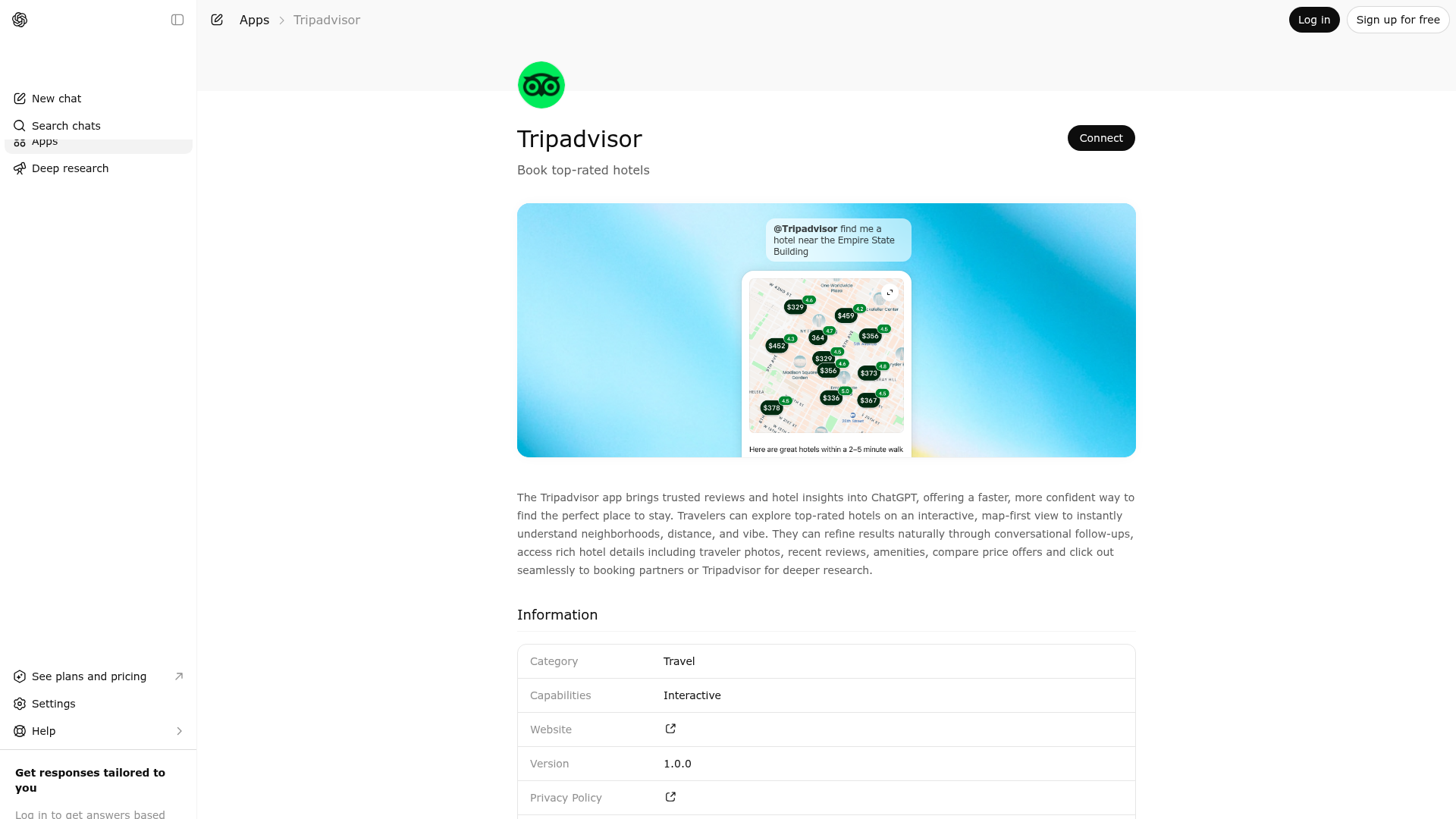
The Tripadvisor app brings trusted reviews and hotel insights into ChatGPT, offering a faster, more confident way to find the perfect place to stay. Travelers can explore top-rated hotels on an interactive, map-first view to instantly understand neighborhoods, distance, and vibe. They can refine results naturally through conversational follow-ups, access rich hotel details including traveler photos, recent reviews, amenities, compare price offers and click out seamlessly to booking partners or Tripadvisor for deeper research.
About This App
Plan your next trip, read reviews and get travel advice from our community on where to stay and what to do. Find savings on hotels, book the perfect tour or attraction, and reserve a table at the best restaurants.
Last updated: May 19, 2026
Website Preview
App Screenshots
Capabilities
Publisher Intelligence
Insights and recommendations for app publishers. See how your app performs and how to improve discoverability.
Server Status tamg-ai-mcp-server v1.0.0
https://production.ai-mcp-extensibility-prd.tamg.cloud/ogMvjY4De1G7CiHanMOAgddl/mcp Last checked: 1d ago
Technical Details
Tools(3)
Showing 3 of 3 tools
| Tool | Description | Flags | Test | Last Tested | |
|---|---|---|---|---|---|
compare_hotels | Compares hotels either by explicitly specified hotels or by automatically selecting hotels within a given geographic area. This tool supports two mutually exclusive comparison modes: - Explicit hotel comparison: compare specific hotels provided via the `locations` parameter (minimum 2). - Area-based comparison: automatically select and compare a representative set of hotels from a geographic area via `hotelArea`. When no specific hotels are named, use `hotelArea`. When specific hotels are named, use `locations`. Useful for comparing subratings like location, cleanliness, service, value, etc. The response includes key comparison fields like name, rating, price, amenities, etc. Examples of when to use hotelArea: - "Compare hotels in Boston" - "Compare hotels in Paris for Saturday" - "Compare hotels near Tower Bridge, London" - "Compare hotels near the Eiffel Tower, Paris" - "Compare hotels around Times Square" - "Compare hotels in Back Bay, Boston" Examples of when to use locations (specific hotels named): - "Compare Hotel Continental and Grand Hotel in Paris" - "Compare these hotels: Marriott Boston, Hilton Boston, and Hyatt Boston" | read-only | 0%Latency 215ms | 1d ago | |
hotel_details | Retrieves comprehensive information for a specific hotel, including optional amenities, photos, live pricing, and guest reviews, based on user locale and stay dates. Use this tool whenever a user asks about a specific hotel by name, including: - Informational queries: "Tell me about X Hotel", "What are the amenities at X Hotel" - Qualitative questions: "How is X Hotel?", "Is X Hotel good?", "What do people think about X Hotel?" - Evaluative questions: "Is X Hotel a good option?", "Is X Hotel worth staying at?", "Would you recommend X Hotel?" - Suitability questions: "Is X Hotel good for families?", "Is X Hotel good for couples?", "Is X Hotel good for business travel?" - Any question where the user references a specific hotel and seeks information, opinions, or recommendations about it. If you do not get pricing details in the first response, you can recall the api with the same parameters (including the echoed back values of userId, sessionId and pageViewId) and it will return any additional pricing details that have become available since the first call. If you want to wait for pricing details to be available, you can set the 'pricingMode' parameter to QUICK, and the api will poll until either pricing details are available, or the timeout for that mode is reached. | read-only | 0%Latency 190ms | 1d ago | |
search_hotels | Search for hotels matching the given criteria, using either a named location or a Tripadvisor GeoID. When a proximity term is used (e.g. near/within/close to), the location parameter should contain only the landmark or place name (e.g. "near the Louvre Museum, Paris" → location = "Louvre Museum, Paris"; "within 1 mile of London Eye" → location = "London Eye"). Results are displayed in an interactive map widget that visualizes all returned hotels with full details. Tripadvisor uses "bubble rating" (not "star rating") for review scores. If pricing details are not available in the first response, the API can be called again with the same parameters (including the echoed-back userId, sessionId and pageViewId) to retrieve any additional pricing details that have become available. Alternatively, set the 'pricingMode' parameter to QUICK to have the API poll until pricing details are available or the timeout is reached. sortBy defaults to BEST_VALUE. Use PRICE_LOW_TO_HIGH for cheapest, DISTANCE for nearest to a location, or POPULARITY for most popular. | read-only | 0%Latency 341ms | 1d ago |
Keywords
Trigger Keywords (@mentions)
@tripadvisor tripadvisor Discoverability Score
Fair
62 of 100 — how easily AI agents find your app
- Description quality20/20
- Example prompts0/20
- Keyword coverage4/15
- Tool metadata16/20
- Visual assets13/20
- Endpoint health10/10
- Data freshness11/15
How to Improve
Add at least 2 example prompts. Prompt examples strongly improve app matching and click-through intent.
Increase keyword coverage (discovery + trigger) to improve retrieval for long-tail queries.
Add at least 2 screenshots that show real workflows to increase confidence and conversion.
Technical Details
- Status
- ENABLED
- Type
- AI-Powered App
- Auth
- Open Access
- Listed on
- ChatGPT
- Added
- December 5, 2025
- Last synced
- May 3, 2026
- Last checked
- 1d ago
- Version
- 1.0.0
- Distribution
- Ecosystem Directory
