
Travelenie
by Travelenie LLC (Verified Partner)
Description
Travelenie is your personal Al travel assistant, designed to handle the complex details of every trip so you can focus on enjoying the journey. From the moment you start planning to your final photo caption, Travelenie organizes your entire trip lifecycle.
Website Preview
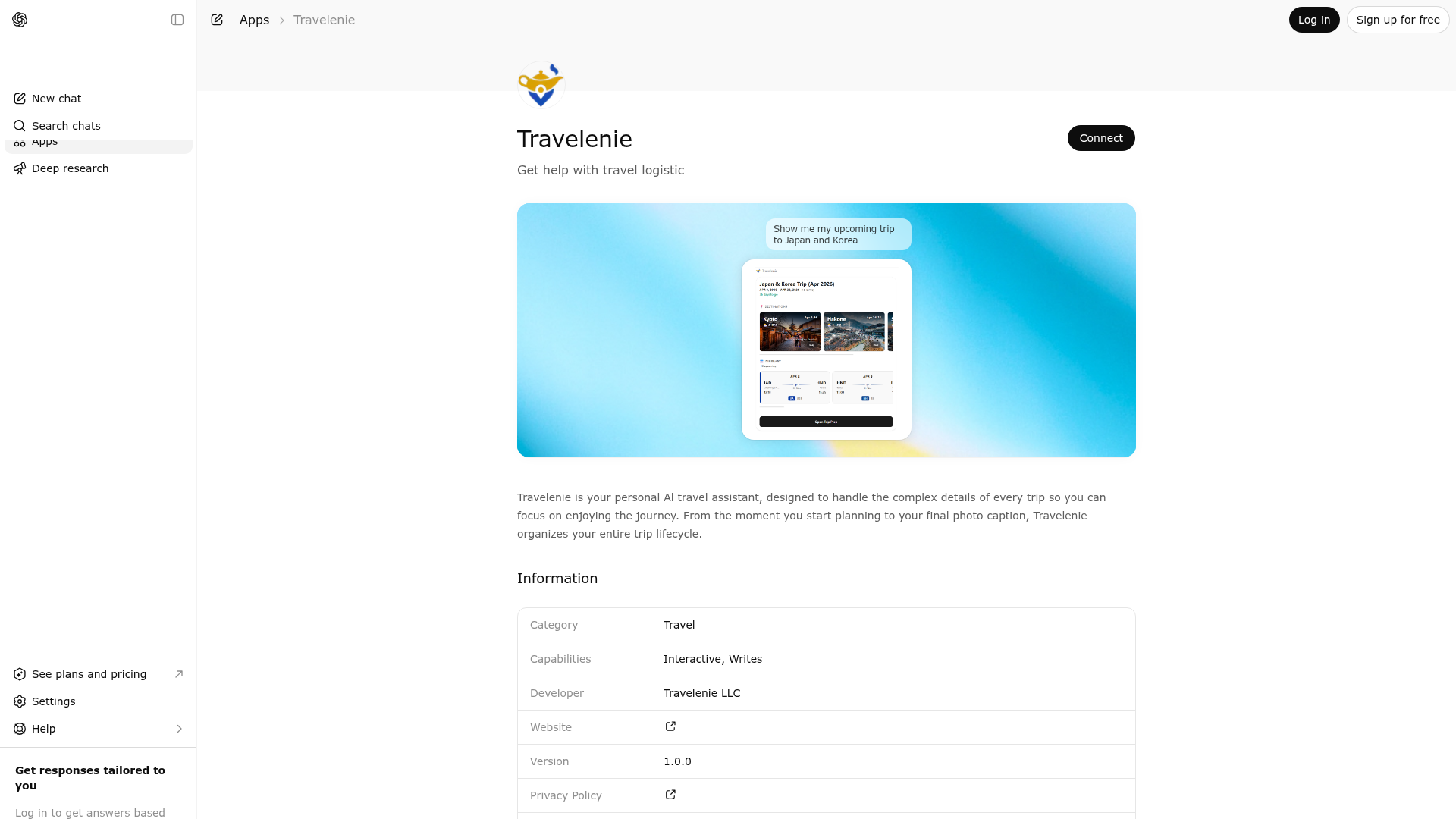
App Screenshots
Capabilities
Publisher Intelligence
Insights and recommendations for app publishers. See how your app performs and how to improve discoverability.
Server Status travelenie-server v1.0.0
https://mcp.travelenie.com/mcp Last checked: 6h ago
Technical Details
Tools(20)
Showing 20 of 20 tools
| Tool | Description | Flags | Test | Last Tested | |
|---|---|---|---|---|---|
about | Use this when the user asks what Travelenie can do or how to prompt it. Returns active capabilities and high-quality sample prompts for currently enabled features. | read-only | 67%Latency 226ms | Mar 25, 2026 | |
segment-create | Add one or more booking segments (flights, hotels, cars, trains, activities) to a trip. If tripId is omitted, a new trip is created automatically. Use this when the user shares booking confirmations, emails, or wants to add reservations. Do not use this to correct an existing segment — use segment-update instead. Before calling, check trip-list for existing trips. If you detect a duplicate segment (same flight route+date, same hotel+dates), ask the user before proceeding. | — | 64%Latency 488ms | Mar 25, 2026 | |
segment-delete | Delete one or more segments from a trip. Uses soft-delete. Only use when the user explicitly wants to remove a segment. Do not delete and recreate a segment to correct it — use segment-update instead. | destructive | 64%Latency 262ms | Mar 25, 2026 | |
segment-read | Read details of a single segment by its ID. Returns the full segment data including type, dates, locations, and confirmation codes. | read-only | 64%Latency 747ms | Mar 25, 2026 | |
segment-update | Update a segment in a trip. Uses supersede pattern - old version is preserved for history. Use this for any change to an existing segment, including date, time, venue, or detail corrections. **Returns the updated trip brief automatically. No need to call trip-read after.** | — | 64%Latency 222ms | Mar 25, 2026 | |
trip-create | Create a new empty trip with a name and optional date range. Use this when the user wants to start a new trip without any bookings yet. For adding bookings, use segment-create instead (it auto-creates trips). | — | 50%Latency 458ms | Mar 25, 2026 | |
trip-delete | Delete a trip. Use this when the user wants to remove an entire trip. To remove a single segment, use segment-delete instead. Ask the user to confirm before deleting. | destructive | 69%Latency 415ms | Mar 26, 2026 | |
trip-journal | Log a journal entry for a trip — experiences, reactions, memories, or thoughts about your travels. Use when the user shares what they did, how they felt, or what they experienced. - If the user mentions a place, restaurant, or activity that could be on the schedule, call trip-read first to find the matching segment and include its segmentId. - To log a new experience: include title, date, and/or location as available. - For general impressions: just include the text. - To update an existing entry: include entryId. Capture the user's words naturally. Do not ask for details they didn't volunteer — they can add more anytime. | — | 64%Latency 234ms | Mar 25, 2026 | |
trip-list | Use this when the user wants to see all their trips, asks 'what trips do I have', or mentions a trip by name without specifying which one. Also use when the user references 'my Japan trip', 'summer vacation', or 'upcoming travel' to find the matching trip. Shows all trips with names, dates, and destinations. | read-only | 64%Latency 718ms | Mar 25, 2026 | |
trip-merge | Merge all segments from a source trip into a target trip, then permanently remove the source trip and its related artifacts (shares, prep cache, and journal entries). The target trip keeps its name. Use when the user has duplicate trips or wants to combine trips. Ask for explicit confirmation before calling this tool. | destructive | 69%Latency 282ms | Mar 26, 2026 | |
trip-prep-analysis | Use this when the user asks about trip preparation, wants to know what they need before traveling, or asks about travel requirements. Covers visa requirements, passport validity, packing suggestions, and travel documents. Common requests: 'what do I need for my trip', 'am I ready to travel', 'do I need a visa', 'help me prepare'. Returns an interactive checklist. | read-only | 64%Latency 346ms | Mar 25, 2026 | |
trip-prep-item-update | Use this when the user marks a preparation task as done, undoes a completed item, or dismisses a recommendation. Common requests: 'I packed my passport', 'mark visa as done', 'I don't need that item', 'uncheck the packing item'. | — | 64%Latency 484ms | Mar 25, 2026 | |
trip-read | Retrieve trip data including segment details and IDs. Use this when you need trip details to perform another operation (e.g., to look up a segment ID before calling segment-update or segment-delete). This does NOT display a widget to the user. To show the user their itinerary, use trip-view instead. | read-only | 69%Latency 745ms | Mar 26, 2026 | |
trip-share | Create a share code for a trip. The code can be sent to another person who can then claim it using trip-share-claim to access the trip. The owner chooses whether to grant view-only or full edit access. | — | 64%Latency 207ms | Mar 25, 2026 | |
trip-share-claim | Claim access to a trip using a share code. Use this when the user has a share code from someone who shared a trip with them. After claiming, the trip appears in their trip list and can be viewed or edited depending on the permission level granted. | — | 64%Latency 219ms | Mar 25, 2026 | |
trip-share-list | List trip sharing activity. Use direction 'outgoing' to see shares the user created for their trips. Use direction 'incoming' to see trips others have shared with the user. | read-only | 64%Latency 221ms | Mar 25, 2026 | |
trip-share-revoke | Revoke a share code so it can no longer be used. All recipients who previously claimed this code will lose access. Only the trip owner can revoke. | destructive | 64%Latency 193ms | Mar 25, 2026 | |
trip-update | Update trip metadata such as name or date range. To modify segments (flights, hotels, etc.), use segment-update instead. | — | 69%Latency 823ms | Mar 26, 2026 | |
trip-view | Display the user's trip as an interactive itinerary widget. Use this when the user wants to see their trip, review their itinerary, check flight times, see hotel reservations, browse activities, or get an overview of their travel plans. Also use after completing a series of changes to show the updated trip. Common requests: 'show my trip', 'what's my itinerary', 'when do I fly', 'what hotel am I staying at', 'let me see my travel plans'. | read-only | 69%Latency 680ms | Mar 26, 2026 | |
widget-telemetry | Internal tool for client-side widget logging. Not for direct use. | — | 67%Latency 180ms | Mar 25, 2026 |
Discoverability Score
Fair
62 of 100 — how easily AI agents find your app
- Description quality20/20
- Example prompts0/20
- Keyword coverage0/15
- Tool metadata20/20
- Visual assets13/20
- Endpoint health10/10
- Data freshness11/15
How to Improve
Add at least 2 example prompts. Prompt examples strongly improve app matching and click-through intent.
Increase keyword coverage (discovery + trigger) to improve retrieval for long-tail queries.
Add at least 2 screenshots that show real workflows to increase confidence and conversion.
Technical Details
- Status
- ENABLED
- Type
- AI-Powered App
- Auth
- Open Access
- Listed on
- ChatGPT
- Added
- March 2, 2026
- Last synced
- May 3, 2026
- Last checked
- 6h ago
- Version
- 1.0.0
- Distribution
- Ecosystem Directory
