
Todoist
by Doist (Community)
Description
Task management and productivity app. Create, manage, and organize tasks, projects, sections, labels, and comments.
Website Preview
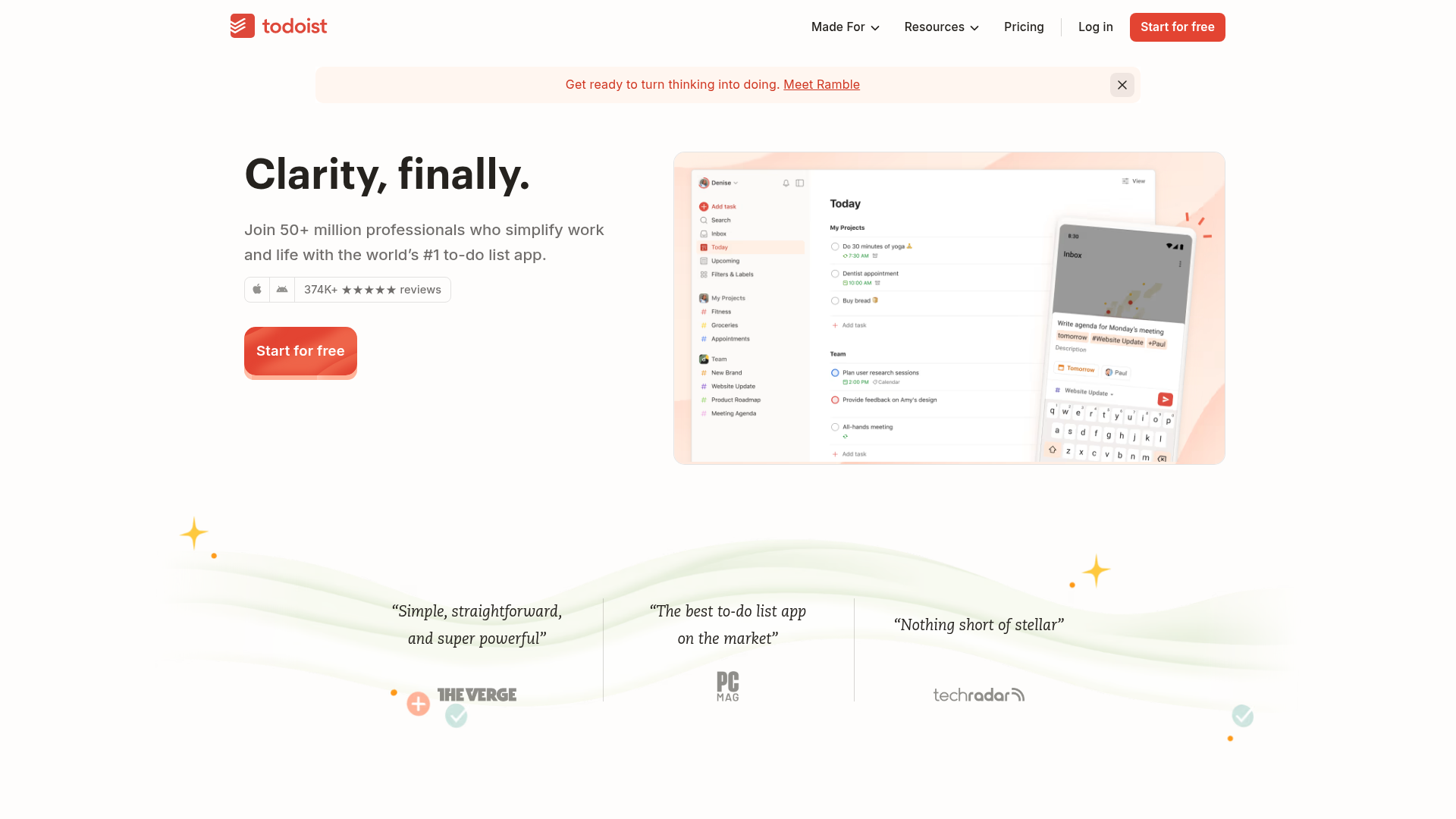
App Screenshots
Capabilities
No special capabilities listed
Publisher Intelligence
Insights and recommendations for app publishers. See how your app performs and how to improve discoverability.
Server Status todoist-mcp-server v10.1.0
https://ai.todoist.net/mcp Last checked: 5h ago
Server Instructions
## Todoist Task and Project Management Tools You have access to comprehensive Todoist management tools for personal productivity and team collaboration. Use these tools to help users manage tasks, projects, sections, comments, and assignments effectively. ### Core Capabilities: - Create, update, complete, and search tasks with rich metadata (priorities, due dates, durations, assignments) - Manage projects and sections with flexible organization - Handle comments and collaboration features - Bulk assignment operations for team workflows - Get overviews and insights about workload and progress ### Tool Usage Guidelines: **Task Management:** - **add-tasks**: Create tasks (max 25 per call) with content, description, priority (`p1`, `p2`, `p3`, `p4` strings only; `p1` highest and `p4` lowest/default; integers are not accepted), dueString (natural language like "tomorrow", "next Friday", "2024-12-25"), deadlineDate (ISO 8601 format like "2025-12-31" for immovable constraints), duration (formats like "2h", "90m", "2h30m"), and assignments to project collaborators - **update-tasks**: Modify existing tasks - get task IDs from search results first, only include fields that need changes. Supports priority updates using `p1`/`p2`/`p3`/`p4` string values (`p1` highest, `p4` lowest/default; integers are not accepted), due date updates via dueString and due date removal via "dueString: remove", plus deadlineDate (ISO 8601 format like "2025-12-31") updates and removals via "deadlineDate: remove". **IMPORTANT: Do NOT use update-tasks to reschedule/move task dates — use reschedule-tasks instead.** update-tasks replaces the entire due string which destroys recurrence patterns on recurring tasks. - **reschedule-tasks**: **Always use this tool when moving/rescheduling task due dates to a different date.** This tool preserves recurring schedules and existing time-of-day. Accepts YYYY-MM-DD or YYYY-MM-DDTHH:MM:SS. Works for both recurring and non-recurring tasks. Do NOT use update-tasks for rescheduling. - **complete-tasks**: Mark tasks as done using task IDs - **uncomplete-tasks**: Reopen completed tasks using task IDs - **find-tasks**: Search by text, project/section/parent container, responsible user, labels, a raw Todoist `filter` string (e.g. "today", "p1", "##Work", "(today | overdue) & p1"), or a saved filter by ID or name (`filterIdOrName`). Requires at least one search parameter. `filter`/`filterIdOrName` cannot be combined with projectId/sectionId/parentId, and `filter` and `filterIdOrName` are mutually exclusive. - **find-tasks-by-date**: Get tasks by date range (startDate: YYYY-MM-DD or 'today' which includes overdue tasks) or specific day counts - **find-completed-tasks**: View completed tasks by completion date or original due date; if since/until are omitted, defaults to the last 7 days (returns all collaborators unless filtered) **Project & Organization:** - **add-projects/update-projects/find-projects**: Manage project lifecycle with names, favorites, view styles (list/board/calendar), and workspace assignment for new projects (by name or ID) - **project-management**: Archive or unarchive projects by ID - **project-move**: Move projects between personal and workspace contexts - **add-sections/update-sections/find-sections**: Organize tasks within projects using sections - **find-goals/add-goals/update-goals**: Manage goals (personal or workspace). Goals track progress via linked tasks - **complete-goals**: Complete or uncomplete goals by ID - **link-goal-tasks**: Link or unlink tasks to/from a goal - **get-overview**: Get comprehensive Markdown overview of entire account or specific project with task hierarchies. Project data includes parentId (sub-projects), folderId (workspace folder membership), and childOrder (sibling ordering) - **list-workspaces**: Get all workspaces for the user with details like plan type, role, and settings **Reminders:** - **add-reminders**: Create reminders for tasks. Three types: "relative" (minutes before due), "absolute" (specific date/time), or "location" (geofence-triggered). Each reminder must specify a taskId. - **find-reminders**: Find reminders by task ID (returns both time-based and location reminders), or get a specific reminder by ID (use reminderId for time-based, locationReminderId for location-based). - **update-reminders**: Update existing reminders. Must specify the reminder type ("relative", "absolute", or "location") and ID. - Relative and absolute reminders support an **isUrgent** flag to mark a reminder as urgent. - Reminders can be deleted using **delete-object** with type "reminder" (time-based) or "location_reminder" (location-based). **Collaboration & Comments:** - **add-comments/update-comments/find-comments**: Manage task and project discussions - **view-attachment**: View file attachments from comments. Pass the fileUrl from a comment's fileAttachment. Returns images inline, text files as text, and binary files as embedded resources. - **find-project-collaborators**: Look up Todoist users (collaborators, teammates) by name or email to get their user ID — use for "find/who is X" questions or any time you need to resolve a person's name to an ID. By default searches collaborators of every shared project the authenticated user can access (plus the authenticated user themselves). An empty result means the person is not a collaborator on any shared project, not that they do not exist. Pass projectId to scope to a single project - **manage-assignments**: Bulk assign/unassign/reassign up to 50 tasks with atomic operations and dry-run validation **Filters:** - **find-filters**: List all personal filters or search by name; filters are saved task views using query syntax - **add-filters**: Create personal filters with name, query (e.g. "today & p1"), color, and favorite flag - **update-filters**: Modify existing filters' name, query, color, or favorite status **Activity & Audit:** - **find-activity**: Retrieve recent activity logs to monitor and audit changes. Shows events from all users by default; use initiatorId to filter by specific user. Filter by object type (task/project/comment), event type (added/updated/deleted/completed/uncompleted/archived/unarchived/shared/left), and specific objects (objectId, projectId, taskId). Useful for tracking who did what and when. Note: Date-based filtering is not supported. - **get-productivity-stats**: Get comprehensive productivity statistics including daily/weekly completion breakdowns, goal streaks (current, last, max), karma score and trends, and historical karma data. No parameters required. **Project Health & Insights:** - **get-project-health**: Get comprehensive health assessment for a project including completion progress (completed/active counts, percentage), health status (EXCELLENT/ON_TRACK/AT_RISK/CRITICAL), description, and task-level recommendations. Use includeContext=true for detailed metrics (overdue tasks, weekly activity, avg completion time) and full task data. Health data may be stale — check isStale flag. - **get-project-activity-stats**: Get daily and optional weekly activity statistics for a project over a configurable time window (1-12 weeks). Useful for identifying activity trends. - **analyze-project-health**: Trigger a new health analysis for a project. Use when health data is stale. The analysis may take time — use get-project-health afterward to see updated results. - **get-workspace-insights**: Get aggregated health and progress insights across all projects in a workspace. Accepts workspace name or ID, with optional project ID filtering. **General Operations:** - **delete-object**: Remove projects, sections, tasks, comments, labels, filters, reminders, or location reminders by type and ID - **fetch-object**: Fetch a single task, project, comment, or section by its ID - **reorder-objects**: Reorder sibling projects or sections, and optionally move projects to a new parent. For projects: set order to reorder siblings, and/or set parentId to move under a new parent (use "root" for top level). For sections: set order to reorder within a project - **user-info**: Get user details including timezone, goals, and plan information ### Best Practices: 1. **Task Creation**: Write clear, actionable task titles. Use natural language for due dates ("tomorrow", "next Monday"). Set appropriate priorities and include detailed descriptions when needed. 2. **Search Strategy**: Use specific search queries combining multiple filters for precise results. When searching for tasks, start with broader queries and narrow down as needed. 3. **Assignments & user lookup**: Always validate project collaborators exist before assigning tasks. Use find-project-collaborators to verify user access. Also use find-project-collaborators (with just a searchTerm and no projectId) to resolve a user's ID whenever the user references a person by name or email — it searches collaborators of all shared projects you can access, plus yourself. 4. **Bulk Operations**: When working with multiple items, prefer bulk tools (complete-tasks, manage-assignments) over individual operations for better performance. 5. **Date Handling**: All dates respect user timezone settings. Use 'today' keyword for dynamic date filtering (includes overdue tasks). **When rescheduling/moving tasks to a different date, always use reschedule-tasks** — never update-tasks with dueString, as that destroys recurrence on recurring tasks. 6. **Labels**: Use label filtering with AND/OR operators for advanced task organization. Most search tools support labels parameter. Use **find-labels** to discover personal and shared labels — use label **names** (not IDs) when filtering tasks, and use label **IDs** only with **delete-object** and **update-labels** (for personal label updates). Use **add-labels** to create new personal labels. Use **update-labels** to rename or recolor personal labels (by ID), or to rename shared labels (by name) — note that shared labels support renaming only, not color/order/favorite changes. 7. **Pagination**: Large result sets use cursor-based pagination. Use limit parameter to control result size (default varies by tool). 8. **Error Handling**: All tools provide detailed error messages and next-step suggestions. Pay attention to validation feedback for corrective actions. ### Common Workflows: - **Daily Planning**: Use find-tasks-by-date with 'today' and get-overview for project status - **Team Assignment**: find-project-collaborators → add-tasks with responsibleUser → manage-assignments for bulk changes - **User Lookup**: find-project-collaborators with just a searchTerm (no projectId) to resolve a name or email to a Todoist user ID across all shared-project collaborators you can access - **Task Search**: find-tasks with multiple filters → update-tasks or complete-tasks based on results - **Project Organization**: add-projects → add-sections → add-tasks with projectId and sectionId - **Progress Reviews**: find-completed-tasks (defaults to last 7 days; optionally use explicit date ranges) → get-overview for project summaries - **Activity Auditing**: find-activity with event/object filters to track changes, monitor team activity, or investigate specific actions - **Productivity Analysis**: Use the productivity-analysis prompt for comprehensive analysis combining user-info, get-productivity-stats, and find-completed-tasks data into actionable insights - **Project Health Reviews**: get-project-health → analyze-project-health if stale → get-project-health with includeContext=true for detailed metrics → get-workspace-insights for cross-project overview Always provide clear, actionable task titles and descriptions. Use the overview tools to give users context about their workload and project status.
Technical Details
Tools(50)
Showing 50 of 50 tools
| Tool | Description | Flags | Test | Last Tested | |
|---|---|---|---|---|---|
add-comments | Add multiple comments to tasks or projects. Each comment must specify either taskId or projectId. | — | 0%Latency 560ms | 1d ago | |
add-filters | Add one or more new personal filters. Filters are saved custom views using query syntax to organize tasks. | — | 0%Latency 175ms | 1d ago | |
add-goals | Create one or more goals. Omit workspaceId for personal goals. | — | 0%Latency 5.1s | 5h ago | |
add-labels | Add one or more new personal labels. | — | 0%Latency 191ms | 1d ago | |
add-projects | Add one or more new projects. | — | 0%Latency 254ms | 1d ago | |
add-reminders | Add reminders to tasks. Supports three types: "relative" (minutes before due), "absolute" (specific date/time), or "location" (geofence-triggered). Each reminder must specify a taskId. | — | 0%Latency 177ms | 1d ago | |
add-sections | Add one or more new sections to projects. | — | 0%Latency 124ms | 1d ago | |
add-tasks | Add one or more tasks to a project, section, or parent. Supports assignment to project collaborators. | — | 0%Latency 130ms | 1d ago | |
analyze-project-health | Trigger a new health analysis for a project. Use this when the health data is stale or you want a fresh assessment. The analysis may take time to complete — use get-project-health afterward to see updated results. | — | 0%Latency 136ms | 1d ago | |
complete-goals | Complete or uncomplete one or more goals by their IDs. | destructive | 0%Latency 5.9s | 5h ago | |
complete-tasks | Complete one or more tasks by their IDs. | destructive | 0%Latency 152ms | 1d ago | |
delete-object | Delete a project, section, task, comment, label, filter, goal, reminder, or location_reminder by its ID. | destructive | 0%Latency 175ms | 1d ago | |
fetch | Fetch the full contents of a task or project by its ID. The ID should be in the format "task:{id}" or "project:{id}". | read-only | 0%Latency 101ms | 1d ago | |
fetch-object | Fetch a single task, project, comment, section, or goal by its ID. Use this when you have a specific object ID and want to retrieve its full details. | read-only | 0%Latency 220ms | 1d ago | |
find-activity | Retrieve recent activity logs to monitor and audit changes in Todoist. Shows events from all users by default (use initiatorId to filter by specific user). Track task completions, updates, deletions, project changes, and more with flexible filtering. Note: Date-based filtering is not supported by the Todoist API. | read-only | 0%Latency 325ms | 1d ago | |
find-comments | Find comments by task, project, or get a specific comment by ID. Exactly one of taskId, projectId, or commentId must be provided. | read-only | 0%Latency 267ms | 1d ago | |
find-completed-tasks | Get completed tasks. since/until are optional and default to a 7-day window when omitted. Includes all collaborators by default. Person-specific queries (summaries, plans, reports) require responsibleUser. | read-only | 0%Latency 136ms | 1d ago | |
find-filters | List all personal filters or search for filters by name. Filters are saved custom views that use query syntax to organize tasks (e.g. "today & p1", "#Work & overdue"). | read-only | 0%Latency 100ms | 1d ago | |
find-goals | Search for goals by name or list all accessible goals. Results are paginated — use the returned `nextCursor` to fetch subsequent pages. | read-only | 0%Latency 1.2s | 5h ago | |
find-labels | List personal labels and shared labels. Personal labels have full metadata (id, name, color, order, isFavorite) and support pagination and name search (partial, case insensitive). Shared labels are labels used on tasks shared with you — they are returned as names only (no IDs or metadata). When searching, all matching personal labels are fetched across all pages and returned as a single result set (limit and cursor are ignored). When not searching, personal labels are returned with pagination. | read-only | 0%Latency 179ms | 1d ago | |
find-project-collaborators | Find Todoist users (collaborators, teammates) by name or email to look up their user ID. Use this whenever the user asks to find, look up, or identify a person — e.g. "find Carrie's user ID", "who is Ernesto", "look up a user". When projectId is omitted, searches across the collaborators of every shared project the authenticated user has access to, plus the authenticated user themselves — an empty result means the person is not a collaborator on any project you share with them, not necessarily that they do not exist in Todoist. When projectId is provided, searches only that project. Partial, case-insensitive match on name and email. | read-only | 0%Latency 222ms | 1d ago | |
find-projects | List all projects or search for projects by name. When searching, all matching projects are returned (pagination is ignored). When not searching, projects are returned with pagination. | read-only | 0%Latency 265ms | 1d ago | |
find-reminders | Find reminders by task ID (returns all reminder types), or get a specific reminder by its ID. Use reminderId for time-based reminders and locationReminderId for location reminders. | read-only | 0%Latency 103ms | 1d ago | |
find-sections | Search for sections by name or other criteria in a project. When searching, uses server-side search to avoid fetching all sections. | read-only | 0%Latency 86ms | 1d ago | |
find-tasks | Find tasks by text search, project/section/parent container, responsible user, labels, a raw Todoist filter string, or a saved filter by ID or name (filterIdOrName). At least one filter must be provided. | read-only | 0%Latency 168ms | 1d ago | |
find-tasks-by-date | Get tasks by date range. startDate='today' includes overdue items. Default responsibleUserFiltering='unassignedOrMe' excludes others' tasks. Person-specific queries (summaries, plans, reports) require responsibleUser. | read-only | 0%Latency 120ms | 1d ago | |
get-overview | Get a Markdown overview. If no projectId is provided, shows all projects with hierarchy and sections (useful for navigation). If projectId is provided, shows detailed overview of that specific project including all tasks grouped by sections. | read-only | 0%Latency 91ms | 1d ago | |
get-productivity-stats | Get comprehensive productivity statistics including daily/weekly completion breakdowns, goal streaks (current, last, max), karma score and trends, and historical karma data. Useful for productivity analysis and tracking goal progress. | read-only | 0%Latency 255ms | 1d ago | |
get-project-activity-stats | Get daily and optional weekly task completion counts for a project over a configurable time window (1-12 weeks). Useful for identifying completion trends and patterns. | read-only | 0%Latency 156ms | 1d ago | |
get-project-health | Get a comprehensive health assessment for a project including completion progress, health status (EXCELLENT, ON_TRACK, AT_RISK, CRITICAL), and optional detailed context with project metrics and task-level recommendations. Use includeContext=true for full detail including task data. | read-only | 0%Latency 138ms | 1d ago | |
get-workspace-insights | Get aggregated health and progress insights across all projects in a workspace. Accepts workspace name or ID, with optional project ID filtering. Useful for a cross-project health overview. | read-only | 0%Latency 213ms | 1d ago | |
link-goal-tasks | Link or unlink tasks to/from a goal. | — | 0%Latency 468ms | 5h ago | |
list-workspaces | Get all workspaces for the authenticated user. Returns workspace details including ID, name, plan type (STARTER/BUSINESS), user role (ADMIN/MEMBER/GUEST), link sharing settings, guest permissions, creation date, and creator ID. | read-only | 0%Latency 189ms | 1d ago | |
manage-assignments | Bulk assignment operations for multiple tasks. Supports assign, unassign, and reassign operations with atomic rollback on failures. | destructive | 0%Latency 146ms | 1d ago | |
project-management | Archive or unarchive a project by its ID. | — | 0%Latency 146ms | 1d ago | |
project-move | Move a project between personal and workspace contexts. | — | 0%Latency 96ms | 1d ago | |
reorder-objects | Reorder sibling projects or sections, and optionally move projects to a new parent. For projects: set order to reorder siblings, and/or set parentId to move under a new parent (use "root" for top level). For sections: set order to reorder within a project. | — | 0%Latency 99ms | 1d ago | |
reschedule-tasks | Reschedule tasks to new dates while preserving recurring schedules. Unlike update-tasks (which replaces the entire due string and can wipe recurrence), this tool changes only the date, keeping recurrence patterns intact. Use this when moving recurring tasks to a different date without altering their repeat pattern. | destructive | 0%Latency 87ms | 1d ago | |
search | Search across tasks and projects in Todoist. Returns a list of relevant results with IDs, titles, and URLs. | read-only | 0%Latency 191ms | 1d ago | |
uncomplete-tasks | Uncomplete (reopen) one or more completed tasks by their IDs. | — | 0%Latency 89ms | 1d ago | |
update-comments | Update multiple existing comments with new content. | destructive | 0%Latency 99ms | 1d ago | |
update-filters | Update one or more existing personal filters with new values. | destructive | 0%Latency 186ms | 1d ago | |
update-goals | Update one or more goals by their IDs. | — | 0%Latency 2.2s | 5h ago | |
update-labels | Update one or more existing labels. Personal labels (identified by ID) can have their name, color, order, and favorite flag updated. Shared labels (identified by name) can only be renamed. | destructive | 0%Latency 192ms | 1d ago | |
update-projects | Update multiple existing projects with new values. | destructive | 0%Latency 356ms | 1d ago | |
update-reminders | Update existing reminders. Each reminder must specify its type ("relative", "absolute", or "location") and ID. Only include fields that need to change. | destructive | 0%Latency 259ms | 1d ago | |
update-sections | Update multiple existing sections with new values. | destructive | 0%Latency 242ms | 1d ago | |
update-tasks | Update existing tasks including content, dates, priorities, and assignments. | destructive | 0%Latency 191ms | 1d ago | |
user-info | Get comprehensive user information including user ID, full name, email, timezone with current local time, week start day preferences, current week dates, daily/weekly goal progress, and user plan (Free/Pro/Business). | read-only | 0%Latency 139ms | 1d ago | |
view-attachment | View a file attachment from a Todoist comment. Pass the fileUrl from a comment's fileAttachment field. Supports images (returned inline), text files (returned as text), and binary files like PDFs (returned as embedded resources). | read-only | 0%Latency 247ms | 1d ago |
Discoverability Score
Fair
57 of 100 — how easily AI agents find your app
- Description quality14/20
- Example prompts0/20
- Keyword coverage0/15
- Tool metadata20/20
- Visual assets13/20
- Endpoint health10/10
- Data freshness11/15
How to Improve
Add at least 2 example prompts. Prompt examples strongly improve app matching and click-through intent.
Increase keyword coverage (discovery + trigger) to improve retrieval for long-tail queries.
Add at least 2 screenshots that show real workflows to increase confidence and conversion.
Technical Details
- Status
- ENABLED
- Type
- AI-Powered App
- Auth
- Requires Login
- Listed on
- Official
- Added
- April 28, 2026
- Last synced
- April 28, 2026
- Last checked
- 5h ago
- Version
- 10.1.0
- Distribution
- Individual