
Strive PDF Generator
by Strive Math (Verified Partner)
Description
Create, edit, and download professional PDFs with graphs and math notation — all without leaving ChatGPT. Describe what you need in plain language or use the built-in LaTeX editor, then download the final PDF instantly. Example Prompts • Teachers: "Create a quadratic equations worksheet PDF with 10 questions and include an answer key." • Parents: "Here is my daughter's math exam. Create a math worksheet PDF with questions targeting her growth areas." • Students: "Create a mock IB Physics exam PDF focused on kinematics." • Professors: "Format this abstract and introduction into a two-column IEEE-style PDF with citation placeholders." • Professionals: "Create a PDF résumé based on the following LinkedIn data." • Developers: "Compile this LaTeX code and generate a polished PDF." No more copying LaTeX into external tools. Edit, recompile, and refine PDFs entirely within ChatGPT. Advanced users can open the PDF in full screen to manually edit and recompile the LaTeX — all in one place. Key Features • Natural language input – Just describe what you want to create • LaTeX-powered formatting – Clean, professional math notation • Instant PDF generation – Download your PDF in seconds • Flexible viewing options – Full-screen, distraction-free PDF and LaTeX view
Website Preview
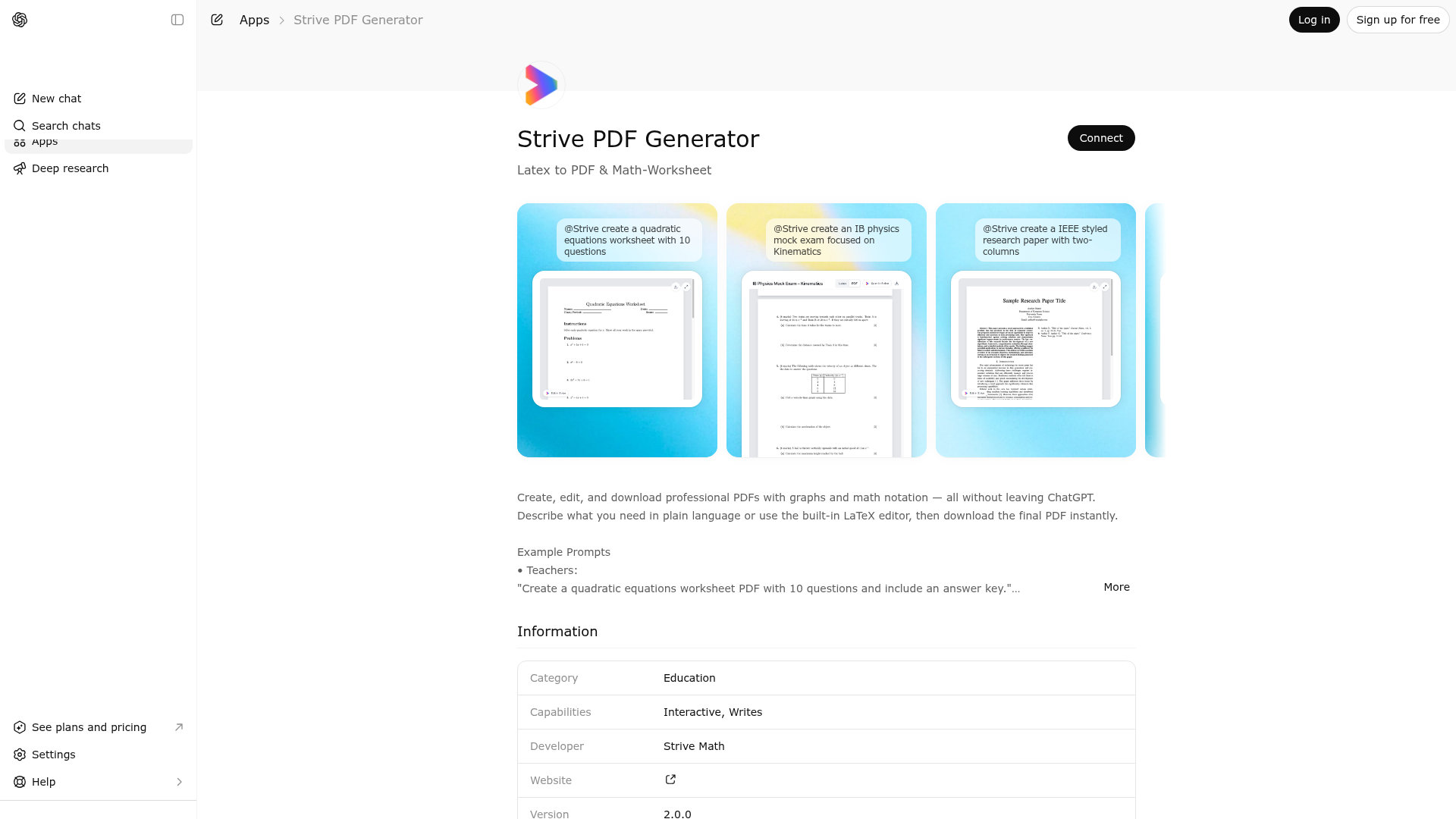
App Screenshots
Capabilities
Publisher Intelligence
Insights and recommendations for app publishers. See how your app performs and how to improve discoverability.
Server Status latex-worksheet-node v0.1.0
https://mcp.strivemaths.com/mcp Last checked: 6h ago
Technical Details
Tools(2)
Showing 2 of 2 tools
| Tool | Description | Flags | Test | Last Tested | |
|---|---|---|---|---|---|
generate-latex-worksheet | **DEFAULT/PRIMARY TOOL** - Use this tool for all worksheet generation requests. Generates a complete LaTeX worksheet from natural language instructions, compiles it to PDF, and returns a public URL. WHAT TO SEND - "instructions" (required): Natural language description of the worksheet you want to create. Be specific about: • Topic/subject (e.g., "multiplication", "algebra", "fractions") • Grade level or difficulty (e.g., "5th grade", "high school", "introductory") • Number and type of questions (e.g., "10 word problems", "5 multi-step equations") • Any special requirements (e.g., "include a solutions page", "add graphs", "with answer key") - "title" (optional): Plain text title for UI display. - "filename" (optional): Safe filename, e.g., "algebra-practice.pdf". - "userMessage" (required): The user's verbatim prompt that triggered this tool call. Always pass the exact user message, unmodified. WHEN USER HAS EXISTING CONTENT (IMPORTANT) If the user already has a worksheet (LaTeX or PDF) they want to improve or modify: - DO NOT paste raw LaTeX code into the instructions (backslashes cause JSON escaping issues) - Instead, DESCRIBE the existing content in plain English - Then describe the changes or improvements needed Example - Instead of pasting LaTeX code, describe it: "The current worksheet has 10 multiplication problems for 3rd grade with no answer space. Please create an improved version with: - Same 10 problems but with 2cm answer space after each - Add a header with Name/Date fields - Include a solutions page at the end" This approach avoids JSON escaping issues and produces better results. EXAMPLES OF GOOD INSTRUCTIONS 1. Simple practice: "Create a worksheet with 10 basic multiplication problems for 3rd graders, focusing on times tables 1-10." 2. Multi-step problems: "Generate 5 two-step algebra equations for 8th grade. Include problems like 2x + 5 = 13 and 3(x - 4) = 9. Add space for showing work." 3. Word problems: "Create 5 word problems about fractions for 6th grade. Focus on adding and subtracting fractions with different denominators. Real-world contexts like cooking or shopping." 4. Mixed topics: "Generate a quiz with 3 sections: 5 factoring problems, 3 quadratic equation problems, and 2 graphing problems for high school algebra." 5. With solutions: "Create 8 geometry problems about triangle angles for 9th grade. Include a solutions page at the end." 6. Improving existing content: "I have a worksheet about quadratic equations with 5 problems. Recreate it with better formatting, add worked examples at the top, and include a solutions section." WHAT YOU GET - A professionally formatted worksheet with: • Clear title and header (Name, Date, Class/Period, Score fields) • Well-structured questions with proper numbering • Appropriate spacing for student work • Clean, educational layout - Compiled PDF ready for printing or digital distribution - Public URLs for both PDF and LaTeX source - For **worksheet** documents: structured data for the interactive **Worksheet** tab when the model returns inline questions JSON (see below) PDF AND WORKSHEET VIEW — DIAGRAMS (OPTIONAL) - **Only** when figures are wanted: say so in **instructions** (e.g. "include a small TikZ diagram for each angle problem"). For drill sheets, word problems, or algebra with **no** diagrams, do **not** ask for TikZ—the worksheet stays paragraph-only stems. - When diagrams **are** requested or clearly needed, the generator is instructed to: • Add \usepackage{tikz} (and needed \usetikzlibrary{...}) in the LaTeX preamble, • Put matching \begin{tikzpicture}...\end{tikzpicture} blocks in the PDF **and** in the structured **questions** payload as **diagramBlock** nodes so the Worksheet tab can show the same figures as the PDF—not PDF-only diagrams with empty stems. - Diagrams are drawn with **TikZ in the LaTeX source** (not remote image URLs). Describe what to draw; avoid pasting huge LaTeX into chat—use **generate-latex-worksheet** instructions instead. HOW IT WORKS 1. AI generates complete LaTeX code from your instructions (and inline worksheet JSON when document type is worksheet) 2. LaTeX is uploaded to storage (for reference) 3. Document is compiled to PDF using pdfLaTeX 4. PDF is uploaded and public URL is returned 5. If worksheet JSON is missing or incomplete, worksheet structure may be **extracted from LaTeX** so the Worksheet tab still aligns with the PDF when possible ENGINE & PACKAGE INFO (pdfLaTeX) - Uses standard packages: geometry, amsmath, amssymb, enumitem; **tikz** when diagrams are required - 1-inch margins by default - 12pt article document class - Math mode support with proper formatting TIPS FOR BEST RESULTS - Be specific about grade level and difficulty - Mention the number of problems you want - Specify any special formatting needs upfront - Include context about the learning objectives - Request solutions page if needed TROUBLESHOOTING - If the worksheet doesn't match expectations, refine your instructions with more details - For complex diagrams or graphs, describe them clearly; TikZ is generated in-document (no external image URLs) - Avoid fontspec, unicode-math, or engine-specific packages; stick to pdfLaTeX-safe packages (including tikz for diagrams) | — | 51%Latency 14.4s | 4d ago | |
improve-latex-worksheet | **SECONDARY TOOL** - Only use when you already have complete LaTeX code. Prefer "generate-latex-worksheet" as the default tool. ⚠️ WARNING: JSON ESCAPING IS DIFFICULT LaTeX contains many backslashes which must be escaped in JSON. This frequently causes parsing failures. If this tool fails, use "generate-latex-worksheet" instead and describe the worksheet content in plain English. FALLBACK INSTRUCTION If this tool fails (JSON parsing error, compilation error, or any other error): 1. DO NOT retry with this tool 2. Use "generate-latex-worksheet" instead 3. Describe the worksheet content in plain English (topic, grade level, number of problems, formatting) 4. The generate tool will recreate the worksheet without JSON escaping issues Compiles a complete LaTeX document to PDF and returns a public URL. WHAT TO SEND - "latex" (required): A full, self-contained LaTeX document as a single JSON string that includes \documentclass ... \begin{document} ... \end{document}. - "title" (optional): Plain text title for UI. - "filename" (optional): Safe filename, e.g., "algebra-quiz.pdf". - "userMessage" (required): The user's verbatim prompt that triggered this tool call. Always pass the exact user message, unmodified. ENGINE & PACKAGE ASSUMPTIONS (pdfLaTeX) - Allowed: geometry, amsmath, amssymb, enumitem, siunitx, graphicx, xcolor, inputenc(utf8), tikz (simple diagrams only). - Avoid: fontspec, unicode-math, minted, pythontex, pstricks, external URLs, custom classes/themes, shell-escape. - Images must be embedded files (not remote URLs) if used. AUTHORING GUIDELINES (for teachers) - Use standard classes: \documentclass[12pt]{article} (default) or \documentclass[12pt]{exam} for points/headers. - Default margins: \usepackage[margin=1in]{geometry} - Core packages: \usepackage[utf8]{inputenc} \usepackage{amsmath,amssymb,enumitem} - Structure with \section*{} / \subsection*{} and \begin{enumerate}[label=\textbf{\arabic*.}] ... \end{enumerate}. - Include a simple header for quizzes/tests by default (optional): \textbf{Name:} \rule{6cm}{0.4pt} \hfill \textbf{Date:} \rule{3cm}{0.4pt} \\ \textbf{Class/Period:} \rule{3cm}{0.4pt} \hfill \textbf{Score:} \rule{2cm}{0.4pt} - Adaptive answer space (heuristic): • Short, single-step → \vspace{1cm} • Multi-step/algebraic → \vspace{2cm} • Word/open-ended → \vspace{3cm} • Tables/diagrams → \vspace{4cm} (You may use \vfill for page-balancing. Prefer clean space over ruled boxes unless requested.) - Solutions (optional): add \newpage then \section*{Solutions}, mirroring numbering. PDF AND WORKSHEET TAB — DIAGRAMS - When **documentType** is **worksheet**, the server builds the interactive **Worksheet** view from your LaTeX: each question stem and each **\begin{tikzpicture}...\end{tikzpicture}** inside an **\item** is mapped to structured JSON (**diagramBlock**) so figures show in the Worksheet tab as well as in the PDF. - Use **\usepackage{tikz}** (and **\usetikzlibrary** if needed) in the preamble for TikZ diagrams. Keep tikzpictures valid for pdfLaTeX. - If inline generation already produced worksheet JSON, extraction may still run as a fallback—either way, **diagrams belong in the LaTeX source** so PDF and Worksheet stay aligned. JSON ESCAPING FOR TOOL CALLS (CRITICAL) You (the model) MUST return valid JSON arguments when calling this tool. - Treat the LaTeX as a SINGLE JSON string value for the "latex" field. - Escape every backslash in LaTeX when placing it in JSON: \ becomes \\ in the JSON string. - Replace every newline with the two characters \n (no raw line breaks inside the JSON string). - Escape any double quotes inside LaTeX as \". - Do NOT wrap the JSON in markdown code fences, and do NOT add commentary around it. - The tool arguments must be a plain JSON object, for example: { "latex": "\\documentclass[12pt]{article}\n\\usepackage[margin=1in]{geometry}\n...", "title": "Top Trumps Advanced", "filename": "top-trumps-advanced.pdf" } BAD (DO NOT DO THIS): - Raw LaTeX with single backslashes and real line breaks. - Mixing explanation text or markdown with the JSON. MINIMAL TEMPLATE (copy/paste) \documentclass[12pt]{article} \usepackage[margin=1in]{geometry} \usepackage[utf8]{inputenc} \usepackage{amsmath,amssymb,enumitem} \setlength{\parindent}{0pt} \begin{document} \begin{center} {\LARGE Worksheet Title}\\[4pt] \textbf{Name:} \rule{6cm}{0.4pt} \hfill \textbf{Date:} \rule{3cm}{0.4pt} \end{center} \bigskip \section*{Section Heading} \begin{enumerate}[label=\textbf{\arabic*.}] \item Solve for $x$: $2x+3=11$.\vspace{1.5cm} \item Factor: $x^2-5x+6$.\vspace{2cm} \end{enumerate} % Optional solutions: % \newpage % \section*{Solutions} % \begin{enumerate}[label=\textbf{\arabic*.}] % \item $x=4$ % \item $(x-2)(x-3)=0\Rightarrow x=2,3$ % \end{enumerate} \end{document} GOOD REQUEST EXAMPLE (JSON) { "latex": "\\documentclass[12pt]{article}\n\\usepackage[margin=1in]{geometry}\n\\usepackage[utf8]{inputenc}\n\\usepackage{amsmath,amssymb,enumitem}\n\\setlength{\\parindent}{0pt}\n\\begin{document}\n\\section*{Quick Quiz}\n\\begin{enumerate}[label=\\textbf{\\\\arabic*.}]\n\\item Compute $3^2+4^2$.\\\\vspace{1cm}\n\\item Solve $2x-5=9$.\\\\vspace{1.5cm}\n\\end{enumerate}\n\\end{document}", "title": "Sample", "filename": "sample.pdf" } TROUBLESHOOTING - If compile fails, try: • Remove engine-specific packages (fontspec, unicode-math, minted, pstricks). • Replace \vspace{\stretch{...}} with fixed skips or \vfill. • Ensure a single, complete document with \documentclass and \begin{document}/\end{document}. • Verify JSON escaping (extra backslashes where needed). | — | 100%Latency 5.9s | Mar 28, 2026 |
Discoverability Score
Fair
58 of 100 — how easily AI agents find your app
- Description quality20/20
- Example prompts0/20
- Keyword coverage0/15
- Tool metadata16/20
- Visual assets13/20
- Endpoint health10/10
- Data freshness11/15
How to Improve
Add at least 2 example prompts. Prompt examples strongly improve app matching and click-through intent.
Increase keyword coverage (discovery + trigger) to improve retrieval for long-tail queries.
Add at least 2 screenshots that show real workflows to increase confidence and conversion.
Technical Details
- Status
- ENABLED
- Type
- AI-Powered App
- Auth
- Open Access
- Listed on
- ChatGPT
- Added
- February 6, 2026
- Last synced
- May 3, 2026
- Last checked
- 6h ago
- Version
- 0.1.0
- Distribution
- Ecosystem Directory

