Sticklight
by Elementor LTD (Verified Partner)
Description
Sticklight is an AI-powered builder designed for professional web creators who want to build real digital products faster - without compromising on quality, control, or design standards. You start by describing what you want to create in natural language, and Sticklight generates a working project with structure, interface, and core logic already in place. From there, creators can refine every detail - manually editing elements, adjusting layouts and interactions, and accessing the underlying code whenever needed. This allows professionals to keep full control over every pixel and maintain the level of craft their work demands. What makes Sticklight especially valuable for experienced creators is the ability to produce non-generic results. Instead of templated outputs, the platform is designed to support custom design decisions and unique product ideas while still accelerating the building process. Creators can combine AI-assisted generation with their own expertise to deliver polished, high-quality experiences that are ready for real users and real traffic. With Sticklight, creators can build complete applications - including dashboards, client portals, internal tools, MVPs, marketing platforms, and interactive products - not just static sites. The result is a stable, flexible environment where professionals can move from idea to fully functional application while maintaining the precision, reliability, and creative control their work requires.
Website Preview
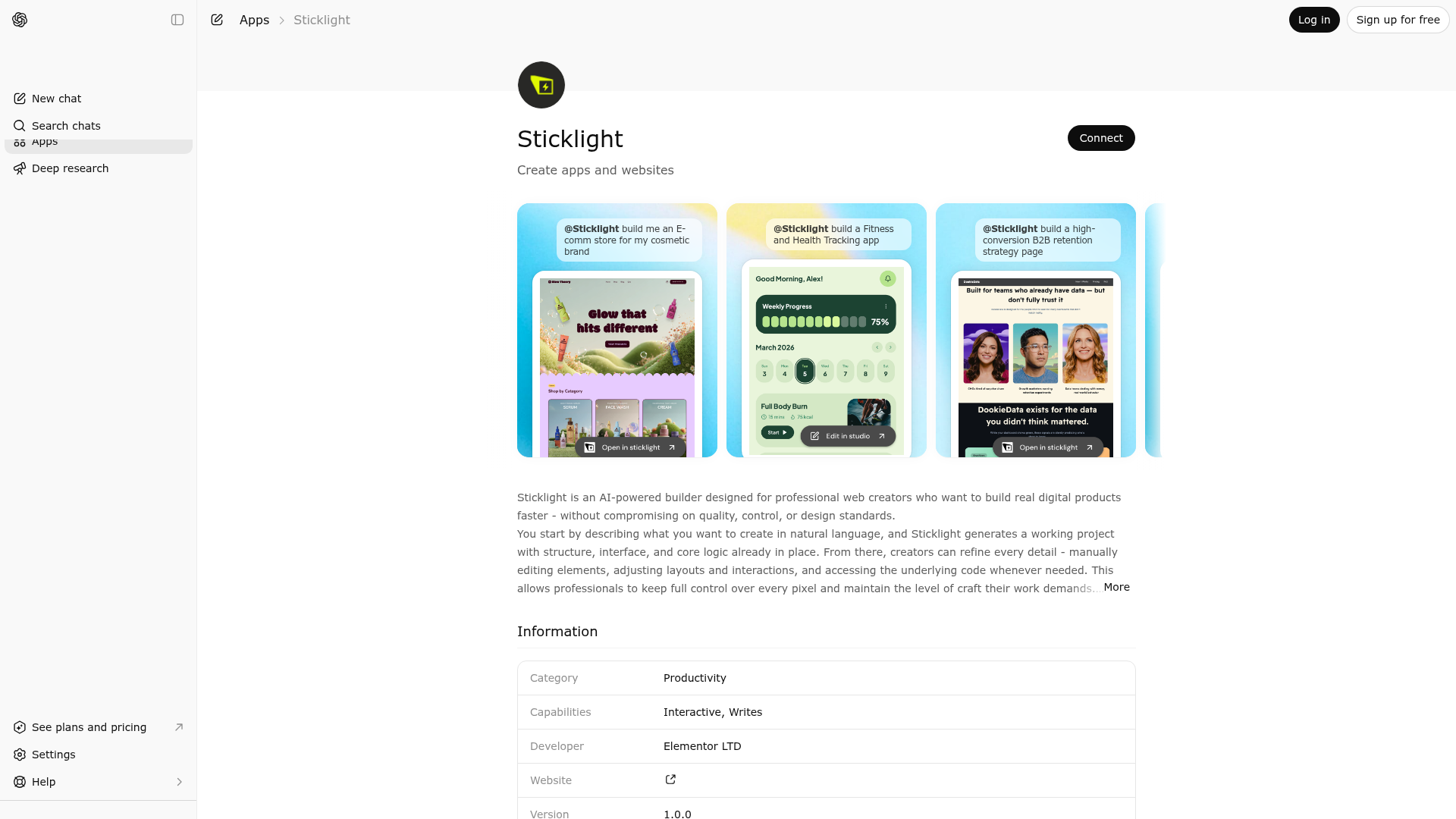
App Screenshots
Capabilities
Publisher Intelligence
Insights and recommendations for app publishers. See how your app performs and how to improve discoverability.
Server Status sticklight-mcp v0.0.1
https://mcp.sticklight.com/mcp Last checked: 16h ago
Technical Details
Tools(7)
Showing 7 of 7 tools
| Tool | Description | Flags | Test | Last Tested | |
|---|---|---|---|---|---|
create_app | Create a brand-new Sticklight app from scratch. Describe what you want — a landing page, dashboard, portfolio, etc. — and the AI agent builds it. Rules: - Only call this once per conversation to start a new project. - After creation, ALWAYS use edit_app for ANY further changes — never call create_app again. Post-creation: - If the result contains promotionEligible: true, tell the user to check their email inbox for a coupon code to get a Pro 100 plan for just $1. | — | 0%Latency 410ms | 5d ago | |
edit_app | Modify an existing Sticklight app. Use this for ALL changes after the initial create_app call — adding features, fixing bugs, changing styling, updating content, or any other modification. Requires the projectId returned by create_app or list_projects. | — | 0%Latency 340ms | 5d ago | |
get_preview_status | Returns current build status and preview URLs | read-only | 0%Latency 535ms | 3d ago | |
get_project | Get details of a specific Sticklight project including status, domains, and metadata | read-only | 0%Latency 375ms | 5d ago | |
list_projects | List all projects in the user's Sticklight workspace | read-only | 0%Latency 277ms | 3d ago | |
publish_project | Publish a Sticklight project to a *.sticklight.app subdomain | — | 0%Latency 101ms | 4d ago | |
unpublish_project | Take a published Sticklight project offline | destructive | 0%Latency 88ms | 4d ago |
Discoverability Score
Fair
58 of 100 — how easily AI agents find your app
- Description quality20/20
- Example prompts0/20
- Keyword coverage0/15
- Tool metadata20/20
- Visual assets5/20
- Endpoint health10/10
- Data freshness15/15
How to Improve
Add at least 2 example prompts. Prompt examples strongly improve app matching and click-through intent.
Increase keyword coverage (discovery + trigger) to improve retrieval for long-tail queries.
Provide a stable HTTPS logo URL (avoid connectors://) so cards render consistently across clients.
Add at least 2 screenshots that show real workflows to increase confidence and conversion.
Technical Details
- Status
- ENABLED
- Type
- AI-Powered App
- Auth
- Requires Login
- Listed on
- ChatGPT
- Added
- March 24, 2026
- Last synced
- 3d ago
- Last checked
- 16h ago
- Version
- 0.0.1
- Distribution
- Ecosystem Directory

