
Description
German accounting and bookkeeping platform. Full API access: contacts, invoices, vouchers, orders, credit notes, bank accounts, parts/products, tags, DATEV exports, and receipt guidance. sevdesk-Update 2.0 compliant.
Website Preview
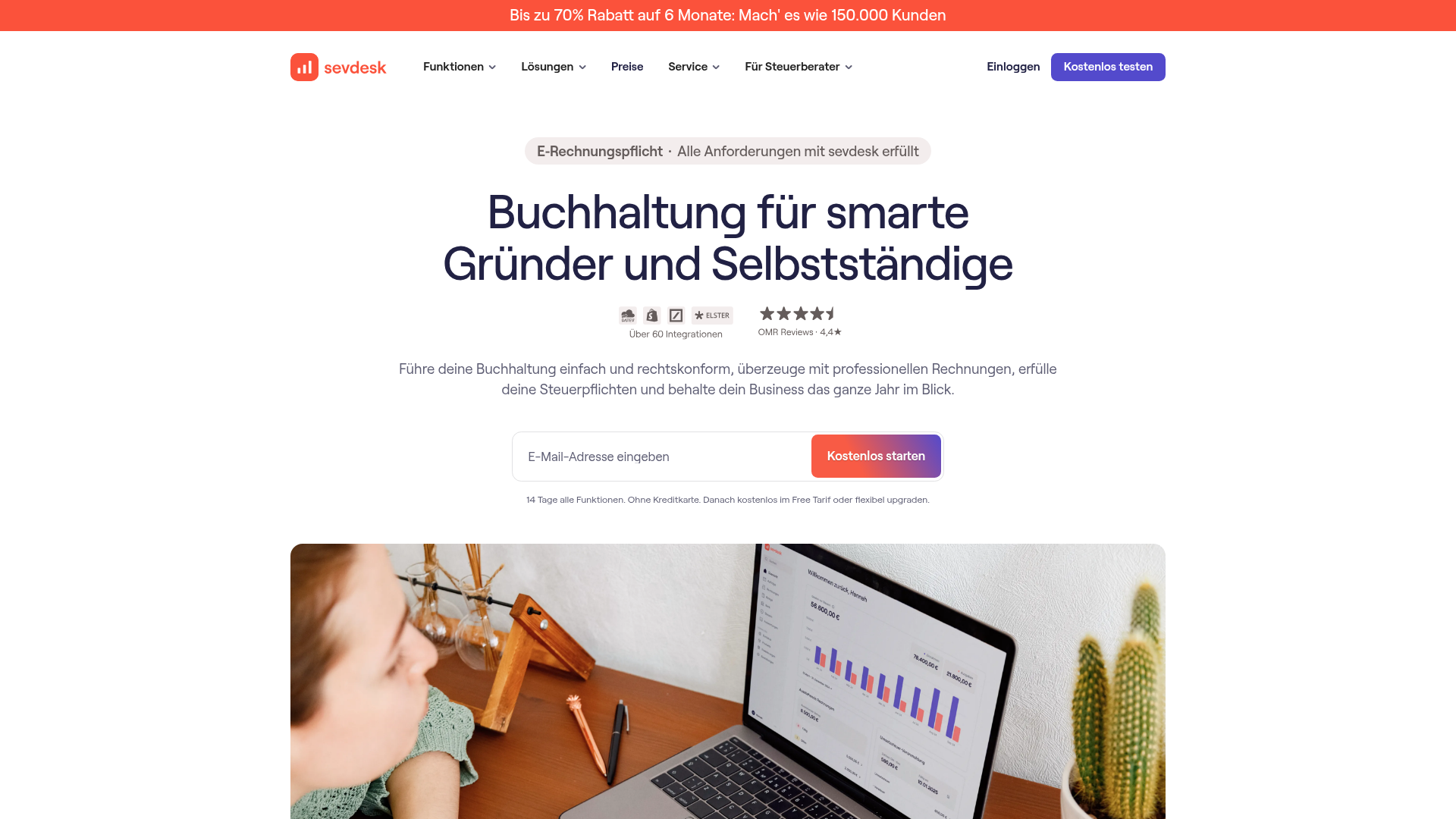
App Screenshots
Capabilities
No special capabilities listed
Publisher Intelligence
Insights and recommendations for app publishers. See how your app performs and how to improve discoverability.
Server Status sevdesk v1.0.0
Server is not responding. Tool discovery is paused until health checks recover.
https://sevdesk.mcp.tedix.dev/mcp Last checked: 4h ago
Server Instructions
Use sevdesk tools to manage contacts, invoices, vouchers, orders, credit notes, banking, products, tags, DATEV exports, and receipt guidance. Authenticated tools use the tenant sevdesk API key connection.
Tools(154)
Showing 154 of 154 tools
| Tool | Description | Flags | Test | Last Tested | |
|---|---|---|---|---|---|
book_credit_note | Booking the credit note with a transaction is probably the most important part in the bookkeeping process.<br> There are several ways on correctly booking a credit note, all by using the same endpoint.<br> Conveniently, the booking process is exactly the same as the process for invoices and vouchers.<br> For this reason, you can have a look at it in the <a href='#tag/Invoice/How-to-book-an-invoice'>invoice chapter</a> and all you need to do is to change "Invoice" into "CreditNote" in the URL. | — | Not tested | — | |
book_invoice | Booking the invoice with a transaction is probably the most important part in the bookkeeping process.<br> There are several ways on correctly booking an invoice, all by using the same endpoint.<br> for more information look <a href='#tag/Invoice/How-to-book-an-invoice'>here</a>. | — | Not tested | — | |
book_voucher | Booking the voucher with a transaction is probably the most important part in the bookkeeping process.<br> There are several ways on correctly booking a voucher, all by using the same endpoint.<br> Conveniently, the booking process is exactly the same as the process for invoices.<br> For this reason, you can have a look at it <a href='#tag/Invoice/How-to-book-an-invoice'>here</a> and all you need to do is to change "Invoice" into "Voucher" in the URL. | — | Not tested | — | |
bookkeeping_system_version | To check if you already received the update to version 2.0 you can use this endpoint. | read-only | Not tested | — | |
cancel_invoice | This endpoint will cancel the specified invoice therefor creating a cancellation invoice.<br> The cancellation invoice will be automatically paid and the source invoices status will change to 'cancelled'. | — | Not tested | — | |
check_account_transaction_enshrine | Sets the current date and time as a value for the property `enshrined`.<br> This operation is only possible if the status is "Linked" (`"status": "200"`) or higher. Linked invoices, credit notes or vouchers cannot be changed when the transaction is enshrined. | — | Not tested | — | |
contact_address_id | Returns a single contact address | read-only | Not tested | — | |
contact_customer_number_availability_check | Checks if a given customer number is available or already used. | read-only | Not tested | — | |
create_accounting_contact | Creates a new accounting contact. | — | Not tested | — | |
create_clearing_account | Creates a new clearing account. | — | Not tested | — | |
create_communication_way | Creates a new contact communication way. | — | Not tested | — | |
create_contact | Creates a new contact.<br> For adding addresses and communication ways, you will need to use the ContactAddress and CommunicationWay endpoints. | — | Not tested | — | |
create_contact_address | Creates a new contact address. | — | Not tested | — | |
create_contact_field | Create contact field | — | Not tested | — | |
create_contact_field_setting | Create contact field setting | — | Not tested | — | |
create_contract_note_from_order | Create contract note from order | — | Not tested | — | |
create_credit_note_from_invoice | Use this endpoint to create a new creditNote from an invoice. | — | Not tested | — | |
create_credit_note_from_voucher | **Not supported with sevdesk-Update 2.0** Use this endpoint to create a new creditNote from a voucher. | — | Not tested | — | |
create_file_import_account | Creates a new banking account for file imports (CSV, MT940). | — | Not tested | — | |
create_invoice_by_factory | This endpoint offers you the following functionality. <ul> <li>Create invoices together with positions and discounts</li> <li>Delete positions while adding new ones</li> <li>Delete or add discounts, or both at the same time</li> <li>Automatically fill the address of the supplied contact into the invoice address</li> </ul> To make your own request sample slimmer, you can omit all parameters which are not required and nullable. However, for a valid and logical bookkeeping document, you will also need some of them to ensure that all the necessary data is in the invoice.<br><br> The list of parameters starts with the invoice array.<br> This array contains all required attributes for a complete invoice.<br> Most of the attributes are covered in the invoice attribute list, there are only two parameters standing out, namely <b>mapAll</b> and <b>objectName</b>.<br> These are just needed for our system and you always need to provide them.<br><br> The list of parameters then continues with the invoice position array.<br> With this array you have the possibility to add multiple positions at once.<br> In the example it only contains one position, again together with the parameters <b>mapAll</b> and <b>objectName</b>, however, you can add more invoice positions by extending the array.<br> So if you wanted to add another position, you would add the same list of parameters with an incremented array index of "1" instead of "0".<br><br> The list ends with the four parameters invoicePosDelete, discountSave, discountDelete and takeDefaultAddress.<br> They only play a minor role if you only want to create an invoice but we will shortly explain what they can do.<br> With invoicePosDelete you have to option to delete invoice positions as this request can also be used to update invoices.<br> With discountSave you can add discounts to your invoice.<br> With discountDelete you can delete discounts from your invoice.<br> With takeDefaultAddress you can specify that the first address of the contact you are using for the invoice is taken for the invoice address attribute automatically, so you don't need to provide the address yourself.<br> If you want to know more about these parameters, for example if you want to use this request to update invoices, feel free to contact our support.<br><br> Finally, after covering all parameters, they only important information left, is that the order of the last four attributes always needs to be kept.<br> You will also always need to provide all of them, as otherwise the request won't work properly.<br><br> <b>Warning:</b> You can not create a regular invoice with the <b>deliveryDate</b> being later than the <b>invoiceDate</b>.<br> To do that you will need to create a so called <b>Abschlagsrechnung</b> by setting the <b>invoiceType</b> parameter to <b>AR</b>. | — | Not tested | — | |
create_invoice_from_order | Create an invoice from an order | — | Not tested | — | |
create_invoice_reminder | Create an reminder from an invoice | — | Not tested | — | |
create_order | Creates an order to which positions can be added later. | — | Not tested | — | |
create_packing_list_from_order | Create packing list from order | — | Not tested | — | |
create_part | Creates a part in your sevdesk inventory. | — | Not tested | — | |
create_private_transaction_rule | Creates a new rule for marking private transactions automatically. | — | Not tested | — | |
create_tag | Create a new tag | — | Not tested | — | |
create_transaction | Creates a new transaction on a check account. This should only be used with check account type online, preferably for csv import accounts. | — | Not tested | — | |
createcredit_note | The list of parameters starts with the credit note array.<br> This array contains all required attributes for a complete credit note.<br> Most of the attributes are covered in the credit note attribute list, there are only two parameters standing out, namely <b>mapAll</b> and <b>objectName</b>.<br> These are just needed for our system and you always need to provide them.<br> The list of parameters then continues with the credit note position array.<br> With this array you have the possibility to add multiple positions at once.<br> In the example it only contains one position, again together with the parameters <b>mapAll</b> and <b>objectName</b>, however, you can add more credit note positions by extending the array.<br> So if you wanted to add another position, you would add the same list of parameters with an incremented array index of "1" instead of "0".<br><br> The list ends with the five parameters creditNotePosDelete, discountSave, discountDelete, takeDefaultAddress and forCashRegister.<br> They only play a minor role if you only want to create a credit note but we will shortly explain what they can do.<br> With creditNotePosDelete you have to option to delete credit note positions as this request can also be used to update credit notes.<br> Both discount parameters are deprecated and have no use for credit notes, however they need to be provided in case you want to use the following two parameters.<br> With takeDefaultAddress you can specify that the first address of the contact you are using for the credit note is taken for the credit note address attribute automatically, so you don't need to provide the address yourself.<br> Finally, the forCashRegister parameter needs to be set to <b>true</b> if your credit note is to be booked on the cash register.<br> If you want to know more about these parameters, for example if you want to use this request to update credit notes, feel free to contact our support.<br> Finally, after covering all parameters, they only important information left, is that the order of the last five attributes always needs to be kept.<br> You will also always need to provide all of them, as otherwise the request won't work properly. | — | Not tested | — | |
credit_note_enshrine | Sets the current date and time as a value for the property `enshrined`.<br> This operation is only possible if the status is "Open" (`"status": "200"`) or higher. Enshrined credit notes cannot be changed. This operation cannot be undone. | — | Not tested | — | |
credit_note_get_pdf | Retrieves the pdf document of a credit note with additional metadata. | read-only | Not tested | — | |
credit_note_reset_to_draft | Resets the status to "Draft" (`"status": "100"`).<br> This is only possible if the credit note has the status "Open" (`"status": "200"`).<br> If it has a higher status use [CreditNote/{creditNoteId}/resetToOpen](#tag/CreditNote/operation/creditNoteResetToOpen) first. | — | Not tested | — | |
credit_note_reset_to_open | Resets the status "Open" (`"status": "200"`). Linked transactions will be unlinked.<br> This is not possible if the credit note itself or one of its transactions (CheckAccountTransaction) is already enshrined. This endpoint cannot be used to increase the status to "Open" (`"status": "200"`).<br> Use [CreditNote/{creditNoteId}/sendBy](#tag/CreditNote/operation/creditNoteSendBy) / [CreditNote/{creditNoteId}/sendViaEmail](#tag/CreditNote/operation/sendCreditNoteViaEMail) instead. | — | Not tested | — | |
credit_note_send_by | Marks an credit note as sent by a chosen send type. | — | Not tested | — | |
delete_accounting_contact | Attention, deleting an existing AccountingContact can lead to **booking errors**, especially in the **DATEV export**. Compatibility of sevdesk with DATEV is no longer guaranteed. | destructive | Not tested | — | |
delete_check_account | Deletes a check account | destructive | Not tested | — | |
delete_check_account_transaction | Deletes a check account transaction | destructive | Not tested | — | |
delete_communication_way | Deletes a communication way | destructive | Not tested | — | |
delete_contact | Deletes a contact | destructive | Not tested | — | |
delete_contact_address | Deletes a contact address | destructive | Not tested | — | |
delete_contact_custom_field_id | delete a contact field | destructive | Not tested | — | |
delete_contact_field_setting | Deletes a contact field setting | destructive | Not tested | — | |
delete_order | Deletes an order | destructive | Not tested | — | |
delete_order_pos | Deletes an order Position | destructive | Not tested | — | |
delete_private_transaction_rule | Delete the rule by id | destructive | Not tested | — | |
delete_tag | Deletes a tag | destructive | Not tested | — | |
deletecredit_note | Deletes an creditNote | destructive | Not tested | — | |
export_contact | Contact export as csv | read-only | Not tested | — | |
export_credit_note | Export all credit notes as csv | read-only | Not tested | — | |
export_datev_csv | Start an export that generates booking data in the DATEV format (CSV) Before you can perform the DATEV export, you first have to set the "accountingYearBegin". To do this, use the endpoint <a href='#tag/Export/operation/updateExportConfig'>updateExportConfig</a>. After that you can use the createDatevCsvZipExportJob endpoint to start the DATEV export which returns the export ID. You have to use the <a href='#tag/Export/operation/jobDownloadInfo'>jobDownloadInfo</a> endpoint to receive the download url when the export is ready. <h3>Export workflow</h2> To get the DATEV CSV zip file, please implement the following workflow. <ol> <li>Set the accountingYearBegin (if not already set) via <a href='#tag/Export/operation/updateExportConfig'>updateExportConfig</a></li> <li>Start the export by using the createDatevCsvZipExportJob endpoint</li> <li>Request a progressHash with endpoint <a href='#tag/Export/operation/generateDownloadHash'>generateDownloadHash</a> (optional)</li> <li>Use the progressHash to receive export progress information with endpoint <a href='#tag/Export/operation/getProgress'>getProgress</a> (optional)</li> <li>Use the <a href='#tag/Export/operation/jobDownloadInfo'>jobDownloadInfo</a> endpoint to get the download url to the zip file.</li> </ol> | read-only | Not tested | — | |
export_datev_depricated | DATEV export as zip with CSVs. Before you can perform the DATEV export, you must first set the "accountingYearBegin". To do this, you must use the <a href='#tag/Export/operation/updateExportConfig'>updateExportConfig</a> endpoint. Please note, that this endpoint is deprecated. You should use the endpoint <a href='#tag/Export/operation/exportDatevCSV'>/Export/createDatevCsvZipExportJob</a>. | read-only | Not tested | — | |
export_datev_xml | Start an export that generates invoice data in the DATEV format (XML) Before you can perform the DATEV export, you first have to set the "accountingYearBegin". To do this, use the endpoint <a href='#tag/Export/operation/updateExportConfig'>updateExportConfig</a>. After that you can use the createDatevXmlZipExportJob endpoint to start the DATEV export which returns the export ID. You have to use the <a href='#tag/Export/operation/jobDownloadInfo'>jobDownloadInfo</a> endpoint to receive the download url when the export is ready. <h3>Export workflow</h2> To get the DATEV XML zip file, please implement the following workflow. <ol> <li>Set the accountingYearBegin (if not already set) via <a href='#tag/Export/operation/updateExportConfig'>updateExportConfig</a></li> <li>Start the export by using the createDatevXmlZipExportJob endpoint</li> <li>Request a progressHash with endpoint <a href='#tag/Export/operation/generateDownloadHash'>generateDownloadHash</a> (optional)</li> <li>Use the progressHash to receive export progress information with endpoint <a href='#tag/Export/operation/getProgress'>getProgress</a> (optional)</li> <li>Use the <a href='#tag/Export/operation/jobDownloadInfo'>jobDownloadInfo</a> endpoint to get the download url to the zip file.</li> </ol> | read-only | Not tested | — | |
export_invoice | Export all invoices as csv | read-only | Not tested | — | |
export_invoice_zip | Export all invoices as zip | read-only | Not tested | — | |
export_transactions | Export all transactions as csv | read-only | Not tested | — | |
export_voucher | Export all vouchers as zip | read-only | Not tested | — | |
export_voucher_zip | export all vouchers as zip | read-only | Not tested | — | |
find_contacts_by_custom_field_value | Returns an array of contacts having a certain custom field value set. | read-only | Not tested | — | |
for_account_number | You can use this endpoint to get additional information about the account that you may want to use. | read-only | Not tested | — | |
for_all_accounts | You can use this endpoint to help you decide which accounts you can use when creating a voucher | read-only | Not tested | — | |
for_expense | Provides all possible combinations for expense accounts to be used with expense receipts/vouchers. | read-only | Not tested | — | |
for_revenue | Provides all possible combinations for revenue accounts to be used with revenue receipts/vouchers. | read-only | Not tested | — | |
for_tax_rule | You can use this endpoint to get additional information about the tax rule (for example, USTPFL_UMS_EINN) that you may want to use. | read-only | Not tested | — | |
generate_download_hash | Generates an identifier to request the current export progress. | read-only | Not tested | — | |
get_accounting_contact | Returns all accounting contact which have been added up until now. Filters can be added. | read-only | Not tested | — | |
get_accounting_contact_by_id | Returns a single accounting contac | read-only | Not tested | — | |
get_balance_at_date | Get the balance, calculated as the sum of all transactions sevdesk knows, up to and including the given date. Note that this balance does not have to be the actual bank account balance, e.g. if sevdesk did not import old transactions. | read-only | Not tested | — | |
get_check_account_by_id | Retrieve an existing check account | read-only | Not tested | — | |
get_check_account_transaction_by_id | Retrieve an existing check account transaction | read-only | Not tested | — | |
get_check_accounts | Retrieve all check accounts | read-only | Not tested | — | |
get_communication_way_by_id | Returns a single communication way | read-only | Not tested | — | |
get_communication_way_keys | Returns all communication way keys. | read-only | Not tested | — | |
get_communication_ways | Returns all communication ways which have been added up until now. Filters can be added. | read-only | Not tested | — | |
get_contact_addresses | Retrieve all contact addresses | read-only | Not tested | — | |
get_contact_by_id | Returns a single contact | read-only | Not tested | — | |
get_contact_field_setting_by_id | Returns a single contact field setting | read-only | Not tested | — | |
get_contact_field_settings | Retrieve all contact field settings | read-only | Not tested | — | |
get_contact_fields | Retrieve all contact fields | read-only | Not tested | — | |
get_contact_fields_by_id | Retrieve all contact fields | read-only | Not tested | — | |
get_contact_tabs_item_count_by_id | Get number of all invoices, orders, etc. of a specified contact | read-only | Not tested | — | |
get_contacts | There are a multitude of parameter which can be used to filter.<br> A few of them are attached but for a complete list please check out <a href='#tag/Contact/How-to-filter-for-certain-contacts'>this</a> list | read-only | Not tested | — | |
get_credit_notes | There are a multitude of parameter which can be used to filter. | read-only | Not tested | — | |
get_discounts | Returns all discounts of an order | read-only | Not tested | — | |
get_invoice_by_id | Returns a single invoice | read-only | Not tested | — | |
get_invoice_pos | There are a multitude of parameter which can be used to filter. | read-only | Not tested | — | |
get_invoice_positions_by_id | Returns all positions of an invoice | read-only | Not tested | — | |
get_invoices | There are a multitude of parameter which can be used to filter. A few of them are attached but for a complete list please check out <a href='#tag/Invoice/How-to-filter-for-certain-invoices'>this</a> list | read-only | Not tested | — | |
get_is_invoice_partially_paid | Returns 'true' if the given invoice is partially paid - 'false' if it is not. Invoices which are completely paid are regarded as not partially paid. | read-only | Not tested | — | |
get_letterpapers_with_thumb | Retrieve all letterpapers with Thumb | read-only | Not tested | — | |
get_next_customer_number | Retrieves the next available customer number. Avoids duplicates. | read-only | Not tested | — | |
get_order_by_id | Returns a single order | read-only | Not tested | — | |
get_order_position_by_id | Returns a single order position | read-only | Not tested | — | |
get_order_positions | Retrieve all order positions depending on the filters defined in the query. | read-only | Not tested | — | |
get_order_positions_by_id | Returns all positions of an order | read-only | Not tested | — | |
get_orders | There are a multitude of parameter which can be used to filter. A few of them are attached but for a complete list please check out <a href='#tag/Order/How-to-filter-for-certain-orders'>this</a> list | read-only | Not tested | — | |
get_part_by_id | Returns a single part | read-only | Not tested | — | |
get_parts | Retrieve all parts in your sevdesk inventory according to the applied filters. | read-only | Not tested | — | |
get_placeholder | Retrieve all Placeholders | read-only | Not tested | — | |
get_progress | Get the progress state of the export. You can use polling (request every few seconds) to get the current state. | read-only | Not tested | — | |
get_reference_count | Receive count reference | read-only | Not tested | — | |
get_related_objects | Get related objects of a specified order | read-only | Not tested | — | |
get_tag_by_id | Returns a single tag | read-only | Not tested | — | |
get_tag_relations | Retrieve all tag relations | read-only | Not tested | — | |
get_tags | Retrieve all tags | read-only | Not tested | — | |
get_templates | Retrieve all templates | read-only | Not tested | — | |
get_transactions | Retrieve all transactions depending on the filters defined in the query. | read-only | Not tested | — | |
get_voucher_by_id | Returns a single voucher | read-only | Not tested | — | |
get_voucher_positions | Retrieve all voucher positions depending on the filters defined in the query. | read-only | Not tested | — | |
get_vouchers | There are a multitude of parameter which can be used to filter. A few of them are attached but for a complete list please check out <a href='#tag/Voucher/How-to-filter-for-certain-vouchers'>this</a> list | read-only | Not tested | — | |
getcredit_note_by_id | Returns a single creditNote | read-only | Not tested | — | |
getcredit_note_positions | Retrieve all creditNote positions depending on the filters defined in the query. | read-only | Not tested | — | |
invoice_enshrine | Sets the current date and time as a value for the property `enshrined`.<br> This operation is only possible if the status is "Open" (`"status": "200"`) or higher. Enshrined invoices cannot be changed. This operation cannot be undone. | — | Not tested | — | |
invoice_get_pdf | Retrieves the pdf document of an invoice with additional metadata. | read-only | Not tested | — | |
invoice_get_xml | Retrieves the XML of an e-invoice | read-only | Not tested | — | |
invoice_render | Using this endpoint you can render the pdf document of an invoice.<br> Use cases for this are the retrieval of the pdf location or the forceful re-render of a already sent invoice.<br> Please be aware that changing an invoice after it has been sent to a customer is not an allowed bookkeeping process. | — | Not tested | — | |
invoice_reset_to_draft | Resets the status to "Draft" (`"status": "100"`).<br> This is only possible if the invoice has the status "Open" (`"status": "200"`).<br> If it has a higher status use [Invoice/{invoiceId}/resetToOpen](#tag/Invoice/operation/invoiceResetToOpen) first. This endpoint cannot be used for recurring invoices (`"invoiceType": "WKR"`).<br> Use [Invoice/Factory/saveInvoice](#tag/Invoice/operation/createInvoiceByFactory) instead. | — | Not tested | — | |
invoice_reset_to_open | Resets the status "Open" (`"status": "200"`). Linked transactions will be unlinked.<br> This is not possible if the invoice itself or one of its transactions (CheckAccountTransaction) is already enshrined. This endpoint cannot be used to increase the status to "Open" (`"status": "200"`).<br> Use [Invoice/{invoiceId}/sendBy](#tag/Invoice/operation/invoiceSendBy) / [Invoice/{invoiceId}/sendViaEmail](#tag/Invoice/operation/sendInvoiceViaEMail) instead. This endpoint cannot be used for recurring invoices (`"invoiceType": "WKR"`). Use [Invoice/Factory/saveInvoice](#tag/Invoice/operation/createInvoiceByFactory) instead. | — | Not tested | — | |
invoice_send_by | Marks an invoice as sent by a chosen send type. | — | Not tested | — | |
job_download_info | When the export job has finished you can call this endpoint to get the download url. | read-only | Not tested | — | |
list_private_transaction_rules | List all existing rules you defined for automated marking private transactions. | read-only | Not tested | — | |
order_get_pdf | Retrieves the pdf document of an order with additional metadata and commit the order. | read-only | Not tested | — | |
order_send_by | Marks an order as sent by a chosen send type. | — | Not tested | — | |
part_get_stock | Returns the current stock amount of the given part. | read-only | Not tested | — | |
report_contact | Export contact list | read-only | Not tested | — | |
report_invoice | Export invoice list | read-only | Not tested | — | |
report_order | Export order list | read-only | Not tested | — | |
report_voucher | Export voucher list | read-only | Not tested | — | |
send_credit_note_by_printing | Sending a credit note to end-customers is an important part of the bookkeeping process.<br> Depending on the way you want to send the credit note, you need to use different endpoints.<br> Let's start with just printing out the credit note, meaning we only need to render the pdf. | read-only | Not tested | — | |
send_credit_note_via_e_mail | This endpoint sends the specified credit note to a customer via email.<br> This will automatically mark the credit note as sent.<br> Please note, that in production an credit note is not allowed to be changed after this happened! | — | Not tested | — | |
send_invoice_via_e_mail | This endpoint sends the specified invoice to a customer via email.<br> This will automatically mark the invoice as sent.<br> Please note, that in production an invoice is not allowed to be changed after this happened! | — | Not tested | — | |
sendorder_via_e_mail | This endpoint sends the specified order to a customer via email.<br> This will automatically mark the order as sent.<br> Please note, that in production an order is not allowed to be changed after this happened! | — | Not tested | — | |
update_accounting_contact | Attention, updating an existing AccountingContact can lead to **booking errors**, especially in the **DATEV export**. Compatibility of sevdesk with DATEV is no longer guaranteed. | — | Not tested | — | |
update_check_account | Update a check account | — | Not tested | — | |
update_check_account_transaction | Update a check account transaction | — | Not tested | — | |
update_communication_way | Update a communication way | — | Not tested | — | |
update_contact | Update a contact | — | Not tested | — | |
update_contact_address | update a existing contact address. | — | Not tested | — | |
update_contact_field_setting | Update an existing contact field setting | — | Not tested | — | |
update_contactfield | Update a contact field | — | Not tested | — | |
update_credit_note_template | Update an existing of credit note template | — | Not tested | — | |
update_export_config | Update export config to export DATEV | — | Not tested | — | |
update_invoice_template | Update an existing invoice template | — | Not tested | — | |
update_order | Update an order | — | Not tested | — | |
update_order_position | Update an order position | — | Not tested | — | |
update_order_template | Update an existing order template | — | Not tested | — | |
update_part | Update a part | — | Not tested | — | |
update_tag | Update an existing tag | — | Not tested | — | |
update_voucher | Update a draft voucher using this method if you want to change simple values like the description. Complex changes like adding a position should use /Voucher/Factory/saveVoucher.<br> You can not change the status using this endpoint. | — | Not tested | — | |
updatecredit_note | Update a creditNote | — | Not tested | — | |
voucher_enshrine | Sets the current date and time as a value for the property `enshrined`.<br> This operation is only possible if the status is "Open" (`"status": "100"`) or higher. Enshrined vouchers cannot be changed. This operation cannot be undone. | — | Not tested | — | |
voucher_factory_save_voucher | Bundles the creation or updating of voucher and voucher position.<br> The list of parameters starts with the voucher model.<br> This contains all required attributes for a complete voucher.<br> Most of the attributes are covered in the voucher attribute list, there are only two parameters standing out, namely <b>mapAll</b> and <b>objectName</b>.<br> These are just needed for our system and you always need to provide them.<br><br> The list of parameters then continues with the voucher position array.<br> With this array you have the possibility to add multiple positions at once.<br> In the example it only contains one position, again together with the parameters <b>mapAll</b> and <b>objectName</b>, however, you can add more voucher positions by extending the array.<br> So if you wanted to add another position, you would add the same list of parameters with an incremented array index of \"1\" instead of \"0\".<br><br> The list ends with the two parameters voucherPosDelete and filename.<br> We will shortly explain what they can do.<br> With voucherPosDelete you can delete voucher positions as this request can also be used to update draft vouchers.<br> With filename you can attach a file to the voucher.<br> For most of our customers this is a really important step, as they need to digitize their receipts.<br> Finally, after covering all parameters, the only important information left, is that the order of the last two attributes always needs to be kept. <br><br> The only valid status values for this endpoint are 50 (draft) and 100 (open). You can only update draft vouchers. If you have to, you can downgrade the status by calling resetToOpen (from paid) and resetToDraft (from open). | — | Not tested | — | |
voucher_reset_to_draft | Resets the status "Draft" (`"status": "50"`). Linked payments will be unlinked. Created asset depreciation will be reset.<br> This is not possible if the voucher is already enshrined! You can only change the status from higher to lower ("Open" to "Draft").<br> To change to higher status use [/Voucher/Factory/saveVoucher](#tag/Voucher/operation/voucherFactorySaveVoucher). | — | Not tested | — | |
voucher_reset_to_open | Resets the status to "Open" (`"status": "100"`). Linked payments will be unlinked. Created asset depreciation will be reset.<br> This is not possible if the voucher is already enshrined! This endpoint can not be used to increase the status from "Draft" to "Open".<br> You can only change the status from higher to lower ("Open" to "Draft").<br> To change to higher status use [Voucher/{voucherId}/bookAmount](#tag/Voucher/operation/bookVoucher). To change to lower status use [Voucher/{voucherId}/resetToDraft](#tag/Voucher/operation/voucherResetToDraft). | — | Not tested | — | |
voucher_upload_file | To attach a document to a voucher, you will need to upload it first for later use.<br> To do this, you can use this request.<br> When you successfully uploaded the file, you will get a sevdesk internal filename in the response.<br> The filename will be a hash generated from your uploaded file. You will need it in the next request!<br> After you got the just mentioned filename, you can enter it as a value for the filename parameter of the saveVoucher request.<br> If you provided all necessary parameters and kept all of them in the right order, the file will be attached to your voucher. | — | Not tested | — |
Model Context
sevdesk accounting, invoicing, vouchers, contacts, products, bank account, DATEV export, and receipt guidance MCP tools.
Discoverability Score
Fair
61 of 100 — how easily AI agents find your app
- Description quality20/20
- Example prompts0/20
- Keyword coverage0/15
- Tool metadata19/20
- Visual assets13/20
- Endpoint health6/10
- Data freshness15/15
How to Improve
Add at least 2 example prompts. Prompt examples strongly improve app matching and click-through intent.
Increase keyword coverage (discovery + trigger) to improve retrieval for long-tail queries.
Add at least 2 screenshots that show real workflows to increase confidence and conversion.
Technical Details
- Status
- ENABLED
- Type
- AI-Powered App
- Auth
- API Key Required
- Added
- May 16, 2026
- Last synced
- 4h ago
- Last checked
- 4h ago
- Version
- 1.0.0
- Distribution
- Individual