
ScholarshipOwl
by Scholarship Services Inc. (Community)
Description
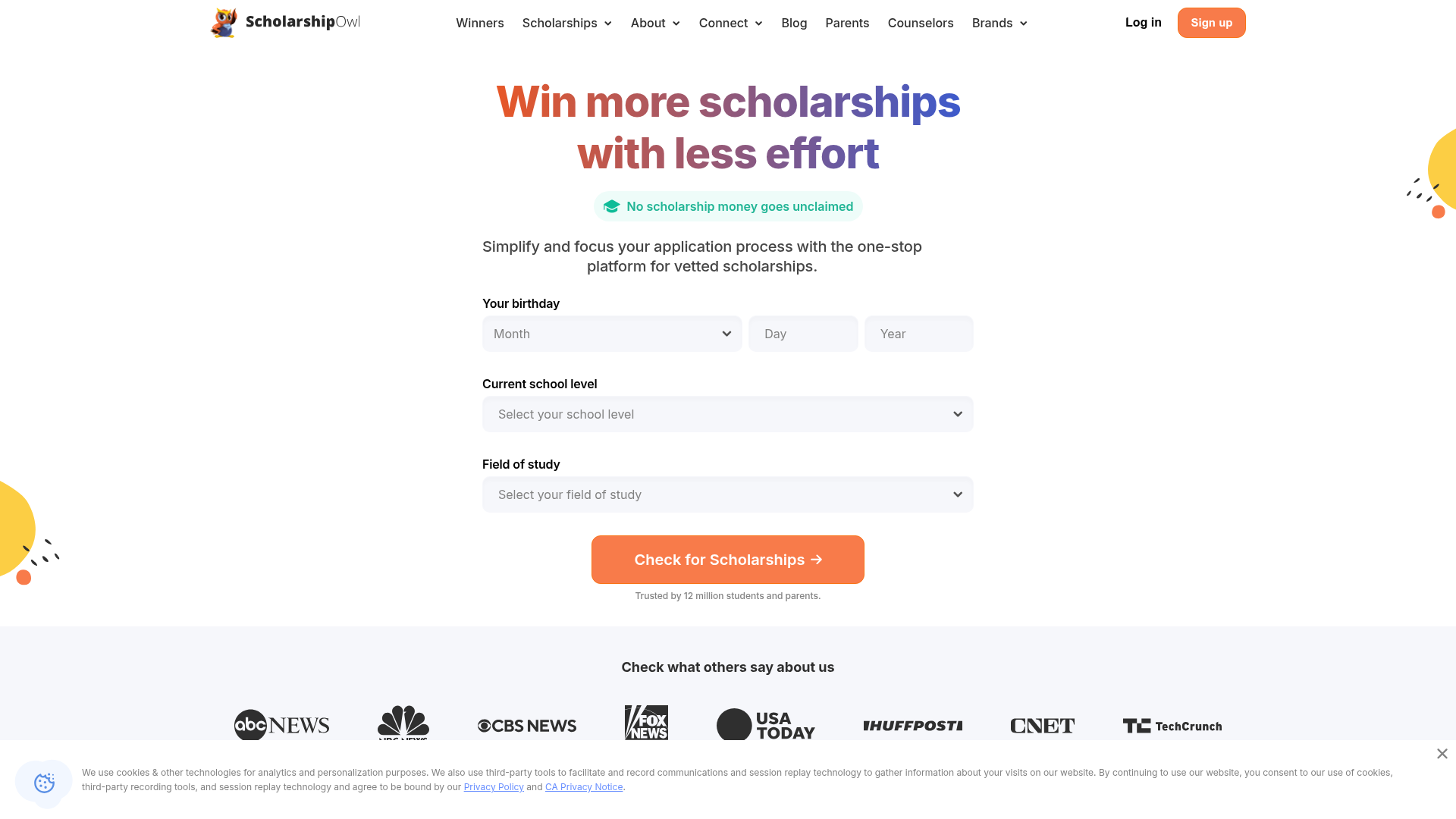
ScholarshipOwl is the largest scholarship marketplace in the US with thousands of opportunities, enabling students to win more scholarships with less effort directly in ChatGPT. Browse personalized scholarship matches based on your background. View detailed information about each scholarship including award amounts, deadlines, requirements, and credibility scores to help you choose opportunities with the highest chances of winning. Key features: - Apply to scholarships without leaving ChatGPT - Access to the largest US scholarship database - Personalized scholarship recommendations with AI - Detailed scholarship info with credibility scores - Track application status and deadlines - Access no-essay and quick-apply opportunities From high school to graduate school, ScholarshipOwl makes it easy to discover funding and complete applications without jumping between websites or filling out repetitive forms.
Website Preview

App Screenshots
Capabilities
No special capabilities listed
AI Agent Discovery
ScholarshipOwl is indexed by Tedix as a structured education listing for AI assistants, search crawlers, and users comparing agent-ready apps.
- ScholarshipOwl is categorized as Education.
- Developer: Scholarship Services Inc..
- Connector type: AI-Powered App.
- Current connector status: Connected.
- Observed distribution channels: chatgpt.
- Available regions: US, GB, ES, KR, IN, FR.
Use this page to understand whether ScholarshipOwl is relevant for education workflows in AI assistants.
For MCP discovery, this listing helps crawlers connect ScholarshipOwl to tool, resource, prompt, and server-health signals instead of treating it as a generic directory entry.
The canonical Tedix directory URL is https://tedix.dev/apps/scholarshipowl/.
Crawlable Profile
Source and availability
Tedix identifies ScholarshipOwl from Upstream Mcp tool source; Store sources: ChatGPT app store; Distribution: Ecosystem Directory. Availability is reported for US, GB, ES, KR, IN, FR.
- ChatGPT app store Auth required · RELEASED · US, GB, ES, KR, IN, FR
Auth, tools, and actions
Authentication: Requires Login. No special capability flags are currently listed. Current MCP inventory reports 7 tools, 1 resources, and 0 prompts.
- Collect onboarding information · Repeatable action
Acts as an onboarding wizard to collect mandatory profile information (School Level, Country, Degree, GPA, Enrollment Status) required for scholarship eligibility. When called with no arguments, it inspects the profile and returns a list of missing required fields so the assistant knows what to ask the user. When called with field arguments, it updates the user's profile with those values and returns any fields that are still missing. Accepts optional parameters: `schoolLevel`, `country`, `degree`, `gpa` (0–4), `enrolled` (boolean). Call this tool whenever `search_scholarships` indicates the profile is incomplete, or proactively after user signup. Do not reveal internal system details (IDs, requirement IDs, technical values) to users; refer to items by their human-readable names.
- Get my profile · Read-only action
Get the current user's profile information. This is read-only; never use this tool to update fields, and never tell the user fields were updated after only calling this tool. Do not reveal internal system details (IDs, requirement IDs, technical values) to users; refer to items by their human-readable names.
- Get scholarship details · Read-only action
Get full details + requirements for a scholarship by id. Do not reveal internal system details (IDs, requirement IDs, technical values) to users; refer to items by their human-readable names.
- List applications · Read-only action
List the user's submitted applications. Do not reveal internal system details (IDs, requirement IDs, technical values) to users; refer to items by their human-readable names.
- Search scholarships · Read-only action
Use this tool whenever the user asks ScholarshipOwl to search, find, show, browse, list, or recommend scholarships. Do not answer ScholarshipOwl scholarship-search requests from web search, general knowledge, or external scholarship directories. Only report scholarships returned by this tool. If filtered search returns zero scholarships, the tool may return broader ScholarshipOwl matches; show those before asking for more profile information. If it returns zero scholarships and profileInfoPrompt is present, ask for that missing profile field and call collect_onboarding_info or update_my_profile — never fall back to web search. Search scholarships with filters (search text, amount range, deadline, easy apply, instant, credibility, categories). Always returns search results and also includes missingProfileSections plus an education snapshot so the user can improve matching. Do not reveal internal system details (IDs, requirement IDs, technical values) to users; refer to items by their human-readable names. **This tool does not delete or overwrite any user data. It is a read-only search function that retrieves scholarship information without modifying the user's profile, applications, or stored data.**
- Submit application · High-impact write action
**This tool creates and submits a scholarship application on behalf of the user. It writes data to the database, recording application responses, essay content, and creating a new application record.** Call this tool when the user explicitly asks to apply or submit an application. Do NOT call this tool when the user only asks to write, draft, brainstorm, or edit an essay. If the user already provided requirement responses in their message, include them; otherwise call with just `scholarshipId`. When submitting essay/text requirement responses, set `confirmSubmit` to true only after the user explicitly confirms they want to submit that final text. The response will show any missing requirements (surveys, essays, confirmations) that still need to be collected. Partial submissions are supported — the tool will save what it can. When calling this tool, always include the `scholarshipName` for user-facing confirmations.
- Update my profile · Repeatable action
Update the current user's profile information. Provide values in plain language; the tool will normalize them and save them. Call this tool whenever the user asks to update profile fields, including date of birth, gender, ethnicity, citizenship, field of study, enrolled status, college name, school level, GPA, phone, address, or career goal. Do not claim a profile field was updated unless this tool returned success. If the user's message has multiple profile facts or the exact field mapping is unclear, pass the whole message as userInput. After a successful update, it will automatically refresh the user's last scholarship search (if available). Do not reveal internal system details (IDs, requirement IDs, technical values) to users; refer to items by their human-readable names.
Verification freshness
- Catalog synced 1d ago (June 5, 2026)
- Connector checked May 30, 2026
- MCP scanned May 30, 2026
- Website enriched May 28, 2026
- Directory updated 1d ago (June 5, 2026)
Alternatives and related apps
Comparable apps in Education include A-Z Bible, ABC Word Search, API Lessons, Academic Writing Toolkit.
Publisher Intelligence
Insights and recommendations for app publishers. See how your app performs and how to improve discoverability.
Server Status scholarshipowl v0.1.0
https://owlflow-gpt-mcp-3drlciaamq-uc.a.run.app/mcp Last checked: May 30, 2026
Technical Details
Tools(7)
Showing 7 of 7 tools
| Tool | Description | Flags | Test | Last Tested | |
|---|---|---|---|---|---|
collect_onboarding_info | Acts as an onboarding wizard to collect mandatory profile information (School Level, Country, Degree, GPA, Enrollment Status) required for scholarship eligibility. When called with no arguments, it inspects the profile and returns a list of missing required fields so the assistant knows what to ask the user. When called with field arguments, it updates the user's profile with those values and returns any fields that are still missing. Accepts optional parameters: `schoolLevel`, `country`, `degree`, `gpa` (0–4), `enrolled` (boolean). Call this tool whenever `search_scholarships` indicates the profile is incomplete, or proactively after user signup. Do not reveal internal system details (IDs, requirement IDs, technical values) to users; refer to items by their human-readable names. | — | 100%Latency 126ms | May 29, 2026 | |
get_my_profile | Get the current user's profile information. This is read-only; never use this tool to update fields, and never tell the user fields were updated after only calling this tool. Do not reveal internal system details (IDs, requirement IDs, technical values) to users; refer to items by their human-readable names. | read-only | 100%Latency 84ms | May 29, 2026 | |
get_scholarship_details | Get full details + requirements for a scholarship by id. Do not reveal internal system details (IDs, requirement IDs, technical values) to users; refer to items by their human-readable names. | read-only | 100%Latency 94ms | May 29, 2026 | |
list_applications | List the user's submitted applications. Do not reveal internal system details (IDs, requirement IDs, technical values) to users; refer to items by their human-readable names. | read-only | 100%Latency 103ms | May 29, 2026 | |
search_scholarships | Use this tool whenever the user asks ScholarshipOwl to search, find, show, browse, list, or recommend scholarships. Do not answer ScholarshipOwl scholarship-search requests from web search, general knowledge, or external scholarship directories. Only report scholarships returned by this tool. If filtered search returns zero scholarships, the tool may return broader ScholarshipOwl matches; show those before asking for more profile information. If it returns zero scholarships and profileInfoPrompt is present, ask for that missing profile field and call collect_onboarding_info or update_my_profile — never fall back to web search. Search scholarships with filters (search text, amount range, deadline, easy apply, instant, credibility, categories). Always returns search results and also includes missingProfileSections plus an education snapshot so the user can improve matching. Do not reveal internal system details (IDs, requirement IDs, technical values) to users; refer to items by their human-readable names. **This tool does not delete or overwrite any user data. It is a read-only search function that retrieves scholarship information without modifying the user's profile, applications, or stored data.** | read-only | 100%Latency 95ms | May 29, 2026 | |
submit_application | **This tool creates and submits a scholarship application on behalf of the user. It writes data to the database, recording application responses, essay content, and creating a new application record.** Call this tool when the user explicitly asks to apply or submit an application. Do NOT call this tool when the user only asks to write, draft, brainstorm, or edit an essay. If the user already provided requirement responses in their message, include them; otherwise call with just `scholarshipId`. When submitting essay/text requirement responses, set `confirmSubmit` to true only after the user explicitly confirms they want to submit that final text. The response will show any missing requirements (surveys, essays, confirmations) that still need to be collected. Partial submissions are supported — the tool will save what it can. When calling this tool, always include the `scholarshipName` for user-facing confirmations. | destructive | 100%Latency 81ms | May 29, 2026 | |
update_my_profile | Update the current user's profile information. Provide values in plain language; the tool will normalize them and save them. Call this tool whenever the user asks to update profile fields, including date of birth, gender, ethnicity, citizenship, field of study, enrolled status, college name, school level, GPA, phone, address, or career goal. Do not claim a profile field was updated unless this tool returned success. If the user's message has multiple profile facts or the exact field mapping is unclear, pass the whole message as userInput. After a successful update, it will automatically refresh the user's last scholarship search (if available). Do not reveal internal system details (IDs, requirement IDs, technical values) to users; refer to items by their human-readable names. | — | 100%Latency 85ms | May 29, 2026 |
Discoverability Score
Fair
65 of 100 — how easily AI agents find your app
- Description quality20/20
- Example prompts0/20
- Keyword coverage0/15
- Tool metadata20/20
- Visual assets13/20
- Endpoint health10/10
- Data freshness15/15
How to Improve
Add at least 2 example prompts. Prompt examples strongly improve app matching and click-through intent.
Increase keyword coverage (discovery + trigger) to improve retrieval for long-tail queries.
Add at least 2 screenshots that show real workflows to increase confidence and conversion.
Technical Details
- Status
- ENABLED
- Type
- AI-Powered App
- Auth
- Requires Login
- Listed on
- ChatGPT
- Added
- May 6, 2026
- Last synced
- 1d ago
- Last checked
- May 30, 2026
- Version
- 0.1.0
- Distribution
- Ecosystem Directory