RoadOps
Description
RoadOps is a mobile-first platform designed for touring professionals who need a reliable, organized way to manage life on the road. At its core, RoadOps brings everything for a tour—daily schedules, venues, hotels, travel details, guest lists, and notes—into one place. Instead of juggling spreadsheets, group chats, and scattered documents, teams can access a clear, structured “day sheet” that shows exactly what’s happening, where, and when. Tour managers and production managers can build and update schedules in real time, while crew members get a clean, read-only view tailored to what they need to know. Whether you’re checking lobby call times, confirming a venue address, or reviewing guest details, the information is easy to find and consistent across the team. RoadOps is designed with real-world touring in mind: • Works offline when connectivity is limited • Optimized for quick access on mobile devices • Structured around how touring days actually run While built for music tours, the system is flexible enough to support other traveling teams—like film crews and sports organizations—who need clear, day-by-day coordination. RoadOps helps teams stay aligned, reduce confusion, and keep operations running smoothly—no matter where the next stop is.
Website Preview
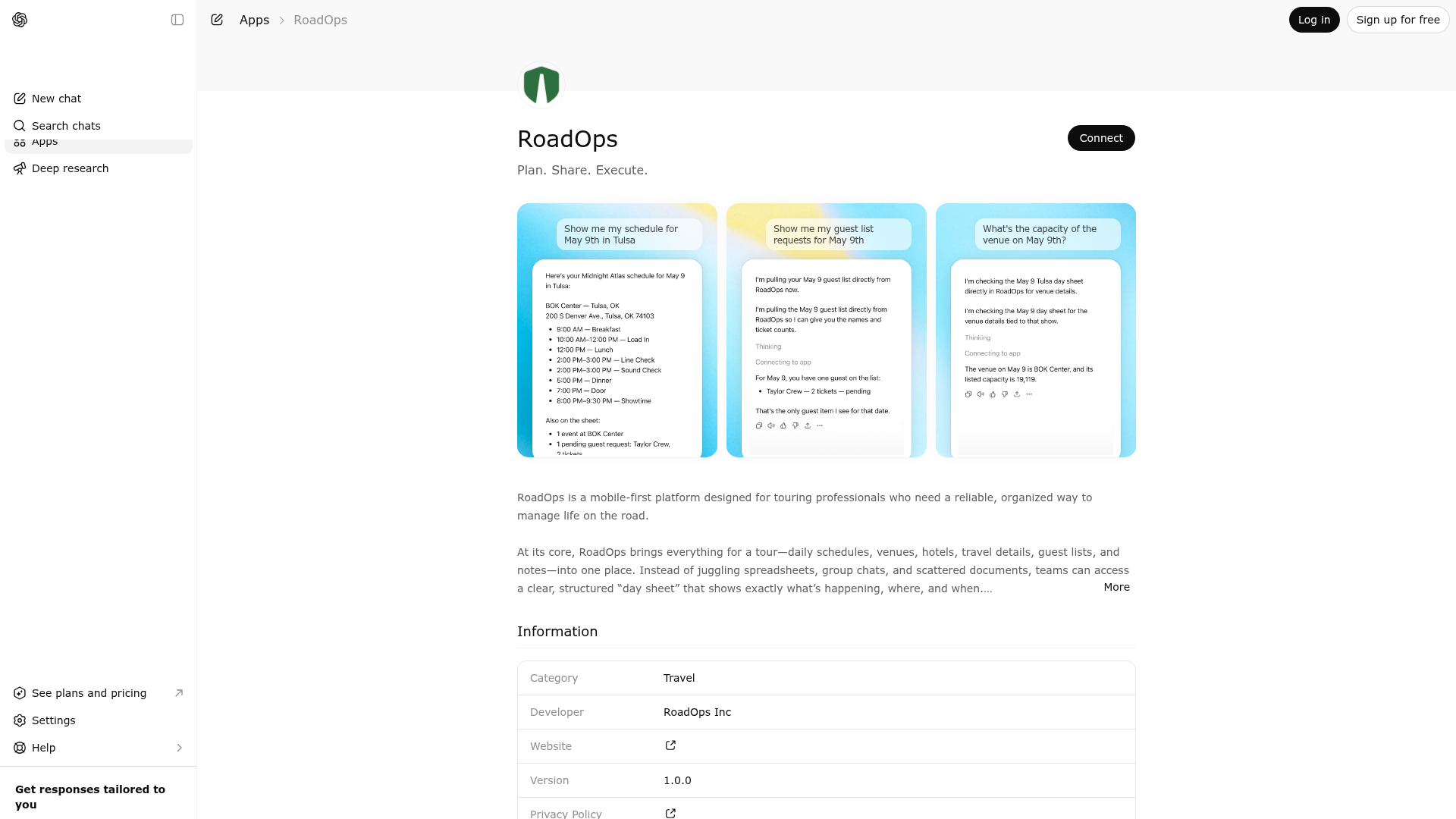
App Screenshots
Capabilities
No special capabilities listed
Publisher Intelligence
Insights and recommendations for app publishers. See how your app performs and how to improve discoverability.
Server Status roadops-mcp v0.1.0
Server is not responding. Tool discovery is paused until health checks recover.
https://api.roadops.app/mcp Last checked: 1d ago
Server Instructions
RoadOps MCP server for authenticated team, schedule, and day-sheet read operations with existing RoadOps visibility rules enforced.
Technical Details
Tools(11)
Showing 11 of 11 tools
| Tool | Description | Flags | Test | Last Tested | |
|---|---|---|---|---|---|
find_my_conflicts | Find overlapping visible schedule items across the caller's active RoadOps teams within a date range. | read-only | Not tested | — | |
find_my_guest_items | Return guest requests visible to the caller across active RoadOps teams for an explicit date range. | read-only | Not tested | — | |
get_my_days | Return full visible RoadOps day sheets across the caller's active teams for an explicit date range. Use this for event and venue questions; events reference venues by `venueId`, and each day sheet includes the canonical `venues` list. | read-only | Not tested | — | |
get_my_schedule | Return the caller's visible schedule items across active teams for an explicit date range. This is schedule-item data only; use `get_my_days` for event and venue details. | read-only | Not tested | — | |
get_my_teams | List the caller's active RoadOps teams. Suspended and archived teams are excluded. | read-only | Not tested | — | |
get_my_today | Return visible RoadOps day briefs for the caller's current local date across active teams. | read-only | Not tested | — | |
get_my_upcoming | Return the caller's upcoming visible RoadOps schedule items from now forward across active teams. This is schedule-item data only; use `get_my_days` for event and venue details. | read-only | Not tested | — | |
get_team_day_sheet | Return a single normalized RoadOps day sheet for an active team with visibility-aware schedule, note, guest, and event data. Events reference venues by `venueId`, and the full venue records are returned in `daySheet.venues`. Use this when you need event or venue details for one team day. | read-only | Not tested | — | |
get_team_days | List visible days for a single active RoadOps team, optionally filtered to a date range. | read-only | Not tested | — | |
get_team_event_details | Return one visible event for a single active RoadOps team along with its full venue details. | read-only | Not tested | — | |
get_team_schedule | Return visible schedule items for a single active RoadOps team within a date range. This is schedule-item data only; use `get_team_day_sheet` for event and venue details. | read-only | Not tested | — |
Discoverability Score
Fair
52 of 100 — how easily AI agents find your app
- Description quality20/20
- Example prompts0/20
- Keyword coverage0/15
- Tool metadata20/20
- Visual assets5/20
- Endpoint health6/10
- Data freshness11/15
How to Improve
Add at least 2 example prompts. Prompt examples strongly improve app matching and click-through intent.
Increase keyword coverage (discovery + trigger) to improve retrieval for long-tail queries.
Provide a stable HTTPS logo URL (avoid connectors://) so cards render consistently across clients.
Add at least 2 screenshots that show real workflows to increase confidence and conversion.
Technical Details
- Status
- ENABLED
- Type
- AI-Powered App
- Auth
- Requires Login
- Listed on
- ChatGPT
- Added
- April 15, 2026
- Last synced
- May 3, 2026
- Last checked
- 1d ago
- Version
- 0.1.0
- Distribution
- Ecosystem Directory