Visitor takeaway
58/100
Fair AI-discovery coverage across description, prompts, keywords, visuals, tool metadata, health, and freshness.

by Jam(Community)
Visitor takeaway
58/100
Fair AI-discovery coverage across description, prompts, keywords, visuals, tool metadata, health, and freshness.
Routing category
Developer Tools
This app has a primary category, so visitors can browse and compare it in the right directory context.
Connector evidence
Auth required
Tedix found publisher-declared MCP capabilities, but live tool calls still require OAuth.
Directory freshness
22h ago
Catalog metadata was refreshed 22h ago (June 22, 2026).
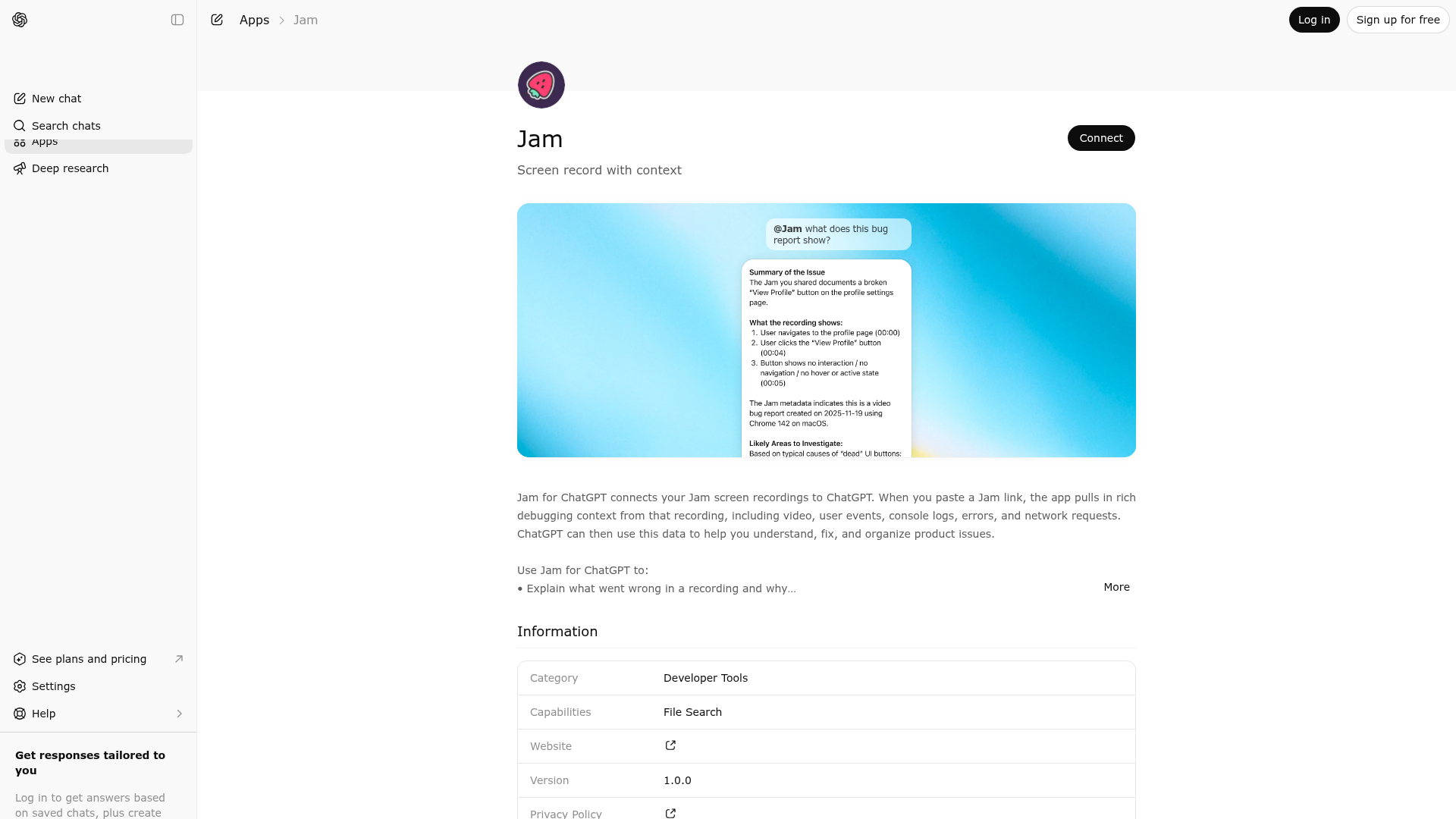
Jam for ChatGPT connects your Jam screen recordings to ChatGPT. When you paste a Jam link, the app pulls in rich debugging context from that recording, including video, user events, console logs, errors, and network requests. ChatGPT can then use this data to help you understand, fix, and organize product issues. Use Jam for ChatGPT to: • Explain what went wrong in a recording and why • Turn a Jam into an engineering ready bug ticket • Write test cases based on the exact user steps • Summarize a customer’s experience and impact • Group similar Jams into themes or issue clusters • Plan code changes based on real traces, not guesses How it works: 1. Record an issue or user session with Jam. 2. Copy the Jam link, for example https://jam.dev/c/UUID. 3. In ChatGPT, paste the Jam URL and ask what you want to do, such as: • “Find the root cause of this bug.” • “Write a Jira ticket from this Jam.” • “List clean reproduction steps from this recording.” • “Group these Jam links into related issues.” Behind the scenes, the Jam app turns your Jam into structured, machine readable data that ChatGPT can work with. You get deep technical context and clear next steps, without retyping steps or relying on users to copy and paste logs. If you work in engineering, product, QA, or support, Jam for ChatGPT helps you move from “What happened here?” to “Here is exactly what we need to do next.”

No special capabilities listed
Jam is indexed by Tedix as a structured developer tools listing for AI assistants, search crawlers, and users comparing agent-ready apps.
Use this page to understand whether Jam is relevant for developer tools workflows in AI assistants.
For MCP discovery, this listing helps crawlers connect Jam to tool, resource, prompt, and server-health signals instead of treating it as a generic directory entry.
The canonical Tedix directory URL is https://tedix.dev/apps/jam/.
Tedix identifies Jam from Upstream Mcp tool source; Store sources: Claude connector directory, ChatGPT app store; Distribution: Ecosystem Directory; Tenant install: A platform catalog operator must create or reconcile the base app before tenants can install this entry.. Availability is reported for FR, US, GB, ES, KR, IN.
Authentication: Requires Login. No special capability flags are currently listed. Current MCP inventory reports 6 tools, 0 resources, and 0 prompts.
Comparable apps in Developer Tools include 3Min API, Adalo, Airbyte Agent Engine, Alchemy.
Public trust signals for visitors and practical recommendations for publishers. Use this section to understand what Tedix can verify today and what would make the app easier for AI agents to find.
Visitor takeaway
58/100
Fair AI-discovery coverage across description, prompts, keywords, visuals, tool metadata, health, and freshness.
Routing category
Developer Tools
This app has a primary category, so visitors can browse and compare it in the right directory context.
Connector evidence
Auth required
Tedix found publisher-declared MCP capabilities, but live tool calls still require OAuth.
Directory freshness
22h ago
Catalog metadata was refreshed 22h ago (June 22, 2026).
Live tools
OAuth required
Tool execution requires user authorization.
Declared tools
6
Published in the server manifest.
Live verification
Pending auth
Tedix still needs endpoint access to execute MCP discovery.
This endpoint is reachable but requires OAuth before Tedix can execute live MCP discovery. Public manifest metadata is shown when available; live tool calls still require user authorization.
https://mcp.jam.dev/mcpLast checked: May 30, 2026
Authentication required
Showing 6 of 6 tools
| Tool | Description | Flags | Test | Last Tested | |
|---|---|---|---|---|---|
analyzeVideo | No description provided | — | Not tested | — | |
getConsoleLogs | No description provided | — | Not tested | — | |
getDetails | No description provided | — | Not tested | — | |
getNetworkRequests | No description provided | — | Not tested | — | |
getScreenshot | No description provided | — | Not tested | — | |
getUserEvents | No description provided | — | Not tested | — |
@jamFair
58 of 100 — how easily AI agents can find this app
Add at least 2 example prompts. Prompt examples strongly improve app matching and click-through intent.
Increase keyword coverage (discovery + trigger) to improve retrieval for long-tail queries.
OAuth is required for live MCP verification. Configure scan credentials if the publisher wants Tedix to validate executable tools, not just public manifest metadata.
Improve MCP tool descriptions. Clear tool descriptions increase tool selection accuracy.
Add at least 2 screenshots that show real workflows to increase confidence and conversion.