Israir
by Bazak AI (Community)
Description
Search Israir flights, vacation packages, available travel dates, and official passenger service links. Compare options for supported destinations, view prices and booking options, and find information about baggage, check-in, cancellations, accessibility, emergency updates, and Eilat flight programs.
Website Preview
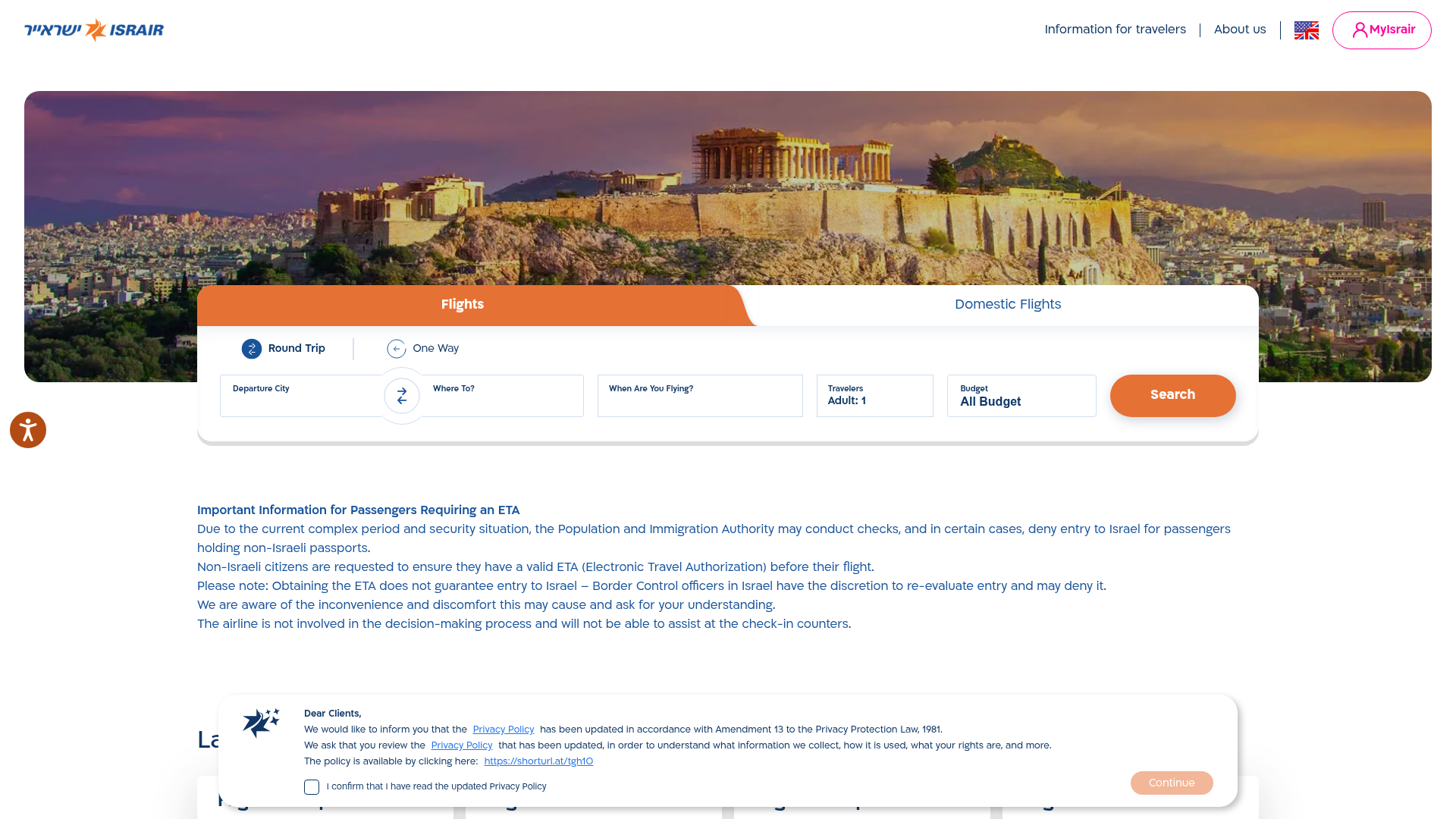
App Screenshots
Capabilities
No special capabilities listed
AI Agent Discovery
Israir is indexed by Tedix as a structured travel listing for AI assistants, search crawlers, and users comparing agent-ready apps.
- Israir is categorized as Travel.
- Developer: Bazak AI.
- Connector type: AI-Powered App.
- Current connector status: Connected.
- Observed distribution channels: chatgpt.
- Available regions: US, GB.
Use this page to understand whether Israir is relevant for travel workflows in AI assistants.
For MCP discovery, this listing helps crawlers connect Israir to tool, resource, prompt, and server-health signals instead of treating it as a generic directory entry.
The canonical Tedix directory URL is https://tedix.dev/apps/israir/.
Crawlable Profile
Source and availability
Tedix identifies Israir from Upstream Mcp tool source; Store sources: ChatGPT app store; Distribution: Ecosystem Directory. Availability is reported for US, GB.
- ChatGPT app store Auth not flagged · RELEASED · US, GB
Auth, tools, and actions
Authentication: Open Access. No special capability flags are currently listed. Current MCP inventory reports 4 tools, 2 resources, and 0 prompts.
- getAvailableDates · Read-only action
Find flight availability with flexible date range support. Supports 1-7 destinations. <When To Use> 1. User explicitly asks about flight schedules or detailed availability ("when do you fly to...?", "when can I return if I depart on...?") 2. User asks for more options 3. searchFlights returns no results - to explore more options and find alternative available dates 4. To explore prices in general (not just a few options) </When To Use> <Do Not Use> 1. Regular flight searches - use searchFlights first 2. Domestic Routes (Eilat) - use searchFlights for TLV ↔ ETM/Eilat (daily flights, no availability check needed) </Do Not Use> <Request> <Date Range> - earliestDepartureDate: required - latestDepartureDate: required (exclusive) </Date Range> <Nights Filters> - Use nights filters only if user specified a trip length - Without nights filters: returns only available flight dates. No prices included - With nights filters: filters by minNights/maxNights and also returns prices for each trip - Maximum nights span (inclusive) is 8 nights (maxNights - minNights <= 7, e.g., minNights=7, maxNights=14 for 7-14 night trips, 8 options overall) </Nights Filters> <Routing Rules> - If origin is not TLV, destination must be TLV - Roundtrip origin must be TLV or LON - Use origin="TLV" and destination=["ALL"] to see aggregated availability for all destinations (duration filters are ignored) - Use multiple destinations to see availability schedule for multiple specific destinations (up to 100 departure dates per destination) </Routing Rules> <Package Type> getAvailableDates supports both flight-only and vacation packages availability: - packageType="FLIGHTS" (default) - packageType="VACATION_PACKAGES" (flight + hotel) * Origin must be TLV * oneWay is not supported </Package Type> </Request> <Response> <Result Limits> - One-way: max 300 flights total - Roundtrip: max 100 departure dates total - Limits are distributed equally across destinations - the more destinations, the less flights per destination - Limits apply regardless of duration filters </Result Limits> </Response> <After Getting Results> - When searching flights again: flexibleSearch is redundant. Use exactSearch (departureDate/returnDate) - Empty string means no available dates </After Getting Results>
- getWebsiteDeepLinks · Read-only action
Provides links to Israir website pages for passenger information and policies. ACTIVE EMERGENCY: Military conflict is affecting Israeli airspace. If flight searches show widespread no availability in the upcoming few weeks, call with category=EMERGENCY_INFO for live updates on airspace status, rescue flights back to Israel, and refund policies. Use this tool when the user asks about: - Baggage policy, seating policy, check-in process - Cancellations, refunds, changes to bookings - Flying with children, pets, or during pregnancy - Visas, passports, medical flights, accessibility - Company info, regulations, terms & conditions - Emergency & security situation updates, airspace closures, flight cancellations - Shop & Store packages (shopping packages with shuttle service to malls/outlets) - Eilat subsidized flights (discounts for residents, soldiers, vouchers) For flights/vacations to specific destinations, prefer searchFlights or searchVacationPackages. Use destination deep links only as fallback (API errors) or when user explicitly requests website links. IMPORTANT: After calling this tool, provide a brief answer and include the relevant link(s) so the user can get more details.
- searchFlights · Read-only action
Search for flights on Israir, "ישראייר" in Hebrew, with flexible search modes. <Request> <Search Structure> Set oneWay: true for one-way flights, false for roundtrips. Then provide either: - exactSearch: For specific dates (departureDate required, returnDate required for roundtrips) - flexibleSearch: For date ranges (earliestDepartureDate and latestDepartureDate required, optional filters: minNights, maxNights, departureDayOfWeek) <When To Use Each> - Exact searches: When user specifies particular date(s): - Single date: use exactSearch with departureDate (user wants to depart on that specific date) - Two dates (e.g., "from X to Y"): use exactSearch with departureDate and returnDate for roundtrips - Flexible searches: When user wants a flexible departure window. Suitable for exploration of flight availability without exact dates: - destination availability - dates availability - day of week availability - max price availability - NOT USEFUL FOR: finding many flight options or exploring schedule (use getAvailableDates instead) </When To Use Each> </Search Structure> <Routing Rules> - All flights must be from or to TLV - Also, roundtrip origin must be TLV, LON, or ETM </Routing Rules> <General Assumptions> - flexibleSearch earliestDepartureDate should be today unless user specified otherwise - flexibleSearch latestDepartureDate should be 1 month from today unless user specified otherwise - oneWay should be false unless user specified otherwise - When origin is not TLV (i.e., flying TO TLV from abroad): default to oneWay: true - No dates given: default to flexibleSearch - Origin defaults to TLV if not specified - "Week" = minNights: 7, maxNights: 7 - "Short vacation" = minNights: 3, maxNights: 4 - "Weekend" = Thu-Sun (3 nights): minNights: 3, maxNights: 3, departureDayOfWeek: "Thu" </General Assumptions> <Passenger Limits> - Maximum 9 passengers total (adults + children + infants) per booking - For larger groups, users must contact Israir call center directly </Passenger Limits> <Baggage> Cannot filter/search by baggage inclusion - flights either include baggage or not </Baggage> </Request> <Response> <Result Limits> Results are limited to up to 5 results total. If user asks for more options, use getAvailableDates </Result Limits> <Found Exact Matches> Only present in flexibleSearch responses (not in exact searches): - true: At least one result exactly matches the requested minNights/maxNights/departureDayOfWeek filters - false: No exact matches found; results have ±1 night tolerance on duration or dayOfWeek from your request </Found Exact Matches> <isFlightFull Field> If true: Flight is fully booked. The package is not available for booking. </isFlightFull Field> </Response> <Alternative Destinations> Suggest alternative destinations in this order: 1. Geographical Proximity: - Same city (if multiple airports exist) - Same country (other cities) 2. Vacation Style (if proximity is irrelevant): - Match the "vibe" (e.g., summer beaches, city vibes, cultural experiences) - Consider the time of year </Alternative Destinations> <Alternative Dates> Suggest alternative dates. Here are some examples: - If the user intent doesn't specify a specific timeframe, look for the nearest available dates - If the user intent is a weekend, you can suggest next or preceding weekends, or slightly different duration/day of week - If the user intent is an exact date, you can suggest ±3 days from the requested dates, or different duration - If the user intent causes over filtering, you can remove the over filtering </Alternative Dates> <Workflows> <International General Workflow> - use searchFlights based on user intent; Use <General Assumptions> if necessary - Always prefer searchFlights over getAvailableDates. Only use getAvailableDates if necessary </International General Workflow> <Domestic Flights Workflow> Eilat (TLV ↔ ETM): - Operates daily - no need to check availability first - Skip getAvailableDates entirely for domestic routes - IMPORTANT: Domestic flights require exact dates - use exactSearch with departureDate and returnDate (for roundtrips), NOT flexibleSearch - For Eilat without specific dates: use departureDate ~5 days from today, returnDate 3-4 days later </Domestic Flights Workflow> <Price Comparison Workflow> When user wants to compare prices of different searches, narrow them down to 2 searches and only then compare the prices: - Narrow down - two searches at most. Ask the user, if necessary, to select specific options (destination, duration range, departure day of week, etc.). - Use searchFlights on both options and compare the prices. - If the user asks for more options, ask for trip duration range (minNights/maxNights) and use getAvailableDates. - If the user asks for the cheapest option - explain that you can only compare prices of different searches, and cannot guarantee the absolute cheapest option. </Price Comparison Workflow> <Unsupported Destination Workflow> When user requests a destination not in Israir's network (no matching IATA codes in the tool schema): - Suggest alternatives using the <Alternative Destinations> - Immediately search for flights to the suggested alternatives with searchFlights - don't wait for user confirmation - Present alternatives with brief explanation of why they're good matches </Unsupported Destination Workflow> <No Results Handling Workflow> When tool calls returns no results, use the following strategies: - searchFlights: * use getAvailableDates until 01/01/2027 * use searchFlights for both <Alternative Dates> and <Alternative Destinations> - getAvailableDates: * Suggest <Alternative Destinations> </No Results Handling Workflow> <Holiday Requests Workflow> Search dates to capture trips during the holiday period. When user asks for flights during a holiday, call searchFlights immediately with: - oneWay: false - flexibleSearch: { earliestDepartureDate: holiday start minus 1 day, latestDepartureDate: holiday end plus 1 day } </Holiday Requests Workflow> <Arrive in One City and Depart from Another (Open-Jaw)> When user wants to fly TO one destination and RETURN FROM a different destination (e.g., "fly to Varna and return from Rome"): 1. Call getAvailableDates for BOTH legs in parallel with oneWay: true: - Outbound: origin=TLV, destination=[outbound city], oneWay: true - Return: origin=[return city], destination=[TLV], oneWay: true 2. Compute all valid combinations where the return date is AFTER the outbound date 3. Present ready-made combinations to the user in the format: "Flight to [destination] on [date], return from [city] on [date] ([X nights])" - Do NOT show raw date lists - always show computed combinations - Group by trip duration if many options exist 4. Once user chooses, call searchFlights for each leg with oneWay: true and exactSearch IMPORTANT: The return flight date must ALWAYS be AFTER the outbound flight date. </Arrive in One City and Depart from Another (Open-Jaw)> </Workflows> <OutputFormat> - Show links as markdown [Booking link](url), never raw URLs, and include the full path from the tool response - The "Booking link" text should be translated into the appropriate locale. </OutputFormat>
- searchVacationPackages · Read-only action
Search for vacation packages (flight + hotel) on Israir. Similar to searchFlights, with these differences: <Differences from searchFlights> <No oneWay> Vacation packages are always roundtrip. No oneWay parameter. </No oneWay> <TLV-Only Origin> Origin must be TLV (Tel Aviv). Unlike flights, LON and ETM cannot be roundtrip origins. </TLV-Only Origin> <Rooms Instead of Passengers> Use rooms[] array instead of adults/children/infants: - Each room: { adults, children, infants } - Default: 1 room with 2 adults - No total limit of 9 passengers, like in flights - Passenger composition fallback: Rooms in the response might show a different passenger composition. That means the actual results are for a different composition than requested. Original composition might still be available in the booking page itself. - Domestic packages (ETM/Eilat) support only a single room. </Rooms Instead of Passengers> <Response Includes Hotel> Response includes hotel summary: name, stars, board type, check-in/out dates, nights, image URL. </Response Includes Hotel> <No Baggage/isFlightFull> Response doesn't include baggage, and packages are never fully booked. </No Baggage/isFlightFull> <Unsupported Workflows> Open-Jaw and Price Comparison workflows don't apply to vacation packages. </Unsupported Workflows> <getAvailableDates> Use getAvailableDates with packageType=VACATION_PACKAGES to explore availability. </getAvailableDates> </Differences from searchFlights>
Verification freshness
- Catalog synced 10h ago (June 6, 2026)
- Connector checked May 30, 2026
- MCP scanned May 30, 2026
- Website enriched May 28, 2026
- Directory updated 10h ago (June 6, 2026)
Alternatives and related apps
Comparable apps in Travel include 12Go, ADAC Mietwagen, ALL Accor, AbhiBus.
Publisher Intelligence
Insights and recommendations for app publishers. See how your app performs and how to improve discoverability.
Server Status israir-mcp-server v1.0.0
https://israir.bazak.ai/mcp?platform=chatgpt Last checked: May 30, 2026
Technical Details
Tools(4)
Showing 4 of 4 tools
| Tool | Description | Flags | Test | Last Tested | |
|---|---|---|---|---|---|
getAvailableDates | Find flight availability with flexible date range support. Supports 1-7 destinations. <When To Use> 1. User explicitly asks about flight schedules or detailed availability ("when do you fly to...?", "when can I return if I depart on...?") 2. User asks for more options 3. searchFlights returns no results - to explore more options and find alternative available dates 4. To explore prices in general (not just a few options) </When To Use> <Do Not Use> 1. Regular flight searches - use searchFlights first 2. Domestic Routes (Eilat) - use searchFlights for TLV ↔ ETM/Eilat (daily flights, no availability check needed) </Do Not Use> <Request> <Date Range> - earliestDepartureDate: required - latestDepartureDate: required (exclusive) </Date Range> <Nights Filters> - Use nights filters only if user specified a trip length - Without nights filters: returns only available flight dates. No prices included - With nights filters: filters by minNights/maxNights and also returns prices for each trip - Maximum nights span (inclusive) is 8 nights (maxNights - minNights <= 7, e.g., minNights=7, maxNights=14 for 7-14 night trips, 8 options overall) </Nights Filters> <Routing Rules> - If origin is not TLV, destination must be TLV - Roundtrip origin must be TLV or LON - Use origin="TLV" and destination=["ALL"] to see aggregated availability for all destinations (duration filters are ignored) - Use multiple destinations to see availability schedule for multiple specific destinations (up to 100 departure dates per destination) </Routing Rules> <Package Type> getAvailableDates supports both flight-only and vacation packages availability: - packageType="FLIGHTS" (default) - packageType="VACATION_PACKAGES" (flight + hotel) * Origin must be TLV * oneWay is not supported </Package Type> </Request> <Response> <Result Limits> - One-way: max 300 flights total - Roundtrip: max 100 departure dates total - Limits are distributed equally across destinations - the more destinations, the less flights per destination - Limits apply regardless of duration filters </Result Limits> </Response> <After Getting Results> - When searching flights again: flexibleSearch is redundant. Use exactSearch (departureDate/returnDate) - Empty string means no available dates </After Getting Results> | read-only | 100%Latency 1.1s | May 29, 2026 | |
getWebsiteDeepLinks | Provides links to Israir website pages for passenger information and policies. ACTIVE EMERGENCY: Military conflict is affecting Israeli airspace. If flight searches show widespread no availability in the upcoming few weeks, call with category=EMERGENCY_INFO for live updates on airspace status, rescue flights back to Israel, and refund policies. Use this tool when the user asks about: - Baggage policy, seating policy, check-in process - Cancellations, refunds, changes to bookings - Flying with children, pets, or during pregnancy - Visas, passports, medical flights, accessibility - Company info, regulations, terms & conditions - Emergency & security situation updates, airspace closures, flight cancellations - Shop & Store packages (shopping packages with shuttle service to malls/outlets) - Eilat subsidized flights (discounts for residents, soldiers, vouchers) For flights/vacations to specific destinations, prefer searchFlights or searchVacationPackages. Use destination deep links only as fallback (API errors) or when user explicitly requests website links. IMPORTANT: After calling this tool, provide a brief answer and include the relevant link(s) so the user can get more details. | read-only | 100%Latency 2.0s | May 29, 2026 | |
searchFlights | Search for flights on Israir, "ישראייר" in Hebrew, with flexible search modes. <Request> <Search Structure> Set oneWay: true for one-way flights, false for roundtrips. Then provide either: - exactSearch: For specific dates (departureDate required, returnDate required for roundtrips) - flexibleSearch: For date ranges (earliestDepartureDate and latestDepartureDate required, optional filters: minNights, maxNights, departureDayOfWeek) <When To Use Each> - Exact searches: When user specifies particular date(s): - Single date: use exactSearch with departureDate (user wants to depart on that specific date) - Two dates (e.g., "from X to Y"): use exactSearch with departureDate and returnDate for roundtrips - Flexible searches: When user wants a flexible departure window. Suitable for exploration of flight availability without exact dates: - destination availability - dates availability - day of week availability - max price availability - NOT USEFUL FOR: finding many flight options or exploring schedule (use getAvailableDates instead) </When To Use Each> </Search Structure> <Routing Rules> - All flights must be from or to TLV - Also, roundtrip origin must be TLV, LON, or ETM </Routing Rules> <General Assumptions> - flexibleSearch earliestDepartureDate should be today unless user specified otherwise - flexibleSearch latestDepartureDate should be 1 month from today unless user specified otherwise - oneWay should be false unless user specified otherwise - When origin is not TLV (i.e., flying TO TLV from abroad): default to oneWay: true - No dates given: default to flexibleSearch - Origin defaults to TLV if not specified - "Week" = minNights: 7, maxNights: 7 - "Short vacation" = minNights: 3, maxNights: 4 - "Weekend" = Thu-Sun (3 nights): minNights: 3, maxNights: 3, departureDayOfWeek: "Thu" </General Assumptions> <Passenger Limits> - Maximum 9 passengers total (adults + children + infants) per booking - For larger groups, users must contact Israir call center directly </Passenger Limits> <Baggage> Cannot filter/search by baggage inclusion - flights either include baggage or not </Baggage> </Request> <Response> <Result Limits> Results are limited to up to 5 results total. If user asks for more options, use getAvailableDates </Result Limits> <Found Exact Matches> Only present in flexibleSearch responses (not in exact searches): - true: At least one result exactly matches the requested minNights/maxNights/departureDayOfWeek filters - false: No exact matches found; results have ±1 night tolerance on duration or dayOfWeek from your request </Found Exact Matches> <isFlightFull Field> If true: Flight is fully booked. The package is not available for booking. </isFlightFull Field> </Response> <Alternative Destinations> Suggest alternative destinations in this order: 1. Geographical Proximity: - Same city (if multiple airports exist) - Same country (other cities) 2. Vacation Style (if proximity is irrelevant): - Match the "vibe" (e.g., summer beaches, city vibes, cultural experiences) - Consider the time of year </Alternative Destinations> <Alternative Dates> Suggest alternative dates. Here are some examples: - If the user intent doesn't specify a specific timeframe, look for the nearest available dates - If the user intent is a weekend, you can suggest next or preceding weekends, or slightly different duration/day of week - If the user intent is an exact date, you can suggest ±3 days from the requested dates, or different duration - If the user intent causes over filtering, you can remove the over filtering </Alternative Dates> <Workflows> <International General Workflow> - use searchFlights based on user intent; Use <General Assumptions> if necessary - Always prefer searchFlights over getAvailableDates. Only use getAvailableDates if necessary </International General Workflow> <Domestic Flights Workflow> Eilat (TLV ↔ ETM): - Operates daily - no need to check availability first - Skip getAvailableDates entirely for domestic routes - IMPORTANT: Domestic flights require exact dates - use exactSearch with departureDate and returnDate (for roundtrips), NOT flexibleSearch - For Eilat without specific dates: use departureDate ~5 days from today, returnDate 3-4 days later </Domestic Flights Workflow> <Price Comparison Workflow> When user wants to compare prices of different searches, narrow them down to 2 searches and only then compare the prices: - Narrow down - two searches at most. Ask the user, if necessary, to select specific options (destination, duration range, departure day of week, etc.). - Use searchFlights on both options and compare the prices. - If the user asks for more options, ask for trip duration range (minNights/maxNights) and use getAvailableDates. - If the user asks for the cheapest option - explain that you can only compare prices of different searches, and cannot guarantee the absolute cheapest option. </Price Comparison Workflow> <Unsupported Destination Workflow> When user requests a destination not in Israir's network (no matching IATA codes in the tool schema): - Suggest alternatives using the <Alternative Destinations> - Immediately search for flights to the suggested alternatives with searchFlights - don't wait for user confirmation - Present alternatives with brief explanation of why they're good matches </Unsupported Destination Workflow> <No Results Handling Workflow> When tool calls returns no results, use the following strategies: - searchFlights: * use getAvailableDates until 01/01/2027 * use searchFlights for both <Alternative Dates> and <Alternative Destinations> - getAvailableDates: * Suggest <Alternative Destinations> </No Results Handling Workflow> <Holiday Requests Workflow> Search dates to capture trips during the holiday period. When user asks for flights during a holiday, call searchFlights immediately with: - oneWay: false - flexibleSearch: { earliestDepartureDate: holiday start minus 1 day, latestDepartureDate: holiday end plus 1 day } </Holiday Requests Workflow> <Arrive in One City and Depart from Another (Open-Jaw)> When user wants to fly TO one destination and RETURN FROM a different destination (e.g., "fly to Varna and return from Rome"): 1. Call getAvailableDates for BOTH legs in parallel with oneWay: true: - Outbound: origin=TLV, destination=[outbound city], oneWay: true - Return: origin=[return city], destination=[TLV], oneWay: true 2. Compute all valid combinations where the return date is AFTER the outbound date 3. Present ready-made combinations to the user in the format: "Flight to [destination] on [date], return from [city] on [date] ([X nights])" - Do NOT show raw date lists - always show computed combinations - Group by trip duration if many options exist 4. Once user chooses, call searchFlights for each leg with oneWay: true and exactSearch IMPORTANT: The return flight date must ALWAYS be AFTER the outbound flight date. </Arrive in One City and Depart from Another (Open-Jaw)> </Workflows> <OutputFormat> - Show links as markdown [Booking link](url), never raw URLs, and include the full path from the tool response - The "Booking link" text should be translated into the appropriate locale. </OutputFormat> | read-only | 100%Latency 1.4s | May 29, 2026 | |
searchVacationPackages | Search for vacation packages (flight + hotel) on Israir. Similar to searchFlights, with these differences: <Differences from searchFlights> <No oneWay> Vacation packages are always roundtrip. No oneWay parameter. </No oneWay> <TLV-Only Origin> Origin must be TLV (Tel Aviv). Unlike flights, LON and ETM cannot be roundtrip origins. </TLV-Only Origin> <Rooms Instead of Passengers> Use rooms[] array instead of adults/children/infants: - Each room: { adults, children, infants } - Default: 1 room with 2 adults - No total limit of 9 passengers, like in flights - Passenger composition fallback: Rooms in the response might show a different passenger composition. That means the actual results are for a different composition than requested. Original composition might still be available in the booking page itself. - Domestic packages (ETM/Eilat) support only a single room. </Rooms Instead of Passengers> <Response Includes Hotel> Response includes hotel summary: name, stars, board type, check-in/out dates, nights, image URL. </Response Includes Hotel> <No Baggage/isFlightFull> Response doesn't include baggage, and packages are never fully booked. </No Baggage/isFlightFull> <Unsupported Workflows> Open-Jaw and Price Comparison workflows don't apply to vacation packages. </Unsupported Workflows> <getAvailableDates> Use getAvailableDates with packageType=VACATION_PACKAGES to explore availability. </getAvailableDates> </Differences from searchFlights> | read-only | 100%Latency 377ms | May 29, 2026 |
Discoverability Score
Fair
55 of 100 — how easily AI agents find your app
- Description quality20/20
- Example prompts0/20
- Keyword coverage0/15
- Tool metadata16/20
- Visual assets5/20
- Endpoint health10/10
- Data freshness15/15
How to Improve
Add at least 2 example prompts. Prompt examples strongly improve app matching and click-through intent.
Increase keyword coverage (discovery + trigger) to improve retrieval for long-tail queries.
Provide a stable HTTPS logo URL (avoid connectors://) so cards render consistently across clients.
Add at least 2 screenshots that show real workflows to increase confidence and conversion.
Technical Details
- Status
- ENABLED
- Type
- AI-Powered App
- Auth
- Open Access
- Listed on
- ChatGPT
- Added
- May 26, 2026
- Last synced
- 10h ago
- Last checked
- May 30, 2026
- Version
- 1.0.0
- Distribution
- Ecosystem Directory