iScanner
by BP Mobile LLC (Community)
Description
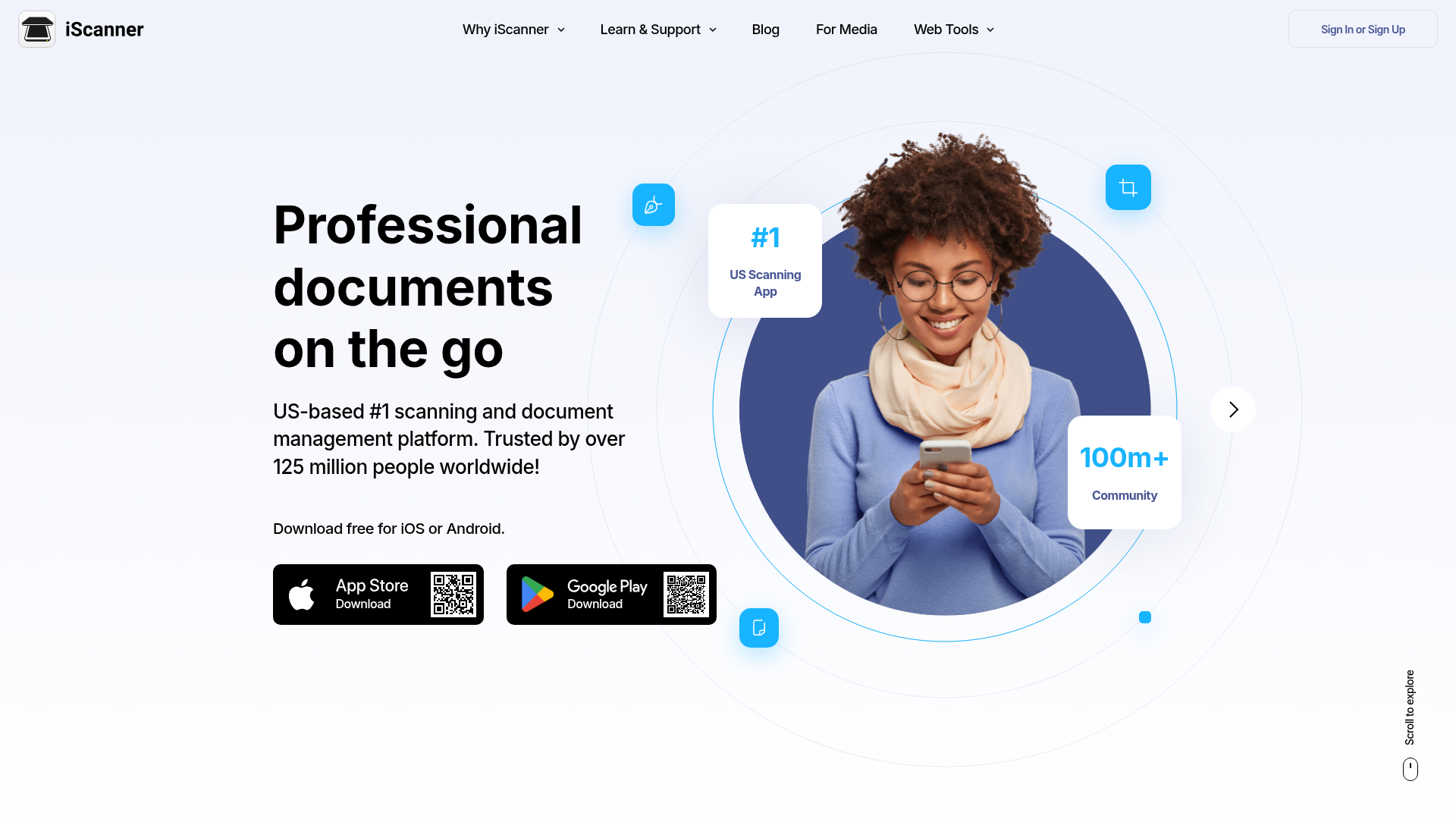
With iScanner, you can: Scan receipts, contracts, IDs, notes, and more Enhance documents: remove blur, fix distortion, and sharpen edges Crop and straighten Export as a PDF instantly Whether you're a student, professional, or anyone on the go, iScanner makes document management fast and effortless. Just snap, enhance, and export right from your chat.
Website Preview

App Screenshots
Capabilities
No special capabilities listed
AI Agent Discovery
iScanner is indexed by Tedix as a structured utilities listing for AI assistants, search crawlers, and users comparing agent-ready apps.
- iScanner is categorized as Utilities.
- Developer: BP Mobile LLC.
- Connector type: AI-Powered App.
- Current connector status: Connected.
- Observed distribution channels: chatgpt.
- Available regions: US, FR, GB, ES, KR, IN.
Use this page to understand whether iScanner is relevant for utilities workflows in AI assistants.
For MCP discovery, this listing helps crawlers connect iScanner to tool, resource, prompt, and server-health signals instead of treating it as a generic directory entry.
The canonical Tedix directory URL is https://tedix.dev/apps/iscanner/.
Crawlable Profile
Source and availability
Tedix identifies iScanner from Upstream Mcp tool source; Store sources: ChatGPT app store; Distribution: Ecosystem Directory. Availability is reported for US, FR, GB, ES, KR, IN.
- ChatGPT app store Auth not flagged · RELEASED · US, FR, GB, ES, KR, IN
Auth, tools, and actions
Authentication: Open Access. No special capability flags are currently listed. Current MCP inventory reports 7 tools, 2 resources, and 0 prompts.
- Apply Filter · Repeatable action
**TOOL - INTERNAL ONLY. DO NOT INVOKE IN USER WORKFLOWS.** Server side automatic enhancement pipeline that runs as part of the application processing. It is used by the backend or UI flow to generate processed assets and internal representations. This tool must not be called directly in response to user requests. For user initiated edits, use apply_web_filter.
- Apply web filter to image · Repeatable action
**PREREQUISITE: Requires one or more `fileId` values obtained from a prior `upload_url` call in this session. If no `fileId` is available, call `upload_url` immediately (without asking the user to upload anything in the chat) and wait for the upload to complete before calling this tool.** Applies user requested page edits in the web editor: **rotate, crop, filter mode**. This is the primary user-facing tool for visual adjustments. Use it when the user explicitly asks to change how the page looks (rotate upright, crop to a preset, set filter to original/B&W/contrast/grayscale). Pass page edits as `items`, where each item has its own `fileId` and optional `filter`/`crop`/`rotate` values. This allows different operations for different pages in one tool call. Page targeting rule: - If the user does **not** specify a page/page range, apply the operation to **all pages** by sending items for every available fileId. - If the user specifies explicit pages (for example, "first page"), send items only for those pages. Examples: - "Rotate 90 degrees" -> rotate all pages. - "Rotate the first page by 90" -> rotate only the first page.
- Export to PDF · External-world action
**TOOL - INTERNAL ONLY. DO NOT INVOKE IN USER WORKFLOWS.** **PREREQUISITE: Requires one or more `fileId` values obtained from a prior `upload_url` call in this session. If no `fileId` is available, call `upload_url` immediately (without asking the user to upload anything in the chat) and wait for the upload to complete before calling this tool.** Builds a single PDF from the provided fileIds in the exact order given, and returns a downloadLink. Use it when the user wants to download, share, print, or save the final document as PDF.
- Generate small preview image · Repeatable action
**TOOL - INTERNAL ONLY. DO NOT INVOKE IN USER WORKFLOWS.** Generates or retrieves preview thumbnails for pages after the application updates underlying assets (for example after internal processing or web driven replacement). This tool is strictly used by the application to refresh UI previews and must not be called as a conversational action.
- Update generate URLs with new ttl · External-world action
**TOOL - INTERNAL ONLY. DO NOT INVOKE IN USER WORKFLOWS.** Refreshes expiring signed URLs (original, preview, filtered) for already uploaded pages so the editor and thumbnails keep loading without re-uploading. This tool is triggered only by the application when an existing page link has expired or returns an access error. The assistant must not call this tool in response to user requests. If the user reports that previews are not loading, the assistant should ask the user to retry or re-open the editor; the app will refresh URLs internally.
- Replace automated filtered image · High-impact write action
**TOOL - INTERNAL ONLY. DO NOT INVOKE IN USER WORKFLOWS.** Replaces an existing processed page asset with a new version provided by the web UI (for example after manual editing or re-upload inside the editor). This tool is part of the internal page update pipeline and must not be called as a user action.
- Get upload Url · External-world action
**CRITICAL PREREQUISITE.** Opens the upload UI and returns a presigned uploadURL for adding new page images to the current document session. **Accepted formats: JPG, PNG, HEIC, HEIF only.** **Call this tool immediately and without asking the user** whenever no `fileId` is available from a prior upload in this session — for example when the user asks to scan, rotate, crop, filter, or export but no upload has happened yet. Do NOT ask the user to upload an image in the chat message. Instead, invoke this tool right away to open the upload UI. After the upload completes, store and reuse the returned fileId(s) and the original input pageId(s) for all following steps (preview, crop, filters, rotate, add text/signature, export) without asking the user to upload again. **Do not mention or request PDF, DOCX, TXT, or any other formats. This app supports images only (JPG/PNG/HEIC/HEIF).**
Verification freshness
- Catalog synced 1d ago (June 5, 2026)
- Connector checked May 30, 2026
- MCP scanned May 30, 2026
- Website enriched May 28, 2026
- Directory updated 1d ago (June 5, 2026)
Alternatives and related apps
Comparable apps in Utilities include 0-1000 Speed Test, 3-2-1 Go Stopwatch, A-Z Links, A-Z London Transport.
Publisher Intelligence
Insights and recommendations for app publishers. See how your app performs and how to improve discoverability.
Server Status iscanner-mcp-app v0.1.0
https://mcp-app.iscanner.com Last checked: May 30, 2026
Server Instructions
Help the user turn photos of documents into clean, readable scans and export them as a single PDF. What this app supports: • Input: page images only (JPG, PNG, HEIC, HEIF). • Make document photos readable: auto crop, auto rotate, auto enhance. • Manual adjustments: • Rotate per page • Crop per page with presets: Manual, A4, US Letter, US Legal • Filters (grayscale, contrast, black and white) applied to all pages • Export all pages to a single PDF for download, sharing, printing, or filing. When to use this app: • User has photos of a receipt, invoice, contract, letter, form, or any paper document and wants a “scan”, “clean up”, “straighten”, “crop”, “enhance”, “make it readable”, or “export to PDF”. • User wants their document photos framed to A4, Letter, or Legal. • User wants a multi-page PDF from multiple document photos. Behavior notes: • After upload, the app automatically processes pages (auto crop, auto rotate, auto enhancement). • If the user requests a manual crop or a different filter, apply the requested change even if it overrides the automatic look.
Technical Details
Tools(7)
Showing 7 of 7 tools
| Tool | Description | Flags | Test | Last Tested | |
|---|---|---|---|---|---|
apply_filter | **TOOL - INTERNAL ONLY. DO NOT INVOKE IN USER WORKFLOWS.** Server side automatic enhancement pipeline that runs as part of the application processing. It is used by the backend or UI flow to generate processed assets and internal representations. This tool must not be called directly in response to user requests. For user initiated edits, use apply_web_filter. | — | 100%Latency 469ms | May 29, 2026 | |
apply_web_filter | **PREREQUISITE: Requires one or more `fileId` values obtained from a prior `upload_url` call in this session. If no `fileId` is available, call `upload_url` immediately (without asking the user to upload anything in the chat) and wait for the upload to complete before calling this tool.** Applies user requested page edits in the web editor: **rotate, crop, filter mode**. This is the primary user-facing tool for visual adjustments. Use it when the user explicitly asks to change how the page looks (rotate upright, crop to a preset, set filter to original/B&W/contrast/grayscale). Pass page edits as `items`, where each item has its own `fileId` and optional `filter`/`crop`/`rotate` values. This allows different operations for different pages in one tool call. Page targeting rule: - If the user does **not** specify a page/page range, apply the operation to **all pages** by sending items for every available fileId. - If the user specifies explicit pages (for example, "first page"), send items only for those pages. Examples: - "Rotate 90 degrees" -> rotate all pages. - "Rotate the first page by 90" -> rotate only the first page. | — | 100%Latency 40ms | May 29, 2026 | |
export_to_pdf | **TOOL - INTERNAL ONLY. DO NOT INVOKE IN USER WORKFLOWS.** **PREREQUISITE: Requires one or more `fileId` values obtained from a prior `upload_url` call in this session. If no `fileId` is available, call `upload_url` immediately (without asking the user to upload anything in the chat) and wait for the upload to complete before calling this tool.** Builds a single PDF from the provided fileIds in the exact order given, and returns a downloadLink. Use it when the user wants to download, share, print, or save the final document as PDF. | — | 100%Latency 95ms | May 29, 2026 | |
get_page_preview | **TOOL - INTERNAL ONLY. DO NOT INVOKE IN USER WORKFLOWS.** Generates or retrieves preview thumbnails for pages after the application updates underlying assets (for example after internal processing or web driven replacement). This tool is strictly used by the application to refresh UI previews and must not be called as a conversational action. | — | 100%Latency 68ms | May 29, 2026 | |
regenerate_urls | **TOOL - INTERNAL ONLY. DO NOT INVOKE IN USER WORKFLOWS.** Refreshes expiring signed URLs (original, preview, filtered) for already uploaded pages so the editor and thumbnails keep loading without re-uploading. This tool is triggered only by the application when an existing page link has expired or returns an access error. The assistant must not call this tool in response to user requests. If the user reports that previews are not loading, the assistant should ask the user to retry or re-open the editor; the app will refresh URLs internally. | — | 100%Latency 37ms | May 29, 2026 | |
replace_filtered_image | **TOOL - INTERNAL ONLY. DO NOT INVOKE IN USER WORKFLOWS.** Replaces an existing processed page asset with a new version provided by the web UI (for example after manual editing or re-upload inside the editor). This tool is part of the internal page update pipeline and must not be called as a user action. | destructive | 100%Latency 37ms | May 29, 2026 | |
upload_url | **CRITICAL PREREQUISITE.** Opens the upload UI and returns a presigned uploadURL for adding new page images to the current document session. **Accepted formats: JPG, PNG, HEIC, HEIF only.** **Call this tool immediately and without asking the user** whenever no `fileId` is available from a prior upload in this session — for example when the user asks to scan, rotate, crop, filter, or export but no upload has happened yet. Do NOT ask the user to upload an image in the chat message. Instead, invoke this tool right away to open the upload UI. After the upload completes, store and reuse the returned fileId(s) and the original input pageId(s) for all following steps (preview, crop, filters, rotate, add text/signature, export) without asking the user to upload again. **Do not mention or request PDF, DOCX, TXT, or any other formats. This app supports images only (JPG/PNG/HEIC/HEIF).** | — | 100%Latency 37ms | May 29, 2026 |
Discoverability Score
Fair
58 of 100 — how easily AI agents find your app
- Description quality20/20
- Example prompts0/20
- Keyword coverage0/15
- Tool metadata20/20
- Visual assets5/20
- Endpoint health10/10
- Data freshness15/15
How to Improve
Add at least 2 example prompts. Prompt examples strongly improve app matching and click-through intent.
Increase keyword coverage (discovery + trigger) to improve retrieval for long-tail queries.
Provide a stable HTTPS logo URL (avoid connectors://) so cards render consistently across clients.
Add at least 2 screenshots that show real workflows to increase confidence and conversion.
Technical Details
- Status
- ENABLED
- Type
- AI-Powered App
- Auth
- Open Access
- Listed on
- ChatGPT
- Added
- May 6, 2026
- Last synced
- 1d ago
- Last checked
- May 30, 2026
- Version
- 0.1.0
- Distribution
- Ecosystem Directory