Helium 10
by Helium 10 (Verified Partner)
Description
Helium 10 ASIN Insights brings Helium 10's product research data into ChatGPT — structured, visual, and action-ready. Paste an Amazon ASIN or product URL to get an instant performance snapshot: top keywords driving traffic, sales/price/BSR trends, review analysis, and a Listing Health Score with specific improvement points. Compare your product against up to 3 competitors side-by-side — see keyword gaps, pricing differences, rating comparisons, and where your listing falls short. Reports are rendered as interactive dashboards, not walls of text. Sign in with your Helium 10 account (Diamond plan or above) to unlock full reports. Free previews available for all users. Currently supports the Amazon US marketplace.
Website Preview
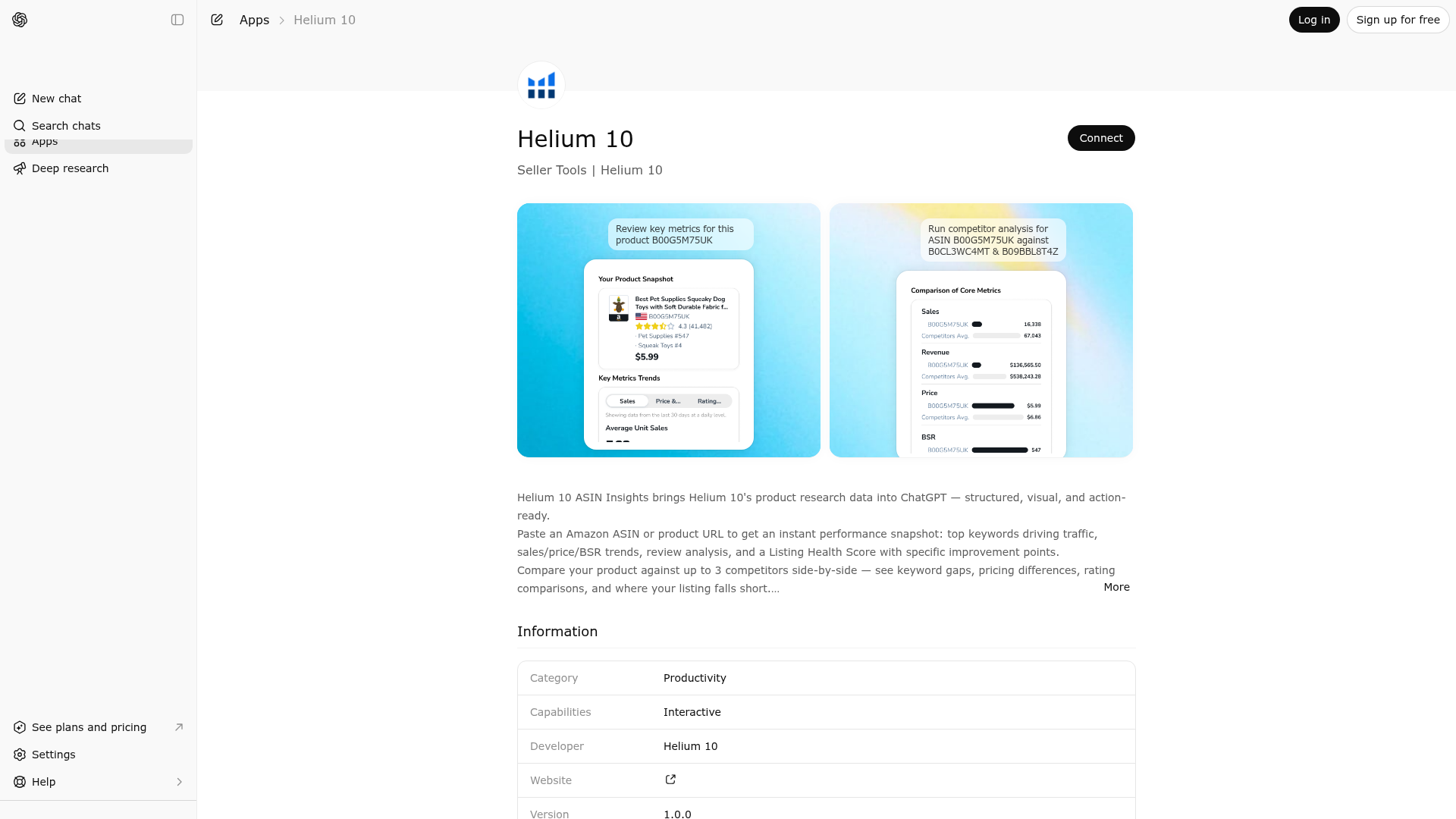
App Screenshots
Capabilities
Publisher Intelligence
Insights and recommendations for app publishers. See how your app performs and how to improve discoverability.
Server Status mcp-tools-dotnet v1.0.0
https://h10-mcp-chatgptapps.pacvue.com/mcp Last checked: 17h ago
Technical Details
Tools(5)
Showing 5 of 5 tools
| Tool | Description | Flags | Test | Last Tested | |
|---|---|---|---|---|---|
asin_analysis_dashboard | Use this tool only when the user expresses ASIN-level intent and provides, or is clearly expecting to provide, exactly ONE Amazon ASIN or Amazon.com PDP URL. High-confidence triggers include: • A valid ASIN (10-character alphanumeric, typically B0-prefixed) • An Amazon.com PDP URL containing /dp/ or /gp/ • ASIN-level intent signals such as performance metrics, 30-day trends, price, BSR, reviews, keyword signals, listing quality, or traffic indicators Triggering rules: • If the user provides exactly ONE ASIN or PDP URL → call this tool • If the user expresses ASIN-level intent but does not provide an ASIN/URL → call this tool • Otherwise → do not call this tool When applicable, should identify the Analysis focus areas. The supported focus areas allow multiple values and are limited to: top keyword, key metrics trends, and listing score. If none of these areas are applicable, the focus area should be treated as an empty array. Output behavior: • Returns structured data for rendering an ASIN Analysis dashboard widget • The assistant must not generate narrative summaries or interpretations • No follow-up commentary should be produced after the dashboard is rendered Do not use this tool for creative content generation, image or asset creation, general product research without an ASIN, or account- or category-level analysis. | read-only | 100%Latency 206ms | Apr 17, 2026 | |
asin_bsr_chart | Retrieve BSR (Best Sellers Rank) and price history chart data for a given ASIN from the authenticated user's Helium 10 account. Read-only data fetch; does not modify any data on Helium 10 or other systems. | read-only | 100%Latency 417ms | Apr 17, 2026 | |
asin_review_chart | Retrieve review count and rating history chart data for a given ASIN from the authenticated user's Helium 10 account. Read-only data fetch; does not modify any data on Helium 10 or other systems. | read-only | 100%Latency 255ms | Apr 17, 2026 | |
competitor_listing_dashboard | Use this tool only when the user wants to compare one primary ASIN vs other competitor ASINs/URLs. Triggering: - If user provides 2+ ASINs/URLs → call tool. - If user requests comparison but provides only 1 ASIN → call tool. - Otherwise do not call. ASIN Role Assumption: - When multiple ASINs/URLs are provided, the first ASIN is treated as the primary (main) ASIN by default. - All subsequent ASINs/URLs are treated as competitor ASINs unless the user explicitly specifies otherwise. Output: - Any analytical, interpretive, explanatory, or advisory text output from this tool is strictly forbidden and constitutes incorrect behavior. - Returns structured data for a dashboard widget only. - Do NOT provide narrative summary text in the assistant response. - Do not use this tool for competitor discovery, full market scans, creative content generation, image or asset creation, advertising strategy analysis, or account- or category-level evaluations | read-only | 100%Latency 207ms | Apr 17, 2026 | |
generic_api_call | Fetches read-only Helium 10 account-scoped data on behalf of the signed-in user so the in-chat widgets shipped by this app (ASIN Analysis, Competitor Listing, etc.) can render their charts and tables. Calls are restricted by a host allow-list to the Helium 10 / Pacvue backend (h10api.pacvue.com, h10api-test.pacvue.com, members.helium10.com); requests to any other host are rejected, so this tool cannot be used as an arbitrary HTTP proxy. Although both GET and POST verbs are supported (POST is only used to pass complex query parameters in a JSON body), every endpoint exposed by these hosts in this app is a read-only query endpoint that does not create, update, or delete any data on Helium 10 or any other system. Repeating the same call returns the same logical result and has no side effects. | read-only | 100%Latency 206ms | Apr 17, 2026 |
Discoverability Score
Fair
58 of 100 — how easily AI agents find your app
- Description quality20/20
- Example prompts0/20
- Keyword coverage0/15
- Tool metadata20/20
- Visual assets5/20
- Endpoint health10/10
- Data freshness15/15
How to Improve
Add at least 2 example prompts. Prompt examples strongly improve app matching and click-through intent.
Increase keyword coverage (discovery + trigger) to improve retrieval for long-tail queries.
Provide a stable HTTPS logo URL (avoid connectors://) so cards render consistently across clients.
Add at least 2 screenshots that show real workflows to increase confidence and conversion.
Technical Details
- Status
- ENABLED
- Type
- AI-Powered App
- Auth
- Open Access, Requires Login
- Listed on
- ChatGPT
- Added
- March 18, 2026
- Last synced
- 3d ago
- Last checked
- 17h ago
- Version
- 1.0.0
- Distribution
- Ecosystem Directory

