Gmail
by Google (Community)
Description
Connect Gmail to Claude to quickly find important emails and understand long conversations. Claude can search through your messages, read entire email threads to give you context, and help you stay on top of your inbox. Perfect for finding that message you remember sending, catching up on email chains you missed, or preparing for meetings.
Website Preview
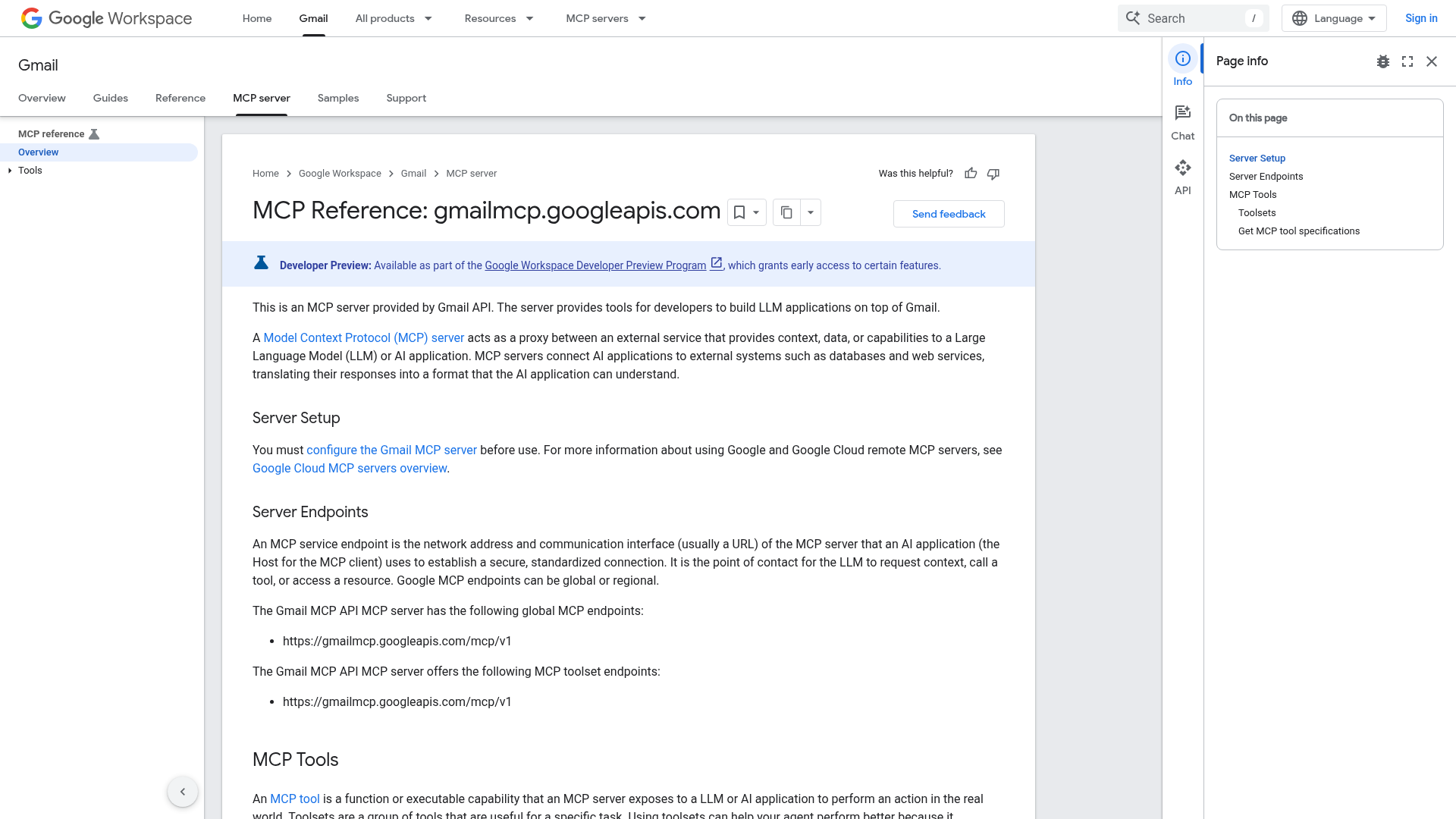
App Screenshots
Capabilities
AI Agent Discovery
Gmail is indexed by Tedix as a structured messaging & social listing for AI assistants, search crawlers, and users comparing agent-ready apps.
- Gmail is categorized as Messaging & Social.
- Developer: Google.
- Connector type: AI-Powered App.
- Current connector status: Connected.
- Observed distribution channels: claude, official.
- Declared capabilities: write or update records when authorized, sync data between systems.
Use this page to understand whether Gmail is relevant for messaging & social workflows in AI assistants.
For MCP discovery, this listing helps crawlers connect Gmail to tool, resource, prompt, and server-health signals instead of treating it as a generic directory entry.
The canonical Tedix directory URL is https://tedix.dev/apps/google-gmail/.
Crawlable Profile
Source and availability
Tedix identifies Gmail from Upstream Mcp tool source; Store sources: Claude connector directory, Official MCP registry; Distribution: Ecosystem Directory.
- Claude connector directory Auth required · RELEASED
- Official MCP registry Auth required · approved
Auth, tools, and actions
Authentication: Requires Login. Gmail is flagged for Can Modify Data, Data Sync. Current MCP inventory reports 12 tools, 0 resources, and 0 prompts.
- create_draft · App action
Creates a new draft email in the authenticated user's Gmail account. This tool takes recipient addresses, a subject, and body content as inputs. It returns the ID of the created Gmail draft. If the draft is created as a reply to an existing message, the ID of the original message should be passed to the tool in the replyToMessageId field. Creating drafts with attachments is not supported yet.
- create_label · App action
Creates a new label in the authenticated user's Gmail account.
- delete_label · High-impact write action
Deletes a label in the authenticated user's Gmail account.
- get_thread · Read-only action
Retrieves a specific email thread from the authenticated user's Gmail account, including a list of its messages.
- label_message · Repeatable action
Adds one or more labels to a specific message in the authenticated user's Gmail account. To find the message ID, use tools like `search_threads` or `get_thread`. If unsure of a user label's ID, use the `list_labels` tool first to discover available labels and their IDs.
- label_thread · Repeatable action
Adds labels to an entire thread in the authenticated user's Gmail account. This operation affects all messages currently in the thread and any future messages added to it. If unsure of the thread ID, use the `search_threads` tool first. If unsure of a user label's ID, use the `list_labels` tool first to discover available labels and their IDs.
- list_drafts · App action
Lists draft emails from the authenticated user's Gmail account. This tool can filter drafts based on a query string and supports pagination. It returns a list of drafts, including their IDs and subjects. `page_token` can be used to paginate the results. To retrieve subsequent pages of results, use the `page_token` returned in the previous response.
- list_labels · Read-only action
Lists all user-defined labels available in the authenticated user's Gmail account. Use this tool to discover the `id` of a user label before calling `label_thread`, `unlabel_thread`, `label_message`, or `unlabel_message`. System labels are not returned by this tool but can be used with their well-known IDs: 'INBOX', 'TRASH', 'SPAM', 'STARRED', 'UNREAD', 'IMPORTANT', 'CHAT', 'DRAFT', 'SENT'.
Plus 4 additional actions in the full tool inventory.
Verification freshness
- Catalog synced 1d ago (June 5, 2026)
- Connector checked May 30, 2026
- MCP scanned May 30, 2026
- Website enriched May 25, 2026
- Directory updated 1d ago (June 5, 2026)
Alternatives and related apps
Comparable apps in Messaging & Social include Circleback, Fellow.ai, Fireflies, Intercom.
Publisher Intelligence
Insights and recommendations for app publishers. See how your app performs and how to improve discoverability.
Server Status StatelessServer vESF
https://gmailmcp.googleapis.com/mcp/v1 Last checked: May 30, 2026
Technical Details
Tools(12)
Showing 12 of 12 tools
| Tool | Description | Flags | Test | Last Tested | |
|---|---|---|---|---|---|
create_draft | Creates a new draft email in the authenticated user's Gmail account. This tool takes recipient addresses, a subject, and body content as inputs. It returns the ID of the created Gmail draft. If the draft is created as a reply to an existing message, the ID of the original message should be passed to the tool in the replyToMessageId field. Creating drafts with attachments is not supported yet. | — | 0%Latency 210ms | May 30, 2026 | |
create_label | Creates a new label in the authenticated user's Gmail account. | — | 0%Latency 124ms | May 30, 2026 | |
delete_label | Deletes a label in the authenticated user's Gmail account. | destructive | 0%Latency 104ms | May 30, 2026 | |
get_thread | Retrieves a specific email thread from the authenticated user's Gmail account, including a list of its messages. | read-only | 0%Latency 59ms | May 30, 2026 | |
label_message | Adds one or more labels to a specific message in the authenticated user's Gmail account. To find the message ID, use tools like `search_threads` or `get_thread`. If unsure of a user label's ID, use the `list_labels` tool first to discover available labels and their IDs. | — | 0%Latency 96ms | May 30, 2026 | |
label_thread | Adds labels to an entire thread in the authenticated user's Gmail account. This operation affects all messages currently in the thread and any future messages added to it. If unsure of the thread ID, use the `search_threads` tool first. If unsure of a user label's ID, use the `list_labels` tool first to discover available labels and their IDs. | — | 0%Latency 111ms | May 30, 2026 | |
list_drafts | Lists draft emails from the authenticated user's Gmail account. This tool can filter drafts based on a query string and supports pagination. It returns a list of drafts, including their IDs and subjects. `page_token` can be used to paginate the results. To retrieve subsequent pages of results, use the `page_token` returned in the previous response. | — | 0%Latency 47ms | May 30, 2026 | |
list_labels | Lists all user-defined labels available in the authenticated user's Gmail account. Use this tool to discover the `id` of a user label before calling `label_thread`, `unlabel_thread`, `label_message`, or `unlabel_message`. System labels are not returned by this tool but can be used with their well-known IDs: 'INBOX', 'TRASH', 'SPAM', 'STARRED', 'UNREAD', 'IMPORTANT', 'CHAT', 'DRAFT', 'SENT'. | read-only | 0%Latency 66ms | May 30, 2026 | |
search_threads | Lists email threads from the authenticated user's Gmail account. This tool can filter threads based on a query string and supports pagination. It returns a list of threads, including their IDs and related messages. Each related message contains details like a snippet of the message body, the subject, the sender, the recipients etc. Note that the full message bodies are not returned by this tool; use the 'get_thread' tool with a thread ID to fetch the full message body if needed. Threads with excluded criteria may still appear in the results. This occurs because Gmail identifies matching messages first. For example, if you search for -is:starred, Gmail will find an entire thread if it contains at least one unstarred message, even if other emails in that same conversation are starred. | read-only | 0%Latency 49ms | May 30, 2026 | |
unlabel_message | Removes one or more labels from a specific message in the authenticated user's Gmail account. To find the message ID, use tools like `search_threads` or `get_thread`. If unsure of a user label's ID, use the `list_labels` tool first to discover available labels and their IDs. | destructive | 0%Latency 42ms | May 30, 2026 | |
unlabel_thread | Removes labels from an entire thread in the authenticated user's Gmail account. If unsure of the thread ID, use the `search_threads` tool first. If unsure of a user label's ID, use the `list_labels` tool first. | destructive | 0%Latency 42ms | May 30, 2026 | |
update_label | Modifies an existing label's name and color in the user's Gmail account. | — | 0%Latency 48ms | May 30, 2026 |
Keywords
Trigger Keywords (@mentions)
search gmail create draft list labels label message get thread Discovery Keywords
Model Context
Official Google Gmail MCP API exposed through gmailmcp.googleapis.com.
Discoverability Score
Good
78 of 100 — how easily AI agents find your app
- Description quality20/20
- Example prompts0/20
- Keyword coverage15/15
- Tool metadata20/20
- Visual assets13/20
- Endpoint health10/10
- Data freshness15/15
How to Improve
Add at least 2 example prompts. Prompt examples strongly improve app matching and click-through intent.
Add at least 2 screenshots that show real workflows to increase confidence and conversion.
Technical Details
- Status
- ENABLED
- Type
- AI-Powered App
- Auth
- Requires Login
- Listed on
- Claude Connector Official
- Added
- March 18, 2026
- Last synced
- 1d ago
- Last checked
- May 30, 2026
- Version
- ESF
- Distribution
- Ecosystem Directory