Good with Words
Description
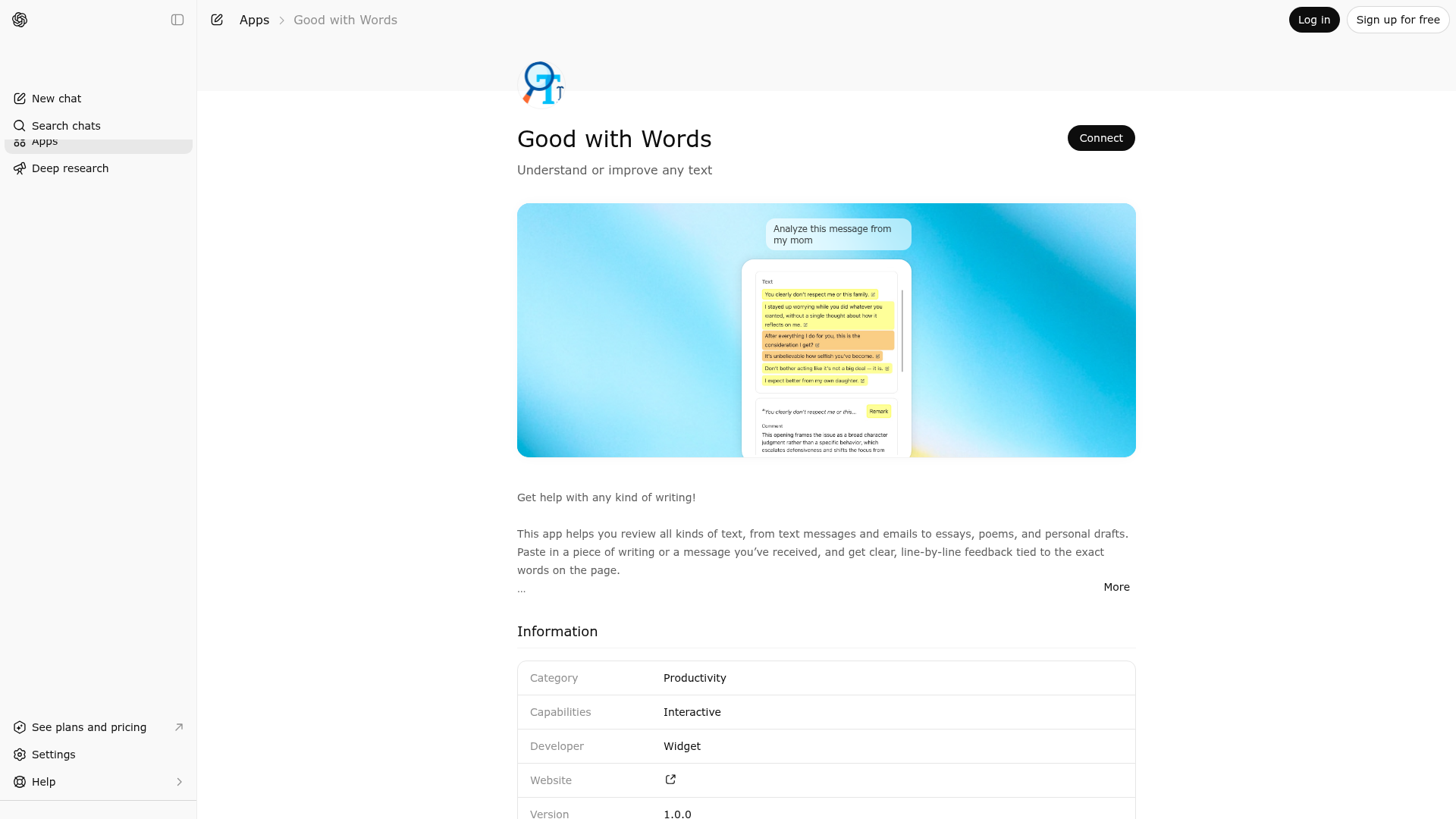
Get help with any kind of writing! This app helps you review all kinds of text, from text messages and emails to essays, poems, and personal drafts. Paste in a piece of writing or a message you’ve received, and get clear, line-by-line feedback tied to the exact words on the page. Use it to: - understand the tone of a message you received - get feedback on an essay, poem, or personal statement - improve an email or draft without losing your voice - spot vague, awkward, confusing, or overly harsh phrasing - review suggested edits one by one before applying them Instead of giving only general advice, the app highlights specific passages and explains what stands out, what works well, what may be unclear, and where a rewrite could help. When edits are suggested, you can compare them in context and apply only the ones you want. Whether you’re trying to interpret, polish, revise, or rethink a piece of writing, this app gives you a more visual and thoughtful way to work with text.
Website Preview
App Screenshots
Capabilities
Publisher Intelligence
Insights and recommendations for app publishers. See how your app performs and how to improve discoverability.
Server Status text-analysis-mcp-server v0.1.0
https://text-analysis.widgets.widget.olutely.com/mcp Last checked: 1d ago
Server Instructions
Call the `text-analysis` tool to display text analysis annotations and suggested edits. You may also call `example` for the example widget.
Technical Details
Tools(1)
Showing 1 of 1 tools
| Tool | Description | Flags | Test | Last Tested | |
|---|---|---|---|---|---|
text-analysis | Use this tool whenever you have produced concrete, snippet-level analysis of user-provided text and want that analysis rendered in an interactive review interface instead of plain prose. This tool is not for general summaries or high-level commentary. It must be invoked when you can point to specific excerpts of the supplied text and attach structured annotations to those excerpts. Each annotation must include the exact text snippet it refers to and a clear purpose classification (warning, approval, query, or remark). Use mode: "read" when you are providing interpretive or evaluative commentary without proposing direct edits. Use mode: "write" when you are proposing replacement text for one or more snippets, allowing the user to selectively apply, reject, or compare suggested revisions. This tool is especially appropriate for detailed literary analysis (e.g., poetry, prose, or song lyrics), close reading exercises, tone and rhetoric evaluation, explanatory breakdown of received emails or messages, and structured critique of user-authored drafts such as essays, cover letters, or creative writing. It should also be used for proofreading, copy editing, stylistic refinement, or policy/compliance review where individual passages must be examined in context. Do not call this tool if you are only providing a brief summary, a single high-level comment, or advice that does not map to specific text spans. Invoke it when the user benefits from reviewing each annotated passage in context and, where applicable, interactively applying suggested edits. | — | Not tested | — |
Discoverability Score
Fair
55 of 100 — how easily AI agents find your app
- Description quality20/20
- Example prompts0/20
- Keyword coverage0/15
- Tool metadata16/20
- Visual assets5/20
- Endpoint health10/10
- Data freshness15/15
How to Improve
Add at least 2 example prompts. Prompt examples strongly improve app matching and click-through intent.
Increase keyword coverage (discovery + trigger) to improve retrieval for long-tail queries.
Provide a stable HTTPS logo URL (avoid connectors://) so cards render consistently across clients.
Add at least 2 screenshots that show real workflows to increase confidence and conversion.
Technical Details
- Status
- ENABLED
- Type
- AI-Powered App
- Auth
- Open Access
- Listed on
- ChatGPT
- Added
- March 1, 2026
- Last synced
- 3d ago
- Last checked
- 1d ago
- Version
- 0.1.0
- Distribution
- Ecosystem Directory

