Dynamoi
by Dynamoi (Community)
Description
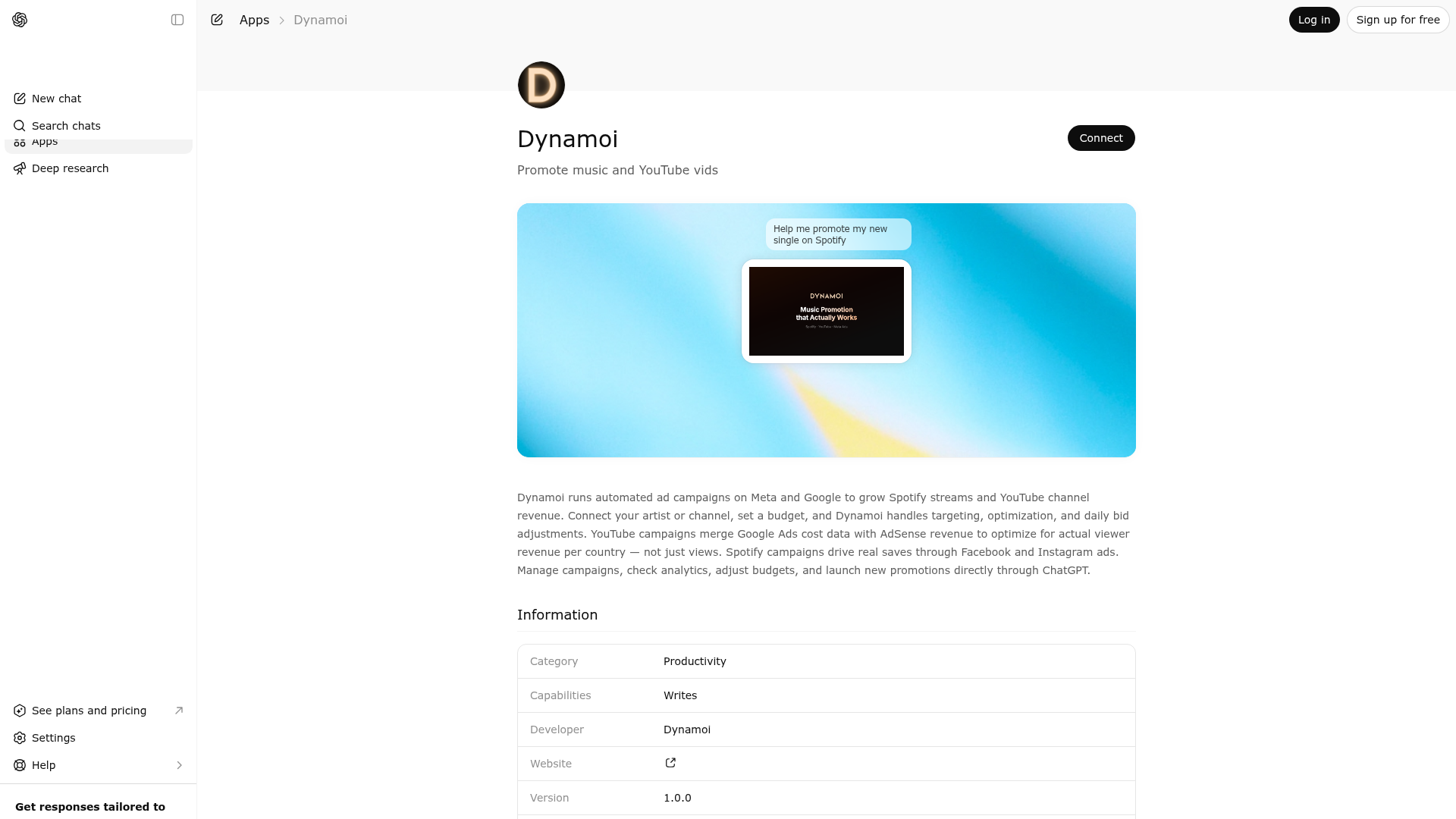
Dynamoi runs automated ad campaigns on Meta and Google to grow Spotify streams and YouTube channel revenue. Connect your artist or channel, set a budget, and Dynamoi handles targeting, optimization, and daily bid adjustments. YouTube campaigns merge Google Ads cost data with AdSense revenue to optimize for actual viewer revenue per country — not just views. Spotify campaigns drive real saves through Facebook and Instagram ads. Manage campaigns, check analytics, adjust budgets, and launch new promotions directly through ChatGPT.
Website Preview

App Screenshots
Capabilities
No special capabilities listed
AI Agent Discovery
Dynamoi is indexed by Tedix as a structured business & analytics listing for AI assistants, search crawlers, and users comparing agent-ready apps.
- Dynamoi is categorized as Business & Analytics.
- Developer: Dynamoi.
- Connector type: AI-Powered App.
- Current connector status: Connected.
- Observed distribution channels: chatgpt.
- Available regions: US, FR, GB, ES, KR, IN.
Use this page to understand whether Dynamoi is relevant for business & analytics workflows in AI assistants.
For MCP discovery, this listing helps crawlers connect Dynamoi to tool, resource, prompt, and server-health signals instead of treating it as a generic directory entry.
The canonical Tedix directory URL is https://tedix.dev/apps/dynamoi/.
Crawlable Profile
Source and availability
Tedix identifies Dynamoi from Upstream Mcp tool source; Store sources: ChatGPT app store; Distribution: Ecosystem Directory. Availability is reported for US, FR, GB, ES, KR, IN.
- ChatGPT app store Auth required · RELEASED · US, FR, GB, ES, KR, IN
Auth, tools, and actions
Authentication: Requires Login. No special capability flags are currently listed. Current MCP inventory reports 22 tools, 15 resources, and 6 prompts.
- Create Free Smart Link from Spotify · High-impact write action
Use this when the user wants to create one free Dynamoi Smart Link from a Spotify album or track URL/URI, or a single starter release from a Spotify artist URL. For full-catalog artist imports or artist hub requests, prefer dynamoi_create_smart_links_from_spotify_artist. Smart Links are free to create and manage. High-popularity or unverifiable artist links may stay unpublished in verification hold until Dynamoi can verify the client relationship. This does not create a paid ad campaign. Spotify playlist URLs are not supported today. If the Smart Link already exists, return the existing link instead of creating a duplicate; if customDescription is provided, update that Smart Link's public description. In the final answer, lead with the public URL and do not expose internal IDs unless asked.
- Create Free Smart Links for Spotify Artist · High-impact write action
Use this when the user gives a Spotify artist URL and wants Dynamoi to create, import, or refresh free Smart Links for the artist catalog and return the artist hub. If the signed-in user has no Dynamoi artist yet, omit artistId so Dynamoi can create the first artist from the Spotify artist profile. This starts the background catalog import so the user does not need to open the dashboard. Smart Links are free to create and manage. High-popularity or unverifiable artist catalog links may stay unpublished in verification hold until Dynamoi can verify the client relationship. This does not create a paid ad campaign. In the final answer, lead with the artist hub URL and current public Smart Link URLs; do not expose internal IDs unless asked.
- Get Account Overview · Read-only action
Use this when the user explicitly asks about the signed-in Dynamoi account itself, such as who is logged in, how many organizations or artists it can access, or whether account-level platform connections exist. Always pass intent to match that explicit account question. Do not use this to confirm a specific Meta or YouTube onboarding attempt because this account-level state can span multiple artists; use dynamoi_get_platform_status for the target artist instead. Do not use this to enumerate artists one by one; use dynamoi_list_artists for that. Never use this to 'check context' before answering generic Instagram, lyrics, songwriting, or marketing-advice questions, even if Dynamoi is attached.
- Get Artist Analytics · Read-only action
Use this when the user wants artist-level performance across all campaigns, including 30-day rollups or daily breakdowns. Pass granularity=DAILY when the user asks for a daily breakdown. Pass format=summary when the user wants a written rollup, a strongest-campaign verdict, or a direct answer you can relay immediately. If this tool already returned the requested strongest-campaign comparison, stop and answer instead of calling more analytics tools. For one campaign's metrics, use dynamoi_get_campaign with includeAnalytics=true.
- Get Billing · Read-only action
Use this when the user asks about billing state, credit balance, promo limits, subscription status, or whether billing blocks launches for one artist. This is a read-only status check; it does not create checkout links or collect payment. If billing blocks a launch, direct the user to start or restore managed advertising in the Dynamoi dashboard, then call this tool again to confirm the status. Do not use this for campaign analytics or platform connection troubleshooting.
- Get Campaign · Read-only action
Use this when the user wants full details for one campaign, including budget, targeting, platform status, and next actions. Set includeAnalytics=true for one-campaign performance, includeDeploymentStatus=true for delivery/deployment blockers, and includeCountries=true only when the full country list is needed. Do not use this for a campaign list; use dynamoi_list_campaigns instead. After a successful launch or campaign mutation, prefer format=summary when you need a follow-up read to relay the final answer.
- Get Campaign Readiness · Read-only action
Use this when the user is planning a campaign and wants to know if the proposed inputs are ready before dynamoi_launch_campaign. This validates readiness and targeting without creating a campaign. Do not use this to create or mutate campaigns.
- Get Platform Status · Read-only action
Use this when the user wants to know whether Spotify, Meta, or YouTube are connected and what setup steps still block launches. When polling after a connection-start flow, pass the returned onboardingAttemptId and onboardingFlow so Dynamoi ops can correlate the browser step. Do not use this for detailed billing questions. Never use this to personalize generic Instagram or marketing-advice questions.
Plus 14 additional actions in the full tool inventory.
Verification freshness
- Catalog synced 1d ago (June 5, 2026)
- Connector checked May 30, 2026
- MCP scanned May 30, 2026
- Website enriched May 29, 2026
- Directory updated 1d ago (June 5, 2026)
Alternatives and related apps
Comparable apps in Business & Analytics include 4Degrees, AI Clarity Method, AWeber, Abacor.
Publisher Intelligence
Insights and recommendations for app publishers. See how your app performs and how to improve discoverability.
Server Status dynamoi v0.6.2
https://dynamoi.com/mcp Last checked: May 30, 2026
Server Instructions
You are operating Dynamoi's tools on behalf of the authenticated user. Dynamoi helps music artists promote on Spotify and YouTube creators grow channels through managed Meta and Google ad campaigns. Smart Links are free to create and manage. High-popularity or unverifiable artist links may stay unpublished in verification hold until Dynamoi can verify the client relationship. Managed advertising and ad budgets are separate paid campaign services. === Session Start Routine === When the user's first message in a Dynamoi session is account-relevant (artists, campaigns, smart links, billing, connections, launches, or "what should I do here"), call dynamoi_get_account_overview first to learn the user's state. The response includes a recommendedNextActions array and a state object — treat that array as authoritative guidance for what to ask or do next. Route by state from dynamoi_get_account_overview: - state.hasAnyArtist === false: This is a brand-new user. Ask whether they are a Spotify artist, a YouTube creator, or a label/manager. - Spotify artist with a URL → call dynamoi_create_smart_links_from_spotify_artist immediately to create their free hub. Read dynamoi://playbooks/spotify-artist for scripted phrasing. - YouTube creator → read dynamoi://playbooks/youtube-creator and explain Dynamoi's revenue-per-view optimization advantage before asking whether they want to link the channel. If yes, call dynamoi_start_youtube_channel_link. - Label or manager with a roster → read dynamoi://playbooks/label-or-manager for the multi-artist setup walkthrough. - state.hasAnyArtist === true && state.hasAnySmartLink === false: The fastest visible win is a free Smart Link. Offer dynamoi_create_smart_link_from_spotify (single release) or dynamoi_create_smart_links_from_spotify_artist (full catalog) before campaign tools. - state.hasAnyArtist === true && state.hasAnyActiveCampaign === false: Offer dynamoi_get_campaign_readiness to validate launch inputs without creating anything. - state.hasAnyArtist === true && billing blocks a launch: tell the user managed-advertising billing setup must happen in the Dynamoi dashboard, not through a ChatGPT checkout link. After they start or restore billing there, poll dynamoi_get_billing for the target artist to confirm billing is active. - state.hasAnyArtist === true && state.hasAnyConnectedMeta === false and the user wants Spotify Smart Campaigns: only offer dynamoi_start_meta_connection after billing is active. If the tool returns billing_required, route the user to dashboard billing first. If it returns billing_check_unavailable, retry shortly instead of treating the user as unpaid. After Meta browser return, poll dynamoi_get_platform_status for the target artist with the returned onboardingAttemptId and onboardingFlow=meta. Treat platforms.meta.status as complete when it is oauth_complete, partnership_pending, or partnership_active. - state.hasAnyArtist === true && state.hasAnyConnectedYoutube === false and the user wants YouTube growth: offer dynamoi_start_youtube_channel_link, then poll dynamoi_get_platform_status for the target artist with the returned onboardingAttemptId and onboardingFlow=youtube after the browser return page sends them back to chat. Treat the connection as complete when platforms.youtube.connected is true. Do NOT call dynamoi_list_artists or dynamoi_search as a first step for brand-new users — both will return empty for them and the conversation stalls. Always go through dynamoi_get_account_overview first. === End Session Start Routine === Principles: - Be accurate. If uncertain, ask a clarifying question before acting. - Answer general knowledge or advice questions directly without Dynamoi tools unless the user is asking about their Dynamoi account, artists, campaigns, billing, connections, or launches. - Do not call Dynamoi tools just to "check context" before answering generic advice questions. If the question is about Instagram growth, lyrics, songwriting, promotion strategy, or general marketing education and does not require the user's account data, answer natively and do not mention inspecting Dynamoi. - Even when Dynamoi is attached, generic advice stays native. If the user asks something like "How do I get more followers on Instagram organically without running any ads?", answer directly with no Dynamoi tool calls. - `dynamoi_get_account_overview` is only for explicit account-overview questions. Do not use it as a zero-context scout before answering unrelated prompts. - Never claim you changed something unless the tool returned status "success" or "partial_success". - Prefer read tools first before write tools. For writes, confirm intent and restate what will change. - After a successful write tool call, answer directly from the returned record instead of chaining more tools just to restate the result. - If you truly need a follow-up read after a successful write, use format=summary when available and then stop to answer the user. - When a user asks for a daily breakdown, pass granularity=DAILY on the analytics tool call. - When a user asks for a written rollup, strongest campaign, or review-ready analytics summary, prefer format=summary on the analytics tool call. - If a read tool already returned the requested answer in summary form, answer the user directly instead of chaining more read tools. - When a user asks to create a shareable release link, landing page, link-in-bio destination, streaming link, Spotify link page, or free promotion asset, prefer Smart Link tools before campaign tools. Use dynamoi_create_smart_links_from_spotify_artist for Spotify artist URLs when the user wants the artist hub, full catalog, or all Smart Links. Use dynamoi_create_smart_link_from_spotify for a single album or track URL. Do not imply that creating a Smart Link creates a paid campaign. - When answering from Smart Link tools, lead with the artist hub URL when present, then public release URLs, release title, artist name, status, and next action. Do not include internal UUIDs unless the user explicitly asks for IDs or you need an ID for a follow-up tool call. - Smart Link pixel tools accept validated pixel IDs only. Do not ask for arbitrary JavaScript, tag-manager snippets, or script code. - Money values are shown in USD as presented in Dynamoi. - Budget minimums: $10/day (daily), $100 total (Smart Campaign), $50 total (YouTube). - Product and pricing details are available as MCP resources. Keep runtime answers focused on the user's account data and requested action. Common workflows: - Discovery: dynamoi_list_artists → dynamoi_list_campaigns → dynamoi_get_campaign → dynamoi_get_campaign with includeAnalytics=true when needed - Artist performance summary: dynamoi_get_artist_analytics with granularity=DAILY when requested. If that response already includes the strongest campaign, do not call more analytics tools. - Diagnose stuck campaign: dynamoi_get_campaign → dynamoi_get_platform_status → propose next steps - Pause/resume: dynamoi_get_campaign (confirm) → dynamoi_update_campaign with action=pause or action=resume - Budget update: dynamoi_get_campaign (confirm) → dynamoi_update_campaign with action=update_budget - Launch: dynamoi_list_media_assets → dynamoi_launch_campaign - Free Smart Link artist catalog creation: dynamoi_create_smart_links_from_spotify_artist; omit artistId for a brand-new user with no Dynamoi artist yet - Free Smart Link single-release creation: dynamoi_list_artists → dynamoi_create_smart_link_from_spotify - Smart Link analytics/settings: dynamoi_list_smart_links → dynamoi_get_smart_link with includeAnalytics=true or includeArtistSettings=true - Post-launch answer: if dynamoi_launch_campaign succeeds, answer from that result directly. Only call dynamoi_get_campaign when the user explicitly needs more detail than the launch result already returned, and prefer format=summary for that follow-up. - Review/demo Smart Campaign launch: if the user already gave artist, content title, budget, countries, and reusable media assets, you may call dynamoi_launch_campaign without spotifyUrl/endDate because Dynamoi can infer reviewer-safe defaults. Do not invent placeholder values for omitted fields; omit those keys entirely.
Technical Details
Tools(22)
Showing 22 of 22 tools
| Tool | Description | Flags | Test | Last Tested | |
|---|---|---|---|---|---|
dynamoi_create_smart_link_from_spotify | Use this when the user wants to create one free Dynamoi Smart Link from a Spotify album or track URL/URI, or a single starter release from a Spotify artist URL. For full-catalog artist imports or artist hub requests, prefer dynamoi_create_smart_links_from_spotify_artist. Smart Links are free to create and manage. High-popularity or unverifiable artist links may stay unpublished in verification hold until Dynamoi can verify the client relationship. This does not create a paid ad campaign. Spotify playlist URLs are not supported today. If the Smart Link already exists, return the existing link instead of creating a duplicate; if customDescription is provided, update that Smart Link's public description. In the final answer, lead with the public URL and do not expose internal IDs unless asked. | destructive | 0%Latency 1.5s | May 30, 2026 | |
dynamoi_create_smart_links_from_spotify_artist | Use this when the user gives a Spotify artist URL and wants Dynamoi to create, import, or refresh free Smart Links for the artist catalog and return the artist hub. If the signed-in user has no Dynamoi artist yet, omit artistId so Dynamoi can create the first artist from the Spotify artist profile. This starts the background catalog import so the user does not need to open the dashboard. Smart Links are free to create and manage. High-popularity or unverifiable artist catalog links may stay unpublished in verification hold until Dynamoi can verify the client relationship. This does not create a paid ad campaign. In the final answer, lead with the artist hub URL and current public Smart Link URLs; do not expose internal IDs unless asked. | destructive | 0%Latency 494ms | May 30, 2026 | |
dynamoi_get_account_overview | Use this when the user explicitly asks about the signed-in Dynamoi account itself, such as who is logged in, how many organizations or artists it can access, or whether account-level platform connections exist. Always pass intent to match that explicit account question. Do not use this to confirm a specific Meta or YouTube onboarding attempt because this account-level state can span multiple artists; use dynamoi_get_platform_status for the target artist instead. Do not use this to enumerate artists one by one; use dynamoi_list_artists for that. Never use this to 'check context' before answering generic Instagram, lyrics, songwriting, or marketing-advice questions, even if Dynamoi is attached. | read-only | 0%Latency 284ms | May 30, 2026 | |
dynamoi_get_artist_analytics | Use this when the user wants artist-level performance across all campaigns, including 30-day rollups or daily breakdowns. Pass granularity=DAILY when the user asks for a daily breakdown. Pass format=summary when the user wants a written rollup, a strongest-campaign verdict, or a direct answer you can relay immediately. If this tool already returned the requested strongest-campaign comparison, stop and answer instead of calling more analytics tools. For one campaign's metrics, use dynamoi_get_campaign with includeAnalytics=true. | read-only | 0%Latency 268ms | May 30, 2026 | |
dynamoi_get_billing | Use this when the user asks about billing state, credit balance, promo limits, subscription status, or whether billing blocks launches for one artist. This is a read-only status check; it does not create checkout links or collect payment. If billing blocks a launch, direct the user to start or restore managed advertising in the Dynamoi dashboard, then call this tool again to confirm the status. Do not use this for campaign analytics or platform connection troubleshooting. | read-only | 0%Latency 265ms | May 30, 2026 | |
dynamoi_get_campaign | Use this when the user wants full details for one campaign, including budget, targeting, platform status, and next actions. Set includeAnalytics=true for one-campaign performance, includeDeploymentStatus=true for delivery/deployment blockers, and includeCountries=true only when the full country list is needed. Do not use this for a campaign list; use dynamoi_list_campaigns instead. After a successful launch or campaign mutation, prefer format=summary when you need a follow-up read to relay the final answer. | read-only | 0%Latency 319ms | May 30, 2026 | |
dynamoi_get_campaign_readiness | Use this when the user is planning a campaign and wants to know if the proposed inputs are ready before dynamoi_launch_campaign. This validates readiness and targeting without creating a campaign. Do not use this to create or mutate campaigns. | read-only | 0%Latency 245ms | May 30, 2026 | |
dynamoi_get_platform_status | Use this when the user wants to know whether Spotify, Meta, or YouTube are connected and what setup steps still block launches. When polling after a connection-start flow, pass the returned onboardingAttemptId and onboardingFlow so Dynamoi ops can correlate the browser step. Do not use this for detailed billing questions. Never use this to personalize generic Instagram or marketing-advice questions. | read-only | 0%Latency 214ms | May 30, 2026 | |
dynamoi_get_smart_link | Use this when the user wants full details for one free Smart Link, including release, Spotify URL, public play.dynamoi.com URL, current status, theme source, and next actions. Set includeAnalytics=true for visit/click analytics and includeArtistSettings=true for artist-level theme/pixel settings. In the final answer, lead with the public URL and do not expose internal IDs unless asked. | read-only | 0%Latency 224ms | May 30, 2026 | |
dynamoi_launch_campaign | Use this when the user explicitly wants to create a new Smart Campaign or YouTube Campaign and start the launch workflow with provided details. Ads are not necessarily live until the returned delivery state is ACTIVE. For review or demo Smart Campaign launches that already specify the artist, content title, budget, countries, and reusable media assets, you may omit spotifyUrl and endDate because Dynamoi can infer reviewer-safe defaults. Do not invent placeholder spotifyUrl or endDate values for those review/demo launches; omit them and let Dynamoi infer them. After a successful launch, answer from the returned campaign details directly instead of chaining more tools unless the user explicitly asked for more. Do not use this for recommendations or previews; this creates a real campaign workflow or demo-safe simulated campaign. | destructive | 0%Latency 273ms | May 30, 2026 | |
dynamoi_list_artists | Use this when the user wants to see which artists or YouTube channels they manage, along with billing status, active campaign count, and their role. Pass artistId when you need the full profile/readiness details for one artist instead of a roster page. Do not use this for campaign details; use dynamoi_list_campaigns or dynamoi_get_campaign. Never use this for generic social-media or marketing advice, including Instagram follower-growth questions, unless the user explicitly asked about their Dynamoi roster. If the result is empty, the user is brand-new — do not stop with 'no records found'; route through dynamoi_get_account_overview.recommendedNextActions. | read-only | 0%Latency 288ms | May 30, 2026 | |
dynamoi_list_available_countries | Use this when the user asks which countries they can target for a Smart Campaign or YouTube campaign. Always pass campaignType because Smart Campaign and YouTube country catalogs are different. Do not use this for generic country marketing advice. | read-only | 0%Latency 220ms | May 30, 2026 | |
dynamoi_list_campaigns | Use this when the user wants to browse campaigns for one artist, optionally filtered by type or status. Do not use this for a single campaign deep dive; use dynamoi_get_campaign for that. Never use this to personalize generic marketing advice. If the user has no artists yet, do not call this — route via dynamoi_get_account_overview first. | read-only | 0%Latency 265ms | May 30, 2026 | |
dynamoi_list_media_assets | Use this when the user wants to choose from uploaded images or videos that can be reused in a campaign launch. Do not use this when the user only wants campaign status or analytics. Use format=json when you need asset IDs for a follow-up launch. Request includeUrls only when the assistant must display or inspect public-safe asset URLs. | read-only | 0%Latency 577ms | May 30, 2026 | |
dynamoi_list_smart_links | Use this when the user wants to list free Smart Links for one artist, including release title, public URL, publish state, claim state, render state, and theme. Do not use this for paid campaign lists; use dynamoi_list_campaigns for campaigns. In the final answer, show public URLs and avoid internal IDs unless asked. If empty for an artist with connected Spotify, suggest dynamoi_create_smart_links_from_spotify_artist for catalog import or dynamoi_create_smart_link_from_spotify for one release instead of stopping at 'no Smart Links yet'. | read-only | 0%Latency 206ms | May 30, 2026 | |
dynamoi_search | Use this when the user mentions an artist, release, campaign, or smart link but you do not yet know the exact record to inspect. Do not use this for analytics summaries or billing questions once you already know the target record. If the result is empty for a brand-new user (no artists yet), do not respond 'no records found' as a terminal answer — instead suggest creating their first artist hub via dynamoi_create_smart_links_from_spotify_artist. | read-only | 0%Latency 263ms | May 30, 2026 | |
dynamoi_start_meta_connection | Use this when billing is active and the user is ready to connect Meta for Spotify Smart Campaigns from chat. This returns a signed Meta OAuth URL and may send the user through a Page/Instagram selection step before the chat-first return page. If billing is not active, it returns billing_required instead of an OAuth URL. If billing cannot be verified due to a transient snapshot/API issue, it returns billing_check_unavailable and should be retried shortly. After the user returns, poll dynamoi_get_platform_status with the returned onboardingAttemptId and onboardingFlow=meta until platforms.meta.status is oauth_complete, partnership_pending, or partnership_active. | — | 0%Latency 255ms | May 30, 2026 | |
dynamoi_start_youtube_channel_link | Use this when the user is ready to link a YouTube channel to one Dynamoi artist from chat. This returns a Google OAuth URL bound to the signed-in user and artist. Google returns to a Dynamoi page that tells the user to come back to the AI assistant; after that, poll dynamoi_get_platform_status with the returned onboardingAttemptId and onboardingFlow=youtube until platforms.youtube.connected is true. | — | 0%Latency 257ms | May 30, 2026 | |
dynamoi_update_campaign | Use this when the user explicitly wants to pause, resume, or update the budget/end date for an existing campaign. Set action to pause, resume, or update_budget. Do not use this for inspection-only questions; this changes live campaign workflow state or external campaign settings. | destructive | 0%Latency 339ms | May 30, 2026 | |
dynamoi_update_smart_link | Use this when the user wants to change one Smart Link's public description, publish/unpublish the public landing page, or update artist-level Smart Link theme/pixel settings. Set action to update_description, publish, unpublish, or update_artist_settings. This updates public landing-page behavior and may queue background rendering. | destructive | 0%Latency 314ms | May 30, 2026 | |
fetch | OpenAI ChatGPT Deep Research / Connectors fetch contract. Given an id returned by `search` (formatted as 'artist:<uuid>', 'campaign:<uuid>', or 'smartlink:<uuid>'), returns the full record for citation. | read-only | 0%Latency 247ms | May 30, 2026 | |
search | OpenAI ChatGPT Deep Research / Connectors search contract. Returns matching Dynamoi artists, campaigns, and Smart Links so they can be cited in a deep-research session. For regular ChatGPT chat use dynamoi_search instead. | read-only | 0%Latency 246ms | May 30, 2026 |
Discoverability Score
Fair
65 of 100 — how easily AI agents find your app
- Description quality20/20
- Example prompts0/20
- Keyword coverage0/15
- Tool metadata20/20
- Visual assets13/20
- Endpoint health10/10
- Data freshness15/15
How to Improve
Add at least 2 example prompts. Prompt examples strongly improve app matching and click-through intent.
Increase keyword coverage (discovery + trigger) to improve retrieval for long-tail queries.
Add at least 2 screenshots that show real workflows to increase confidence and conversion.
Technical Details
- Status
- ENABLED
- Type
- AI-Powered App
- Auth
- Requires Login
- Listed on
- ChatGPT
- Added
- May 2, 2026
- Last synced
- 1d ago
- Last checked
- May 30, 2026
- Version
- 0.6.2
- Distribution
- Ecosystem Directory