Context7
by Context7 (Verified Partner)
Description
Up-to-date docs for LLMs and AI code editors
Website Preview
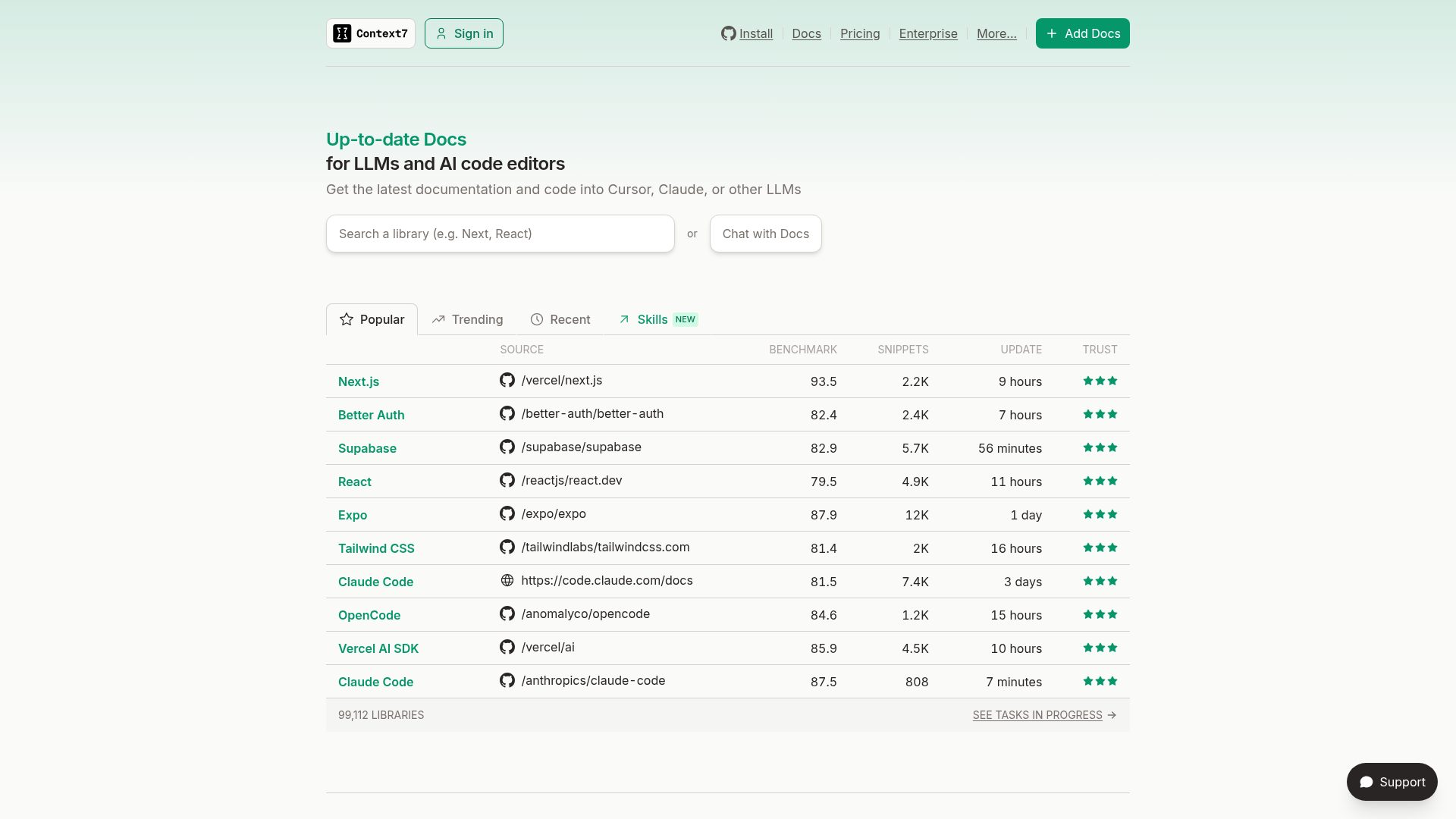
App Screenshots
Capabilities
No special capabilities listed
Publisher Intelligence
Insights and recommendations for app publishers. See how your app performs and how to improve discoverability.
Server Status Context7 v2.2.5
https://mcp.context7.com/mcp Last checked: 5h ago
Server Instructions
Use this server to fetch current documentation whenever the user asks about a library, framework, SDK, API, CLI tool, or cloud service -- even well-known ones like React, Next.js, Prisma, Express, Tailwind, Django, or Spring Boot. This includes API syntax, configuration, version migration, library-specific debugging, setup instructions, and CLI tool usage. Use even when you think you know the answer -- your training data may not reflect recent changes. Prefer this over web search for library docs. Do not use for: refactoring, writing scripts from scratch, debugging business logic, code review, or general programming concepts.
Technical Details
Tools(2)
Showing 2 of 2 tools
| Tool | Description | Flags | Test | Last Tested | |
|---|---|---|---|---|---|
query-docs | Retrieves and queries up-to-date documentation and code examples from Context7 for any programming library or framework. You must call 'Resolve Context7 Library ID' tool first to obtain the exact Context7-compatible library ID required to use this tool, UNLESS the user explicitly provides a library ID in the format '/org/project' or '/org/project/version' in their query. Do not call this tool more than 3 times per question. | read-only | 100%Latency 713ms | May 3, 2026 | |
resolve-library-id | Resolves a package/product name to a Context7-compatible library ID and returns matching libraries. You MUST call this function before 'Query Documentation' tool to obtain a valid Context7-compatible library ID UNLESS the user explicitly provides a library ID in the format '/org/project' or '/org/project/version' in their query. Each result includes: - Library ID: Context7-compatible identifier (format: /org/project) - Name: Library or package name - Description: Short summary - Code Snippets: Number of available code examples - Source Reputation: Authority indicator (High, Medium, Low, or Unknown) - Benchmark Score: Quality indicator (100 is the highest score) - Versions: List of versions if available. Use one of those versions if the user provides a version in their query. The format of the version is /org/project/version. For best results, select libraries based on name match, source reputation, snippet coverage, benchmark score, and relevance to your use case. Selection Process: 1. Analyze the query to understand what library/package the user is looking for 2. Return the most relevant match based on: - Name similarity to the query (exact matches prioritized) - Description relevance to the query's intent - Documentation coverage (prioritize libraries with higher Code Snippet counts) - Source reputation (consider libraries with High or Medium reputation more authoritative) - Benchmark Score: Quality indicator (100 is the highest score) Response Format: - Return the selected library ID in a clearly marked section - Provide a brief explanation for why this library was chosen - If multiple good matches exist, acknowledge this but proceed with the most relevant one - If no good matches exist, clearly state this and suggest query refinements For ambiguous queries, request clarification before proceeding with a best-guess match. IMPORTANT: Do not call this tool more than 3 times per question. If you cannot find what you need after 3 calls, use the best result you have. | read-only | 100%Latency 1.1s | May 3, 2026 |
Model Context
Use this server to retrieve up-to-date documentation and code examples for any library.
Discoverability Score
Low
48 of 100 — how easily AI agents find your app
- Description quality8/20
- Example prompts0/20
- Keyword coverage0/15
- Tool metadata16/20
- Visual assets13/20
- Endpoint health10/10
- Data freshness11/15
How to Improve
Add at least 2 example prompts. Prompt examples strongly improve app matching and click-through intent.
Increase keyword coverage (discovery + trigger) to improve retrieval for long-tail queries.
Expand the app description to 80-160 chars with clear use-cases so ranking and matching quality improve.
Add at least 2 screenshots that show real workflows to increase confidence and conversion.
Technical Details
- Status
- ENABLED
- Type
- AI-Powered App
- Auth
- Open Access
- Listed on
- Claude
- Added
- February 6, 2026
- Last synced
- May 2, 2026
- Last checked
- 5h ago
- Version
- 2.2.5
- Distribution
- Individual