ConfirmTkt
Description
ConfirmTkt allows users to easily search for trains between source and destination stations using a simple conversational interface. Just type your route and travel date to discover relevant train options without navigating complex forms. The app focuses on making train search fast, intuitive, and accessible—helping users find the right trains for their journey in seconds.
Website Preview
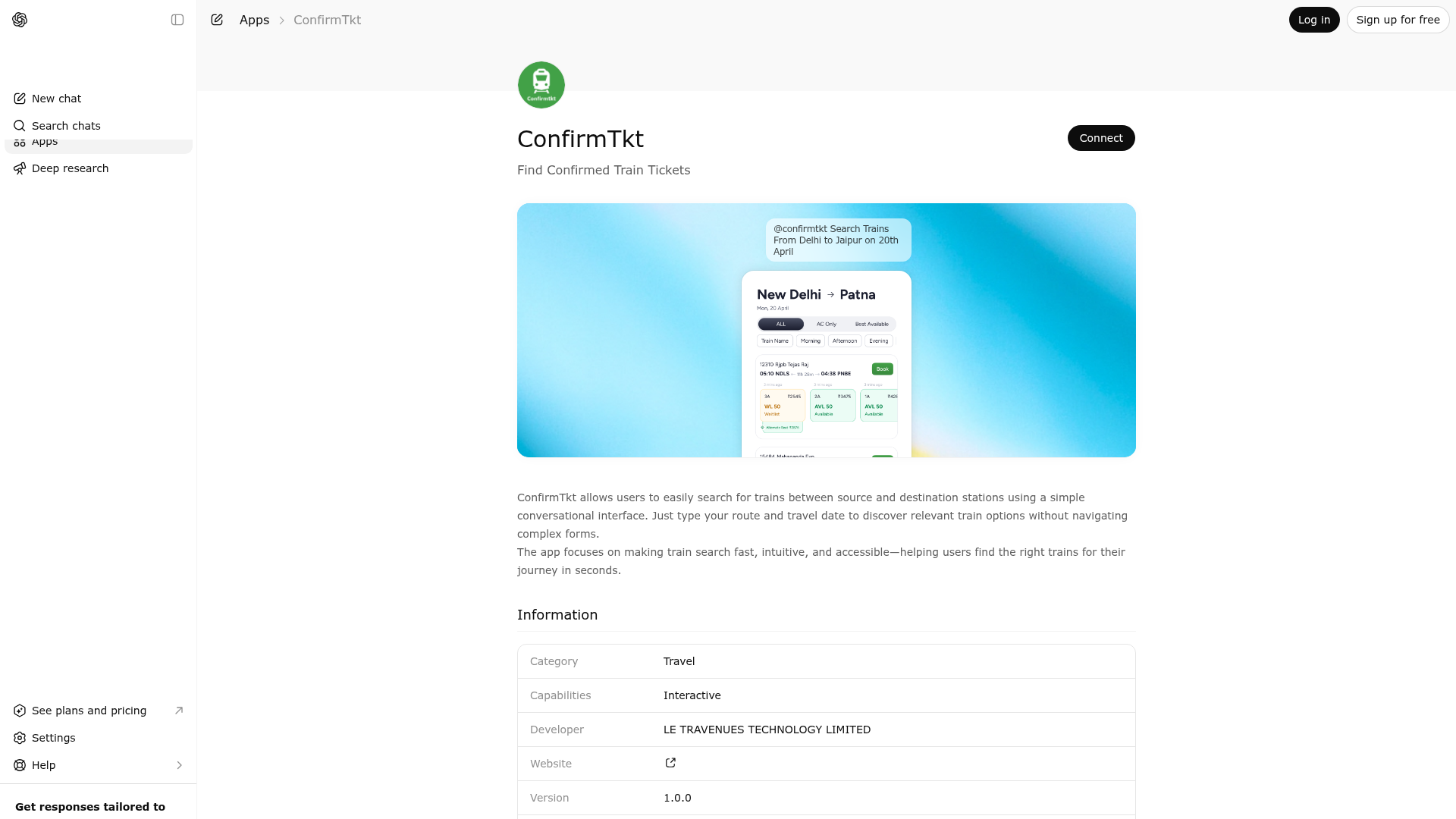
App Screenshots
Capabilities
Publisher Intelligence
Insights and recommendations for app publishers. See how your app performs and how to improve discoverability.
Server Status confirmtkt-mcp v0.1.0
https://mcp.confirmtkt.com/trains-ai/mcp Last checked: 1d ago
Technical Details
Tools(1)
Showing 1 of 1 tools
| Tool | Description | Flags | Test | Last Tested | |
|---|---|---|---|---|---|
search_trains | Search trains using either sourceCity/destinationCity or sourceStationCode/destinationStationCode, plus dateOfJourney. Scope is Indian Railways journeys only, using this app's India station catalog and ConfirmTkt-backed search. Do not call this tool for other countries' trains, flights, buses, or general non-Indian-rail travel; answer in chat or decline instead. Interpret today, tomorrow, and journey timing in Asia/Kolkata (IST). Do not call if the resolved dateOfJourney is before today in IST; ask for a valid future date. Do not call if dateOfJourney is more than 60 calendar days after today in IST; ask the user to pick a date within that window. City inputs are matched against the station CSV with typo-tolerant resolution and then converted to station codes. Optional classCategory filters the class family: use ac_only for 1A, 2A, 3A, 3E, CC, and EC; use non_ac_only for SL and 2S; use all to clear this filter. Optional availabilityFilter filters visible classes by status: available_only, bookable_only, rac_only, waitlist_only, sold_out_only, or all to clear this filter. Optional minimumAvailableSeats filters visible classes to only currently available inventory with at least that many bookable seats. Use null to clear an inherited seat threshold. Optional departureAfter and departureBefore filter train departure time in HH:MM 24-hour format. Use null to clear an inherited lower or upper time bound. Resolve relative dates such as today or tomorrow into a concrete DD-MM-YYYY date in IST before calling, only when that date is not in the past and not more than 60 days after today in IST. Do not infer or default dateOfJourney if the user has not given a specific date; ask first. For follow-up refinements after a successful train search, reuse the most recent successful search_trains route, dateOfJourney, passengers, quota, departureAfter, departureBefore, classCategory, availabilityFilter, minimumAvailableSeats, and preferredClasses for any fields the user does not restate. Each successful response echoes the full effectiveQuery and appliedFilterSummaryParts in structuredContent and widget payload metadata. Reuse that canonical state for the next follow-up instead of inferring from prose. New follow-up constraints override reused ones while all unspecified fields stay inherited from the last successful search. Examples: 'show AC trains only' should set classCategory to ac_only; 'show available ones' after that should keep classCategory=ac_only and set availabilityFilter to available_only; 'show me trains after 8 pm' should set departureAfter to 20:00; 'show trains before 6 am' should set departureBefore to 06:00; 'show trains between 8 pm and 6 am' should set departureAfter to 20:00 and departureBefore to 06:00 as an overnight wrap-around window; 'show me trains with more than 20 available seats' should set minimumAvailableSeats to 21 and availabilityFilter to available_only; 'show trains with at least 10 available seats' should set minimumAvailableSeats to 10 and availabilityFilter to available_only; 'show all seat counts again' should clear minimumAvailableSeats by setting it to null; 'show all times again' should clear departureAfter and departureBefore by setting them to null; 'show all the non AC' should set classCategory to non_ac_only and clear narrower inherited availability or class-family filters by setting availabilityFilter=all unless the user restates them; 'show only 3A' should set preferredClasses to 3A and keep classCategory=all unless the user also asked for AC-only; 'make it Tatkal' should set quota to TQ; 'for 2 passengers' should set passengers to 2; 'from NDLS instead' or 'for tomorrow' should replace only the restated route/date values. If no prior successful train search exists for a follow-up-only request, ask for the missing route/date instead of calling the tool. Optional Slack-style filters: classes (overrides preferredClasses), tatkal=true for Tatkal quota, timeSlot (MORNING|AFTERNOON|EVENING|NIGHT|EARLY_MORNING), startTime/endTime/beforeTime/afterTime (HH:mm), minPrice/maxPrice (INR), availabilityStatus (confirmed+RAC only), bookableOnly, hasTravelGuarantee, resetFilters=true to skip post-filters, boardingStation/deboardingStation (station codes), hasAlternates, hasPantry, excludeAvailability (comma list: REGRET,NO_CHANCE,WL,NOT_AVAILABLE,TRAIN_DEPARTED). previousFilters is ignored server-side. Returns the summary and embedded widget together. | read-only | 100%Latency 1.0s | May 9, 2026 |
Discoverability Score
Fair
52 of 100 — how easily AI agents find your app
- Description quality20/20
- Example prompts0/20
- Keyword coverage0/15
- Tool metadata16/20
- Visual assets5/20
- Endpoint health10/10
- Data freshness11/15
How to Improve
Add at least 2 example prompts. Prompt examples strongly improve app matching and click-through intent.
Increase keyword coverage (discovery + trigger) to improve retrieval for long-tail queries.
Provide a stable HTTPS logo URL (avoid connectors://) so cards render consistently across clients.
Add at least 2 screenshots that show real workflows to increase confidence and conversion.
Technical Details
- Status
- ENABLED
- Type
- AI-Powered App
- Auth
- Open Access
- Listed on
- ChatGPT
- Added
- April 16, 2026
- Last synced
- May 3, 2026
- Last checked
- 1d ago
- Version
- 0.1.0
- Distribution
- Ecosystem Directory