Chess Position Analyzer
by Avishay Matayev (Community)
Description
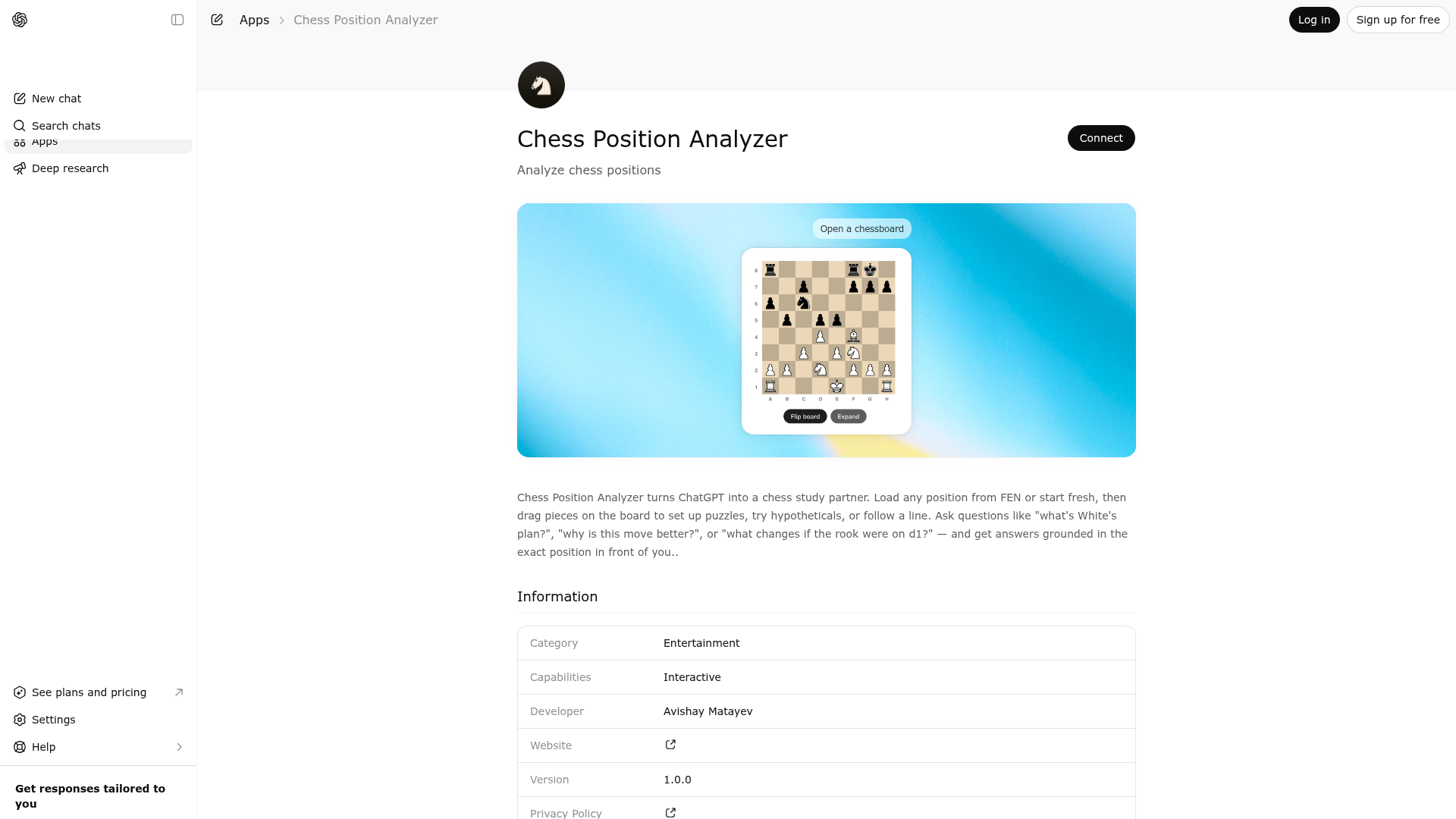
Chess Position Analyzer turns ChatGPT into a chess study partner. Load any position from FEN or start fresh, then drag pieces on the board to set up puzzles, try hypotheticals, or follow a line. Ask questions like \"what's White's plan?\", \"why is this move better?\", or \"what changes if the rook were on d1?\" — and get answers grounded in the exact position in front of you..
Website Preview

App Screenshots
Capabilities
No special capabilities listed
AI Agent Discovery
Chess Position Analyzer is indexed by Tedix as a structured education listing for AI assistants, search crawlers, and users comparing agent-ready apps.
- Chess Position Analyzer is categorized as Education.
- Developer: Avishay Matayev.
- Connector type: AI-Powered App.
- Current connector status: Connected.
- Observed distribution channels: chatgpt.
- Available regions: US, FR, GB, ES, KR, IN.
Use this page to understand whether Chess Position Analyzer is relevant for education workflows in AI assistants.
For MCP discovery, this listing helps crawlers connect Chess Position Analyzer to tool, resource, prompt, and server-health signals instead of treating it as a generic directory entry.
The canonical Tedix directory URL is https://tedix.dev/apps/chess-position-analyzer/.
Crawlable Profile
Source and availability
Tedix identifies Chess Position Analyzer from Upstream Mcp tool source; Store sources: ChatGPT app store; Distribution: Ecosystem Directory. Availability is reported for US, FR, GB, ES, KR, IN.
- ChatGPT app store Auth not flagged · RELEASED · US, FR, GB, ES, KR, IN
Auth, tools, and actions
Authentication: Open Access. No special capability flags are currently listed. Current MCP inventory reports 1 tools, 2 resources, and 0 prompts.
- open-chessboard · Read-only action
Creates or updates an interactive chessboard for visualizing and manipulating chess positions, using FEN if provided or the standard starting position otherwise. Use this when the user wants to view, set up, edit, or discuss a chess position. IMPORTANT behavior — read carefully: - After the board is opened, the user may freely drag pieces on the widget (sandbox mode — arbitrary edits are allowed). - The current live board position is stored in `widgetState.fen`. The widget also persists `widgetState.orientation`, `widgetState.sideToMove`, `widgetState.ascii` (a pre-rendered 8x8 grid of the board, with rank labels on the left and file labels at the bottom), and `widgetState.pieces` (a map of color -> role -> list of squares). Prefer reading `widgetState.ascii` or `widgetState.pieces` directly when you need to enumerate what is on the board — LLMs are error-prone at FEN parsing, so the pre-decoded fields are authoritative. - For ANY later reasoning about the board — current position, last move, legal ideas, opening name, material count, check/checkmate status, whose turn it is, or anything else about the board as it exists now — ALWAYS read `widgetState.fen`. Do NOT rely on the `fen` returned in this tool's initial structuredContent; it reflects only the position at load time and becomes stale the moment the user interacts with the widget. - Before answering any board-state question, first inspect `widgetState.fen`. Do not call this tool again just to read the current position. - Only call this tool again when you need to open the board, reset it, load a specific FEN, or change orientation. - If `widgetState.fen` differs from the originally loaded FEN, treat that difference as user-made board edits or moves. Because sandbox mode allows arbitrary piece dragging, avoid claiming the position arose from legal play unless the moves are explicitly inferable and legal. For reasoning, prefer `widgetState.fen` over the tool-returned `fen` every time. Example: - Tool opens board with the starting position. - User drags pieces to play 1.e4 e5 2.Qf3. - The tool's originally returned `fen` is still the starting position. - The correct current position must be read from `widgetState.fen`.
Verification freshness
- Catalog synced 1d ago (June 5, 2026)
- Connector checked May 30, 2026
- MCP scanned May 30, 2026
- Website enriched May 29, 2026
- Directory updated 1d ago (June 5, 2026)
Alternatives and related apps
Comparable apps in Education include A-Z Bible, ABC Word Search, API Lessons, Academic Writing Toolkit.
Publisher Intelligence
Insights and recommendations for app publishers. See how your app performs and how to improve discoverability.
Server Status chess-position-explorer v0.0.1
https://chess-position-analy-9d3e7e7d.alpic.live/mcp Last checked: May 30, 2026
Technical Details
Tools(1)
Showing 1 of 1 tools
| Tool | Description | Flags | Test | Last Tested | |
|---|---|---|---|---|---|
open-chessboard | Creates or updates an interactive chessboard for visualizing and manipulating chess positions, using FEN if provided or the standard starting position otherwise. Use this when the user wants to view, set up, edit, or discuss a chess position. IMPORTANT behavior — read carefully: - After the board is opened, the user may freely drag pieces on the widget (sandbox mode — arbitrary edits are allowed). - The current live board position is stored in `widgetState.fen`. The widget also persists `widgetState.orientation`, `widgetState.sideToMove`, `widgetState.ascii` (a pre-rendered 8x8 grid of the board, with rank labels on the left and file labels at the bottom), and `widgetState.pieces` (a map of color -> role -> list of squares). Prefer reading `widgetState.ascii` or `widgetState.pieces` directly when you need to enumerate what is on the board — LLMs are error-prone at FEN parsing, so the pre-decoded fields are authoritative. - For ANY later reasoning about the board — current position, last move, legal ideas, opening name, material count, check/checkmate status, whose turn it is, or anything else about the board as it exists now — ALWAYS read `widgetState.fen`. Do NOT rely on the `fen` returned in this tool's initial structuredContent; it reflects only the position at load time and becomes stale the moment the user interacts with the widget. - Before answering any board-state question, first inspect `widgetState.fen`. Do not call this tool again just to read the current position. - Only call this tool again when you need to open the board, reset it, load a specific FEN, or change orientation. - If `widgetState.fen` differs from the originally loaded FEN, treat that difference as user-made board edits or moves. Because sandbox mode allows arbitrary piece dragging, avoid claiming the position arose from legal play unless the moves are explicitly inferable and legal. For reasoning, prefer `widgetState.fen` over the tool-returned `fen` every time. Example: - Tool opens board with the starting position. - User drags pieces to play 1.e4 e5 2.Qf3. - The tool's originally returned `fen` is still the starting position. - The correct current position must be read from `widgetState.fen`. | read-only | 100%Latency 454ms | May 29, 2026 |
Discoverability Score
Fair
55 of 100 — how easily AI agents find your app
- Description quality20/20
- Example prompts0/20
- Keyword coverage0/15
- Tool metadata16/20
- Visual assets5/20
- Endpoint health10/10
- Data freshness15/15
How to Improve
Add at least 2 example prompts. Prompt examples strongly improve app matching and click-through intent.
Increase keyword coverage (discovery + trigger) to improve retrieval for long-tail queries.
Provide a stable HTTPS logo URL (avoid connectors://) so cards render consistently across clients.
Add at least 2 screenshots that show real workflows to increase confidence and conversion.
Technical Details
- Status
- ENABLED
- Type
- AI-Powered App
- Auth
- Open Access
- Listed on
- ChatGPT
- Added
- May 7, 2026
- Last synced
- 1d ago
- Last checked
- May 30, 2026
- Version
- 0.0.1
- Distribution
- Ecosystem Directory