
% Arabica UAE
by Emirates Digitals (Community)
Description
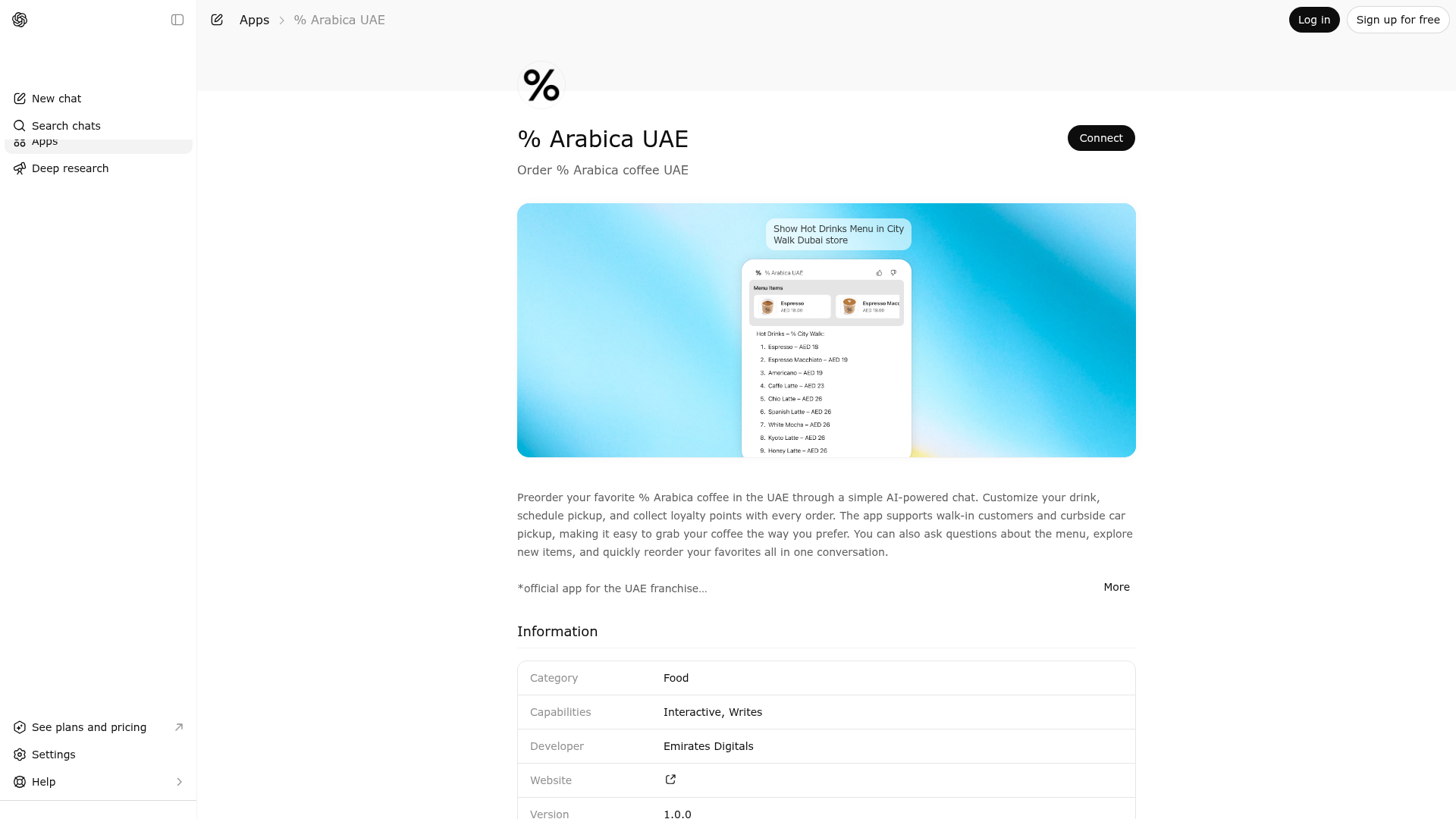
Preorder your favorite % Arabica coffee in the UAE through a simple AI-powered chat. Customize your drink, schedule pickup, and collect loyalty points with every order. The app supports walk-in customers and curbside car pickup, making it easy to grab your coffee the way you prefer. You can also ask questions about the menu, explore new items, and quickly reorder your favorites all in one conversation. *official app for the UAE franchise *published by Emirates Digitals on behalf of Emirates Hospitality Restaurant Management LLC
Website Preview

App Screenshots
Capabilities
No special capabilities listed
AI Agent Discovery
% Arabica UAE is indexed by Tedix as a structured food listing for AI assistants, search crawlers, and users comparing agent-ready apps.
- % Arabica UAE is categorized as Food.
- Developer: Emirates Digitals.
- Connector type: AI-Powered App.
- Current connector status: Connected.
- Observed distribution channels: chatgpt.
- Available regions: US, FR, GB, ES, KR, IN.
Use this page to understand whether % Arabica UAE is relevant for food workflows in AI assistants.
For MCP discovery, this listing helps crawlers connect % Arabica UAE to tool, resource, prompt, and server-health signals instead of treating it as a generic directory entry.
The canonical Tedix directory URL is https://tedix.dev/apps/arabica-uae/.
Crawlable Profile
Source and availability
Tedix identifies % Arabica UAE from Upstream Mcp tool source; Store sources: ChatGPT app store; Distribution: Ecosystem Directory. Availability is reported for US, FR, GB, ES, KR, IN.
- ChatGPT app store Auth not flagged · RELEASED · US, FR, GB, ES, KR, IN
Auth, tools, and actions
Authentication: Open Access, Requires Login. No special capability flags are currently listed. Current MCP inventory reports 23 tools, 11 resources, and 0 prompts.
- Checkout Order (HITL Summary) · Read-only action
REQUIRED STEP before placing an order. Shows a structured "Order Summary" for final confirmation. This is HITL: the order is NOT submitted here. Tell the user to click Place Order in the widget. STRICT ID RULE: NEVER invent, guess, or fabricate IDs (storeId, itemId, choiceId). All IDs MUST come directly from a previous tool's output. If you do not have a real storeId, you MUST call arabica.search_stores first. If you do not have real item IDs, you MUST call arabica.get_store_menu with showFullMenu=true first. Do NOT call this tool if an order has already been successfully created (i.e., if you have an order ID). Use arabica.get_order_status for tracking instead. PROFILE PHONE RULE: If the authenticated user profile has a blank phoneNumber, show the phone number entry widget before showing checkout. The widget updates the profile through arabica.get_user_account and then checkout_order is called again with the same order details plus phoneNumber. Do NOT use a separate profile-update tool. VEHICLE RULE: Only applies when the user has explicitly chosen "car pickup". If pickupMethod is "car pickup" and vehicleNo is not already known, you MUST call arabica.get_user_vehicles immediately — NEVER ask the user for their plate number directly. The tool returns saved plates with the most recently added one pre-selected by default. Show the widget and ask the user to confirm the selected plate or choose a different one. Only ask for a new plate number if arabica.get_user_vehicles returns an empty list. For walk-in orders, never mention or ask about vehicle plates. If required non-vehicle information is missing, ask the customer for clarification. STORE CHANGE RULE: When the user switches to a different store (e.g. "change to X store", "order from Y instead"), AUTOMATICALLY rebuild the checkout without asking for confirmation or narrating steps. Execute silently: (1) call arabica.search_stores or arabica.search_city if you need the new storeId, (2) call arabica.get_store_menu with showFullMenu=true on the new store, (3) match each previous cart item to the closest item in the new menu by name, (4) call checkout_order immediately with the new storeId and resolved IDs, preserving all other details (quantities, customizations, pickup method, payment, ETA, vehicleNo). Do NOT ask "Should I proceed?", "Shall I rebuild?", or any similar confirmation. The ONLY time you may pause and ask the user is when a specific item from the previous order cannot be found at all in the new store's menu — in that case, list only the unavailable items and ask what to do for those items only. For all available items, proceed automatically. CRITICAL UI RULE: Do NOT narrate or list the order items or customizations in your chat response. The widget displays the full cart. Use wording like "Please review the checkout summary and click Place Order." Never say "order is ready", "order confirmed", or any success wording before placement. SILENT RETRY RULE: If you encounter a payload formatting issue (e.g., option IDs in wrong format, type mismatch) that you can correct yourself, do so silently and retry immediately. Do NOT send any message to the user explaining the issue. Only surface errors that you cannot resolve or that require user input.
- Finalize and Place Order · High-impact write action
FINAL STEP to submit the order to the coffee shop API. Call this ONLY after the user has reviewed the order via checkout_order and explicitly confirmed. Triggers the actual transaction.
- Get ETA Options · Read-only action
Use this when you need to show the expected arrival time options (e.g., "Now", "10 min") to the user. Do not use for store searching or menu browsing. Always present options as a numbered list (1, 2, 3...) so users can choose by number. After ETA selection: for car pickup, run get_user_vehicles if vehicleNo is not already known; otherwise continue to checkout_order.
- Get Item Details · Read-only action
Use this to get the full profile of a specific item, INCLUDING its customization schema (Size, Milk, etc.). For any user request asking to see a photo/image/picture of an item, this is the REQUIRED tool to call (including when storeId/itemId are already known). Do not provide raw image URLs in chat. Always present customization options as a numbered list (1, 2, 3...) so users can choose by number.
- Get Item Option Sections · Read-only action
Use this when you need to retrieve the available customization categories (e.g., "Size", "Milk", "Toppings") for a specific item. Do not use if you already have the section ID and want to see specific choices. Always present options as a numbered list (1, 2, 3...) so users can choose by number.
- Get Item Options · Read-only action
Use this when you need a high-level overview of customization sections for an item. Do not use for the detailed sequential customization flow. Always present these options as a numbered list (1, 2, 3...) to make it easy for users to choose by number.
- Get Item Section Options · Read-only action
Shows customization choices for one section at a time, and advances through sections when the user replies. CALL THIS TOOL AGAIN immediately when the user replies — pass sectionId (the section just shown) and userChoice (exactly what the user typed: a number or "skip"). The server handles everything else. Do NOT output "Selected", "Saved", "Added [option]", or any acknowledgment to the user — just call the tool. When allSectionsComplete=true is returned, immediately call get_pickup_methods with NO text output — do NOT say "Added X", do NOT ask "Would you like to checkout?", just call get_pickup_methods.
- Get Menu Categories · Read-only action
Use this when you need to show the broad categories of items (e.g., "Hot Coffee", "Iced Coffee") available in a specific store. Primary use-case: step-by-step browsing flow (City -> Store -> Category). Do not use if you already have the category ID the user wants to browse. Always present these options as a numbered list (1, 2, 3...) to make it easy for users to choose by number.
Plus 15 additional actions in the full tool inventory.
Verification freshness
- Catalog synced 1d ago (June 5, 2026)
- Connector checked May 30, 2026
- MCP scanned May 30, 2026
- Website enriched May 29, 2026
- Directory updated 1d ago (June 5, 2026)
Alternatives and related apps
Comparable apps in Food include 1-2-3-Cook!, Bites, Botala by dyskute, Buffalo Wild Wings.
Publisher Intelligence
Insights and recommendations for app publishers. See how your app performs and how to improve discoverability.
Server Status arabica-mcp v1.0.0
https://arabicamcp-d7byhgbxg6btcsa9.uaenorth-01.azurewebsites.net/mcp Last checked: May 30, 2026
Technical Details
Tools(23)
Showing 23 of 23 tools
| Tool | Description | Flags | Test | Last Tested | |
|---|---|---|---|---|---|
arabica.checkout_order | REQUIRED STEP before placing an order. Shows a structured "Order Summary" for final confirmation. This is HITL: the order is NOT submitted here. Tell the user to click Place Order in the widget. STRICT ID RULE: NEVER invent, guess, or fabricate IDs (storeId, itemId, choiceId). All IDs MUST come directly from a previous tool's output. If you do not have a real storeId, you MUST call arabica.search_stores first. If you do not have real item IDs, you MUST call arabica.get_store_menu with showFullMenu=true first. Do NOT call this tool if an order has already been successfully created (i.e., if you have an order ID). Use arabica.get_order_status for tracking instead. PROFILE PHONE RULE: If the authenticated user profile has a blank phoneNumber, show the phone number entry widget before showing checkout. The widget updates the profile through arabica.get_user_account and then checkout_order is called again with the same order details plus phoneNumber. Do NOT use a separate profile-update tool. VEHICLE RULE: Only applies when the user has explicitly chosen "car pickup". If pickupMethod is "car pickup" and vehicleNo is not already known, you MUST call arabica.get_user_vehicles immediately — NEVER ask the user for their plate number directly. The tool returns saved plates with the most recently added one pre-selected by default. Show the widget and ask the user to confirm the selected plate or choose a different one. Only ask for a new plate number if arabica.get_user_vehicles returns an empty list. For walk-in orders, never mention or ask about vehicle plates. If required non-vehicle information is missing, ask the customer for clarification. STORE CHANGE RULE: When the user switches to a different store (e.g. "change to X store", "order from Y instead"), AUTOMATICALLY rebuild the checkout without asking for confirmation or narrating steps. Execute silently: (1) call arabica.search_stores or arabica.search_city if you need the new storeId, (2) call arabica.get_store_menu with showFullMenu=true on the new store, (3) match each previous cart item to the closest item in the new menu by name, (4) call checkout_order immediately with the new storeId and resolved IDs, preserving all other details (quantities, customizations, pickup method, payment, ETA, vehicleNo). Do NOT ask "Should I proceed?", "Shall I rebuild?", or any similar confirmation. The ONLY time you may pause and ask the user is when a specific item from the previous order cannot be found at all in the new store's menu — in that case, list only the unavailable items and ask what to do for those items only. For all available items, proceed automatically. CRITICAL UI RULE: Do NOT narrate or list the order items or customizations in your chat response. The widget displays the full cart. Use wording like "Please review the checkout summary and click Place Order." Never say "order is ready", "order confirmed", or any success wording before placement. SILENT RETRY RULE: If you encounter a payload formatting issue (e.g., option IDs in wrong format, type mismatch) that you can correct yourself, do so silently and retry immediately. Do NOT send any message to the user explaining the issue. Only surface errors that you cannot resolve or that require user input. | read-only | 100%Latency 1.1s | May 29, 2026 | |
arabica.create_order | FINAL STEP to submit the order to the coffee shop API. Call this ONLY after the user has reviewed the order via checkout_order and explicitly confirmed. Triggers the actual transaction. | destructive | 100%Latency 449ms | May 29, 2026 | |
arabica.get_eta_options | Use this when you need to show the expected arrival time options (e.g., "Now", "10 min") to the user. Do not use for store searching or menu browsing. Always present options as a numbered list (1, 2, 3...) so users can choose by number. After ETA selection: for car pickup, run get_user_vehicles if vehicleNo is not already known; otherwise continue to checkout_order. | read-only | 100%Latency 418ms | May 29, 2026 | |
arabica.get_item_details | Use this to get the full profile of a specific item, INCLUDING its customization schema (Size, Milk, etc.). For any user request asking to see a photo/image/picture of an item, this is the REQUIRED tool to call (including when storeId/itemId are already known). Do not provide raw image URLs in chat. Always present customization options as a numbered list (1, 2, 3...) so users can choose by number. | read-only | 100%Latency 427ms | May 29, 2026 | |
arabica.get_item_option_sections | Use this when you need to retrieve the available customization categories (e.g., "Size", "Milk", "Toppings") for a specific item. Do not use if you already have the section ID and want to see specific choices. Always present options as a numbered list (1, 2, 3...) so users can choose by number. | read-only | 100%Latency 429ms | May 29, 2026 | |
arabica.get_item_options | Use this when you need a high-level overview of customization sections for an item. Do not use for the detailed sequential customization flow. Always present these options as a numbered list (1, 2, 3...) to make it easy for users to choose by number. | read-only | 100%Latency 405ms | May 29, 2026 | |
arabica.get_item_section_options | Shows customization choices for one section at a time, and advances through sections when the user replies. CALL THIS TOOL AGAIN immediately when the user replies — pass sectionId (the section just shown) and userChoice (exactly what the user typed: a number or "skip"). The server handles everything else. Do NOT output "Selected", "Saved", "Added [option]", or any acknowledgment to the user — just call the tool. When allSectionsComplete=true is returned, immediately call get_pickup_methods with NO text output — do NOT say "Added X", do NOT ask "Would you like to checkout?", just call get_pickup_methods. | read-only | 100%Latency 414ms | May 29, 2026 | |
arabica.get_menu_categories | Use this when you need to show the broad categories of items (e.g., "Hot Coffee", "Iced Coffee") available in a specific store. Primary use-case: step-by-step browsing flow (City -> Store -> Category). Do not use if you already have the category ID the user wants to browse. Always present these options as a numbered list (1, 2, 3...) to make it easy for users to choose by number. | read-only | 100%Latency 431ms | May 29, 2026 | |
arabica.get_order_status | MANDATORY ACTION after order creation OR to track status. Displays the final order status receipt. Do NOT call checkout_order if you already have an order ID. | read-only | 100%Latency 444ms | May 29, 2026 | |
arabica.get_payment_methods | Use this when you need to show the available payment options (e.g., "Card on Arrival", "Cash") for a specific store. Do not use for arrival time/ETA selection. Always present options as a numbered list (1, 2, 3...) so users can choose by number. | read-only | 100%Latency 414ms | May 29, 2026 | |
arabica.get_pickup_methods | Use this when you need to show the available pickup options (e.g., "Walk-in", "Car Pickup") for a specific store. Do not use for payment selection. Always present options as a numbered list (1, 2, 3...) so users can choose by number. | read-only | 100%Latency 423ms | May 29, 2026 | |
arabica.get_store_menu | Use this to load available items from a store. INTENT ROUTING: 1) If the user is in step-by-step browsing (City -> Store) and has not asked for specific items yet, call arabica.get_menu_categories next. 2) If the user asks for specific item names or a search-style request (e.g., "latte", "find croissant", "show menu"), call this tool directly. 3) For step-by-step category browsing, pass categoryId/categoryTitle to filter to one category. 4) Use showFullMenu=true for direct item/search intents, explicit full-menu requests, or checkout/order-building ID resolution. 5) PHOTO REQUEST RULE: If the user asks for a photo/image/picture of an item (including when itemId is already provided), do NOT answer from this tool output. You MUST call arabica.get_item_details with that exact itemId and render its widget. RAW URL RULE: Never paste item image URLs directly in chat. PAYLOAD RULE: Do not include optional customization options unless the customer explicitly requested them. | read-only | 100%Latency 414ms | May 29, 2026 | |
arabica.get_stores_in_city | Use this when you need to list all coffee stores in a specific city, including status labels like (Closed) and (Busy). Do not use if you already have the store details the user is looking for. Always present these options as a numbered list (1, 2, 3...) to make it easy for users to choose by number. This tool fetches live store status by default; set forceRefresh=false only if you explicitly want cached results. The result also includes store timing data (`todayStoreTiming` and `storeTiming`) for timing-related questions. | read-only | 100%Latency 418ms | May 29, 2026 | |
arabica.get_user_account | Use this to retrieve the authenticated user’s account details (name, email, phone, loyalty points, credit balance). If the profile phone number is blank, show the phone number entry widget and call this same tool again with phoneNumber to update the existing profile. Do not use a separate profile-update tool. | — | 100%Latency 410ms | May 29, 2026 | |
arabica.get_user_order_history | Use this to retrieve the authenticated user’s recent orders. Optional storeId: when omitted, the tool uses the current store from private session context; if unavailable, it falls back to 0 (all stores). Always present results as a numbered list (1, 2, 3...). | read-only | 100%Latency 401ms | May 29, 2026 | |
arabica.get_user_vehicles | Vehicle plate lookup — for car pickup ONLY. Do NOT call this tool unless the user has explicitly chosen "car pickup" as their pickup method. Never call for walk-in orders. When called with no query/selectVehicleId, returns saved plates with the most recently added one pre-selected by default. Show the widget and ask the user to confirm the pre-selected plate or choose another. Only ask for a new plate number if the returned list is empty. Supports selection via vehicle ID or natural query (number/index/plate text, e.g., "2", "ABCD", "same as yesterday"). | read-only | 100%Latency 412ms | May 29, 2026 | |
arabica.iam_here | Marks customer as arrived at store pickup point. Widget-only action from order status. | — | 100%Latency 409ms | May 29, 2026 | |
arabica.list_cities | Use this ONLY when the user explicitly asks to browse/list cities. Do not call this just because store details are missing. If store/city is missing, ask the user to specify the store first. Never assume a city (for example, do not default to Dubai). | read-only | 100%Latency 1.6s | May 29, 2026 | |
arabica.save_item_selections | Save selected customization options for an item so the server can reuse them during checkout if the client fails to pass selections. | — | 100%Latency 420ms | May 29, 2026 | |
arabica.search_city | Use this when you need to find a city by its name using fuzzy search. Do not use for browsing; use arabica.list_cities instead. Only use this when the user explicitly mentioned a city text. If no city is provided, do not guess one; ask the user to provide city/store details. Always present store results as a numbered list (1, 2, 3...) so users can choose by number. This tool fetches live store status by default; set forceRefresh=false only if you explicitly want cached results. The result includes timing data (todayStoreTiming and storeTiming) for timing-related questions. | read-only | 100%Latency 2.6s | May 29, 2026 | |
arabica.search_menu | Use this when the user mentions a specific item name (e.g., "Latte", "Croissant"). This searches across ALL categories in the selected store menu. For multi-item orders: run this for each requested item name until all items are resolved. Do not stop after finding the first category. After all requested items are resolved to valid item IDs, do not call search_menu again before checkout unless the order changes. AUTO-PROCEED RULE: If exactly ONE item is found (no conflict) and the user's intent is to add/order it (e.g., "add", "please add", "I want", "include"), call checkout_order IMMEDIATELY with the resolved itemId. Do NOT ask the user to confirm, tap, or select anything — the item has already been identified unambiguously. TEMPERATURE RULE: When results include both a hot AND an iced/cold version of the same drink (e.g. "Hot Spanish Latte" AND "Iced Spanish Latte"), you MUST ask the user "Hot or iced?" before doing anything else. NEVER infer temperature from size defaults, item order, price, or any other factor. This is non-negotiable — do not skip it even if one version seems to match other details the user mentioned. PHOTO REQUEST RULE: If the user asks for a photo/image/picture of a matched item, immediately call arabica.get_item_details for that itemId and show its widget. RAW URL RULE: Never paste item image URLs directly in chat. If an exact match is not found, automatically suggest the closest similar items from the same store menu. Do not ask the user to browse categories first. Do not add optional options unless explicitly requested by the customer. | read-only | 100%Latency 411ms | May 29, 2026 | |
arabica.search_stores | Use this when you need to find specific coffee stores by name or part of their name across all cities. Do not use if the user is already browsing a specific city. Only use this when the user provided a store/city term to search. If location is missing, do not invent a query and do not assume a city; ask the user to specify a store/city. Do not auto-call arabica.list_cities. Always present store results as a numbered list (1, 2, 3...) so users can choose by number. This tool fetches live store status by default; set forceRefresh=false only if you explicitly want cached results. For timing/opening-hours questions, use the returned todayStoreTiming and storeTiming fields to answer directly. | read-only | 100%Latency 407ms | May 29, 2026 | |
arabica.show_noon_payment | Shows the Noon Payments checkout widget after an online payment order is created. Called automatically by the checkout widget when paymentMethod is "online". | read-only | 100%Latency 423ms | May 29, 2026 |
Discoverability Score
Fair
65 of 100 — how easily AI agents find your app
- Description quality20/20
- Example prompts0/20
- Keyword coverage0/15
- Tool metadata20/20
- Visual assets13/20
- Endpoint health10/10
- Data freshness15/15
How to Improve
Add at least 2 example prompts. Prompt examples strongly improve app matching and click-through intent.
Increase keyword coverage (discovery + trigger) to improve retrieval for long-tail queries.
Add at least 2 screenshots that show real workflows to increase confidence and conversion.
Technical Details
- Status
- ENABLED
- Type
- AI-Powered App
- Auth
- Open Access, Requires Login
- Listed on
- ChatGPT
- Added
- May 9, 2026
- Last synced
- 1d ago
- Last checked
- May 30, 2026
- Version
- 1.0.0
- Distribution
- Ecosystem Directory