AnyQR
by Spheric Admin Ltd (Community)
Description
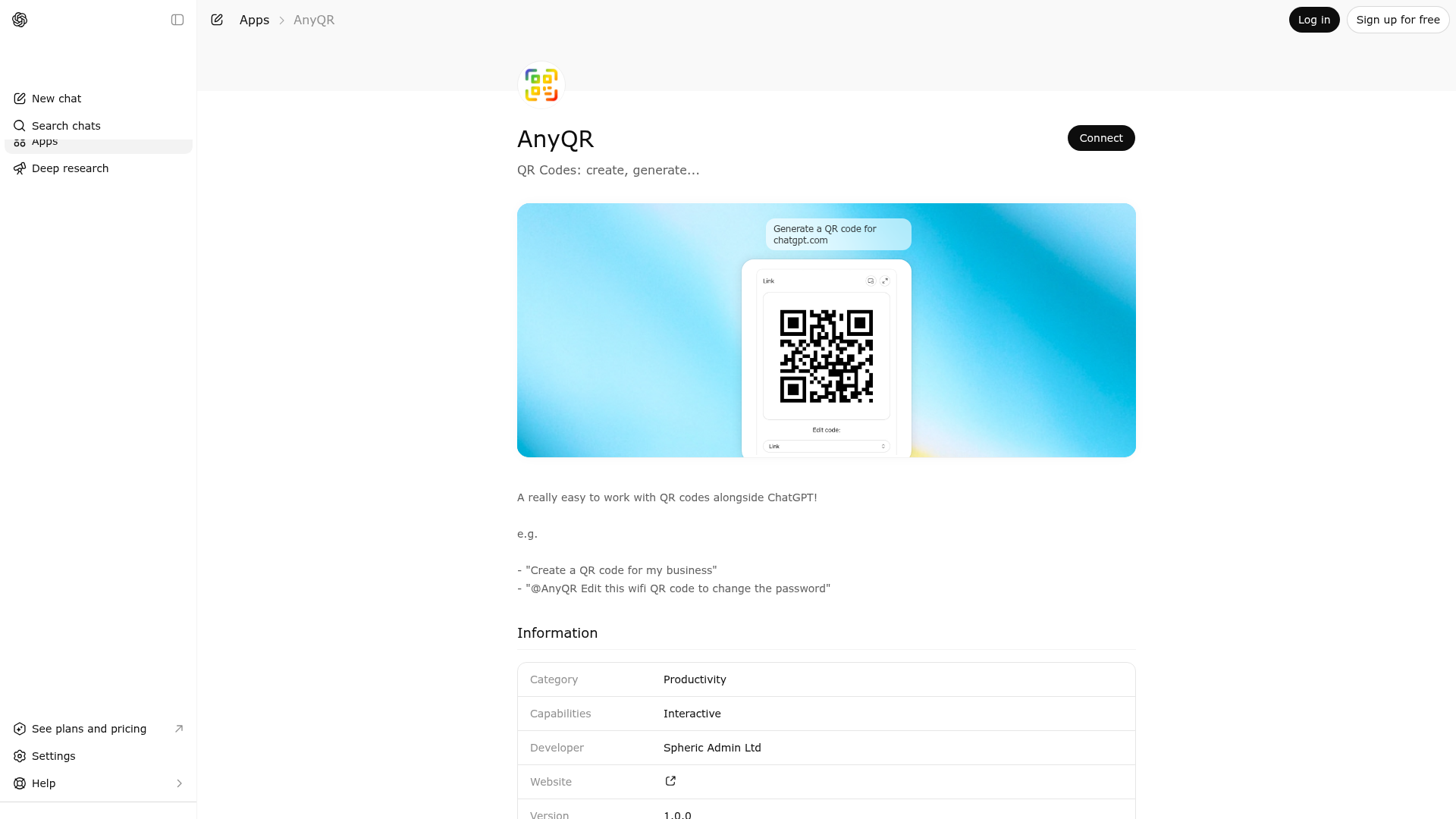
A really easy to work with QR codes alongside ChatGPT! e.g. - \"Create a QR code for my business\" - \"@AnyQR Edit this wifi QR code to change the password\"
Website Preview

App Screenshots
Capabilities
No special capabilities listed
AI Agent Discovery
AnyQR is indexed by Tedix as a structured utilities listing for AI assistants, search crawlers, and users comparing agent-ready apps.
- AnyQR is categorized as Utilities.
- Developer: Spheric Admin Ltd.
- Connector type: AI-Powered App.
- Current connector status: Connected.
- Observed distribution channels: chatgpt.
- Available regions: US, FR, GB, ES, KR, IN.
Use this page to understand whether AnyQR is relevant for utilities workflows in AI assistants.
For MCP discovery, this listing helps crawlers connect AnyQR to tool, resource, prompt, and server-health signals instead of treating it as a generic directory entry.
The canonical Tedix directory URL is https://tedix.dev/apps/anyqr/.
Crawlable Profile
Source and availability
Tedix identifies AnyQR from Upstream Mcp tool source; Store sources: ChatGPT app store; Distribution: Ecosystem Directory. Availability is reported for US, FR, GB, ES, KR, IN.
- ChatGPT app store Auth not flagged · RELEASED · US, FR, GB, ES, KR, IN
Auth, tools, and actions
Authentication: Open Access. No special capability flags are currently listed. Current MCP inventory reports 1 tools, 1 resources, and 0 prompts.
- QR Code · Read-only action
Use to open the QR Codes widget whenever the conversation involves viewing, decoding, creating, or editing a QR code. This tool accepts exactly one of three input modes: a ChatGPT file containing a QR image, a remote image URL pointing to a QR image, or structured QR information to encode. When a QR image is supplied, the tool downloads and decodes the QR payload on the server before rendering the widget, so the model can immediately reason over the decoded information and the widget can open with the same data loaded. When structured information is supplied, the tool normalizes that payload and opens the widget with a generated QR representation. When no input is supplied, the tool opens an empty editor so the user can start from scratch. The tool is best for situations where the user wants an interactive surface: checking what a QR code contains, iterating on a QR code's meaning, switching between structured fields and raw encoded text, or exporting the latest QR image back into the conversation. It supports common QR payload families including plain text, web URLs, mail actions, telephone actions, SMS actions, vCard contact cards, Wi-Fi credentials, calendar events, geolocation coordinates, and custom raw payloads. Because the widget persists edited model-visible state, it is also appropriate when the model needs to stay aware of the latest QR contents after the user changes them in the interface. Do not use this tool for non-QR barcode formats, generic OCR, or when the user has asked not to open a widget. If the user only wants a textual explanation of QR codes or a direct answer unrelated to QR manipulation, respond normally instead.
Verification freshness
- Catalog synced 1d ago (June 5, 2026)
- Connector checked May 30, 2026
- MCP scanned May 30, 2026
- Website enriched May 29, 2026
- Directory updated 1d ago (June 5, 2026)
Alternatives and related apps
Comparable apps in Utilities include 0-1000 Speed Test, 3-2-1 Go Stopwatch, A-Z Links, A-Z London Transport.
Publisher Intelligence
Insights and recommendations for app publishers. See how your app performs and how to improve discoverability.
Server Status qr-codes-mcp-server v0.1.0
https://qr-codes.widgets.widget.olutely.com/mcp Last checked: May 30, 2026
Server Instructions
Call the `qr-code` tool when the user wants to inspect an existing QR image, create a new QR code, or edit QR payload details in an interactive widget. Do not call it when the user explicitly asks for a text-only answer with no widget.
Technical Details
Tools(1)
Showing 1 of 1 tools
| Tool | Description | Flags | Test | Last Tested | |
|---|---|---|---|---|---|
qr-code | Use to open the QR Codes widget whenever the conversation involves viewing, decoding, creating, or editing a QR code. This tool accepts exactly one of three input modes: a ChatGPT file containing a QR image, a remote image URL pointing to a QR image, or structured QR information to encode. When a QR image is supplied, the tool downloads and decodes the QR payload on the server before rendering the widget, so the model can immediately reason over the decoded information and the widget can open with the same data loaded. When structured information is supplied, the tool normalizes that payload and opens the widget with a generated QR representation. When no input is supplied, the tool opens an empty editor so the user can start from scratch. The tool is best for situations where the user wants an interactive surface: checking what a QR code contains, iterating on a QR code's meaning, switching between structured fields and raw encoded text, or exporting the latest QR image back into the conversation. It supports common QR payload families including plain text, web URLs, mail actions, telephone actions, SMS actions, vCard contact cards, Wi-Fi credentials, calendar events, geolocation coordinates, and custom raw payloads. Because the widget persists edited model-visible state, it is also appropriate when the model needs to stay aware of the latest QR contents after the user changes them in the interface. Do not use this tool for non-QR barcode formats, generic OCR, or when the user has asked not to open a widget. If the user only wants a textual explanation of QR codes or a direct answer unrelated to QR manipulation, respond normally instead. | read-only | 100%Latency 486ms | May 29, 2026 |
Discoverability Score
Fair
55 of 100 — how easily AI agents find your app
- Description quality20/20
- Example prompts0/20
- Keyword coverage0/15
- Tool metadata16/20
- Visual assets5/20
- Endpoint health10/10
- Data freshness15/15
How to Improve
Add at least 2 example prompts. Prompt examples strongly improve app matching and click-through intent.
Increase keyword coverage (discovery + trigger) to improve retrieval for long-tail queries.
Provide a stable HTTPS logo URL (avoid connectors://) so cards render consistently across clients.
Add at least 2 screenshots that show real workflows to increase confidence and conversion.
Technical Details
- Status
- ENABLED
- Type
- AI-Powered App
- Auth
- Open Access
- Listed on
- ChatGPT
- Added
- May 7, 2026
- Last synced
- 1d ago
- Last checked
- May 30, 2026
- Version
- 0.1.0
- Distribution
- Ecosystem Directory