
AnyPDF - Your PDF Converter
by AppNation (Verified Partner)
Description
Manage and transform your documents seamlessly right inside ChatGPT. This all-in-one PDF utility allows you to compress, convert, merge, and edit your files instantly with professional precision. Ideal for students, professionals, and anyone who wants fast, reliable PDF solutions without opening another app. How to Use 1. Trigger: Mention the app @AnyPDF - Your PDF Converter and tell us what you want to do (e.g. @AnyPDF - Your PDF Converter I want to compress a pdf) 2. Upload your files: Select your files from your device and click the upload button 3. Execute: Simply tell what you want to do again (e.g. I want to compress a pdf) Now your file is ready to download Key features: - Smart Compression: Choose from three levels—Low, Recommended, or Extreme—to shrink file sizes while maintaining document clarity. - Universal Converter: Instantly turn Images (JPEG, PNG), Word (DOCX), Excel (XLSX), PowerPoint (PPTX) into PDFs or turn your PDFs into JPG. - Merge Multiple PDFs: Combine two or more PDF documents into a single, organized file in seconds. - Extract Specific Pages: Extract the pages you need from any PDF to create a new document. - Rotate & Align: Fix orientation issues by rotating your PDF pages 90, 180, or 270 degrees.
Website Preview
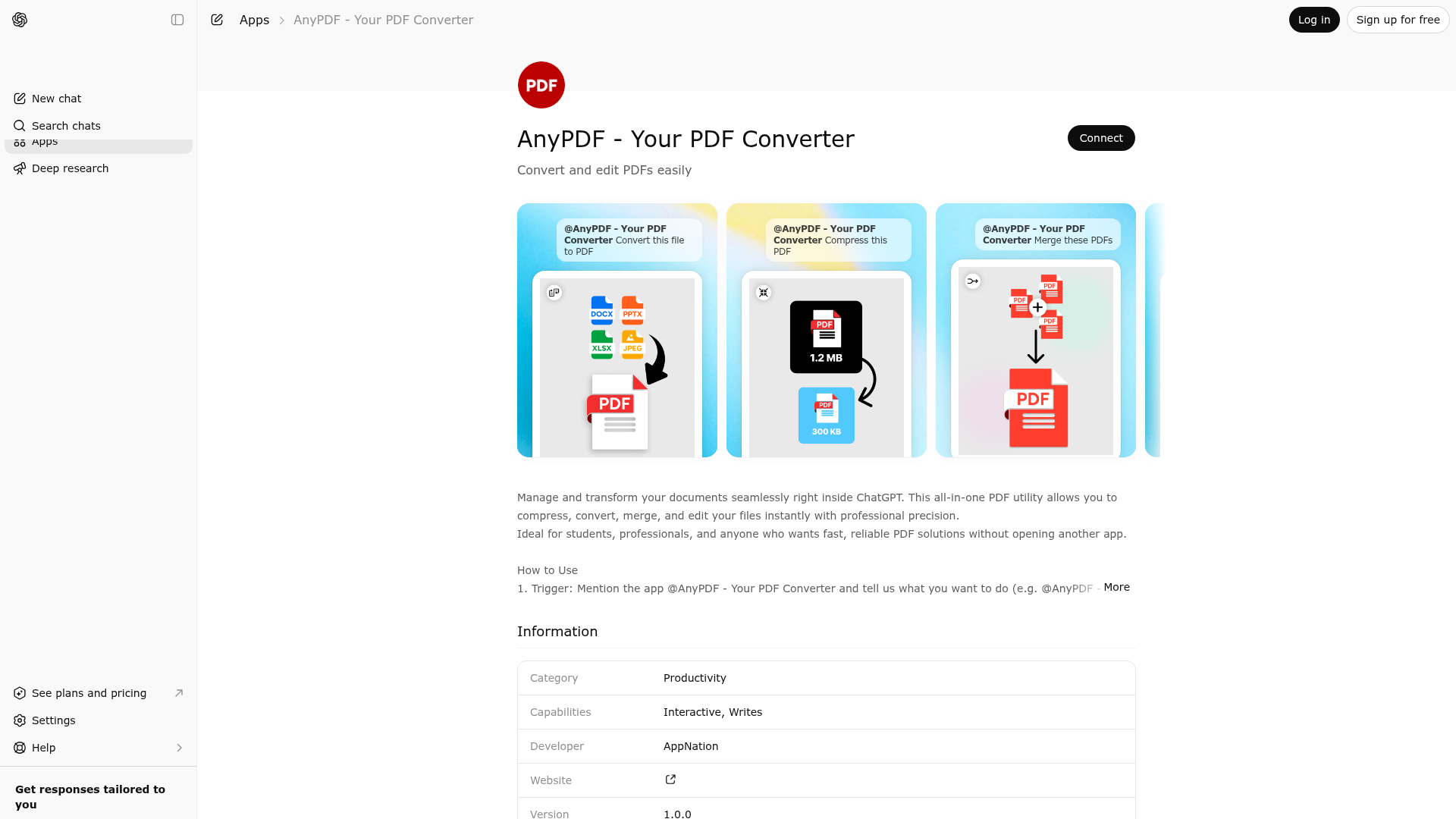
App Screenshots
Capabilities
Publisher Intelligence
Insights and recommendations for app publishers. See how your app performs and how to improve discoverability.
Server Status apps-sdk v0.0.1
https://api.pdfmaker.to/mcp Last checked: 3d ago
Technical Details
Tools(8)
Showing 8 of 8 tools
| Tool | Description | Flags | Test | Last Tested | |
|---|---|---|---|---|---|
compress-pdf | Operation - Compress an uploaded PDF (by storage key) and return a downloadable link. Prerequisites - On ChatGPT with native attachments, call upload-document-native first to obtain a storage key. - On other hosts (e.g. Claude MCP), use the upload-document widget to obtain a storage key. - If a storage key already exists from a prior step, pass it directly. Inputs - fileKey: storage key of the source PDF. - level: compression intensity. Validation - fileKey must belong to the authenticated user namespace (uploads/<userId>/... or outputs/<userId>/...). Output - New PDF key + download URL + size. Use the returned key for subsequent operations. Response guidance - If the original size is known in context, mention compression ratio/percent. Do not invent sizes. Example - fileKey="uploads/abc/my.pdf", level="recommended" | — | 100%Latency 282ms | Apr 3, 2026 | |
convert-document | Operation - Convert an uploaded document (by storage key) to another format and return a downloadable link. Prerequisites - On ChatGPT with native attachments, call upload-document-native first to obtain a storage key. - On other hosts (e.g. Claude MCP), use the upload-document widget to obtain a storage key. - If a storage key already exists from a prior step, pass it directly. Supported conversions - Images: JPG/JPEG/PNG -> PDF - Microsoft Office: DOCX/DOC, PPTX/PPT, XLSX/XLS -> PDF - OpenDocument: ODT, ODP, ODS -> PDF - Text: TXT, RTF -> PDF - PDF -> JPG (converts all pages up to 100; single-page returns JPG, multi-page returns ZIP of images) Inputs - fileKey: storage key of the source file. - conversion: source/target format pair. Validation - fileKey must belong to the authenticated user namespace (uploads/<userId>/... or outputs/<userId>/...). Output - New file key + download URL + size. Use the returned key for subsequent operations. - For multi-page PDF to JPG: returns a ZIP file containing all page images. | — | 100%Latency 268ms | Apr 3, 2026 | |
extract-pages | Operation - Extract (keep) specific pages from an uploaded PDF and return a new PDF. Prerequisites - On ChatGPT with native attachments, call upload-document-native first to obtain a storage key. - On other hosts (e.g. Claude MCP), use the upload-document widget to obtain a storage key. - If a storage key already exists from a prior step, pass it directly. Inputs - inputKey: storage key of the source PDF. - pageRanges: comma-separated page numbers/ranges (1-based). Validation - inputKey must belong to the authenticated user namespace (uploads/<userId>/... or outputs/<userId>/...). Output - New PDF key + download URL + size containing only requested pages. | — | 100%Latency 277ms | Apr 3, 2026 | |
merge-pdfs | Operation - Merge multiple uploaded PDFs (by storage keys) into a single PDF. Prerequisites - On ChatGPT with native attachments, call upload-document-native with all files in a single call (up to 10) to obtain storage keys. - On other hosts (e.g. Claude MCP), use the upload-document widget to obtain storage keys. - If storage keys already exist from prior steps, pass them directly. Inputs - inputKeys: ordered list of source PDF keys. Validation - each key must belong to the authenticated user namespace (uploads/<userId>/... or outputs/<userId>/...). Output - New merged PDF key + download URL + size. | — | 100%Latency 266ms | Apr 3, 2026 | |
rotate-pdf | Operation - Rotate every page of an uploaded PDF and return a new PDF. Prerequisites - On ChatGPT with native attachments, call upload-document-native first to obtain a storage key. - On other hosts (e.g. Claude MCP), use the upload-document widget to obtain a storage key. - If a storage key already exists from a prior step, pass it directly. Inputs - inputKey: storage key of the source PDF. - angle: clockwise rotation angle (90/180/270). Validation - inputKey must belong to the authenticated user namespace (uploads/<userId>/... or outputs/<userId>/...). Output - New rotated PDF key + download URL + size. | — | 100%Latency 289ms | Apr 3, 2026 | |
upload-document | Interactive document upload widget for selecting files from the user's device. When to call - The user wants to perform a PDF/document operation but has NO file attached in the composer. - On hosts without native file attachments (e.g. Claude Desktop, other MCP clients), ALWAYS use this widget to obtain files. - As a fallback when upload-document-native is unavailable or fails. When NOT to call - A usable storage key (uploads/... or outputs/...) already exists from a previous step. - On ChatGPT Apps SDK, if the user attached files in the composer, prefer upload-document-native first. Workflow 1. User requests an operation (e.g. "Compress this PDF"). 2. No storage key is available in context. 3. Invoke this tool — the upload interface is displayed. 4. User selects and uploads file(s). 5. Storage keys are returned via widget state or follow-up message. 6. Use the returned keys with the appropriate operation tool. Supported file types - PDF, JPG/JPEG, PNG - Microsoft Office: DOC, DOCX, PPT, PPTX, XLS, XLSX - OpenDocument: ODT, ODS, ODP - Text: TXT, RTF | — | 100%Latency 326ms | Apr 3, 2026 | |
upload-document-native | Upload one or more files that the user attached in the chat composer into app storage. When to call - The user attached files in the ChatGPT composer and asks for any PDF/document operation. - ALWAYS call this tool FIRST, before any operation tool (compress-pdf, convert-document, merge-pdfs, extract-pages, rotate-pdf). - Pass all attached files in the files array. When NOT to call - Storage keys (uploads/... or outputs/...) are already available from a previous step — pass them directly to the operation tool. - The host does not support native file attachments (e.g. Claude Desktop, other MCP clients). Use the upload-document widget instead. - NEVER fabricate or guess file arguments. Only use file objects provided by the host. - Do NOT pass local file paths such as /mnt/data/... as file arguments. Output - Returns one storage key per file (uploads/<userId>/...) to use as input in downstream operation tools. Supported file types - PDF (.pdf) - Images: JPG, JPEG, PNG - Microsoft Office: DOC, DOCX, PPT, PPTX, XLS, XLSX - OpenDocument: ODT, ODS, ODP - Text: TXT, RTF | — | 100%Latency 288ms | Apr 3, 2026 | |
upload-proxy | Critical - TOOL - NEVER INVOKE THIS DIRECTLY. Internal-only backend workflow. - GPT/LLM must NEVER call this tool in user workflows. Use upload-document for user uploads. Operation - Generate presigned Cloudflare R2 upload URLs for a batch of files. Inputs - files: list of file descriptors (id, filename, contentType, contentLength). Output - Presigned upload URLs + storage keys for each file. | — | 100%Latency 274ms | Apr 3, 2026 |
Discoverability Score
Fair
65 of 100 — how easily AI agents find your app
- Description quality20/20
- Example prompts0/20
- Keyword coverage0/15
- Tool metadata20/20
- Visual assets13/20
- Endpoint health10/10
- Data freshness15/15
How to Improve
Add at least 2 example prompts. Prompt examples strongly improve app matching and click-through intent.
Increase keyword coverage (discovery + trigger) to improve retrieval for long-tail queries.
Add at least 2 screenshots that show real workflows to increase confidence and conversion.
Technical Details
- Status
- ENABLED
- Type
- AI-Powered App
- Auth
- Requires Login
- Listed on
- ChatGPT
- Added
- February 27, 2026
- Last synced
- 3d ago
- Last checked
- 3d ago
- Version
- 0.0.1
- Distribution
- Ecosystem Directory

