AnyLessonPlan
Description
AnyLessonPlan is a simple easy tool to help ChatGPT generate lesson plans! e.g. - "@AnyLessonPlan, I need to teach number bonds to my Grade 1 class" - "Use @AnyLessonPlan to prepare a lesson on short story writing for my 12 year old class" or, upload your lesson plan and ask "This needs to be 20m shorter. Use @AnyLessonPlan"
Website Preview
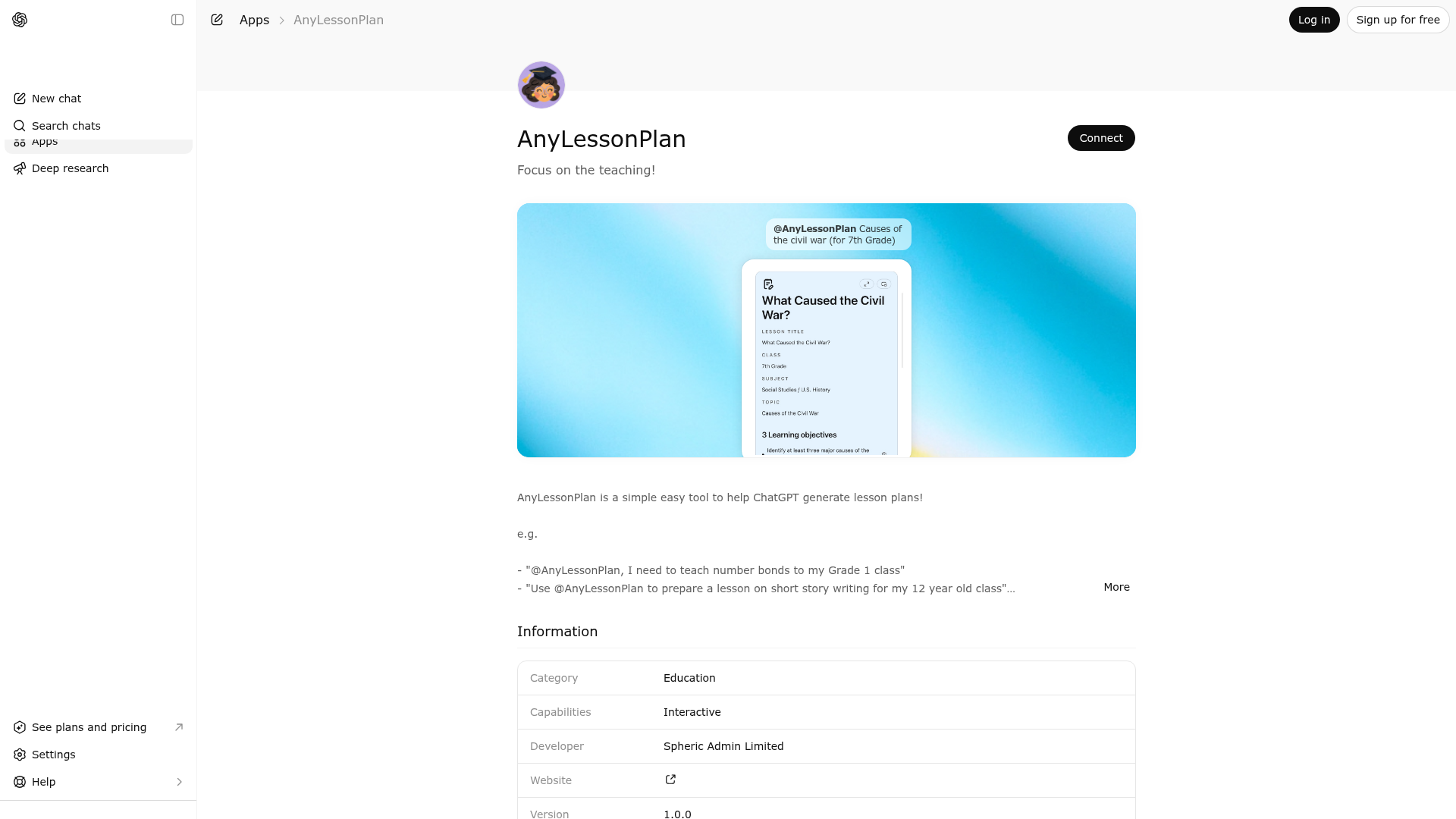
App Screenshots
Capabilities
Publisher Intelligence
Insights and recommendations for app publishers. See how your app performs and how to improve discoverability.
Server Status lesson-plan-mcp-server v0.1.0
https://lesson-plan.widgets.widget.olutely.com/mcp Last checked: 5h ago
Server Instructions
Call the `display-lesson-plan` tool whenever you have a lesson plan object that should be shown in the lesson-plan widget for reading, manual editing, or PDF export. Do not call it if the user explicitly wants plain text only or says not to use tools.
Technical Details
Tools(1)
Showing 1 of 1 tools
| Tool | Description | Flags | Test | Last Tested | |
|---|---|---|---|---|---|
display-lesson-plan | Use to render a complete lesson plan inside the lesson-plan widget whenever the user wants a plan displayed in a polished teacher-friendly interface instead of plain prose. This tool is appropriate after you have already generated or revised the lesson plan content and can supply it as structured data. Call it for brand-new lesson plans, for updates to a plan discussed earlier in the conversation, and for cases where the user wants something they can read clearly, tweak manually in the widget, and export as a PDF. Provide the full lessonPlan object that you want the user to see, including any known class, subject, topic, title, learning objectives, materials, stages, and assessment details. The widget is especially useful when the user asks for a lesson plan for a specific year group, class age, topic, or subject and would benefit from a structured view rather than a paragraph response. The lesson-plan widget shows all major lesson fields in dedicated sections, keeps empty fields visible so the user can complete them later, supports in-place editing after the tool returns, offers display-mode controls, and lets the user export the current plan to PDF. Because of that, prefer this tool when the goal is an actionable lesson-plan artifact the teacher can work from. It is also the right choice when the user pastes or references an existing plan and asks for changes, because you can apply the revisions and then show the updated structured plan in the same surface. Do not call this tool if the user explicitly asks for plain text only, explicitly asks you not to use tools, or if you do not yet have enough information to construct at least the required main lesson stage. Do not use it for general teaching advice, brainstorming that has not yet produced a concrete lesson plan, or unrelated educational discussion. This tool is read-only from the server perspective: it does not publish, send, or permanently save the plan. It simply returns the supplied lessonPlan unchanged as structured widget data and includes a timestamp for the widget session. | read-only | 100%Latency 663ms | May 9, 2026 |
Discoverability Score
Fair
52 of 100 — how easily AI agents find your app
- Description quality20/20
- Example prompts0/20
- Keyword coverage0/15
- Tool metadata16/20
- Visual assets5/20
- Endpoint health10/10
- Data freshness11/15
How to Improve
Add at least 2 example prompts. Prompt examples strongly improve app matching and click-through intent.
Increase keyword coverage (discovery + trigger) to improve retrieval for long-tail queries.
Provide a stable HTTPS logo URL (avoid connectors://) so cards render consistently across clients.
Add at least 2 screenshots that show real workflows to increase confidence and conversion.
Technical Details
- Status
- ENABLED
- Type
- AI-Powered App
- Auth
- Open Access
- Listed on
- ChatGPT
- Added
- April 14, 2026
- Last synced
- May 3, 2026
- Last checked
- 5h ago
- Version
- 0.1.0
- Distribution
- Ecosystem Directory