
Airtable
by Airtable (Verified Partner)
Description
Bring operational data and context into the flow of your ChatGPT conversations. You can ask questions, create and update records, and analyze your data—all through conversation. Use the data in Airtable as input to the work you’re doing in ChatGPT, like building a landing page using content you’ve organized in Airtable. Make quick updates to Airtable without leaving the chat. Airtable for ChatGPT is ideal anytime you need quick access to structured internal data to inform your conversation. Airtable's App connects ChatGPT directly to your Airtable bases, so you can ask questions, create and update records, and analyze your data—all through conversation
About This App
Airtable is the AI-native platform for building trusted AI apps to accelerate business operations and deploy embedded AI agents at enterprise scale.
Last updated: April 20, 2026
Website Preview
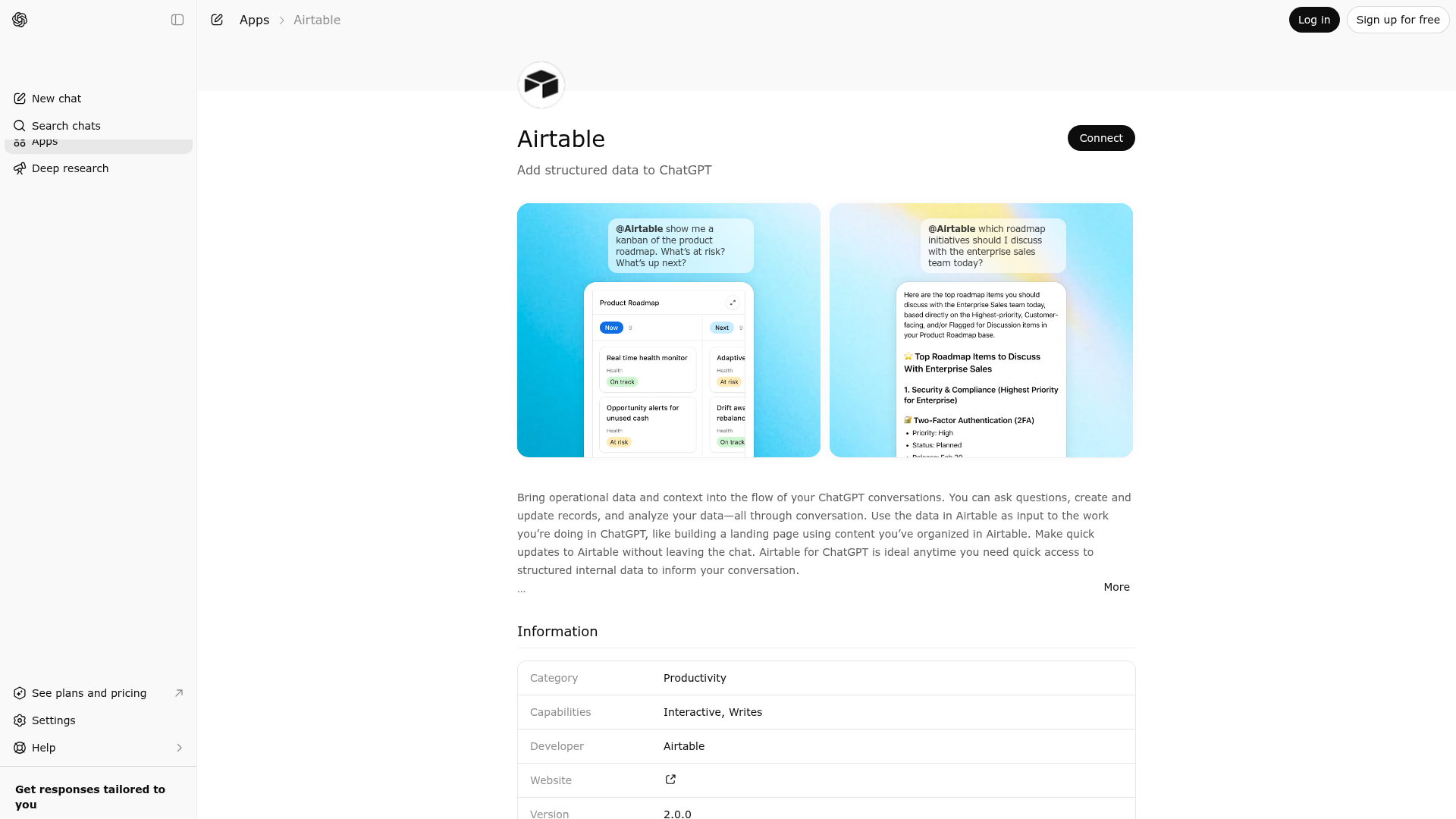
App Screenshots
Capabilities
Publisher Intelligence
Insights and recommendations for app publishers. See how your app performs and how to improve discoverability.
Server Status airtable-mcp-server v0.0.1
Server is not responding. Tool discovery is paused until health checks recover.
https://mcp.airtable.com/mcp Last checked: 5d ago
Server Instructions
The Airtable MCP Server provides tools to interact with Airtable bases. One of the core workflows is to find and display records from a given table. For example, "Show me projects on the roadmap shipping this week". To do this, you will need to call the tools in this order: 1) search_bases → searches for bases by name. Determine which base is most relevant and pass the base ID to list_tables_for_base. 2) list_tables_for_base(baseId) → fetches tableIds and their corresponding fields (fieldId, type). Use this to decide which tables and fields are relevant. 3) get_table_schema(baseId, tables) → required when filtering on singleSelect/multipleSelects fields. Fetches detailed field schema including choice IDs and names. Call this before filtering to get the correct choice IDs. Each table entry must include tableId and fieldIds. 4) (a) if available, use display_records_for_table(baseId, tableId, ...params) → displays records only from the relevant table(s). Use params to filter, sort, select fields, and paginate. (b) otherwise, use list_records_for_table(baseId, tableId, ...params) → lists records only from the relevant table(s). Use params to filter, sort, select fields, and paginate. Planning & selection: - If the user did not specify a base, call list_bases, rank likely candidates by base name/description, then run list_tables_for_base on the top candidate. ID formats: - Always operate on Airtable internal IDs. Never substitute user-facing names for IDs. - Examples: base IDs like appZfrNIUEip5MazD, table IDs like tblGlReoTNWfYnXIG, field IDs like fldGlRtkBNWfYnPOV, choice IDs like selABCDEFGHIJKL. - Never guess or fabricate IDs; fetch them first or have them be specified by the user.
Technical Details
Authentication required
Tools(12)
Showing 12 of 12 tools
| Tool | Description | Flags | Test | Last Tested | |
|---|---|---|---|---|---|
create_field | No description provided | — | 100%Latency 513ms | Mar 22, 2026 | |
create_records_for_table | No description provided | — | 100%Latency 264ms | Mar 22, 2026 | |
create_table | No description provided | — | 100%Latency 683ms | Mar 22, 2026 | |
get_table_schema | No description provided | — | 100%Latency 344ms | Mar 22, 2026 | |
list_bases | No description provided | — | 100%Latency 453ms | Mar 22, 2026 | |
list_records_for_table | No description provided | — | 100%Latency 290ms | Mar 22, 2026 | |
list_tables_for_base | No description provided | — | 100%Latency 348ms | Mar 22, 2026 | |
ping | No description provided | — | 100%Latency 387ms | Mar 22, 2026 | |
search_bases | No description provided | — | 100%Latency 393ms | Mar 22, 2026 | |
update_field | No description provided | — | 100%Latency 528ms | Mar 22, 2026 | |
update_records_for_table | No description provided | — | 100%Latency 436ms | Mar 22, 2026 | |
update_table | No description provided | — | 100%Latency 258ms | Mar 22, 2026 |
Keywords
Trigger Keywords (@mentions)
@airtable Discoverability Score
Fair
57 of 100 — how easily AI agents find your app
- Description quality20/20
- Example prompts0/20
- Keyword coverage4/15
- Tool metadata10/20
- Visual assets13/20
- Endpoint health6/10
- Data freshness15/15
How to Improve
Add at least 2 example prompts. Prompt examples strongly improve app matching and click-through intent.
Increase keyword coverage (discovery + trigger) to improve retrieval for long-tail queries.
Improve MCP tool descriptions. Clear tool descriptions increase tool selection accuracy.
Add at least 2 screenshots that show real workflows to increase confidence and conversion.
Technical Details
- Status
- ENABLED
- Type
- AI-Powered App
- Auth
- Requires Login
- Listed on
- ChatGPT Claude
- Added
- December 12, 2025
- Last synced
- 3d ago
- Last checked
- 5d ago
- Version
- 0.0.1
- Distribution
- Ecosystem Directory

