agentView
by IT-Dienstleister, Rafael Kocurek (Community)
Description
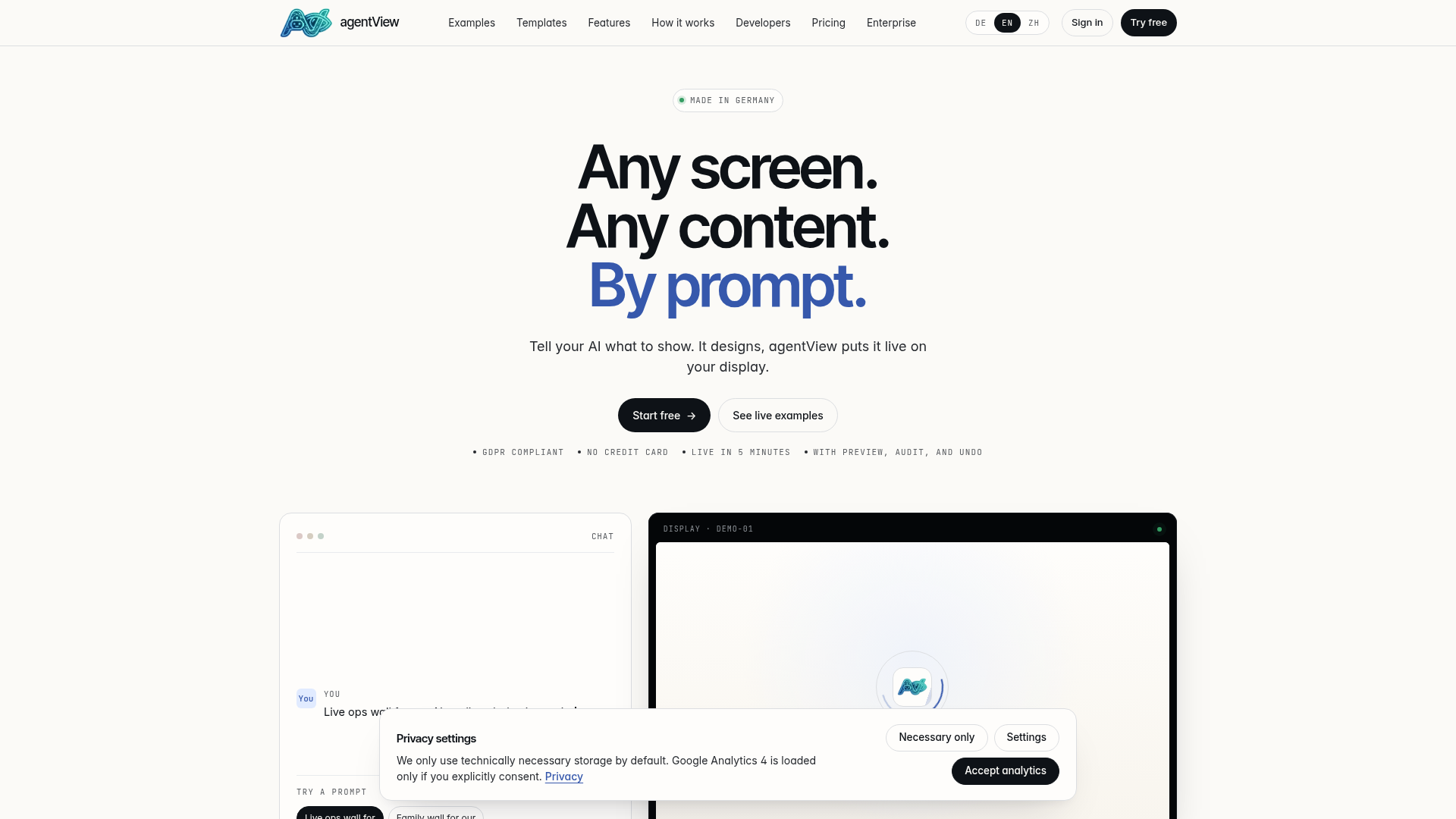
agentView lets ChatGPT update any browser-capable screen (a TV, tablet, kiosk, or signage panel) by talking. Ask ChatGPT to put a daily lunch menu on your bistro display, a sales dashboard on the office wall, or a waiting-room board on your practice screen, and the layout appears live within seconds. You manage screens, templates, and team members on agentview.de; ChatGPT drives them through the agentView connector.
Website Preview

App Screenshots
Capabilities
No special capabilities listed
AI Agent Discovery
agentView is indexed by Tedix as a structured collaboration listing for AI assistants, search crawlers, and users comparing agent-ready apps.
- agentView is categorized as Collaboration.
- Developer: IT-Dienstleister, Rafael Kocurek.
- Connector type: AI-Powered App.
- Current connector status: Connected.
- Observed distribution channels: chatgpt.
- Available regions: US, FR, GB, ES, KR, IN.
Use this page to understand whether agentView is relevant for collaboration workflows in AI assistants.
For MCP discovery, this listing helps crawlers connect agentView to tool, resource, prompt, and server-health signals instead of treating it as a generic directory entry.
The canonical Tedix directory URL is https://tedix.dev/apps/agentview/.
Crawlable Profile
Source and availability
Tedix identifies agentView from Upstream Mcp tool source; Store sources: ChatGPT app store; Distribution: Ecosystem Directory. Availability is reported for US, FR, GB, ES, KR, IN.
- ChatGPT app store Auth required · RELEASED · US, FR, GB, ES, KR, IN
Auth, tools, and actions
Authentication: Requires Login. No special capability flags are currently listed. Current MCP inventory reports 80 tools, 15 resources, and 4 prompts.
- Allocate Licenses · High-impact write action
Allocates premium display licenses from the authenticated user's Premium plan to an organization. Premium users have a pool of allocatable licenses (base + purchased extras) that can be distributed across organizations. Requires admin scope and a Premium plan.
- Assign License · High-impact write action
Assigns a premium license token to a display, removing its watermark and making it ad-free. The user must have unassigned premium licenses available. Each license also adds +30 MB to the display's context storage pool (personal or group). Requires admin scope.
- Authenticate Session · Repeatable action
Validates a JWT agent token and caches the resulting identity on the current MCP session so that subsequent protected tool calls succeed without resending the token. Use this only if your client cannot reliably send an Authorization: Bearer header on every request; modern streamable HTTP clients should send the header instead. Do not call this if the session was already auto-authenticated by get_auth_session. Returns authenticated (boolean), sessionBound (whether the identity was cached on this session), userId, name, email, scope and expiresAt (ISO 8601).
- Broadcast Content · High-impact write action
Sends HTML content to multiple displays at once. Provide display_ids to target specific displays or set all to true to target all accessible displays. Locked displays are skipped. Returns sent and skipped lists with reasons. Requires content_only scope.
- Broadcast to Categories · High-impact write action
Sends HTML content to every display assigned to one of the selected category IDs. Set include_descendants=true to include subcategories. Set dry_run=true to preview matched profile IDs without sending. Requires display.send capability. Locked displays are skipped with reason='locked'.
- Bulk Assign Display Category · High-impact write action
Bulk adds or removes one category across multiple displays the caller can manage. Operations are owner-scoped: add/remove only touches the caller's assignment rows and does not mutate other managers' categories. Returns a per-display result list with success/error status.
- Claim Display · App action
Converts an unclaimed guest or pending display into a managed personal display owned by the authenticated user. This permanently transfers ownership and counts against the user's display quota. Use this only when the user explicitly wants to adopt an existing hardware or demo display that is already running. For first-time physical setup, prefer pair_by_code instead. Requires admin scope. Returns profileId (the new managed display ID) and name.
- Clear Display · High-impact write action
Removes the current live content from a display and returns it to its idle/default state. Viewers will immediately see the change. Use this when the user wants to blank or reset a display. This does not delete the display itself — use delete_display for that. Requires authentication with at least content_only scope. Returns id and status ('cleared').
Plus 72 additional actions in the full tool inventory.
Verification freshness
- Catalog synced 10h ago (June 6, 2026)
- Connector checked May 30, 2026
- MCP scanned May 30, 2026
- Website enriched May 28, 2026
- Directory updated 10h ago (June 6, 2026)
Alternatives and related apps
Comparable apps in Collaboration include Agiflow, Atlassian Rovo, Ballpark, Canvs.io whiteboard.
Publisher Intelligence
Insights and recommendations for app publishers. See how your app performs and how to improve discoverability.
Server Status agentView MCP v2.1.96
https://agentview.de/mcp Last checked: May 30, 2026
Server Instructions
agentView MCP server for digital signage management. STEP 0 — AUTHENTICATE FIRST (read this BEFORE calling any other tool): The user's first request in a fresh conversation is almost always a protected action ("what's on my displays" / "send a menu to my screen" / "list my displays" / "zeig mir was auf dem Display läuft" / etc.). Protected tools require the user to be authenticated. There is NO way around this — the server will return error 'auth_required' if you call them without a token. If you do NOT already hold a session_request_id from THIS conversation, do this BEFORE the user's protected request, not after: 1. Call create_auth_session (optionally with agent_identifier so the consent screen names your assistant). 2. Show the returned loginUrl to the user as a clickable link, in their language. Example: 'Bitte öffne diesen Link, um dich anzumelden:' / 'Open this link to sign in:'. Do NOT paste the raw URL into a code block — it must be a normal clickable link. 3. Poll get_auth_session(session_request_id) every ~2 seconds until status is 'active'. 4. Then proceed with the user's original request, passing session_request_id on EVERY subsequent tool call. session_request_id is the durable handle that survives both ChatGPT and Claude.ai dropping the OAuth bearer header between turns. Tools that do NOT need auth (safe to call before any login): get_public_status, search, fetch, get_pricing, search_store_templates, list_store_categories, get_store_template_details, list_public_api_categories, search_public_apis, create_auth_session, get_auth_session, authenticate. Anything else needs the flow above first. COMMON WORKFLOWS (after auth is in place): 1. SHOW WHAT IS ON A DISPLAY: when the user says 'what is on my display', 'show me my display', 'show me the content', 'preview', 'zeig mir den Inhalt', or anything that implies they want to SEE the screen, ALWAYS call get_display_preview_url and surface the returned previewUrl in your reply (the widget renders it inline). Optionally also call get_display_content for the metadata. Do NOT stop at get_display_content alone — that returns text only, not a visible preview. The user almost always wants the visual. 2. SEND CONTENT TO A DISPLAY: list_displays → pick a display → send_html (or send_url for external sites). 3. SET UP A NEW PHYSICAL DISPLAY (recommended): Ask the user to open https://display.agentview.de on their TV/screen, read the 6-character code → pair_by_code. This creates and pairs in one step. 4. PRE-PROVISION A DISPLAY (advanced): create_display or create_org_display — only when the physical screen is not yet available. The display starts offline and must be paired later. 5. REBIND / MOVE A DISPLAY: pair_by_code with target_display_id to switch an existing display to new hardware. 6. MANAGE ORGANIZATION & LICENSES: list_organizations, allocate_licenses, assign_license. 7. SHARE PRODUCT FEEDBACK: when the user wants to send feedback, a feature request or a bug report about agentView itself (not about the content shown on a display), call submit_feedback with their own wording and an optional sentiment. Confirm the text with the user first; it is stored for later review and receives no automatic reply. AUTH RECOVERY (when an authenticated call fails): - error 'auth_required' (cold start, no token yet): The user is not logged in. Follow STEP 0 above. Do not show the raw error to the user. - error 'invalid_token' / 'session identity was lost between tool calls' (token dropped mid-conversation): Silently retry the failing call with session_request_id from the most recent create_auth_session. The OAuth bearer header can drop without warning when ChatGPT restarts the session; session_request_id is the durable handle. If you do not have one, fall back to STEP 0 in plain language ('Bitte einmal kurz neu anmelden' / 'Please sign in again briefly'). Do not show the raw error to the user. When generating display HTML without an explicit design system, default to a premium cinematic signage treatment: high-resolution topical background image with a dark overlay, glassmorphism panels, fluid clamp typography, strong hierarchy, robust fallback data, and no action buttons unless touch interaction is explicitly requested. External images and public APIs are encouraged, but avoid generic empty shells, embedded third-party widgets, raw iframes, or large dead zones; compose native display modules instead. Prefer a single complete HTML file with inline CSS and vanilla JavaScript, using public no-key APIs only when live data is helpful. For the full creative brief, load the prompt render_premium_display_html or read the resource agentview://public/design-system before producing HTML.
Technical Details
Tools(80)
Showing 80 of 80 tools
| Tool | Description | Flags | Test | Last Tested | |
|---|---|---|---|---|---|
allocate_licenses | Allocates premium display licenses from the authenticated user's Premium plan to an organization. Premium users have a pool of allocatable licenses (base + purchased extras) that can be distributed across organizations. Requires admin scope and a Premium plan. | destructive | 100%Latency 1.2s | May 29, 2026 | |
assign_license | Assigns a premium license token to a display, removing its watermark and making it ad-free. The user must have unassigned premium licenses available. Each license also adds +30 MB to the display's context storage pool (personal or group). Requires admin scope. | destructive | 100%Latency 231ms | May 29, 2026 | |
authenticate | Validates a JWT agent token and caches the resulting identity on the current MCP session so that subsequent protected tool calls succeed without resending the token. Use this only if your client cannot reliably send an Authorization: Bearer header on every request; modern streamable HTTP clients should send the header instead. Do not call this if the session was already auto-authenticated by get_auth_session. Returns authenticated (boolean), sessionBound (whether the identity was cached on this session), userId, name, email, scope and expiresAt (ISO 8601). | — | 100%Latency 263ms | May 29, 2026 | |
broadcast_content | Sends HTML content to multiple displays at once. Provide display_ids to target specific displays or set all to true to target all accessible displays. Locked displays are skipped. Returns sent and skipped lists with reasons. Requires content_only scope. | destructive | 100%Latency 242ms | May 29, 2026 | |
broadcast_to_categories | Sends HTML content to every display assigned to one of the selected category IDs. Set include_descendants=true to include subcategories. Set dry_run=true to preview matched profile IDs without sending. Requires display.send capability. Locked displays are skipped with reason='locked'. | destructive | 100%Latency 227ms | May 29, 2026 | |
bulk_assign_display_category | Bulk adds or removes one category across multiple displays the caller can manage. Operations are owner-scoped: add/remove only touches the caller's assignment rows and does not mutate other managers' categories. Returns a per-display result list with success/error status. | destructive | 100%Latency 217ms | May 29, 2026 | |
claim_display | Converts an unclaimed guest or pending display into a managed personal display owned by the authenticated user. This permanently transfers ownership and counts against the user's display quota. Use this only when the user explicitly wants to adopt an existing hardware or demo display that is already running. For first-time physical setup, prefer pair_by_code instead. Requires admin scope. Returns profileId (the new managed display ID) and name. | — | 100%Latency 214ms | May 29, 2026 | |
clear_display | Removes the current live content from a display and returns it to its idle/default state. Viewers will immediately see the change. Use this when the user wants to blank or reset a display. This does not delete the display itself — use delete_display for that. Requires authentication with at least content_only scope. Returns id and status ('cleared'). | destructive | 100%Latency 242ms | May 29, 2026 | |
configure_display | Updates hardware permission and UI settings for a display. Use this when the user wants to enable or disable camera, microphone or geolocation access, set the preferred display language, toggle the mouse cursor or badge overlay visibility, or change the watermark position. All parameters except display_id are optional — only provided settings are changed. If the display is online, changes are pushed immediately via SignalR. Requires admin scope. | destructive | 100%Latency 220ms | May 29, 2026 | |
create_api_key | Creates a long-lived API key for server-to-server integration without OAuth. The raw key is returned only once — store it securely. The user must explicitly consent to creating the key. Requires admin scope. Supports granular scoping: restrict the key to specific data-slot slugs, specific display IDs, a read/write permission flag, and/or fine-grained capability flags. | — | 100%Latency 214ms | May 29, 2026 | |
create_auth_session | Creates a browser-based login session and returns a loginUrl the user must open to authenticate. Use this as the first step when your client cannot complete OAuth 2.1 with PKCE itself. Do not use this if you already have a valid Bearer token. Returns sessionRequestId (needed for get_auth_session), loginUrl, pollUrl and expiresIn (seconds until the login window closes, default 600). After calling this, instruct the user to open the loginUrl, then poll get_auth_session until status becomes active. | — | 100%Latency 299ms | May 29, 2026 | |
create_display | Creates a personal display WITHOUT pairing it to physical hardware. The display starts offline and uncoupled. For physical screens, ALWAYS prefer pair_by_code instead — it creates and pairs in one step. Use create_display only when: (a) the user explicitly wants to pre-provision a display before the screen is available, or (b) the user needs a virtual/headless display for API-only content delivery. Do not call this just to check capacity — use get_account to inspect remainingDisplays first. Requires admin scope; list_displays and send_html only need content_only. Returns id, name, setupUrl, managedUrl, pairingUrl, pairingExpiresAt, approvalUrl and status. To share what the display is currently showing, mint a short-lived signed link via get_display_preview_url. | — | 100%Latency 213ms | May 29, 2026 | |
create_display_category | Creates a personal display category. Pass parent_category_id to create a subcategory under an existing category. Categories use stable IDs; renaming a category keeps assignments and grants intact. Requires display.manage capability. | — | 100%Latency 216ms | May 29, 2026 | |
create_org_display | Creates a new display directly within an organization WITHOUT pairing it to physical hardware. The display starts offline and uncoupled. For physical screens, ALWAYS prefer pair_by_code instead — it creates and pairs in one step. Use create_org_display only for administrative pre-provisioning when the screen is not yet available. The display is owned by the organization, not by a personal user. Requires admin scope and manager or higher role in the organization. The organization must have available licenses (use allocate_licenses first if needed). | — | 100%Latency 205ms | May 29, 2026 | |
create_organization | Creates a new organization and makes the authenticated user the owner. Use this when the user wants to set up a shared display fleet. Returns orgId, name, slug, type and yourRole. Requires admin scope. | — | 100%Latency 215ms | May 29, 2026 | |
delete_asset | Deletes one or more assets. Displays referencing deleted assets will show broken images. Requires authentication with at least content_only scope. | destructive | 100%Latency 217ms | May 29, 2026 | |
delete_data_slot | Permanently deletes a data slot. Display HTML fetching its readUrl will receive 404 after deletion. Cannot be undone. Supply group_id to delete a group slot; omit for personal slots. Requires authentication. | destructive | 100%Latency 211ms | May 29, 2026 | |
delete_display | Permanently deletes a display and all its associated content. This action cannot be undone. Use this only when the user explicitly confirms they want to remove the display. Requires admin scope. Returns id, name and deleted (boolean true). | destructive | 100%Latency 306ms | May 29, 2026 | |
delete_organization | Permanently deletes an organization, releasing all its displays and removing all members. Only the owner can delete. This cannot be undone. Requires admin scope. | destructive | 100%Latency 214ms | May 29, 2026 | |
fetch | Retrieves the full details of a single agentView resource identified by its URI. Use this after search to read the complete content of a discovered resource, or directly when you already know the URI. Public URIs (e.g. agentview://public/status, agentview://public/instructions) require no authentication; private URIs (e.g. agentview://account/me, agentview://display/{id}) require a valid session. Returns uri, type, title, text (human-readable content) and data (structured details). | read-only | 100%Latency 221ms | May 29, 2026 | |
get_account | Returns the authenticated user's account profile including userId, name, email, plan with feature details, personal display limits (maxPersonalDisplays, currentPersonalDisplays, remainingPersonalDisplays), total accessible displays across all organizations, organization memberships summary and points balance. Use this to answer questions about the user's subscription, display quota, organization memberships or plan capabilities. Requires authentication with at least content_only scope. Do not use this to list displays — use list_displays instead. | read-only | 100%Latency 212ms | May 29, 2026 | |
get_asset | Returns metadata for a single asset including its URL. Use this to verify an asset still exists before referencing it in HTML. Requires authentication with at least content_only scope. | read-only | 100%Latency 215ms | May 29, 2026 | |
get_auth_session | Polls the status of a login session created by create_auth_session and returns the agent token once the user completes the browser login. Use this after create_auth_session; poll every 2-3 seconds until the status is no longer 'pending'. Do not use this for any other purpose. Returns one of three states: 'pending' (user has not logged in yet — keep polling), 'active' (login succeeded — response includes token as a raw JWT string and tokenExpiresAt as ISO 8601 timestamp), or 'expired' (login window or token timed out — call create_auth_session again). When status is active the current MCP session is automatically authenticated; you can call protected tools immediately. | — | 100%Latency 254ms | May 29, 2026 | |
get_billing_url | Returns a URL to the user's billing and subscription page where they can purchase or manage premium display licenses. Use this when the user wants to buy more licenses, upgrade their plan, or manage their subscription. The agent should present the URL to the user and offer to allocate and assign the new licenses once the purchase is complete. Requires content_only scope. | read-only | 100%Latency 206ms | May 29, 2026 | |
get_data_slot | Returns the current JSON content and metadata of a data slot by slug. Supply group_id to look up a group slot; omit it for personal slots. The response includes readUrl — the public anonymous URL for display HTML to fetch. Requires authentication. | read-only | 100%Latency 216ms | May 29, 2026 | |
get_data_slot_usage | Lists displays whose IdleHtmlContent embeds a {{slot:<slug>}} placeholder for this data slot (with optional .readUrl / .slug / .label / .key suffix). Use this BEFORE delete_data_slot to know which displays will start returning 404, or before set_data_slot on a structural change to know which displays will pick up the new shape. Scope is restricted to displays the caller can already see in the same scope as the slot — personal slots only check personal displays, group slots only check the group's displays. Capped at 50 results; 'truncated' is true if more matches exist. Requires authentication; the same slot read scope as get_data_slot. | read-only | 100%Latency 228ms | May 29, 2026 | |
get_display | Returns the full details of a single display including its live state, current content, pairing links, screen and viewport facts, touch capability, runtime classification, hardware/UI settings, and the latest reported browser/runtime facts. Use this when you already know the display ID and need its complete state before sending content or managing it. Do not use this to discover displays — use list_displays first. Requires authentication with at least content_only scope. | read-only | 100%Latency 223ms | May 29, 2026 | |
get_display_agent_artifact | Returns the agent-onboarding artifact body ready to paste/install, with {{slot:KEY.prop}} placeholders SUBSTITUTED against the slot slugs that were materialised when the template was installed on this display. The killer flow: 'Add my Claude Code agent to my agentView swarm display' → list_displays() to find the display → get_display_agent_artifact(display_id, key='agent-skill') → save the response.content to ~/.claude/skills/agentview-swarm-bot/SKILL.md. Requires content scope. The caller must own the display (or have a valid display.read API-key scope). Unresolved placeholders (e.g. when the template references a slot that wasn't installed) are returned verbatim in content and listed in unresolvedPlaceholders. | read-only | 100%Latency 216ms | May 29, 2026 | |
get_display_capabilities | Returns resolved display capabilities for a display, including effective network mode plus concrete browser/runtime facts such as screen, viewport, touch/input hints, browser and engine version, platform classification, feature support, known limitations, graphics hints, and a recommended delivery mode. Call this before generating or sending HTML so your agent can match the content to the real display browser. Requires authentication with at least content_only scope. | read-only | 100%Latency 211ms | May 29, 2026 | |
get_display_content | Returns the current content state of a display including active live content, content URL, idle content and delivery status. Check currentContentDescription first to understand intent; call read_display_html only when you truly need raw source edits. To share what the display is currently showing, mint a short-lived signed link via get_display_preview_url — the platform no longer exposes a permanent public viewer URL. Requires content_only scope. | read-only | 100%Latency 212ms | May 29, 2026 | |
get_display_preview_url | Generates a short-lived signed share link for the display's CURRENT content. This is the ONLY supported way to share what's on the screen — the legacy permanent public viewer URL has been removed for GDPR compliance. Use this when the user wants to send what the screen is showing to a colleague, embed it in a chat or document, or hand it to an external integration. The returned previewUrl is read-only, expires after ttl_seconds, and dies the moment the owner pushes new content. The TTL ceiling depends on the display's privacy_mode: 'Private' caps at 3600s; 'Public' caps at 86400s. Requested TTLs above the per-mode ceiling are silently clamped; the returned ttlSeconds reflects the actual lifetime. Recipients see the display's content framed in a preview chrome — they cannot push, configure, or discover other displays. Requires content_only scope. | read-only | 100%Latency 213ms | May 29, 2026 | |
get_license_info | Returns the authenticated user's complete license allocation overview: total premium licenses, personal usage, allocatable licenses, per-organization allocations, and free licenses. Use this to understand available capacity before allocating licenses. Requires content_only scope. | read-only | 100%Latency 206ms | May 29, 2026 | |
get_organization | Returns full details of a specific organization including its displays, members with roles, allocated slots and remaining capacity. Use this after list_organizations to inspect a specific organization's state. Requires authentication with at least content_only scope and the user must be a member of the organization. | read-only | 100%Latency 208ms | May 29, 2026 | |
get_pricing | Returns agentView plan pricing, features and upgrade options. Use this when the user asks about pricing, costs, plan differences or what an additional display costs. No authentication required. Returns an array of plans with name, price, included displays and features, plus the per-display add-on price and a link to the pricing page. | read-only | 100%Latency 226ms | May 29, 2026 | |
get_public_status | Returns the server's public readiness status, version string and discovery URLs. Use this before authenticating to verify the server is reachable and to obtain entry-point URLs. No authentication required. Returns status ('ready'), server name, version, statusUrl and instructionsUrl. | read-only | 100%Latency 215ms | May 29, 2026 | |
get_storage_quota | Returns the storage-pool snapshot (used / limit / remaining bytes) for the personal scope or a specific group. Data slots and uploaded assets share one quota; call this BEFORE set_data_slot or upload_asset on large payloads to verify the write will fit and avoid a 413 quota_exceeded round-trip. Suppresses raw numbers for narrowly-scoped API keys (slot- or display-whitelisted) to avoid leaking org-wide storage state — those callers see usedBytes=limitBytes=0 and suppressed=true. | read-only | 100%Latency 204ms | May 29, 2026 | |
get_store_template_agent_artifact | Returns the RAW body of one agent-onboarding artifact shipped with a store template (system prompt, Agent Skills SKILL.md, MCP-config snippet, …). Placeholders ({{slot:KEY.prop}}) are NOT substituted — use this BEFORE installing the template, when there is no display yet to resolve slot slugs against. After install, use get_display_agent_artifact for the placeholder-substituted body ready to paste/save. Discover available artifact keys via get_store_template_details (agentArtifacts array). No authentication required. | read-only | 100%Latency 263ms | May 29, 2026 | |
get_store_template_details | Returns the full public details of a single store template: localized title, short description, long-form markdown (intro, use cases, audience, setup), category, optional suite (design family), tags, theme, designStyle, placement, features list, preview image URL, store detail path, AND an agentArtifacts array listing the bot-onboarding files shipped with the template (system prompts, Agent Skills standard SKILL.md files, MCP-config snippets). agentArtifacts is metadata only — bodies live behind get_store_template_agent_artifact (anonymous, raw with placeholders intact) and get_display_agent_artifact (owner-scoped, placeholders substituted against a specific display's installed slot slugs). Use this after search_store_templates picks a candidate so you can explain the template to the user, decide whether it ships agent integration, and offer the right install/onboard flow. No authentication required. | read-only | 100%Latency 474ms | May 29, 2026 | |
get_store_template_install_options | Returns the displays the authenticated user can send a given store template to, plus the data slots the template needs. Call this before send_store_template_to_display so you can show the user which Türschild they can target and know which per-slot JSON the template consumes. Requires authentication with at least content_only scope. API-key callers scoped to a display whitelist only see their scoped displays. When no displays come back, tell the user they first need to create/claim a display (create_display / pair_by_code) before installing store content. | read-only | 100%Latency 206ms | May 29, 2026 | |
invite_member | Creates an invite link to add a new member to an organization. The invite is valid for 7 days. Optionally bind it to a specific email address so only that person can accept it. Requires admin scope and the user must be an admin or owner of the organization. Returns the inviteUrl to share with the invitee. | destructive | 100%Latency 203ms | May 29, 2026 | |
list_api_keys | Lists all API keys for the current user. Returns key metadata (prefix, name, scope, dates) but never the raw key. Requires admin scope. | read-only | 100%Latency 205ms | May 29, 2026 | |
list_assets | Lists the authenticated user's uploaded assets with optional filtering by type, search term, and group. Returns asset URLs that can be used in HTML content. Check this before uploading to avoid duplicates. Requires authentication with at least content_only scope. | read-only | 100%Latency 216ms | May 29, 2026 | |
list_data_slots | Lists data slots with optional filtering. Returns metadata only (no jsonContent). Each item includes readUrl. Use readUrl in display HTML fetch() calls. Requires authentication. | read-only | 100%Latency 208ms | May 29, 2026 | |
list_display_categories | Lists the authenticated user's personal display categories with stable IDs, paths and assignment counts. Use this to discover existing categories before assigning or replacing categories on a display. Requires authentication with at least content_only scope and display.read capability. | read-only | 100%Latency 213ms | May 29, 2026 | |
list_displays | Returns all displays accessible to the authenticated user as an array with count and display details. Use this to discover available display IDs before reading or modifying a specific display with get_display or send_html. Requires authentication with at least content_only scope; admin is not required. Each display entry includes id (8-character alphanumeric profile ID), name, status, locked, setupUrl, pairingUrl, managedUrl and approvalUrl plus a compact runtime summary such as screen resolution, touch support, deviceClass and deviceFamily when known. Do not use this to get full details of one display — use get_display with the display_id instead. To share what a display is currently showing, mint a short-lived signed link with get_display_preview_url; the platform no longer exposes a permanent public viewer URL. | read-only | 100%Latency 1.0s | May 29, 2026 | |
list_org_displays | Returns all displays in an organization with their real-time connection status, online/offline state, and license info. Use this for fleet monitoring. Requires content_only scope and organization membership. | read-only | 100%Latency 207ms | May 29, 2026 | |
list_organizations | Returns all organizations the authenticated user belongs to with their role, display count, member count and allocated slots. Use this to answer questions about the user's organizations, how many displays an organization has, or team membership. Requires authentication with at least content_only scope. | read-only | 100%Latency 210ms | May 29, 2026 | |
list_public_api_categories | Lists all public-API categories with the number of APIs in each. Call this BEFORE search_public_apis when you want to offer the user a guided category pick (e.g. 'weather', 'finance', 'news'), or when the user asks 'what kinds of free APIs do you have?'. No authentication required. | read-only | 100%Latency 225ms | May 29, 2026 | |
list_store_categories | Lists all published agentView store categories (e.g. Gastronomie, Wartezimmer, Empfang, Smart Home) with localized titles, descriptions and template counts. Use this to narrow a subsequent search_store_templates call when the user asks for 'templates for a waiting room' or similar. No authentication required. Returns count, language and a categories array where each entry has slug, title, description, templateCount, heroIconKey and detailPath. | read-only | 100%Latency 249ms | May 29, 2026 | |
lock_display | Locks a display so that content changes such as send_html, send_url and clear_display are rejected until unlock_display is called. Use this when the user wants to protect a display from accidental content changes. The display continues showing its current content. Requires admin scope. Returns id and locked (boolean true). To reverse this, use unlock_display. | — | 100%Latency 217ms | May 29, 2026 | |
logout | Clears the cached authentication identity from the current MCP session. Use this when the user wants to end the session or switch accounts. This does not revoke the underlying JWT token — it only removes the session-local cache. After logout, protected tools will require re-authentication. Returns loggedOut (boolean) and sessionBound (boolean). | — | 100%Latency 219ms | May 29, 2026 | |
pair_by_code | PREFERRED way to set up a physical display. Ask the user to open https://display.agentview.de on the target TV/screen, read the 6-character code, and share it. Then call this tool. This creates and pairs the display in one step — no orphaned or offline displays. Two modes: (1) New display — provide code + profile_name to create and pair in one step. This is the recommended default for first-time setup. (2) Rebind — provide code + target_display_id to move an existing display profile to new hardware. Call list_displays first to get the target_display_id. Always prefer this over create_display or create_org_display for physical devices. Use create_display/create_org_display only for pre-provisioning when the screen is not yet available. Requires admin scope. Returns profileId, name, linkedHardwareId and mode ('new' or 'rebind'). | destructive | 100%Latency 210ms | May 29, 2026 | |
read_display_html | Reads the raw HTML source code currently shown on a display. Use this to inspect, modify or reuse existing content. Typical workflow: read_display_html to get the HTML, make changes, then send_html to push it back. Returns the complete HTML string plus metadata. If no live content is active, returns idle content if set. Requires content_only scope. | read-only | 100%Latency 213ms | May 29, 2026 | |
remove_display_from_org | Removes a display from an organization, clearing its group assignment and all display grants. The display becomes unassigned. Requires admin scope and admin or owner role. | destructive | 100%Latency 212ms | May 29, 2026 | |
remove_display_grant | Removes a user's access grant from a display within an organization. Requires admin scope and admin or owner role. | destructive | 100%Latency 208ms | May 29, 2026 | |
remove_member | Removes a member from an organization. Transfers their owned displays to a successor, unassigns their license allocations, and removes their display grants. Cannot remove the last owner. Requires admin scope and admin or owner role. | destructive | 100%Latency 212ms | May 29, 2026 | |
rename_display | Changes the friendly name of an existing display. Use this when the user wants to update only the display name without affecting its content or state. Requires admin scope. Returns id and the updated name. | destructive | 100%Latency 214ms | May 29, 2026 | |
rename_display_category | Renames one personal display category by stable category ID. Existing assignments and grants keep working because they reference the category ID; only the category name/path changes. Requires display.manage capability. | destructive | 100%Latency 218ms | May 29, 2026 | |
rename_organization | Renames an existing organization. Requires admin scope and admin or owner role in the organization. | destructive | 100%Latency 216ms | May 29, 2026 | |
revoke_api_key | Permanently revokes an API key. This is irreversible — the key will immediately stop working. Requires admin scope. | destructive | 100%Latency 213ms | May 29, 2026 | |
search | Searches agentView resources by keyword and returns a ranked list of matching resource URIs with titles and snippets. Use this to discover resources before calling fetch for full details. Do not use this if you already know the exact resource URI — call fetch directly instead. Without authentication only public documentation resources are searched; with authentication your account and accessible displays are included. Returns query, resourceType, count and a results array where each entry has uri, type, title, snippet and requiresAuthentication. | read-only | 100%Latency 240ms | May 29, 2026 | |
search_public_apis | Searches a curated catalog of 600+ free, public APIs that require no authentication and work over HTTPS — ideal for embedding live data in display HTML pages via fetch(). Covers 47 categories including weather, news, finance, sports, images, food, entertainment, science, geocoding and more. Use this when generating HTML that needs live data from the internet. Returns matching APIs with documentation links, CORS support info and ready-to-use fetch() code hints. Use list_public_api_categories first if you want to offer the user a category-driven menu before searching. No authentication required. | read-only | 100%Latency 232ms | May 29, 2026 | |
search_store_templates | Searches the agentView public template store for ready-made display designs (e.g. 'Zahnarzt-Wartezimmer', 'Bistro warm', 'Empfang'). Each template is a polished HTML design a user can push to one of their Türschild / digital-signage displays. Use this when the user describes a use case and wants to pick a pre-built design instead of having you generate raw HTML. Returns total, offset, limit, language and a templates array with slug, title, description, category, optional suite (design family), tags, theme, designStyle, placement, previewImageUrl, detailPath, previewPath, featured and publishedAt. No authentication required. | read-only | 100%Latency 260ms | May 29, 2026 | |
send_html | Pushes raw HTML to one display, replacing current content. Prefer send_url only when the user explicitly wants an external web page. Include a human-readable description so get_display_content can summarize intent without reading raw HTML. Before complex content, call get_display_capabilities to match the real browser/runtime. When no design system is supplied, use premium digital-signage quality: full-screen layout, strong hierarchy, refined typography, robust fallback data, and no action buttons unless touch is requested. Exactly one of html or base64_html is required. Requires content_only scope and display management access. Returns id, name, duration, file and version. | destructive | 100%Latency 219ms | May 29, 2026 | |
send_store_template_to_display | Installs a published store template onto one of the authenticated user's displays. The server materializes the template HTML, auto-creates any required data slots (reusing existing slots from a prior install when possible) and publishes the result so the Türschild updates within seconds. Optional data_slot_overrides bake per-slot JSON directly into the install so a 'show my daily menu' flow does not need a second set_data_slot call. Requires authentication with at least content_only scope, control access to the target display, and (for API-key callers) the display.send capability. Errors: 'template_not_found', 'display_not_found', 'access_denied', 'slot_install_failed', 'storage_quota_exceeded', 'invalid_slot_override', 'publish_failed'. Always call get_store_template_install_options first to know which slots the template needs. | destructive | 100%Latency 226ms | May 29, 2026 | |
send_url | Loads a web page by URL on a display using a full-page iframe, immediately replacing whatever is currently shown. Use this when the user wants to show an external website, dashboard or web app on a display. Provide content_description whenever available so get_display_content can communicate intent without forcing read_display_html. The URL must be an absolute HTTP or HTTPS address. Check get_display_capabilities first to confirm connectivity and browser/runtime support before relying on a remote page. Use this only when the external page already has the desired design quality; otherwise prefer send_html and load render_premium_display_html or read agentview://public/design-system so you can generate a premium display-native experience yourself. Requires authentication with at least content_only scope. Returns id, name, duration, file and version. | destructive | 100%Latency 217ms | May 29, 2026 | |
set_data_slot | Creates or updates a mutable JSON data slot (max 2 MB). Slug is stable; reusing it updates in place. The public read URL uses a separate server-generated PublicId, so the slug is not itself a secret URL. type='value' stores JSON verbatim; type='aggregate' stores a composite definition with sources such as {slot:'name', as?:'alias'} or {prefixMatch:'agent-'} for dynamic inclusion. Aggregates allow up to 32 sources and at most one prefixMatch, and sources must stay in the same personal/group scope. Requires content scope. Returns slug, readUrl metadata, size and timestamp. | destructive | 100%Latency 217ms | May 29, 2026 | |
set_display_categories_for_display | Replaces the caller's personal category assignments on one display with the provided category ID list. Empty array clears the caller's assignments. This only affects the caller's personal category scope and never deletes another manager's organization categories on shared displays. Requires display.manage capability. | destructive | 100%Latency 218ms | May 29, 2026 | |
set_display_embeddable_origins | Sets the optional origin allowlist that restricts which third-party websites may embed this display via /display-embed/{profileId}. Only effective when the display's privacy_mode is 'Public'; private displays reject the embed route entirely regardless of this setting. Pass an empty array to clear the allowlist so public displays can be embedded from any origin. Pass an array like ['https://example.com'] to lock embedding to those specific origins plus agentView's own domains and the ChatGPT widget host. Requires admin scope and is audit-logged. | destructive | 100%Latency 220ms | May 29, 2026 | |
set_display_grant | Grants a specific user access to a specific display within an organization. Creates or updates the grant. The target user must be a member of the organization. Access levels: 'view' (see status) or 'control' (send content). Requires admin scope. | destructive | 100%Latency 214ms | May 29, 2026 | |
set_display_privacy_mode | Sets the per-display privacy mode that caps how long share-links can live. 'Private' (default for new displays) caps share-link TTL at 1 hour — choose this for displays that might show PII. 'Public' opts the display in to digital-signage mode and lifts the cap to 24 hours. Flipping is audit-logged. Requires admin scope. | destructive | 100%Latency 213ms | May 29, 2026 | |
set_idle_content | Sets or clears the default idle content for a display. Idle content is shown whenever the display has no active live content. Provide html OR url to set idle content (mutually exclusive — url is wrapped in a full-page iframe document), or omit both to clear idle content. Provide content_description to make later state reads easier for agents. When the display is currently idle (no active live content), the new idle is pushed to the display immediately; otherwise it stays dormant until the live content ends. Requires admin scope. | destructive | 100%Latency 217ms | May 29, 2026 | |
set_org_connectivity | Sets the default connectivity mode and global whitelist for an organization. These settings apply to all displays in the org unless overridden at the display level. Use this when an org admin wants to declare their network topology. Requires admin scope and Org-Admin role. | destructive | 100%Latency 210ms | May 29, 2026 | |
submit_feedback | Sends the user's product feedback about agentView to an internal review queue. Use this ONLY when the user explicitly wants to share feedback, a feature request, a complaint, or praise about agentView itself (not about the content shown on a display). Always confirm the wording with the user before sending; never invent or embellish feedback on their behalf. Requires authentication with at least content_only scope. The feedback is stored for later review; no automatic reply is sent and this does not open a support ticket. Returns the new feedback id and a status of 'received'. | — | 100%Latency 218ms | May 29, 2026 | |
test_display_content | DRY-RUN validator for HTML payloads. Pushes the HTML through agentView's size + description checks WITHOUT touching any real display. Use this when an LLM has just generated HTML and you want to confirm it is well-formed and within limits BEFORE risking a real send_html call (e.g. after composing a complex layout, or before broadcasting to many displays). No display_id is needed; the response carries simulated=true and a safe size summary. Capped at 1 MB. Authenticated, but no display-scope check — only verb-level enforcement. | read-only | 100%Latency 225ms | May 29, 2026 | |
unassign_license | Removes a premium license token from a display, restoring the watermark and ad eligibility. The license returns to the user's available pool. Requires admin scope. | destructive | 100%Latency 215ms | May 29, 2026 | |
unlock_display | Unlocks a previously locked display so that content changes (send_html, send_url, clear_display) are accepted again. Use this when the user wants to resume managing a locked display. Requires admin scope. Returns id and locked (boolean false). To lock again, use lock_display. | — | 100%Latency 214ms | May 29, 2026 | |
update_asset | Updates the name and/or description of an existing asset. The URL does not change. At least one of name or description must be provided. Requires authentication with at least content_only scope. | destructive | 100%Latency 215ms | May 29, 2026 | |
update_member_role | Changes a member's role within an organization. Cannot change your own role or the owner's role. Requires admin scope and admin or owner role. | destructive | 100%Latency 215ms | May 29, 2026 | |
upload_asset | Upload one or more files (images, fonts, CSS, video, etc.) as assets and receive stable URLs. Use these URLs in your HTML with <img src> or @font-face. Assets are cached on displays. Pass files as base64-encoded data. Requires authentication with at least content_only scope. | — | 100%Latency 225ms | May 29, 2026 |
Discoverability Score
Fair
65 of 100 — how easily AI agents find your app
- Description quality20/20
- Example prompts0/20
- Keyword coverage0/15
- Tool metadata20/20
- Visual assets13/20
- Endpoint health10/10
- Data freshness15/15
How to Improve
Add at least 2 example prompts. Prompt examples strongly improve app matching and click-through intent.
Increase keyword coverage (discovery + trigger) to improve retrieval for long-tail queries.
Add at least 2 screenshots that show real workflows to increase confidence and conversion.
Technical Details
- Status
- ENABLED
- Type
- AI-Powered App
- Auth
- Requires Login
- Listed on
- ChatGPT
- Added
- May 23, 2026
- Last synced
- 10h ago
- Last checked
- May 30, 2026
- Version
- 2.1.96
- Distribution
- Ecosystem Directory