Access Yami
by Transocean Resources Management, Inc.(Community)
Visitor takeaway
60/100
Fair AI-discovery coverage across description, prompts, keywords, visuals, tool metadata, health, and freshness.
Routing category
Shopping
This app has a primary category, so visitors can browse and compare it in the right directory context.
Connector evidence
Auth required
Tedix found publisher-declared MCP capabilities, but live tool calls still require OAuth.
Directory freshness
17h ago
Catalog metadata was refreshed 17h ago (November 26, 2026).
Description
Access Yami helps users shop the largest Asian grocery & lifestyle store in North America directly inside ChatGPT. Users can take a Brand Taste Identity (BTI) quiz to discover their snack persona and get personalized picks, search and browse 10,000+ products by keyword, category, or brand, see trending best-sellers, link their Yami account, add items to their real Yami cart, and get a checkout link to complete purchase on yami.com.
Website Preview
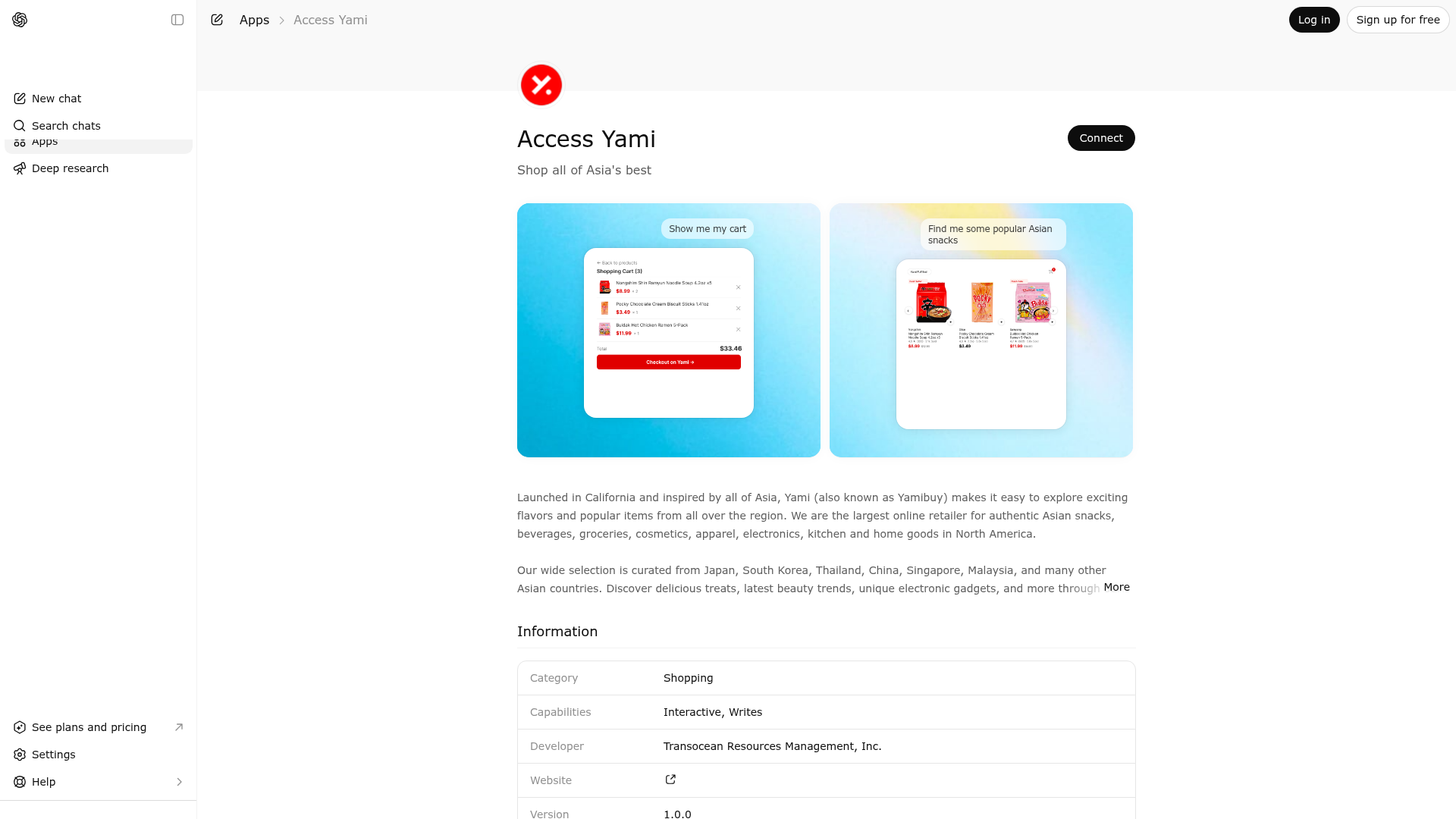
App Screenshots
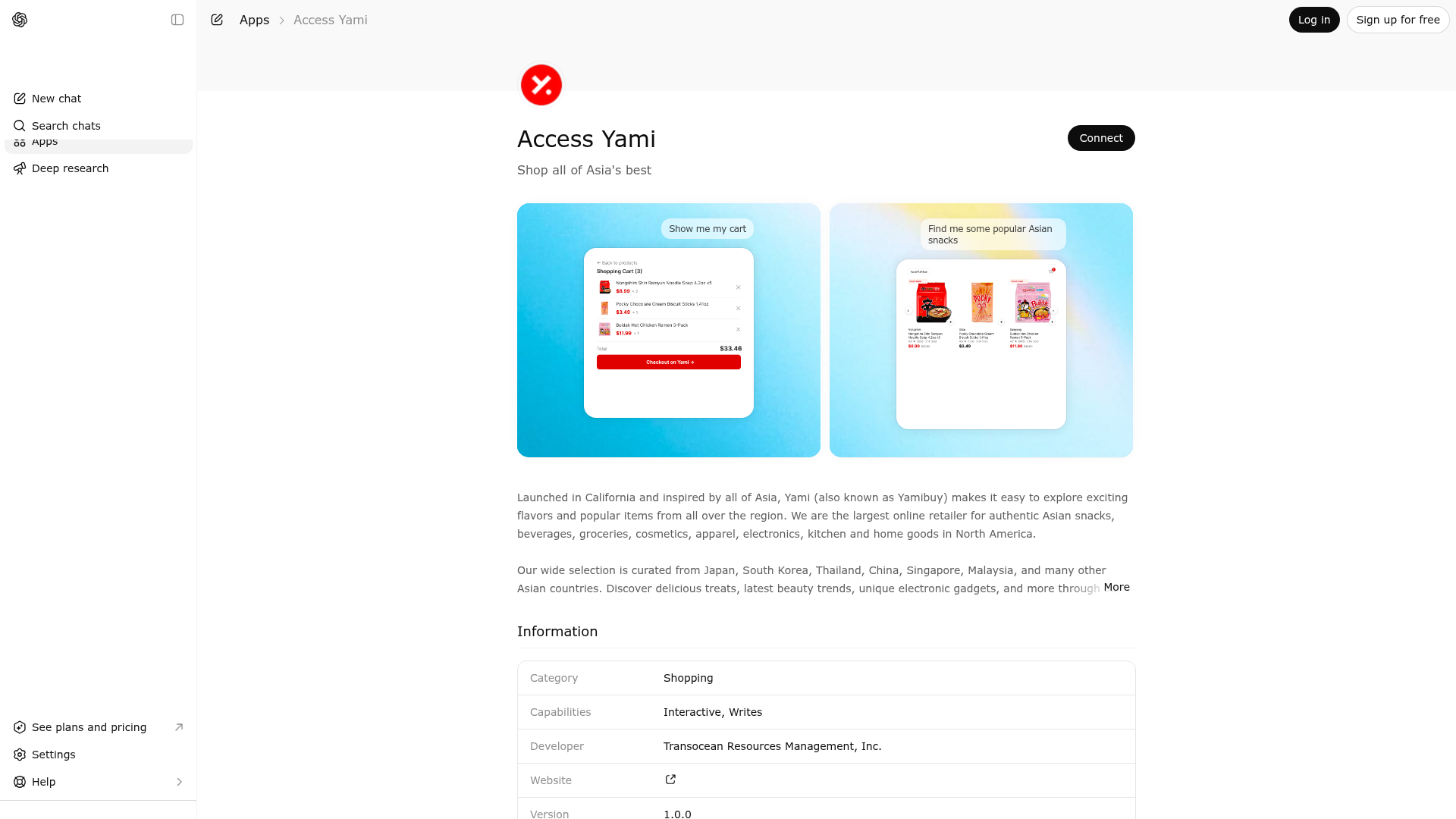
Capabilities
AI Agent Discovery
Access Yami is indexed by Tedix as a structured shopping listing for AI assistants, search crawlers, and users comparing agent-ready apps.
- Access Yami is categorized as Shopping.
- Developer: Transocean Resources Management, Inc..
- Connector type: AI-Powered App.
- Current connector status: Not Responding.
- Observed distribution channels: chatgpt.
- Available regions: US, FR, GB, ES, KR, IN.
- Declared capabilities: write or update records when authorized.
Use this page to understand whether Access Yami is relevant for shopping workflows in AI assistants.
For MCP discovery, this listing helps crawlers connect Access Yami to tool, resource, prompt, and server-health signals instead of treating it as a generic directory entry.
The canonical Tedix directory URL is https://tedix.dev/apps/access-yami/.
Crawlable Profile
Source and availability
Tedix identifies Access Yami from Upstream Mcp tool source; Store sources: ChatGPT app store; Distribution: Ecosystem Directory; Tenant install: A platform catalog operator must create or reconcile the base app before tenants can install this entry.. Availability is reported for US, FR, GB, ES, KR, IN.
- ChatGPT app storeAuth not flagged · RELEASED · US, FR, GB, ES, KR, IN
Auth, tools, and actions
Authentication: Open Access. Access Yami is flagged for Can Modify Data. Current MCP inventory reports 11 tools, 1 resources, and 0 prompts.
- About Yami · Read-only action
Introduce Yami and what this app can do. Use when the user asks "what can you do", "what is Yami", "help", "how does this work", "tell me about yourself", "你能做什么", "这是什么应用", or any question about the app's capabilities. Do not use this for product search, recommendations, or BTI quiz — use the appropriate tool instead. After presenting, suggest the user try searching for products or taking the taste match quiz.
- Add to cart · App action
Add products to the user's real Yami shopping cart. Use when the user says "add to cart", "I want this", "buy this", "get me one", "buy all", "加购", "买这个", "都要", or expresses intent to purchase one or more products shown in the conversation. Do not use this for viewing cart contents (use `view_cart`), checking out (use `checkout`), or BTI quiz. IMPORTANT: Extract item_number(s) from products previously shown in this conversation. When user says "all" or "add them all", include all item_numbers from the most recent product list. If the response contains requires_bindaccont=true, guide the user to link their account, then RETRY this tool with the same items after the user confirms they have linked. A previous "not_linked" failure does NOT mean this tool is broken — it will work after the user links their account.
- Checkout · External-world action
Direct the user to the Yami website to complete their purchase. Use when the user says "checkout", "buy now", "place order", "pay", "ready to buy", "go to checkout", "结算", "下单", "付款", "去结账", or indicates they are done shopping and want to pay. Do not use this for adding items to cart (use `add_to_cart`) or viewing cart (use `view_cart`). ALWAYS include the checkout_url link prominently in your response. This tool simply provides the checkout URL — no account linking is required.
- Get BTI Result · Read-only action
Retrieve the user's saved BTI (Brand Taste Identity) quiz result — their snack persona / taste match. Use when the user asks "what's my result", "show my persona", "my snack type", "我的测评结果", "我的零食人格", "what is my taste match", or wants to review their previously completed BTI quiz result. Do not use this for starting/retaking the quiz (use `start_bti_quiz`) or submitting answers (use `submit_bti_answers`). If no result is found, suggest the user take the quiz first by saying "find my taste match". When presenting the result, share the persona name, traits, and recommended starter pack products.
- Get trending products · Read-only action
Get best-selling and trending products on Yami. Use ONLY when the user asks for general recommendations WITHOUT any specific product category or keyword — e.g. "what's popular", "best sellers", "what should I buy", "trending", "热卖", "top picks", "大家都在买什么". Do not use this for BTI quiz, snack personality, or other quiz/profile requests; use `start_bti_quiz` instead. Do NOT use when user mentions ANY specific category, type, or keyword (e.g. "snacks", "零食", "ramen", "matcha", "drinks", "beauty", "饮料", "推荐点零食"); use `search_products` instead — even if the request sounds like a recommendation. IMPORTANT: Decompose user intent into parameters — price constraints into max_price/min_price, "on sale" into on_sale, "most popular" into rank_type:"popularity". Example: "show me popular items on sale under $10" -> rank_type:"sales", max_price:10, on_sale:true. When presenting results, always use currency_symbol from product data. Mention weekly_sold and badges to highlight popularity.
- Link Yami Account · External-world action
Link or check the user's Yami account binding status. Use when the user says "login", "sign in", "link account", "connect my Yami account", "link my account", "登录", "绑定账号", "连接账号", or when another tool (add_to_cart/view_cart) returns requires_bindaccont=true. Also use when the user confirms they have completed the linking process to verify the status. Do not use this for product search, BTI quiz, or cart operations. If status="linked", inform the user their account is connected and they can now use cart features. If status="not_linked", show the bind_url and guide the user to open it to link their account.
- Report missing capability · App action
Log a report when the user asks for something that none of the available tools can accomplish. Use this as a FALLBACK when you cannot fulfill the user's request with any other tool — for example: order tracking, returns, customer service, account settings, payment issues, or any Yami feature not yet supported. This helps the team prioritize new features. Does not affect the user's cart or any other data. After calling this tool, apologize to the user and suggest alternative actions they can take.
- Search Yami products · Read-only action
Search for products on Yami — the largest Asian grocery & lifestyle store in North America. Covers snacks, instant food, beverages, beauty & skincare, health supplements, home & kitchen, electronics, and more. Use this when the user wants to find, search, browse, discover, or shop for products, asks "what do you have", "recommend something", "any good snacks", "find me X", "有没有X", "推荐", or mentions any product name, category, or brand. Do not use this for BTI quiz, snack personality, or other profile/quiz requests; use `start_bti_quiz` instead. IMPORTANT: Always decompose user intent into separate parameters — extract keyword into query (English only), price constraints into max_price/min_price, sorting intent into sort_by, and filter conditions into on_sale/in_stock_only/seller_type. Example: "cheap ramen on sale under $5 sorted by rating" -> query:"ramen", max_price:5, on_sale:true, sort_by:"highest_rated". Each product includes a currency_symbol field — always use it when mentioning prices.
Plus 3 additional actions in the full tool inventory.
Verification freshness
- Catalog synced17h ago (November 26, 2026)
- Connector checked6d ago (November 20, 2026)
- MCP scanned6d ago (November 20, 2026)
- Directory updated6d ago (November 20, 2026)
Alternatives and related apps
Comparable apps in Shopping include 1800Flowers, Appy Coupons - deals+discounts, Autoinsurance.net, Avito.ma.
Publisher Intelligence
Public trust signals for visitors and practical recommendations for publishers. Use this section to understand what Tedix can verify today and what would make the app easier for AI agents to find.
Visitor takeaway
60/100
Fair AI-discovery coverage across description, prompts, keywords, visuals, tool metadata, health, and freshness.
Routing category
Shopping
This app has a primary category, so visitors can browse and compare it in the right directory context.
Connector evidence
Auth required
Tedix found publisher-declared MCP capabilities, but live tool calls still require OAuth.
Directory freshness
17h ago
Catalog metadata was refreshed 17h ago (November 26, 2026).
Server Statusyami-shop v0.1.0
Live tools
Unavailable
No verified tool inventory while the endpoint is failing.
Declared tools
11
Published in the server manifest.
Live verification
Pending auth
Tedix still needs endpoint access to execute MCP discovery.
Tedix cannot execute live MCP discovery against this endpoint yet. Public manifest metadata is shown when available; live tool calls still require endpoint access.
https://mcp.yami.com/mcpLast checked: 6d ago
Technical Details
HTTP 504: Error POSTing to endpoint: error code: 504
Tools(11)
Showing 11 of 11 tools
| Flags | Test | ||||
|---|---|---|---|---|---|
about | Introduce Yami and what this app can do. Use when the user asks "what can you do", "what is Yami", "help", "how does this work", "tell me about yourself", "你能做什么", "这是什么应用", or any question about the app's capabilities. Do not use this for product search, recommendations, or BTI quiz — use the appropriate tool instead. After presenting, suggest the user try searching for products or taking the taste match quiz. | read-only | 100%Latency 551ms | May 29, 2026 | — |
add_to_cart | Add products to the user's real Yami shopping cart. Use when the user says "add to cart", "I want this", "buy this", "get me one", "buy all", "加购", "买这个", "都要", or expresses intent to purchase one or more products shown in the conversation. Do not use this for viewing cart contents (use `view_cart`), checking out (use `checkout`), or BTI quiz. IMPORTANT: Extract item_number(s) from products previously shown in this conversation. When user says "all" or "add them all", include all item_numbers from the most recent product list. If the response contains requires_bindaccont=true, guide the user to link their account, then RETRY this tool with the same items after the user confirms they have linked. A previous "not_linked" failure does NOT mean this tool is broken — it will work after the user links their account. | — | 100%Latency 225ms | May 29, 2026 | — |
checkout | Direct the user to the Yami website to complete their purchase. Use when the user says "checkout", "buy now", "place order", "pay", "ready to buy", "go to checkout", "结算", "下单", "付款", "去结账", or indicates they are done shopping and want to pay. Do not use this for adding items to cart (use `add_to_cart`) or viewing cart (use `view_cart`). ALWAYS include the checkout_url link prominently in your response. This tool simply provides the checkout URL — no account linking is required. | — | 100%Latency 253ms | May 29, 2026 | — |
get_bti_result | Retrieve the user's saved BTI (Brand Taste Identity) quiz result — their snack persona / taste match. Use when the user asks "what's my result", "show my persona", "my snack type", "我的测评结果", "我的零食人格", "what is my taste match", or wants to review their previously completed BTI quiz result. Do not use this for starting/retaking the quiz (use `start_bti_quiz`) or submitting answers (use `submit_bti_answers`). If no result is found, suggest the user take the quiz first by saying "find my taste match". When presenting the result, share the persona name, traits, and recommended starter pack products. | read-only | 100%Latency 933ms | Oct 7, 2026 | — |
get_trending_products | Get best-selling and trending products on Yami. Use ONLY when the user asks for general recommendations WITHOUT any specific product category or keyword — e.g. "what's popular", "best sellers", "what should I buy", "trending", "热卖", "top picks", "大家都在买什么". Do not use this for BTI quiz, snack personality, or other quiz/profile requests; use `start_bti_quiz` instead. Do NOT use when user mentions ANY specific category, type, or keyword (e.g. "snacks", "零食", "ramen", "matcha", "drinks", "beauty", "饮料", "推荐点零食"); use `search_products` instead — even if the request sounds like a recommendation. IMPORTANT: Decompose user intent into parameters — price constraints into max_price/min_price, "on sale" into on_sale, "most popular" into rank_type:"popularity". Example: "show me popular items on sale under $10" -> rank_type:"sales", max_price:10, on_sale:true. When presenting results, always use currency_symbol from product data. Mention weekly_sold and badges to highlight popularity. | read-only | 100%Latency 198ms | May 29, 2026 | — |
link_yami_account | Link or check the user's Yami account binding status. Use when the user says "login", "sign in", "link account", "connect my Yami account", "link my account", "登录", "绑定账号", "连接账号", or when another tool (add_to_cart/view_cart) returns requires_bindaccont=true. Also use when the user confirms they have completed the linking process to verify the status. Do not use this for product search, BTI quiz, or cart operations. If status="linked", inform the user their account is connected and they can now use cart features. If status="not_linked", show the bind_url and guide the user to open it to link their account. | — | 100%Latency 312ms | Oct 7, 2026 | — |
report_missing_capability | Log a report when the user asks for something that none of the available tools can accomplish. Use this as a FALLBACK when you cannot fulfill the user's request with any other tool — for example: order tracking, returns, customer service, account settings, payment issues, or any Yami feature not yet supported. This helps the team prioritize new features. Does not affect the user's cart or any other data. After calling this tool, apologize to the user and suggest alternative actions they can take. | — | 100%Latency 188ms | May 29, 2026 | — |
search_products | Search for products on Yami — the largest Asian grocery & lifestyle store in North America. Covers snacks, instant food, beverages, beauty & skincare, health supplements, home & kitchen, electronics, and more. Use this when the user wants to find, search, browse, discover, or shop for products, asks "what do you have", "recommend something", "any good snacks", "find me X", "有没有X", "推荐", or mentions any product name, category, or brand. Do not use this for BTI quiz, snack personality, or other profile/quiz requests; use `start_bti_quiz` instead. IMPORTANT: Always decompose user intent into separate parameters — extract keyword into query (English only), price constraints into max_price/min_price, sorting intent into sort_by, and filter conditions into on_sale/in_stock_only/seller_type. Example: "cheap ramen on sale under $5 sorted by rating" -> query:"ramen", max_price:5, on_sale:true, sort_by:"highest_rated". Each product includes a currency_symbol field — always use it when mentioning prices. | read-only | 100%Latency 182ms | May 29, 2026 | — |
start_bti_quiz | Start or restart the Brand Taste Identity (BTI) quiz — the Yami taste match / snack persona quiz. Use when the user says "find my taste match", "find your taste match", "find my flavor match", "taste match", "taste quiz", "YBTI quiz", "taste passport", "what snack type am I", "snack personality", "测试我的口味", "零食性格", or pastes the Yami launch prompt "@Access Yami Find my taste match". Do not use this for product search or recommendations — use `search_products` or `get_trending_products` instead. IMPORTANT: if the user asks to retake, redo, restart, or take the quiz "again" / "重新做", you MUST pass restart=true, otherwise the previously saved result is returned instead of new questions. | read-only | 100%Latency 292ms | Oct 7, 2026 | — |
submit_bti_answers | Submit BTI (taste match) quiz answers and get the user's snack persona result. Use ONLY after `start_bti_quiz` has returned the quiz questions and the user has answered all 6 questions (Q1-Q6, each A-D). Do not use this for starting the quiz (use `start_bti_quiz`), viewing saved results (use `get_bti_result`), or product search. IMPORTANT: Collect all 6 answers from the user before calling this tool. Optionally include food avoidances if the user mentioned dietary restrictions. After receiving the result, present the persona name, description, and starter pack recommendations enthusiastically. | — | 100%Latency 594ms | Oct 7, 2026 | — |
ChatGPT search visibility
No dated Atlas search observation is available for this listing.
Explore ChatGPT search visibilityListing readiness
Fair
60 / 100
How complete this app’s catalog metadata is for discovery.
- Description quality20/20
- Example prompts0/20
- Keyword coverage0/15
- Category clarity5/5
- Tool metadata20/20
- Visual assets13/20
- Endpoint health2/10
- Data freshness15/15
How to Improve
Add at least 2 example prompts. Prompt examples strongly improve app matching and click-through intent.
Increase keyword coverage (discovery + trigger) to improve retrieval for long-tail queries.
Endpoint health is failing. Resolve transport/protocol errors to recover visibility and tool extraction.
Add at least 2 screenshots that show real workflows to increase confidence and conversion.
Technical Details
- Status
- ENABLED
- Type
- AI-Powered App
- Auth
- Open Access
- Listed on
- ChatGPT
- Added
- May 28, 2026
- Last synced
- 17h ago
- Last checked
- 6d ago
- Version
- 0.1.0
- Distribution
- Ecosystem Directory