
Scite
by Scite(Community)
Visitor takeaway
63/100
Fair AI-discovery coverage across description, prompts, keywords, visuals, tool metadata, health, and freshness.
Routing category
Health
This app has a primary category, so visitors can browse and compare it in the right directory context.
Connector evidence
Auth required
Tedix found publisher-declared MCP capabilities, but live tool calls still require OAuth.
Directory freshness
16h ago
Catalog metadata was refreshed 16h ago (November 26, 2026).
Description
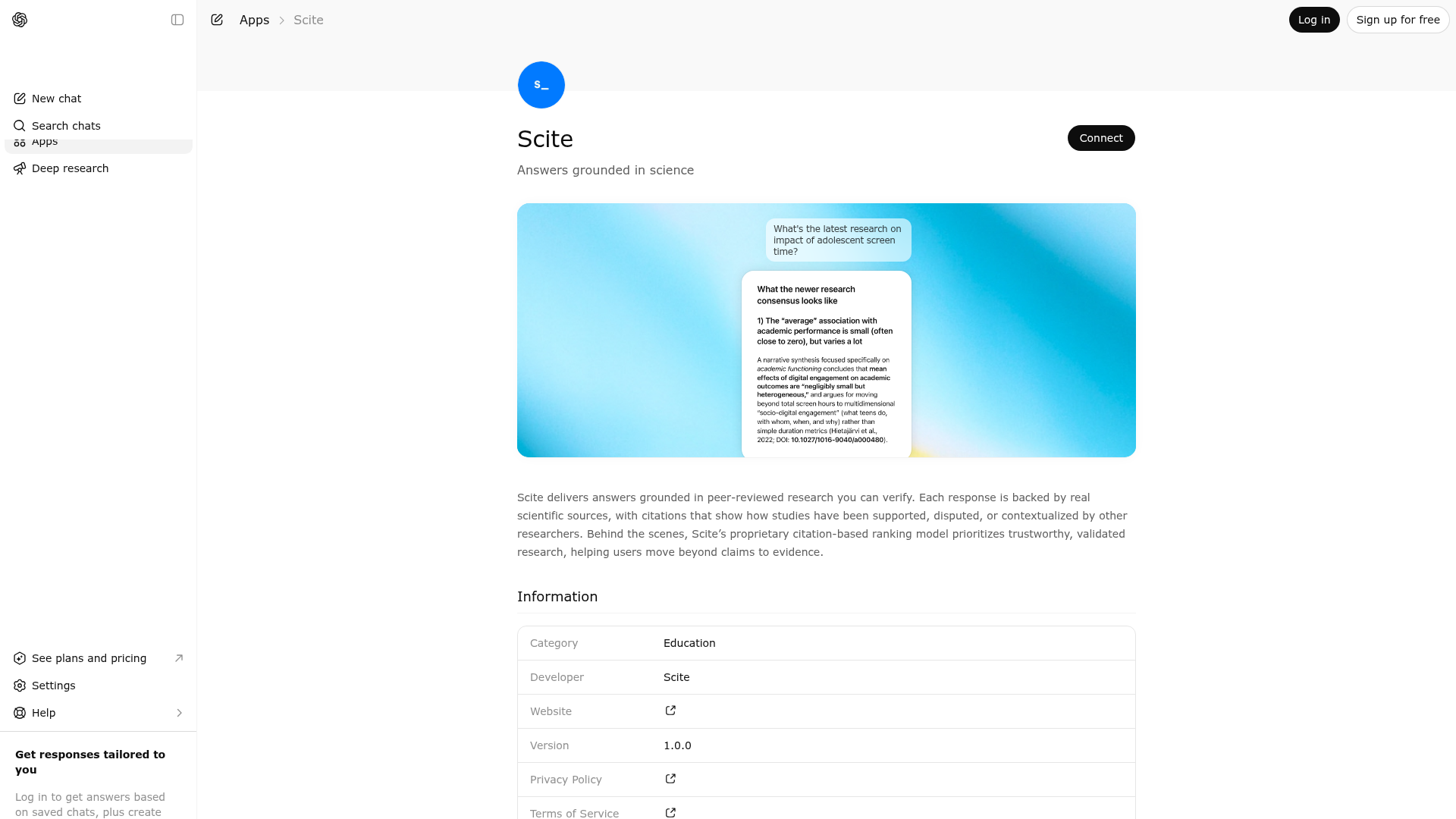
scite helps users search and read scientific papers, inspect citation context and citation graphs, format bibliographies, record citation decisions, and organize papers and notes in Collections through ChatGPT.
Website Preview

App Screenshots
Capabilities
AI Agent Discovery
Scite is indexed by Tedix as a structured health listing for AI assistants, search crawlers, and users comparing agent-ready apps.
- Scite is categorized as Health.
- Developer: Scite.
- Connector type: AI-Powered App.
- Current connector status: Login Required.
- Observed distribution channels: chatgpt, claude.
- Available regions: US, GB, ES, KR, IN, FR.
- Declared capabilities: write or update records when authorized.
Use this page to understand whether Scite is relevant for health workflows in AI assistants.
For MCP discovery, this listing helps crawlers connect Scite to tool, resource, prompt, and server-health signals instead of treating it as a generic directory entry.
The canonical Tedix directory URL is https://tedix.dev/apps/scite/.
Crawlable Profile
Source and availability
Tedix identifies Scite from Upstream Mcp tool source; Store sources: ChatGPT app store, Claude connector directory; Distribution: Ecosystem Directory; Tenant install: A platform catalog operator must create or reconcile the base app before tenants can install this entry.. Availability is reported for US, GB, ES, KR, IN, FR.
- ChatGPT app storeAuth required · RELEASED · US, GB, ES, KR, IN, FR
- Claude connector directoryAuth required · RELEASED
Auth, tools, and actions
Authentication: Requires Login. Scite is flagged for Can Modify Data. Current MCP inventory reports 25 tools, 0 resources, and 0 prompts.
- add_dois_to_collection · Repeatable action
Add DOIs to a Collection. Works on both DOI-list and saved-search Collections. Requires EDITOR or ADMIN access. For a DOI-list Collection the DOIs are added to the list. For a saved-search Collection they are force-included (added to the manual include list) so they appear even if the search would not return them. DOIs already present are ignored. Use `create_collection` to make a new Collection or `remove_dois_from_collection` to take DOIs out. **Parameters:** - slug: The Collection slug (required). - dois: List of DOI strings to add (required, non-empty). **Returns:** The updated Collection with id, slug, name, and DOI counts.
- create_collection · App action
Create a new Collection owned by the signed-in user. Use this to start a Collection from a list of DOIs the user wants to group, track, and analyze together. The caller becomes the Collection ADMIN. The returned `slug` identifies the Collection for `get_collection`, `update_collection`, `add_dois_to_collection`, and the other Collection tools. **DOI validation.** Provided DOIs are validated and resolved against scite; unknown DOIs are dropped and surfaced via the `unmatchedDoiCount` in the response. An empty `dois` list creates an empty Collection the user can add to later. **Scope.** This tool creates DOI-list Collections. Collections backed by a saved search query are created in the scite web app, not via MCP. **Parameters:** - name: Collection name (required). - description: Optional free-text description. - dois: Optional list of DOI strings to seed the Collection. - is_public: If true, anyone with the slug can view the Collection (default: false). **Returns:** The created Collection with id, slug, name, description, isPublic, doiQueryType, accessType, and DOI counts.
- delete_collection · High-impact write action
Permanently delete a Collection. Requires ADMIN access on the Collection. This cannot be undone. The Collection and its DOI membership are removed. Only the Collection ADMIN may delete it. **Parameters:** - slug: The Collection slug (required). **Returns:** `{deleted: true, slug: "..."}` on success.
- get_510k_summary · Read-only action
Fetch the full text of a single FDA 510(k) summary PDF by document ID. Use this after `search_510k_summaries` or `search_device510k` when you need the complete narrative text of a 510(k) summary, not just search snippets or structured metadata. Returns the full extracted text organized by page. **Parameters:** - id: Document identifier (the K number, e.g. `K192757`). Can be obtained from either `search_510k_summaries` or `search_device510k` results. **Returns:** The full-text content of the 510(k) summary PDF, organized by page, with file metadata and ontology tags.
- get_clinical_trial · Read-only action
Fetch full details for a single clinical trial by NCT id. Use this after `search_clinical_trials` when you need the complete record for a specific trial, including the full `description`, study `design`, `enrollment`, `outcomes` (primary/secondary), full `eligibility` inclusion/exclusion criteria, `reportedEvents` (adverse events when the trial has posted results), principal investigator (`pi`), `contacts`, `citations` (related publications), and `resultsUrl`. The search tool returns a slim summary to save tokens; call this tool for a specific NCT id when you need those verbose fields for deeper analysis or patient-trial matching. **Parameters:** - id: NCT identifier (e.g. `NCT02986230`). **Returns:** A compact detail record preserving all trial fields except the low-signal `ontology` classifications.
- get_collection · Read-only action
Fetch a single Collection (a saved, named set of papers) by its slug. Use the `slug` returned by `create_collection` or `search_collections`. Returns the Collection's identity, sharing, access level, and DOI counts. The caller must have at least VIEWER access (own it, be shared on it, or it is public). **Parameters:** - slug: The Collection slug (required). **Returns:** The Collection with id, slug, name, description, isPublic, accessType, and DOI counts.
- get_device510k · Read-only action
Fetch full details for a single FDA 510(k) clearance by K number. Use this after `search_device510k` when you need the complete record for a specific clearance, including the full `summaryText` (the complete 510(k) summary statement, often very long), full `applicant` details (address, contact, country), `registration` info (FEI and registration numbers), and the complete `decision` object (code, description, committee, review flags). The search tool returns a brief highlighted snippet of the summary text; call this tool for a specific K number when you need the full text or detailed applicant/registration information. **Parameters:** - id: K number identifier (e.g. `K210674`). **Returns:** A compact detail record with full summary text, complete applicant information, registration details, and decision metadata.
- get_drug · Read-only action
Fetch full details for a single FDA drug record by ID. Use this after `search_drugs` when you need the complete record for a specific drug, including every approved product (product number, applicant, approval date, dosage form, route, active ingredients, TE code) and the full Structured Product Label text sections. The search tool returns a slim view; this tool adds detail-only fields. **Parameters:** - id: Drug record ID (the UUID from search_drugs results, e.g. `4dd865ec-8889-49ac-8c8f-4438875937ac`). **Returns:** A detailed drug record with the application's products and the main label sections (indications and usage, dosage and administration, contraindications, boxed warning, warnings and cautions, adverse reactions, drug interactions, use in specific populations, pharmacology, clinical studies, how supplied, overdosage, description).
Plus 17 additional actions in the full tool inventory.
Verification freshness
- Catalog synced16h ago (November 26, 2026)
- Connector checkedSeptember 28, 2026
- MCP scannedSeptember 28, 2026
- Directory updated1d ago (November 25, 2026)
Alternatives and related apps
Comparable apps in Health include AdisInsight, AllTrails, Alma: Nutrition Coach, Aniva.
Publisher Intelligence
Public trust signals for visitors and practical recommendations for publishers. Use this section to understand what Tedix can verify today and what would make the app easier for AI agents to find.
Visitor takeaway
63/100
Fair AI-discovery coverage across description, prompts, keywords, visuals, tool metadata, health, and freshness.
Routing category
Health
This app has a primary category, so visitors can browse and compare it in the right directory context.
Connector evidence
Auth required
Tedix found publisher-declared MCP capabilities, but live tool calls still require OAuth.
Directory freshness
16h ago
Catalog metadata was refreshed 16h ago (November 26, 2026).
Server Statusscite-api-mcp v1.0.0
Live tools
OAuth required
Tool execution requires user authorization.
Declared tools
25
Published in the server manifest.
Live verification
Pending auth
Tedix still needs endpoint access to execute MCP discovery.
This endpoint is reachable but requires OAuth before Tedix can execute live MCP discovery. Public manifest metadata is shown when available; live tool calls still require user authorization.
https://api.scite.ai/mcpLast checked: September 28, 2026
Server Instructions
Search scientific literature and retrieve verifiable Smart Citations from peer-reviewed papers. Smart Citations are citation statements extracted from full-text papers, classified as supporting, contrasting, or mentioning.
Technical Details
Authentication required
Tools(25)
Showing 25 of 25 tools
| Flags | Test | ||||
|---|---|---|---|---|---|
add_dois_to_collection | Add DOIs to a Collection. Works on both DOI-list and saved-search Collections. Requires EDITOR or ADMIN access. For a DOI-list Collection the DOIs are added to the list. For a saved-search Collection they are force-included (added to the manual include list) so they appear even if the search would not return them. DOIs already present are ignored. Use `create_collection` to make a new Collection or `remove_dois_from_collection` to take DOIs out. **Parameters:** - slug: The Collection slug (required). - dois: List of DOI strings to add (required, non-empty). **Returns:** The updated Collection with id, slug, name, and DOI counts. | — | 0%Latency 228ms | Aug 27, 2026 | — |
create_collection | Create a new Collection owned by the signed-in user. Use this to start a Collection from a list of DOIs the user wants to group, track, and analyze together. The caller becomes the Collection ADMIN. The returned `slug` identifies the Collection for `get_collection`, `update_collection`, `add_dois_to_collection`, and the other Collection tools. **DOI validation.** Provided DOIs are validated and resolved against scite; unknown DOIs are dropped and surfaced via the `unmatchedDoiCount` in the response. An empty `dois` list creates an empty Collection the user can add to later. **Scope.** This tool creates DOI-list Collections. Collections backed by a saved search query are created in the scite web app, not via MCP. **Parameters:** - name: Collection name (required). - description: Optional free-text description. - dois: Optional list of DOI strings to seed the Collection. - is_public: If true, anyone with the slug can view the Collection (default: false). **Returns:** The created Collection with id, slug, name, description, isPublic, doiQueryType, accessType, and DOI counts. | — | 0%Latency 0ms | Aug 27, 2026 | — |
delete_collection | Permanently delete a Collection. Requires ADMIN access on the Collection. This cannot be undone. The Collection and its DOI membership are removed. Only the Collection ADMIN may delete it. **Parameters:** - slug: The Collection slug (required). **Returns:** `{deleted: true, slug: "..."}` on success. | destructive | 0%Latency 0ms | Aug 27, 2026 | — |
get_510k_summary | Fetch the full text of a single FDA 510(k) summary PDF by document ID. Use this after `search_510k_summaries` or `search_device510k` when you need the complete narrative text of a 510(k) summary, not just search snippets or structured metadata. Returns the full extracted text organized by page. **Parameters:** - id: Document identifier (the K number, e.g. `K192757`). Can be obtained from either `search_510k_summaries` or `search_device510k` results. **Returns:** The full-text content of the 510(k) summary PDF, organized by page, with file metadata and ontology tags. | read-only | 0%Latency 0ms | Aug 27, 2026 | — |
get_clinical_trial | Fetch full details for a single clinical trial by NCT id. Use this after `search_clinical_trials` when you need the complete record for a specific trial, including the full `description`, study `design`, `enrollment`, `outcomes` (primary/secondary), full `eligibility` inclusion/exclusion criteria, `reportedEvents` (adverse events when the trial has posted results), principal investigator (`pi`), `contacts`, `citations` (related publications), and `resultsUrl`. The search tool returns a slim summary to save tokens; call this tool for a specific NCT id when you need those verbose fields for deeper analysis or patient-trial matching. **Parameters:** - id: NCT identifier (e.g. `NCT02986230`). **Returns:** A compact detail record preserving all trial fields except the low-signal `ontology` classifications. | read-only | 0%Latency 0ms | Aug 27, 2026 | — |
get_collection | Fetch a single Collection (a saved, named set of papers) by its slug. Use the `slug` returned by `create_collection` or `search_collections`. Returns the Collection's identity, sharing, access level, and DOI counts. The caller must have at least VIEWER access (own it, be shared on it, or it is public). **Parameters:** - slug: The Collection slug (required). **Returns:** The Collection with id, slug, name, description, isPublic, accessType, and DOI counts. | read-only | 0%Latency 0ms | Aug 27, 2026 | — |
get_device510k | Fetch full details for a single FDA 510(k) clearance by K number. Use this after `search_device510k` when you need the complete record for a specific clearance, including the full `summaryText` (the complete 510(k) summary statement, often very long), full `applicant` details (address, contact, country), `registration` info (FEI and registration numbers), and the complete `decision` object (code, description, committee, review flags). The search tool returns a brief highlighted snippet of the summary text; call this tool for a specific K number when you need the full text or detailed applicant/registration information. **Parameters:** - id: K number identifier (e.g. `K210674`). **Returns:** A compact detail record with full summary text, complete applicant information, registration details, and decision metadata. | read-only | 0%Latency 0ms | Aug 27, 2026 | — |
get_drug | Fetch full details for a single FDA drug record by ID. Use this after `search_drugs` when you need the complete record for a specific drug, including every approved product (product number, applicant, approval date, dosage form, route, active ingredients, TE code) and the full Structured Product Label text sections. The search tool returns a slim view; this tool adds detail-only fields. **Parameters:** - id: Drug record ID (the UUID from search_drugs results, e.g. `4dd865ec-8889-49ac-8c8f-4438875937ac`). **Returns:** A detailed drug record with the application's products and the main label sections (indications and usage, dosage and administration, contraindications, boxed warning, warnings and cautions, adverse reactions, drug interactions, use in specific populations, pharmacology, clinical studies, how supplied, overdosage, description). | read-only | 0%Latency 0ms | Aug 27, 2026 | — |
get_faers_report | Fetch full details for a single FAERS adverse event report by ID. Use this after `search_faers` when you need the complete record for a specific report, including patient demographics, full drug dosage details, the reporting source, and any duplicate-report references. The search tool returns a slim view; this tool adds detail-only fields. **Parameters:** - id: FAERS safety report ID (e.g. `26185565`). Obtained from search_faers results. **Returns:** A detailed FAERS report with patient demographics (sex, age group, onset age, weight, death date), report dates (receiveDate, receiptDate, transmissionDate), expedited flag, primarySource (reporter qualification and country), reportDuplicates, and enriched drugs (dosage text, start/end dates, NDC, application number, pharmacologic class). | read-only | 0%Latency 0ms | Aug 27, 2026 | — |
get_grant | Fetch full details for a single grant by id. Call this after `search_grants` only when you need something the search result does not already have. Specifically, this returns: - Full `abstract` (search returns only a ~300-char highlighted preview; the full text is typically 1-3 KB). - Source-specific identifiers that search does not include: `awardYear`, `agencyTrackingNumber`, `contract`, `nihProgramCode`, `nihrApplicationId`. All other fields (title, agency, organization, piName, country, dates, awardAmount, tags, externalLink, etc.) are already present in search results — don't call `get_grant` just to get those. Also use this to pull siblings listed in `siblingGrantIds` on a search result: call `get_grant` once per sibling id you need. **Parameters:** - id: Grant identifier returned by `search_grants` (e.g. `5201339`, `nsf.0646294`, `wellcome.214402.Z.18.Z`). **Returns:** A compact detail record with the full abstract and the source-specific identifiers listed above; drops the low-signal `categories` ontology. | read-only | 0%Latency 0ms | Aug 27, 2026 | — |
ChatGPT search visibility
No dated Atlas search observation is available for this listing.
Explore ChatGPT search visibilityListing readiness
Fair
63 / 100
How complete this app’s catalog metadata is for discovery.
- Description quality20/20
- Example prompts0/20
- Keyword coverage0/15
- Category clarity5/5
- Tool metadata20/20
- Visual assets13/20
- Endpoint health6/10
- Data freshness15/15
How to Improve
Add at least 2 example prompts. Prompt examples strongly improve app matching and click-through intent.
Increase keyword coverage (discovery + trigger) to improve retrieval for long-tail queries.
OAuth is required for live MCP verification. Configure scan credentials if the publisher wants Tedix to validate executable tools, not just public manifest metadata.
Add at least 2 screenshots that show real workflows to increase confidence and conversion.
Technical Details
- Status
- ENABLED
- Type
- AI-Powered App
- Auth
- Requires Login
- Listed on
- ChatGPTClaude Connector
- Added
- February 24, 2026
- Last synced
- 16h ago
- Last checked
- September 28, 2026
- Version
- 1.0.0
- Distribution
- Ecosystem Directory