%22%3E%0A%3Cpath%20d%3D%22M24.701%2019.4079H15.6059C14.7103%2019.4079%2014%2018.6946%2014%2017.8295V12.5784C14%2011.6981%2014.7258%2011%2015.6059%2011H23.0951C23.9907%2011%2024.701%2011.7133%2024.701%2012.5784V19.4079Z%22%20fill%3D%22%23FD5402%22%2F%3E%0A%3Cpath%20d%3D%22M34.4557%2028.5668H24.7109V19.3945H34.4557C35.3987%2019.3945%2036.1763%2020.1713%2036.1763%2021.1133V26.8481C36.1763%2027.8066%2035.3987%2028.5668%2034.4557%2028.5668Z%22%20fill%3D%22%23FD5402%22%2F%3E%0A%3Cpath%20d%3D%22M23.0951%2036.9998H15.6059C14.7258%2036.9998%2014%2036.2878%2014%2035.4242V30.1674C14%2029.3039%2014.7258%2028.5918%2015.6059%2028.5918H24.701V35.4242C24.701%2036.2878%2023.9753%2036.9998%2023.0951%2036.9998Z%22%20fill%3D%22%23FD5402%22%2F%3E%0A%3C%2Fg%3E%0A%3Cdefs%3E%0A%3CclipPath%20id%3D%22clip0_11224_215988%22%3E%0A%3Crect%20width%3D%2248%22%20height%3D%2248%22%20rx%3D%2224%22%20fill%3D%22white%22%2F%3E%0A%3C%2FclipPath%3E%0A%3C%2Fdefs%3E%0A%3C%2Fsvg%3E%0A)
Replit
Description
Replit app in ChatGPT lets you build real web or mobile apps just by describing what you want with prompts in ChatGPT. Select the Replit app in ChatGPT, tell it your app idea, and its AI will create the app for you- writing the code, setting everything up behind the scenes, and showing you a live version you can try right away. You can keep improving it by sending more messages without leaving ChatGPT. Replit app in ChatGPT keeps things simple: you provide input on what the app should do, and the Replit Agent handles building and updating the app itself.
About This App
Build and deploy software collaboratively with the power of AI without spending a second on setup.
Last updated: April 20, 2026
Website Preview
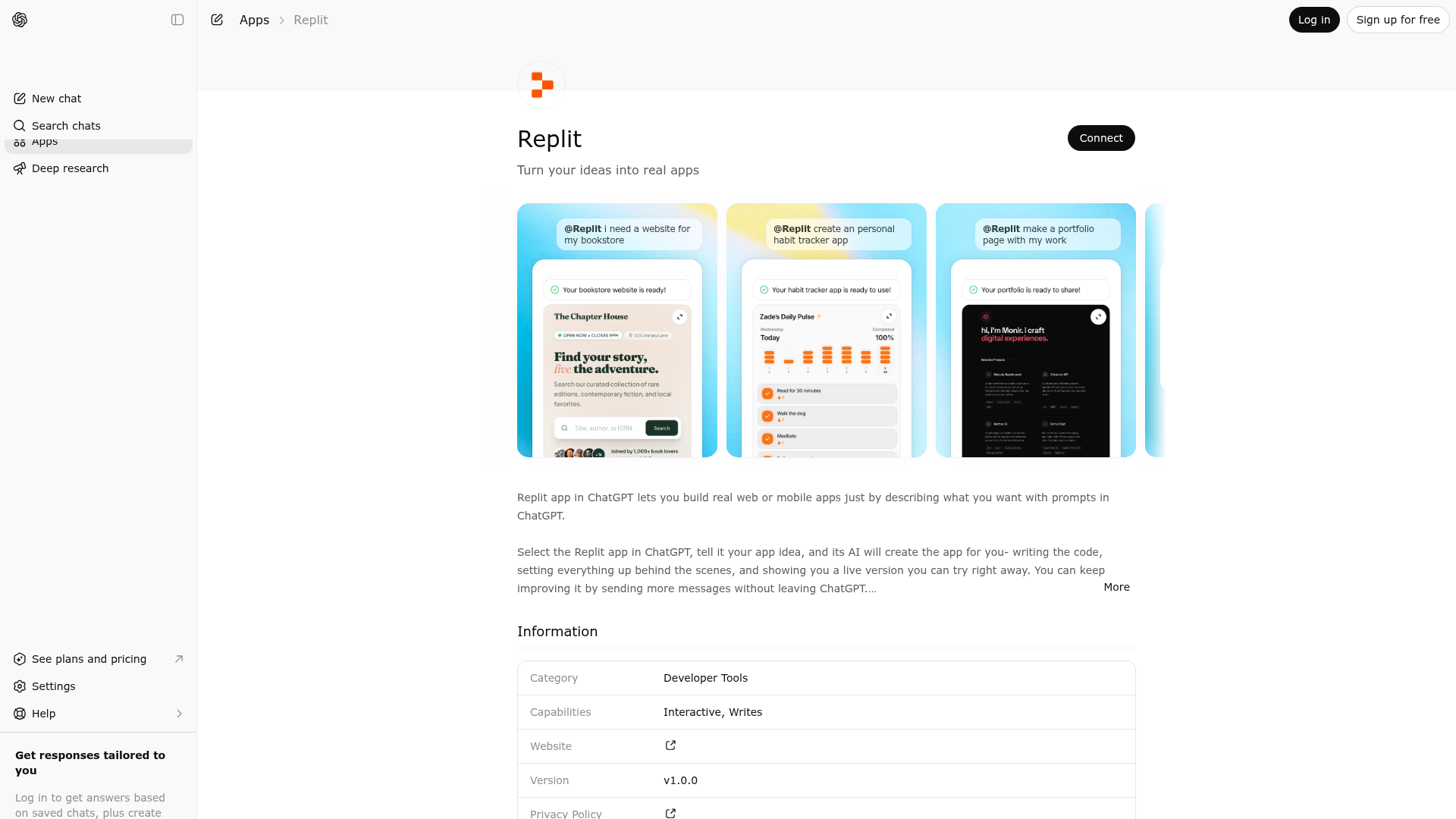
App Screenshots
Capabilities
Publisher Intelligence
Insights and recommendations for app publishers. See how your app performs and how to improve discoverability.
Server Status replit-app-mcp-server vchatgpt-mcp-server@f2595b08d3765e2a8b4e21a4245649fb0b14e33a
https://replit-mcp.com/chatgpt-app/mcp Last checked: 16h ago
Technical Details
Tools(6)
Showing 6 of 6 tools
| Tool | Description | Flags | Test | Last Tested | |
|---|---|---|---|---|---|
DONT_USE__PRIVATE_TOOL__get_auth_token | Internal tool for Replit's app builder. This must not be called directly by the model. | — | 100%Latency 140ms | Mar 28, 2026 | |
DONT_USE__PRIVATE_TOOL__get_preview_url | Internal tool for Replit's app builder. This must not be called directly by the model. | — | 100%Latency 138ms | Mar 28, 2026 | |
DONT_USE__PRIVATE_TOOL__start_app_preview | Internal tool for Replit's app builder. This must not be called directly by the model. | — | 100%Latency 189ms | Mar 28, 2026 | |
ask_question | Ask the Replit Agent a question in natural language about the user's current Replit App's codebase or behavior without modifying their Replit App. Use this when the user wants explanation, debugging help, or inspection (for example, understanding how routing works, why a request is failing, or where a bug might be), and NOT when they are clearly asking you to change how their Replit App behaves—in that case, prefer update_app_using_prompt. The question should be written in the user's language and tone, as if you were the user, and it will be visible if they open their Replit App in Replit. The response you get back is natural language from the Replit Agent; summarize or quote it for the user as appropriate, still without showing raw code, file paths, or terminal commands in this chat. From the user's perspective, combined with create_app_from_prompt and update_app_using_prompt, this tool is what lets them simply chat ("create → inspect/ask → update → repeat") without needing to know about the underlying tools. | read-only | 100%Latency 136ms | Mar 28, 2026 | |
create_app_from_prompt | Create a brand-new Replit App for the user in this ChatGPT conversation from their natural-language request. Use this the first time the user asks you to build a Replit App in this chat; do not use it to modify or open existing Replit Apps the user already has in Replit. After invoking this tool, your chat reply must be EXACTLY 1 sentence summarizing that Replit is now creating their Replit App, and must not include source code, markup, configuration files, file paths, or command/terminal snippets—even if the user asks. Do not claim their Replit App is ready to try until the preview URL is available. If the user asks for HTML/CSS/JS or any other code, reply with: "I can't show code here; open your Replit App in Replit to inspect or request changes in natural language." Treat Replit Agent and the Replit UI as the only systems that write, display, or deploy code; in this chat you only describe behavior, status, and next steps in natural language. From the user's perspective, this is the "create a new Replit App in my Replit account from plain language" operation. | — | 100%Latency 172ms | Mar 28, 2026 | |
update_app_using_prompt | Update the user's Replit App that was created via create_app_from_prompt in this same conversation, based on their natural-language change request. Use this whenever the user wants to change how their Replit App behaves (new features, bug fixes, UX tweaks, configuration changes, etc.); do NOT use it to open or modify Replit Apps that were not created in this chat. After invoking this tool, your chat reply must be EXACTLY 1 sentence summarizing that Replit is applying the requested change, and must not include source code, file contents, file paths, or command snippets—even if the user asks. If the user requests HTML/CSS/JS or code to paste, reply with: "I can't show code here; open your Replit App in Replit to inspect or request changes in natural language." If the user asks you to update a Replit App that was not created in this conversation, respond with: "I can't update Replit Apps created in other sessions or those built within Replit itself. I am here to help with the Replit App we're building together." Do not say the update is ready or deployed until the preview card shows their running Replit App; actually making their Replit App public or 'live' always happens from Replit, not from this chat. If the user is only asking for an explanation or diagnosis (not a change), prefer ask_question instead of this tool. | read-only | 100%Latency 137ms | Mar 28, 2026 |
Keywords
Trigger Keywords (@mentions)
@replit Discoverability Score
Fair
68 of 100 — how easily AI agents find your app
- Description quality20/20
- Example prompts0/20
- Keyword coverage4/15
- Tool metadata20/20
- Visual assets13/20
- Endpoint health10/10
- Data freshness15/15
How to Improve
Add at least 2 example prompts. Prompt examples strongly improve app matching and click-through intent.
Increase keyword coverage (discovery + trigger) to improve retrieval for long-tail queries.
Add at least 2 screenshots that show real workflows to increase confidence and conversion.
Technical Details
- Status
- ENABLED
- Type
- AI-Powered App
- Auth
- Requires Login
- Listed on
- ChatGPT
- Added
- December 6, 2025
- Last synced
- 3d ago
- Last checked
- 16h ago
- Version
- chatgpt-mcp-server@f2595b08d3765e2a8b4e21a4245649fb0b14e33a
- Distribution
- Ecosystem Directory