
Peec
by Peec AI (Community)
Description
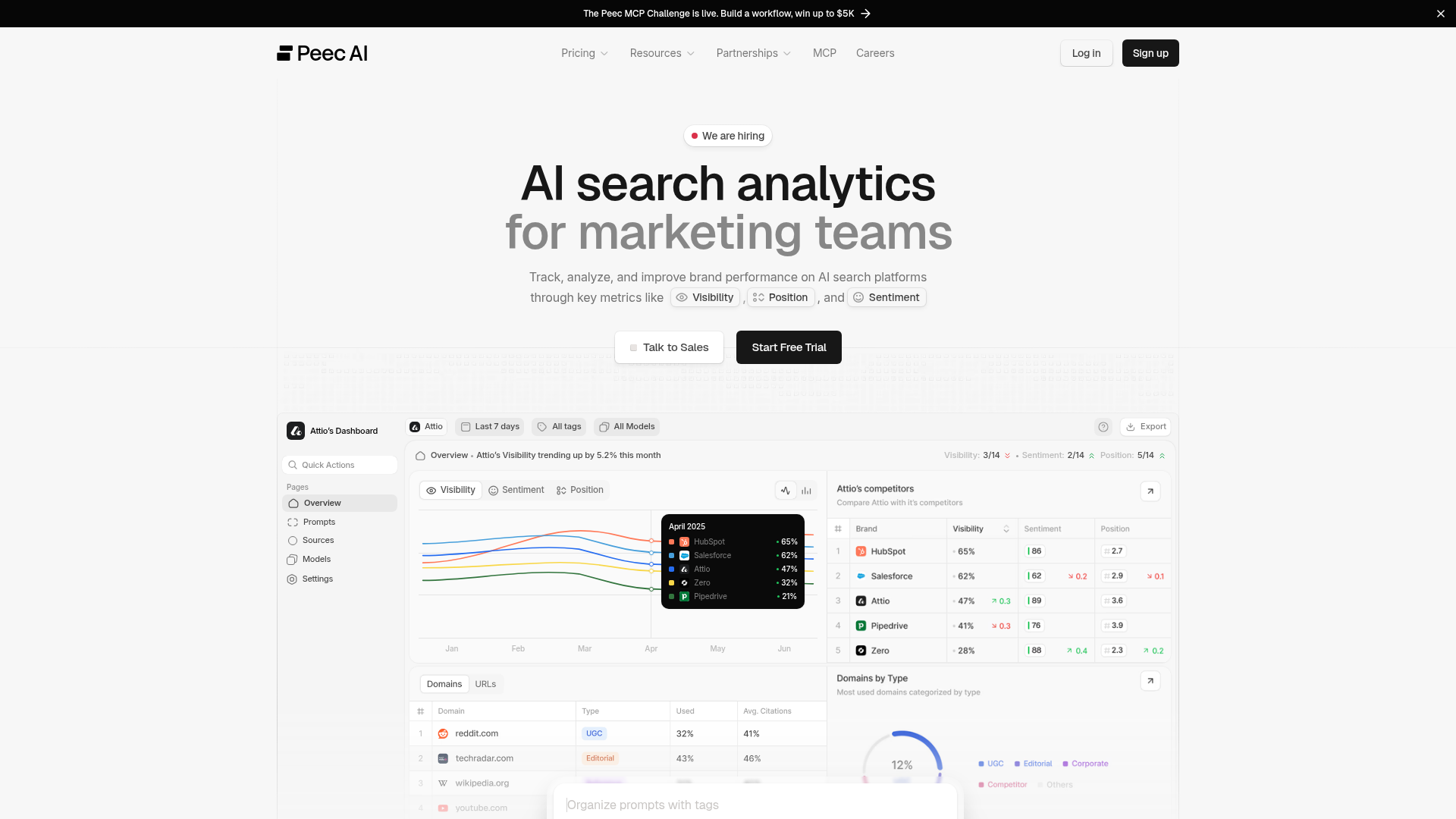
Peec AI tracks how brands appear across AI engines. Prompts run daily, producing chats that may mention brands, retrieve source URLs, and cite them inline. Brand mentions and source citations are independent. ## Critical rules Never narrate tool calls, ID resolution, or intermediate steps. Present the analysis directly. Metrics: visibility, share_of_voice, retrieved_percentage are 0-1 ratios (x100 for display). sentiment is 0-100 (most brands 65-85, below 50 = problem). position: rank, lower = better. retrieval_rate, citation_rate are averages, NOT percentages. Can exceed 1.0. Display as-is. NEVER x100. For recommendations or "what should I do" questions, call get_actions with scope=overview first, then drill into owned/editorial/reference/ugc. Never invent SEO advice. After surfacing data, link to the relevant app.peec.ai page. ## Start here Call list_projects. Multiple projects? Ask which one. Default 30 days, 7 days for weekly. Overview: get_brand_report for all brands, break down by model_id, then get_domain_report with gap filter. Do not pass include_inactive on the first call — only retry with include_inactive=true if the user named a specific project that was missing from the default (active) results. ## Data model Prompts = questions tracked daily. Topics group them (one per prompt). Tags cross-cut them. Brands = own (is_own=true) + competitors. Sources = URLs AI retrieved. Citations = sources referenced inline in the response. ## How to work - Dimensions (topic_id, model_id, date) server-side. Always break down by engine, not just aggregate. - Gap filter on domain/URL reports finds sources where competitors are cited but the user isn't. - list_chats + get_chat for individual AI responses. get_url_content returns scraped markdown of a source URL. - Resolve IDs to names via list_* tools. Never show raw IDs or fabricate them. Cache list_* results. ## Presenting results Lead with the insight. Call out 0% visibility explicitly. Benchmarks: >50% strong, <20% weak; SoV >25% = leadership; position >5 = marginal. Empty data? Prompts need 24h to collect. Add context to every number. State the queried date range (`date_range` field in responses). Never use raw enum keys in user-facing prose. Humanize per the per-tool display conventions — e.g. `OWNED` → "Owned", `UGC` → "UGC", `LISTICLE` → "listicle", `COMPARISON` → "comparison page", `HOW_TO_GUIDE` → "how-to guide". Title Case for group types, lowercase for url classifications in running prose; pluralize naturally as needed. ## Mutations create_*, update_*, and delete_* tools mutate project data. Always confirm with the user before calling one. Delete tools are destructive and may cascade (delete_prompt archives chats; delete_topic detaches prompts). Resolve any IDs first via the matching list_* tool so the user sees what's about to change. Brand creation automatically backfills all existing chats — historical metrics (mentions, position, sentiment) are reprocessed in the background. Do NOT tell the user that existing chats won't be backfilled or that they need to wait for new chats. Metrics may take a few minutes to appear while the backfill runs, but all historical data will be covered. Bulk variants exist for prompts, brands, tags, and topics (create_prompts, delete_prompts, create_brands, delete_brands, create_tags, delete_tags, create_topics, delete_topics) — each accepts up to 50 items per call and returns per-item results (created/skipped/rejected or queued/skipped). create_prompts requires existing topic_id and tag_ids (it will not auto-create them). delete_prompts enqueues deletions asynchronously. Prefer the bulk tools whenever mutating more than a handful of items. ## Profile tuning get_project_profile reads the brand profile (description, industry, brand identity, products, target markets, audience distribution). set_project_profile replaces the whole profile in one shot — always call get_project_profile first, merge your edits into the current values, then send the full profile back. Saving triggers a background refresh of prompt suggestions.
Website Preview
App Screenshots
Capabilities
No special capabilities listed
Publisher Intelligence
Insights and recommendations for app publishers. See how your app performs and how to improve discoverability.
Server Status peec-mcp v1.16.0
https://api.peec.ai/mcp Last checked: 1d ago
Server Instructions
Peec AI tracks how brands appear across AI engines. Prompts run daily, producing chats that may mention brands, retrieve source URLs, and cite them inline. Brand mentions and source citations are independent. ## Critical rules Never narrate tool calls, ID resolution, or intermediate steps. Present the analysis directly. Metrics: visibility, share_of_voice, retrieved_percentage are 0-1 ratios (x100 for display). sentiment is 0-100 (most brands 65-85, below 50 = problem). position: rank, lower = better. retrieval_rate, citation_rate are averages, NOT percentages. Can exceed 1.0. Display as-is. NEVER x100. For recommendations or "what should I do" questions, call get_actions with scope=overview first, then drill into owned/editorial/reference/ugc. Never invent SEO advice. After surfacing data, link to the relevant app.peec.ai page. ## Start here Call list_projects. Multiple projects? Ask which one. Default 30 days, 7 days for weekly. Overview: get_brand_report for all brands, break down by model_id, then get_domain_report with gap filter. Do not pass include_inactive on the first call — only retry with include_inactive=true if the user named a specific project that was missing from the default (active) results. ## Data model Prompts = questions tracked daily. Topics group them (one per prompt). Tags cross-cut them. Brands = own (is_own=true) + competitors. Sources = URLs AI retrieved. Citations = sources referenced inline in the response. ## How to work - Dimensions (topic_id, model_id, date) server-side. Always break down by engine, not just aggregate. - Gap filter on domain/URL reports finds sources where competitors are cited but the user isn't. - list_chats + get_chat for individual AI responses. get_url_content returns scraped markdown of a source URL. - Resolve IDs to names via list_* tools. Never show raw IDs or fabricate them. Cache list_* results. ## Presenting results Lead with the insight. Call out 0% visibility explicitly. Benchmarks: >50% strong, <20% weak; SoV >25% = leadership; position >5 = marginal. Empty data? Prompts need 24h to collect. Add context to every number. State the queried date range (`date_range` field in responses). Never use raw enum keys in user-facing prose. Humanize per the per-tool display conventions — e.g. `OWNED` → "Owned", `UGC` → "UGC", `LISTICLE` → "listicle", `COMPARISON` → "comparison page", `HOW_TO_GUIDE` → "how-to guide". Title Case for group types, lowercase for url classifications in running prose; pluralize naturally as needed. ## Mutations create_*, update_*, and delete_* tools mutate project data. Always confirm with the user before calling one. Delete tools are destructive and may cascade (delete_prompt archives chats; delete_topic detaches prompts). Resolve any IDs first via the matching list_* tool so the user sees what's about to change. Brand creation automatically backfills all existing chats — historical metrics (mentions, position, sentiment) are reprocessed in the background. Do NOT tell the user that existing chats won't be backfilled or that they need to wait for new chats. Metrics may take a few minutes to appear while the backfill runs, but all historical data will be covered. Bulk variants exist for prompts, brands, tags, and topics (create_prompts, delete_prompts, create_brands, delete_brands, create_tags, delete_tags, create_topics, delete_topics) — each accepts up to 50 items per call and returns per-item results (created/skipped/rejected or queued/skipped). create_prompts requires existing topic_id and tag_ids (it will not auto-create them). delete_prompts enqueues deletions asynchronously. Prefer the bulk tools whenever mutating more than a handful of items. ## Profile tuning get_project_profile reads the brand profile (description, industry, brand identity, products, target markets, audience distribution). set_project_profile replaces the whole profile in one shot — always call get_project_profile first, merge your edits into the current values, then send the full profile back. Saving triggers a background refresh of prompt suggestions.
Technical Details
Tools(37)
Showing 37 of 37 tools
| Tool | Description | Flags | Test | Last Tested | |
|---|---|---|---|---|---|
create_brand | Create a new brand (competitor or own) tracked in a project. Returns the created brand id. Confirm with the user before calling — this mutates project data. | — | Not tested | — | |
create_brands | Create up to 50 brands (competitors or own) in a project in one call. Returns per-item results (created / skipped). Duplicates are matched case-insensitively on name. Confirm with the user before calling — this mutates project data. | — | Not tested | — | |
create_prompt | Create a new prompt in a project. Returns the created prompt id. Confirm with the user before calling — this mutates project data and may consume plan credits. | — | Not tested | — | |
create_prompts | Create up to 50 prompts in a project in one call. Returns per-item results (created / skipped / rejected). Accepts existing topic_id and tag_ids only — this tool does not auto-create topics or tags. Confirm with the user before calling — this mutates project data and may consume plan credits. | — | Not tested | — | |
create_tag | Create a new tag in a project. Tags are cross-cutting labels you can attach to prompts. Returns the created tag id. Confirm with the user before calling. | — | Not tested | — | |
create_tags | Create up to 50 tags in a project in one call. Returns per-item results (created / skipped). Duplicates are matched case-insensitively on name. Confirm with the user before calling — this mutates project data. | — | Not tested | — | |
create_topic | Create a new topic in a project. Topics group related prompts. Returns the created topic id. Confirm with the user before calling. | — | Not tested | — | |
create_topics | Create up to 50 topics in a project in one call. Topics group related prompts. Returns per-item results (created / skipped / rejected). Duplicates are matched case-insensitively on name. Items beyond the project's topic limit land in `rejected`. Confirm with the user before calling — this mutates project data. | — | Not tested | — | |
delete_brand | Soft-delete a brand within a project. This is destructive — always confirm with the user before calling. | destructive | Not tested | — | |
delete_brands | Soft-delete up to 50 brands in a project. Returns per-item results (deleted / skipped). This is destructive — always confirm with the user before calling. | destructive | Not tested | — | |
delete_prompt | Soft-delete a prompt and cascade the deletion to its chats. This is destructive — always confirm with the user before calling. | destructive | Not tested | — | |
delete_prompts | Soft-delete up to 50 prompts in a project. Deletions run asynchronously — response reports which IDs were queued, skipped (not found / already deleted), or rejected. This is destructive — always confirm with the user before calling. | destructive | Not tested | — | |
delete_tag | Soft-delete a tag within a project and detach it from all prompts. This is destructive — always confirm with the user before calling. | destructive | Not tested | — | |
delete_tags | Soft-delete up to 50 tags in a project. Removes tag associations from prompts. Returns per-item results (deleted / skipped). This is destructive — always confirm with the user before calling. | destructive | Not tested | — | |
delete_topic | Soft-delete a topic within a project. Associated prompts are detached (not deleted); prompt suggestions on the topic are deleted. This is destructive — always confirm with the user before calling. | destructive | Not tested | — | |
delete_topics | Soft-delete up to 50 topics in a project. Detaches associated prompts (prompts are kept) and soft-deletes any prompt suggestions linked to the topics. Returns per-item results (deleted / skipped). This is destructive — always confirm with the user before calling. | destructive | Not tested | — | |
get_actions | Get Peec's opportunity-scored action recommendations for improving brand visibility in AI search engines. **Always call with `scope=overview` first** to see which slices have the biggest opportunity, then drill down into `owned`, `editorial`, `reference`, or `ugc` with the surfaced url_classification or domain. ## Required parameters (read before calling) Every call must include: - `project_id` — the project to analyze. - `scope` — one of `overview` | `owned` | `editorial` | `reference` | `ugc`. **Start with `scope=overview`.** Recommended: - `start_date` and `end_date` (ISO YYYY-MM-DD). Optional — if omitted, defaults to the last 30 days (today − 30d to today). Prefer a 30-day window unless the user asks for a different one. Per-scope extras (the call will fail without them): - `scope=owned` → `url_classification` is **required** (e.g. "LISTICLE"). - `scope=editorial` → `url_classification` is **required** (e.g. "LISTICLE"). - `scope=reference` → `domain` is **required** (e.g. "wikipedia.org"). - `scope=ugc` → `domain` is **required** (e.g. "reddit.com", "youtube.com"). - `scope=overview` → no extras beyond the base params. Use this tool whenever the user asks for recommendations, next steps, what to do, how to improve, "what actions should I take", or any "based on this data, what should I do?" question. Never invent SEO advice. ## Two-step workflow **Step 1 — `scope=overview`:** returns opportunity rollups grouped by `action_group_type` × (`url_classification` | `domain`). These are *navigation metadata*, NOT the recommendations themselves. Use them to find which slices have the largest gap. **Step 2 — drill down:** for each high-opportunity slice, call again with the matching scope (`owned` | `editorial` | `reference` | `ugc`) to get the actual textual recommendations (the `text` column, often with markdown links to examples or targets). Mapping — how to turn an overview row into the follow-up call: - `action_group_type=OWNED`, `url_classification=X` → call `scope=owned, url_classification=X`. - `action_group_type=EDITORIAL`, `url_classification=X` → call `scope=editorial, url_classification=X`. - `action_group_type=REFERENCE`, `domain=Y` → call `scope=reference, domain=Y`. - `action_group_type=UGC`, `domain=Y` → call `scope=ugc, domain=Y`. Worked example — overview returns a row `{action_group_type: "UGC", domain: "youtube.com", opportunity_score: 0.30, ...}`. Follow up with `scope=ugc, domain="youtube.com"` and you get rows like `{text: "Contact [AutoPedia](https://...). Ask them for a collaboration.", group_type: "UGC", domain: "youtube.com", opportunity_score: 3, ...}`. ## Response shape Returns columnar JSON: `{columns, rows, rowCount}`. Each row is an array of values matching column order. **`scope=overview` columns:** - `action_group_type`: OWNED | EDITORIAL | REFERENCE | UGC - `url_classification`: populated for OWNED / EDITORIAL rows (e.g. "LISTICLE", "ARTICLE", "COMPARISON"). `null` for REFERENCE / UGC. - `domain`: populated for REFERENCE / UGC rows (e.g. "youtube.com", "wikipedia.org"). `null` for OWNED / EDITORIAL. - `opportunity_score`: continuous. **Use this to sort and rank** — it's the reliable ordering signal. - `relative_opportunity_score`: 1–3 tier (1=Low, 2=Medium, 3=High). **Use this to label** strength in prose. Too coarse to sort by. - `gap_percentage`, `coverage_percentage`, `used_ratio`, `used_total`: supporting stats. Exactly one of `url_classification` / `domain` is populated per overview row — that's the value to pass to the follow-up call. **`scope=owned | editorial | reference | ugc` columns:** - `text`: the recommendation string; may include markdown links. - `group_type`: OWNED | EDITORIAL | REFERENCE | UGC. - `url_classification`: e.g. "LISTICLE" (may be null). - `domain`: e.g. "youtube.com" (may be null). - `opportunity_score`: continuous — sort/rank by this. - `relative_opportunity_score`: 1–3 tier — label strength with this (1=Low, 2=Medium, 3=High). ## Presenting results After overview + drill-downs, pick the shape that fits: - **Strong signal** (top slice's `opportunity_score` is clearly ahead AND its drill-down returned 2+ rows whose `text` contains a markdown link): one sentence of reasoning tied to the user's question (call out the biggest lever), then 2-3 named slices with 2-3 bullets pulled verbatim from the drill-down `text`. - **Moderate signal**: compact list, one sentence per slice, bullets only where drill-down returned specific targets. - **Low signal** (overview empty or top `opportunity_score` very low): single line, e.g., "Top opportunity: {slice} (Low). Low signal this period; prompts need a few more daily cycles to stabilize." ## Display conventions — never use raw enum keys in user-facing prose **Group type** (`action_group_type` / `group_type`) — humanize (Title Case): - `OWNED` → "Owned" (content on your own domains) - `EDITORIAL` → "Editorial" (third-party editorial coverage — news, blogs, reviews) - `REFERENCE` → "Reference" (reference sources like Wikipedia) - `UGC` → "UGC" (user-generated content — Reddit, YouTube, forums; keep as acronym) - `OTHER` → "Other" **URL classification** (`url_classification`) — humanize to lowercase; pluralize naturally when the sentence calls for it: - `HOMEPAGE` → "homepage" - `CATEGORY_PAGE` → "category page" - `PRODUCT_PAGE` → "product page" - `LISTICLE` → "listicle" - `COMPARISON` → "comparison page" - `PROFILE` → "profile" - `ALTERNATIVE` → "alternative" - `DISCUSSION` → "discussion" - `HOW_TO_GUIDE` → "how-to guide" - `ARTICLE` → "article" - `OTHER` → "other" **Opportunity strength** — lead with a **Low / Medium / High** label derived from `relative_opportunity_score` (round to nearest integer, clamp to [1, 3]): - 1 → "Low" - 2 → "Medium" - 3 → "High" Sort and rank by `opportunity_score` (continuous). **Verbalize** strength with the Low/Medium/High tier above. The raw `opportunity_score` is optional supporting context in parens — never the headline number. **Gap percentage** (`gap_percentage`, 0–1 ratio) — lead with a plain-language qualifier; the raw % can follow in parens when useful: - ≥0.90 → "nearly all missing" - 0.60–0.89 → "wide gap" - 0.30–0.59 → "partial gap" - <0.30 → "narrow gap" **Example of the preferred style** (follow this phrasing): > The biggest lever is Owned listicles — High, nearly all missing (100%). Build listicle-style pages on yourbrand.com that target "best X" queries. > > Secondary: YouTube UGC (Medium, wide gap), Reddit UGC (Medium, partial gap), Editorial listicles (Medium, nearly all missing). Full list: https://app.peec.ai/actions. Close with one line: "Secondary opportunities: {slice} ({Low|Medium|High}), {slice} ({Low|Medium|High}). Full list: https://app.peec.ai/actions." Use the drill-down `text` field as the source of truth. Never invent recommendations, targets, or names. Sort by `opportunity_score`; label strength via `relative_opportunity_score`. | read-only | Not tested | — | |
get_brand_report | Get a report on brand visibility, sentiment, and position across AI search engines. Results are aggregated for the entire date range by default. Use the "date" dimension for daily breakdowns. Returns columnar JSON: {columns, rows, rowCount, total}. Each row is an array of values matching column order. Columns: - brand_id — the brand ID - brand_name — the brand name - visibility: 0–1 ratio — fraction of AI responses that mention this brand. 0.45 means 45% of conversations. - mention_count: number of times the brand was mentioned - share_of_voice: 0–1 ratio — brand's fraction of total mentions across all tracked brands - sentiment: 0–100 scale — how positively AI platforms describe the brand (most brands score 65–85) - position: average ranking when the brand appears (lower is better, 1 = mentioned first) - Raw aggregation fields (for custom calculations): visibility_count, visibility_total, sentiment_sum, sentiment_count, position_sum, position_count When dimensions are selected, rows also include the relevant dimension columns: prompt_id, model_id, tag_id, topic_id, chat_id, date, country_code. Dimensions explained: - prompt_id: individual search queries/prompts - model_id: AI search engine (e.g. chatgpt-scraper, gpt-4o, gpt-4o-search, gpt-3.5-turbo, llama-sonar, perplexity-scraper, sonar, gemini-2.5-flash, gemini-scraper, google-ai-overview-scraper, google-ai-mode-scraper, llama-3.3-70b-instruct, deepseek-r1, claude-3.5-haiku, claude-haiku-4.5, claude-sonnet-4, grok-scraper, microsoft-copilot-scraper, grok-4, qwen-3-6-plus) - tag_id: custom user-defined tags - topic_id: topic groupings - date: (YYYY-MM-DD format) - country_code: country (ISO 3166-1 alpha-2, e.g. "US", "DE") - chat_id: individual AI chat/conversation ID Filters use {field, operator, values} where operator is "in" or "not_in". Filterable fields: model_id, tag_id, topic_id, prompt_id, brand_id, country_code, chat_id. Sort results with order_by: array of {field, direction} entries. Direction defaults to desc. Sortable fields: visibility, visibility_count, mention_count, sentiment, position, share_of_voice. Multiple entries create a multi-key sort. | read-only | Not tested | — | |
get_chat | Get the full content of a single chat (one AI engine's response to one prompt on one date). Returns: - messages: the user prompt and assistant response(s) - brands_mentioned: brands detected in the response with their position - sources: URLs the model retrieved, with citation counts and position - queries: search queries the model issued - products: product gallery entries extracted from the response - prompt: { id } - model: { id } Use list_chats to discover chat IDs for a project. | read-only | Not tested | — | |
get_domain_report | Get a report on source domain visibility and citations across AI search engines. Results are aggregated for the entire date range by default. Use the "date" dimension for daily breakdowns. Returns columnar JSON: {columns, rows, rowCount}. Each row is an array of values matching column order. Columns: - domain: the source domain (e.g. "example.com") - classification: domain type — CORPORATE (official company sites), EDITORIAL (news, blogs, magazines), INSTITUTIONAL (government, education, nonprofit), UGC (social media, forums, communities), REFERENCE (encyclopedias, documentation), COMPETITOR (direct competitors), OWN (the user's own domains), OTHER, or null - retrieved_percentage: 0–1 ratio — fraction of chats that included at least one URL from this domain. 0.30 means 30% of chats. - retrieval_rate: average number of URLs from this domain pulled per chat. Can exceed 1.0 — values above 1.0 mean multiple pages from the same domain are retrieved per conversation. - citation_rate: average number of inline citations when this domain is retrieved. Can exceed 1.0 — higher values indicate stronger content authority. - retrieval_count: total number of distinct URL retrievals from this domain across all chats (raw count — numerator of retrieval_rate). - citation_count: total number of citations from this domain (raw count). - mentioned_brand_ids: array of brand IDs mentioned alongside URLs from this domain (may be empty) When dimensions are selected, rows also include the relevant dimension columns: prompt_id, model_id, tag_id, topic_id, chat_id, date, country_code. Dimensions explained: - prompt_id: individual search queries/prompts - model_id: AI search engine (e.g. chatgpt-scraper, gpt-4o, gpt-4o-search, gpt-3.5-turbo, llama-sonar, perplexity-scraper, sonar, gemini-2.5-flash, gemini-scraper, google-ai-overview-scraper, google-ai-mode-scraper, llama-3.3-70b-instruct, deepseek-r1, claude-3.5-haiku, claude-haiku-4.5, claude-sonnet-4, grok-scraper, microsoft-copilot-scraper, grok-4, qwen-3-6-plus) - tag_id: custom user-defined tags - topic_id: topic groupings - date: (YYYY-MM-DD format) - country_code: country (ISO 3166-1 alpha-2, e.g. "US", "DE") - chat_id: individual AI chat/conversation ID Filters use {field, operator, values} where operator is "in" or "not_in". Filterable fields: model_id, tag_id, topic_id, prompt_id, domain, url, country_code, chat_id, mentioned_brand_id. Additional filters: - mentioned_brand_count: {field: "mentioned_brand_count", operator: "gt"|"gte"|"lt"|"lte", value: <number>} — filter by number of unique brands mentioned. - gap: {field: "gap", operator: "gt"|"gte"|"lt"|"lte", value: <number>} — gap analysis filter. Excludes domains where the project's own brand is mentioned, and filters by the number of competitor brands present. Example: {field: "gap", operator: "gte", value: 2} returns domains where the own brand is absent but at least 2 competitors are mentioned. Sort results with order_by: array of {field, direction} entries. Direction defaults to desc. Sortable fields: citation_rate, retrieval_count, citation_count. (retrieved_percentage and retrieval_rate are not sortable because they depend on totalChatCount fetched in a separate query.) | read-only | Not tested | — | |
get_project_profile | Read a project's brand profile — the description, industry, brand-identity adjectives, target markets, audience distribution, and product/service list that Peec uses to generate prompt suggestions. Returns { profile } where profile may be null if the project hasn't been profiled yet. Call this before set_project_profile so you can show the user the current values. | read-only | Not tested | — | |
get_url_content | Get the scraped markdown content of a source URL Peec has indexed. Use this after get_url_report to inspect the actual content an AI engine read — useful for content gap analysis and competitive content comparison. Input notes: - url is the full URL. Copy it verbatim from get_url_report output. Trailing slashes and scheme variations change the resolved source ID. - Returns 404 if Peec has no record of the URL (it hasn't been scraped from any project). - max_length caps the returned content (default 100000 characters). If the stored content is longer, truncated=true and you can re-request with a higher max_length. Returned fields: - url, title, domain, channel_title: page metadata - classification: domain-level classification - url_classification: page-level classification (HOMEPAGE, LISTICLE, COMPARISON, ...) - content: markdown content, already extracted via Mozilla Readability and converted with Turndown GFM. null when the URL is tracked but scraping hasn't completed yet (can take up to 24h). - content_length: original character length before truncation (0 when content is null) - truncated: true if content was truncated to max_length - content_updated_at: ISO timestamp of last scrape, or null if not yet scraped | read-only | Not tested | — | |
get_url_report | Get a report on source URL visibility and citations across AI search engines. Results are aggregated for the entire date range by default. Use the "date" dimension for daily breakdowns. Returns columnar JSON: {columns, rows, rowCount}. Each row is an array of values matching column order. Columns: - url: the full source URL (e.g. "https://example.com/page") - classification: page type — HOMEPAGE, CATEGORY_PAGE, PRODUCT_PAGE, LISTICLE (list-structured articles), COMPARISON (product/service comparisons), PROFILE (directory entries like G2 or Yelp), ALTERNATIVE (alternatives-to articles), DISCUSSION (forums, comment threads), HOW_TO_GUIDE, ARTICLE (general editorial content), OTHER, or null - title: page title or null - channel_title: channel or author name (e.g. YouTube channel, subreddit) or null - citation_count: total number of explicit citations across all chats - retrieval_count: total number of distinct chats that retrieved this URL, regardless of whether it was cited - citation_rate: average number of inline citations per chat when this URL is retrieved. Can exceed 1.0 — higher values indicate more authoritative content. - mentioned_brand_ids: array of brand IDs mentioned alongside this URL (may be empty) When dimensions are selected, rows also include the relevant dimension columns: prompt_id, model_id, tag_id, topic_id, chat_id, date, country_code. Dimensions explained: - prompt_id: individual search queries/prompts - model_id: AI search engine (e.g. chatgpt-scraper, gpt-4o, gpt-4o-search, gpt-3.5-turbo, llama-sonar, perplexity-scraper, sonar, gemini-2.5-flash, gemini-scraper, google-ai-overview-scraper, google-ai-mode-scraper, llama-3.3-70b-instruct, deepseek-r1, claude-3.5-haiku, claude-haiku-4.5, claude-sonnet-4, grok-scraper, microsoft-copilot-scraper, grok-4, qwen-3-6-plus) - tag_id: custom user-defined tags - topic_id: topic groupings - date: (YYYY-MM-DD format) - country_code: country (ISO 3166-1 alpha-2, e.g. "US", "DE") - chat_id: individual AI chat/conversation ID Filters use {field, operator, values} where operator is "in" or "not_in". Filterable fields: model_id, tag_id, topic_id, prompt_id, domain, url, country_code, chat_id, mentioned_brand_id. Additional filters: - mentioned_brand_count: {field: "mentioned_brand_count", operator: "gt"|"gte"|"lt"|"lte", value: <number>} — filter by number of unique brands mentioned. - gap: {field: "gap", operator: "gt"|"gte"|"lt"|"lte", value: <number>} — gap analysis filter. Excludes URLs where the project's own brand is mentioned, and filters by the number of competitor brands present. Example: {field: "gap", operator: "gte", value: 2} returns URLs where the own brand is absent but at least 2 competitors are mentioned. Sort results with order_by: array of {field, direction} entries. Direction defaults to desc. Sortable fields: retrieval_count, retrievals, citation_count, citation_rate. Multiple entries create a multi-key sort. | read-only | Not tested | — | |
list_brands | List brands tracked in a project — includes the user's own brand and competitors. Use this tool to resolve brand names to IDs before filtering reports (brand_id filter), and to label brand IDs from report output with their human-readable names before presenting results. Returns columnar JSON: {columns, rows, rowCount, totalCount}. rowCount is the rows in this page; totalCount is the total matching records ignoring limit/offset. Columns: id, name, domains, aliases, is_own. aliases are alternate names the brand is matched under. is_own indicates which brand belongs to the user. | read-only | Not tested | — | |
list_chats | List chats (individual AI responses) for a project over a date range. Each chat is produced by running one prompt against one AI engine on a given date. Filters: - brand_id: only chats that mentioned the given brand - prompt_id: only chats produced by the given prompt - model_id: only chats from the given AI engine (chatgpt-scraper, gpt-4o, gpt-4o-search, gpt-3.5-turbo, llama-sonar, perplexity-scraper, sonar, gemini-2.5-flash, gemini-scraper, google-ai-overview-scraper, google-ai-mode-scraper, llama-3.3-70b-instruct, deepseek-r1, claude-3.5-haiku, claude-haiku-4.5, claude-sonnet-4, grok-scraper, microsoft-copilot-scraper, grok-4, qwen-3-6-plus) Use the returned chat IDs with get_chat to retrieve full message content, sources, and brand mentions. Returns columnar JSON: {columns, rows, rowCount, totalCount}. rowCount is the rows in this page; totalCount is the total matching records ignoring limit/offset. Columns: id, prompt_id, model_id, date. | read-only | Not tested | — | |
list_models | List AI engines (models) tracked by Peec. Use this tool to resolve model names (e.g., "ChatGPT", "Perplexity", "Gemini") to IDs before filtering reports (model_id filter/dimension), and to label model IDs from report output with their human-readable names before presenting results. Match user-supplied names against the name column; the id column is the canonical string to pass back as model_id. is_active indicates whether the model is enabled for this project — inactive models will return empty data in reports. Returns columnar JSON: {columns, rows, rowCount}. Columns: id, name, is_active. | read-only | Not tested | — | |
list_projects | List active projects the authenticated user has access to. By default, only projects with an active status (CUSTOMER, PITCH, TRIAL, ONBOARDING, API_PARTNER) are returned — this is what you want in almost every case. Only set include_inactive to true if the user asked for a specific project that wasn't in the active list; do not set it preemptively. Returns columnar JSON: {columns, rows, rowCount}. Columns: id, name, status. The id is used as project_id in other tools. Call this first to discover available projects. | read-only | Not tested | — | |
list_prompts | List prompts (conversational questions tracked daily across AI engines) in a project. Supports filtering by topic_id and tag_id. Use this tool to resolve prompt text to IDs before filtering reports (prompt_id filter/dimension), and to label prompt IDs from report output with their actual text before presenting results. Returns columnar JSON: {columns, rows, rowCount, totalCount}. rowCount is the rows in this page; totalCount is the total matching records ignoring limit/offset. Columns: id, text, tag_ids (array of tag ID strings), topic_id (string or null), volume (relative search volume bucket: "very low" | "low" | "medium" | "high" | "very high", or null when unavailable — describe volume to users using the bucket label). | read-only | Not tested | — | |
list_search_queries | List the search queries an AI engine fanned out to while answering prompts in a project over a date range. Each row represents one sub-query the engine issued for a given chat. Filters: - prompt_id: only queries from chats produced by this prompt - chat_id: only queries from this chat - model_id: only queries from this AI engine (chatgpt-scraper, gpt-4o, gpt-4o-search, gpt-3.5-turbo, llama-sonar, perplexity-scraper, sonar, gemini-2.5-flash, gemini-scraper, google-ai-overview-scraper, google-ai-mode-scraper, llama-3.3-70b-instruct, deepseek-r1, claude-3.5-haiku, claude-haiku-4.5, claude-sonnet-4, grok-scraper, microsoft-copilot-scraper, grok-4, qwen-3-6-plus) - model_channel_id: only queries from this channel (openai-0, openai-1, qwen-0, openai-2, perplexity-0, perplexity-1, google-0, google-1, google-2, google-3, anthropic-0, anthropic-1, deepseek-0, meta-0, xai-0, xai-1, microsoft-0) - topic_id: only queries from chats whose prompt belongs to this topic - tag_id: only queries from chats whose prompt carries this tag Use get_chat with a returned chat_id to inspect the full AI response that produced these sub-queries. Returns columnar JSON: {columns, rows, rowCount, totalCount}. rowCount is the rows in this page; totalCount is the total matching records ignoring limit/offset. Columns: prompt_id, chat_id, model_id, model_channel_id, date, query_index, query_text. | read-only | Not tested | — | |
list_shopping_queries | List the product/shopping queries an AI engine fanned out to while answering prompts in a project over a date range. Each row represents one shopping sub-query and the distinct products returned for it in a given chat. Filters: - prompt_id: only queries from chats produced by this prompt - chat_id: only queries from this chat - model_id: only queries from this AI engine (chatgpt-scraper, gpt-4o, gpt-4o-search, gpt-3.5-turbo, llama-sonar, perplexity-scraper, sonar, gemini-2.5-flash, gemini-scraper, google-ai-overview-scraper, google-ai-mode-scraper, llama-3.3-70b-instruct, deepseek-r1, claude-3.5-haiku, claude-haiku-4.5, claude-sonnet-4, grok-scraper, microsoft-copilot-scraper, grok-4, qwen-3-6-plus) - model_channel_id: only queries from this channel (openai-0, openai-1, qwen-0, openai-2, perplexity-0, perplexity-1, google-0, google-1, google-2, google-3, anthropic-0, anthropic-1, deepseek-0, meta-0, xai-0, xai-1, microsoft-0) - topic_id: only queries from chats whose prompt belongs to this topic - tag_id: only queries from chats whose prompt carries this tag Use get_chat with a returned chat_id to inspect the full AI response that produced these sub-queries. Returns columnar JSON: {columns, rows, rowCount, totalCount}. rowCount is the rows in this page; totalCount is the total matching records ignoring limit/offset. Columns: prompt_id, chat_id, model_id, model_channel_id, date, query_text, products (array of product names). | read-only | Not tested | — | |
list_tags | List tags in a project. Tags are cross-cutting labels that can be assigned to any prompt. Use this tool to resolve tag names to IDs before filtering (tag_id filter/dimension, list_prompts), and to label tag IDs from report output with their human-readable names before presenting results. Returns columnar JSON: {columns, rows, rowCount, totalCount}. rowCount is the rows in this page; totalCount is the total matching records ignoring limit/offset. Columns: id, name. | read-only | Not tested | — | |
list_topics | List topics in a project. Topics are folder-like groupings — each prompt belongs to exactly one topic. Use this tool to resolve topic names to IDs before filtering (topic_id filter/dimension, list_prompts), and to label topic IDs from report output with their human-readable names before presenting results. Returns columnar JSON: {columns, rows, rowCount, totalCount}. rowCount is the rows in this page; totalCount is the total matching records ignoring limit/offset. Columns: id, name. | read-only | Not tested | — | |
set_project_profile | Replace a project's brand profile with the supplied values. All fields are required — the whole profile is overwritten, so first call get_project_profile, merge your changes into the existing values, then send the complete profile here. Saving triggers a background refresh of prompt suggestions. Confirm changes with the user before calling. Audience distribution percentages must sum to 100. The project's display name is not part of the profile and cannot be changed via this tool. | — | Not tested | — | |
update_brand | Update a brand's name, regex, aliases, domains, or color. Changes to name/regex/aliases trigger background metric recalculation; repeat attempts during recalculation will fail. Color updates do not trigger recalculation. Confirm with the user before calling. | — | Not tested | — | |
update_prompt | Update a prompt's topic and/or tags. Pass tag_ids to fully replace the prompt's tag set, or topic_id = null to detach its topic. Confirm with the user before calling. | — | Not tested | — | |
update_tag | Update a tag's name or color. Confirm with the user before calling. | — | Not tested | — | |
update_topic | Rename a topic within a project. Confirm with the user before calling. | — | Not tested | — |
Discoverability Score
Fair
65 of 100 — how easily AI agents find your app
- Description quality20/20
- Example prompts0/20
- Keyword coverage0/15
- Tool metadata20/20
- Visual assets13/20
- Endpoint health10/10
- Data freshness15/15
How to Improve
Add at least 2 example prompts. Prompt examples strongly improve app matching and click-through intent.
Increase keyword coverage (discovery + trigger) to improve retrieval for long-tail queries.
Add at least 2 screenshots that show real workflows to increase confidence and conversion.
Technical Details
- Status
- ENABLED
- Type
- AI-Powered App
- Auth
- Requires Login
- Listed on
- Official
- Added
- April 23, 2026
- Last synced
- 1d ago
- Last checked
- 1d ago
- Version
- 1.16.0
- Distribution
- Individual
%22%3E%0A%3Cpath%20d%3D%22M24%2048C37.2548%2048%2048%2037.2548%2048%2024C48%2010.7452%2037.2548%200%2024%200C10.7452%200%200%2010.7452%200%2024C0%2037.2548%2010.7452%2048%2024%2048Z%22%20fill%3D%22%23B30B00%22%2F%3E%0A%3Cpath%20d%3D%22M39.167%2026.7331C36.8558%2024.3331%2030.5447%2025.3109%2029.0336%2025.4887C26.8114%2023.3553%2025.3003%2020.7776%2024.767%2019.8887C25.567%2017.4887%2026.1003%2015.0887%2026.1892%2012.5109C26.1892%2010.2887%2025.3003%207.88867%2022.8114%207.88867C21.9225%207.88867%2021.1225%208.422%2020.6781%209.13312C19.6114%2010.9998%2020.0559%2014.7331%2021.7447%2018.5553C20.767%2021.3109%2019.8781%2023.9776%2017.3892%2028.6887C14.8114%2029.7553%209.38913%2032.2442%208.94469%2034.9109C8.76691%2035.7109%209.03358%2036.5109%209.6558%2037.1331C10.2781%2037.6665%2011.0781%2037.9331%2011.8781%2037.9331C15.167%2037.9331%2018.367%2033.3998%2020.5892%2029.5776C22.4559%2028.9553%2025.3892%2028.0664%2028.3225%2027.5331C31.7892%2030.5553%2034.8114%2030.9998%2036.4114%2030.9998C38.5447%2030.9998%2039.3447%2030.1109%2039.6114%2029.3109C40.0559%2028.422%2039.7892%2027.4442%2039.167%2026.7331ZM36.9447%2028.2442C36.8558%2028.8665%2036.0559%2029.4887%2034.6336%2029.1331C32.9447%2028.6887%2031.4336%2027.8887%2030.1003%2026.822C31.2558%2026.6442%2033.8336%2026.3776%2035.7003%2026.7331C36.4114%2026.9109%2037.1225%2027.3553%2036.9447%2028.2442ZM22.1003%209.93312C22.2781%209.66645%2022.5447%209.48867%2022.8114%209.48867C23.6114%209.48867%2023.7892%2010.4664%2023.7892%2011.2664C23.7003%2013.1331%2023.3447%2014.9998%2022.7225%2016.7776C21.3892%2013.222%2021.6558%2010.7331%2022.1003%209.93312ZM21.9225%2027.1776C22.6336%2025.7553%2023.6114%2023.2664%2023.967%2022.1998C24.767%2023.5331%2026.1003%2025.1331%2026.8114%2025.8442C26.8114%2025.9331%2024.0559%2026.4664%2021.9225%2027.1776ZM16.6781%2030.7331C14.6336%2034.1109%2012.5003%2036.2442%2011.3447%2036.2442C11.167%2036.2442%2010.9892%2036.1553%2010.8114%2036.0665C10.5447%2035.8887%2010.4558%2035.622%2010.5447%2035.2664C10.8114%2034.022%2013.1225%2032.3331%2016.6781%2030.7331Z%22%20fill%3D%22white%22%2F%3E%0A%3C%2Fg%3E%0A%3Cdefs%3E%0A%3CclipPath%20id%3D%22clip0_12255_31583%22%3E%0A%3Crect%20width%3D%2248%22%20height%3D%2248%22%20fill%3D%22white%22%2F%3E%0A%3C%2FclipPath%3E%0A%3C%2Fdefs%3E%0A%3C%2Fsvg%3E%0A)

%22%3E%0A%3Ccircle%20cx%3D%2224%22%20cy%3D%2224%22%20r%3D%2224%22%20fill%3D%22%230052F2%22%2F%3E%0A%3Cpath%20d%3D%22M21.6148%2011.4995C19.3882%2011.5065%2017.3861%2015.0778%2015.6584%2022.1039C14.4297%2022.0894%2013.3154%2022.068%2012.2671%2022.0535H11.9132C11.8483%2022.0562%2011.7831%2022.0606%2011.7182%2022.0678C11.1979%2022.1619%2010.7933%2022.5814%2010.7134%2023.1087C10.6122%2023.7882%2011.0826%2024.4242%2011.762%2024.5254L11.7763%2024.5397H15.1018C14.7982%2025.9419%2014.5229%2027.3376%2014.2986%2028.675L14.1978%2029.2678V29.2963C14.1978%2029.5783%2014.3426%2029.8393%2014.5813%2029.9909C14.9644%2030.2362%2015.4773%2030.1206%2015.7231%2029.7378L15.745%2029.7587L17.3711%2024.5473H25.2066C25.8066%2026.8172%2026.4283%2029.1521%2027.2522%2031.3496C27.6933%2032.528%2028.7198%2035.2737%2030.4397%2035.2888H30.4617C33.1217%2035.2888%2034.1631%2030.9885%2034.85%2028.1403C35.002%2027.5257%2035.1247%2026.9976%2035.2477%2026.6074L35.2981%2026.4485C35.3052%2026.4126%2035.3124%2026.3757%2035.3124%2026.3323C35.3121%2026.1661%2035.2041%2026.0143%2035.0527%2025.9565C34.843%2025.8698%2034.6049%2025.9782%2034.518%2026.1877L34.4599%2026.3476C34.2357%2026.9766%2034.0265%2027.5695%2033.8386%2028.0899L33.8233%2028.1249C32.6669%2031.3852%2032.1389%2032.8748%2031.1124%2032.8748H31.0413C29.7183%2032.8748%2028.4812%2027.5109%2028.0116%2025.4941C27.9318%2025.1472%2027.8533%2024.8214%2027.788%2024.5397H36.3183C36.4771%2024.5397%2036.6294%2024.5035%2036.7664%2024.4312L36.8014%2024.4093L36.8672%2024.3666C36.8887%2024.3521%2036.9104%2024.3372%2036.9319%2024.3228C37.1054%2024.1782%2037.2288%2023.9827%2037.2792%2023.7804C37.3875%2023.2677%2037.0481%2022.762%2036.5351%2022.6605H36.5275L36.5133%2022.6529H36.499C36.4488%2022.6458%2036.4048%2022.6387%2036.3544%2022.6387L36.224%2022.6244C33.2098%2022.4075%2030.1013%2022.3207%2027.1952%2022.2628L27.1876%2022.2409C25.7709%2016.928%2024.0003%2011.4995%2021.6148%2011.4995ZM21.5205%2013.8991C21.6507%2013.8991%2021.759%2013.9718%2021.8601%2014.1019C22.1055%2014.4848%2022.5398%2015.3593%2023.1828%2017.3036C23.6238%2018.6409%2024.1013%2020.2894%2024.6072%2022.2124C22.6918%2022.1835%2020.7473%2022.1619%2018.8678%2022.14L17.9134%2022.1324C18.9906%2017.9255%2020.2993%2014.7374%2021.2609%2013.9857C21.3404%2013.9355%2021.4269%2013.9066%2021.5205%2013.8991Z%22%20fill%3D%22white%22%2F%3E%0A%3C%2Fg%3E%0A%3Cdefs%3E%0A%3CclipPath%20id%3D%22clip0_11224_216158%22%3E%0A%3Crect%20width%3D%2248%22%20height%3D%2248%22%20rx%3D%2224%22%20fill%3D%22white%22%2F%3E%0A%3C%2FclipPath%3E%0A%3C%2Fdefs%3E%0A%3C%2Fsvg%3E%0A)