code
AI App
Connected
Google Compute Engine
by Google (Verified Partner)
Available on:
Claude
Description
MCP server for Google Compute Engine
Website Preview
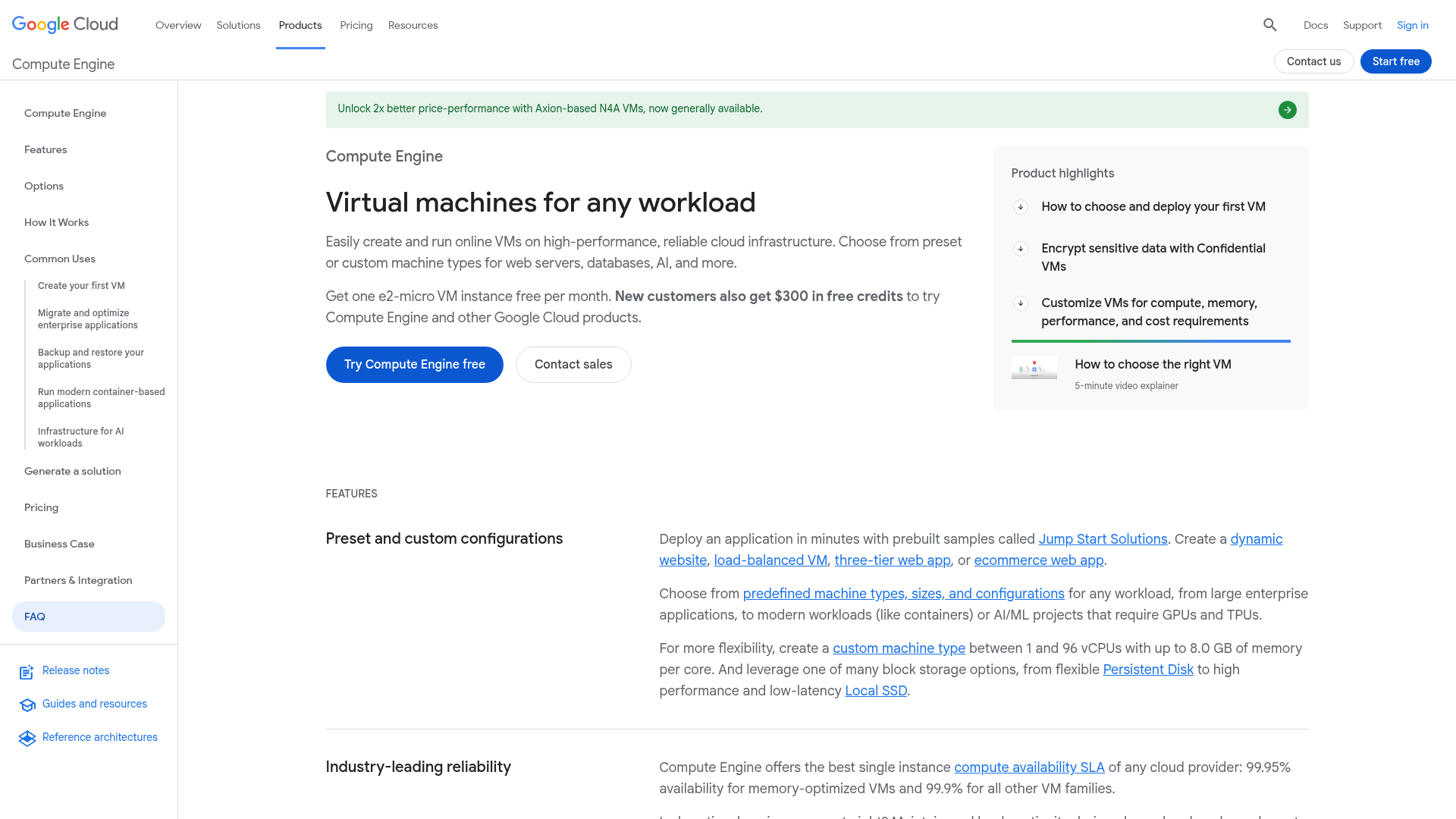
App Screenshots
Capabilities
Can Modify Data
Publisher Intelligence
Insights and recommendations for app publishers. See how your app performs and how to improve discoverability.
Server Status StatelessServer vESF
Tools
Resources
Prompts
https://compute.googleapis.com/mcp Last checked: 18h ago
Technical Details
Connection Latency 484ms
Tools(29)
Showing 29 of 29 tools
Sorted by toolName
| Tool | Description | Flags | Test | Last Tested | |
|---|---|---|---|---|---|
create_instance | Create a new Google Compute Engine virtual machine (VM) instance. Requires project, zone, and instance name as input. If machine_type is not provided, it defaults to `e2-medium`. If image_project and image_family are not provided, it defaults to `debian-12` image from `debian-cloud` project. guest_accelerator and maintenance_policy can be optionally provided. Proceed only if there is no error in response and the status of the operation is `DONE` without any errors. To get details of the operation, use the `get_zone_operation` tool. | destructive | 0%Latency 1.5s | 1d ago | |
delete_instance | Delete a Google Compute Engine virtual machine (VM) instance. Requires project, zone, and instance name as input. Proceed only if there is no error in response and the status of the operation is `DONE` without any errors. To get details of the operation, use the `get_zone_operation` tool. | destructive | 0%Latency 1.4s | 1d ago | |
get_commitment_basic_info | Get basic information about a Compute Engine Commitment, including its name, ID, status, plan, type, resources, and creation, start and end timestamps. Requires project, region, and commitment name as input. | read-only | 0%Latency 812ms | 1d ago | |
get_disk_basic_info | Get basic information about a Compute Engine disk, including its name, ID, description, creation timestamp, size, type, status, last attach timestamp, and last detach timestamp. Requires project, zone, and disk name as input. | read-only | 0%Latency 1.1s | 1d ago | |
get_disk_performance_config | Get performance configuration of a Compute Engine disk, including its type, size, provisioned IOPS, provisioned throughput, physical block size, storage pool and access mode. Requires project, zone, and disk name as input. | read-only | 0%Latency 1.4s | 1d ago | |
get_instance_basic_info | Get basic information about a Compute Engine VM instance, including its name, ID, status, machine type, creation timestamp, and attached guest accelerators. Requires project, zone, and instance name as input. | read-only | 0%Latency 1.0s | 1d ago | |
get_instance_group_manager_basic_info | Get basic information about a Compute Engine managed instance group (MIG), including its name, ID, instance template, base instance name, target size, target stopped size, target suspended size, status and creation timestamp. Requires project, zone, and MIG name as input. | read-only | 0%Latency 1.0s | 1d ago | |
get_instance_template_basic_info | Get basic information about a Compute Engine instance template, including its name, ID, description, machine type, region, and creation timestamp. Requires project and instance template name as input. | read-only | 0%Latency 1.1s | 1d ago | |
get_instance_template_properties | Get instance properties of a Compute Engine instance template. This includes properties such as description, tags, machine type, network interfaces, disks, metadata, service accounts, scheduling options, labels, guest accelerators, reservation affinity, and shielded/confidential instance configurations. Requires project and instance template name as input. | read-only | 0%Latency 1.2s | 1d ago | |
get_reservation_basic_info | Get Compute Engine reservation basic info including name, ID, creation timestamp, zone, status, specific reservation required, commitment, and linked commitments. Requires project, zone, and reservation name as input. | read-only | 0%Latency 954ms | 1d ago | |
get_reservation_details | Get Compute Engine reservation details. Returns reservation details including name, ID, status, creation timestamp, specific reservation properties like machine type, guest accelerators and local SSDs, aggregate reservation properties like VM family and reserved resources, commitment and linked commitments, sharing settings, and resource status. Requires project, zone, and reservation name as input. | read-only | 0%Latency 1.0s | 1d ago | |
get_zone_operation | Get details of a zone operation, including its id, name, status, creation timestamp, error, warning, HTTP error message and HTTP error status code. Requires project, zone, and operation name as input. | read-only | 0%Latency 1.3s | 1d ago | |
list_accelerator_types | Lists the available Google Compute Engine accelerator types. Requires project and zone as input. Returns accelerator types, including id, creation timestamp, name, description, deprecated, zone, and maximum cards per instance. | read-only | 0%Latency 1.1s | 1d ago | |
list_commitment_reservations | Lists reservations for a Compute Engine Commitment. Returns reservation details including name, ID, status, creation timestamp, specific reservation properties like machine type, guest accelerators and local SSDs, aggregate reservation properties like VM family and reserved resources, commitment and linked commitments, sharing settings, and resource status. Requires project, region, and commitment name as input. | read-only | 0%Latency 883ms | 1d ago | |
list_commitments | Lists Compute Engine Commitments in a region. Details for each commitment include name, ID, status, plan, type, resources, and creation, start and end timestamps. Requires project and region as input. | read-only | 0%Latency 811ms | 1d ago | |
list_disks | Lists Compute Engine disks. Details for each disk include name, ID, description, creation timestamp, size, type, status, last attach timestamp, and last detach timestamp. Requires project and zone as input. | read-only | 0%Latency 953ms | 1d ago | |
list_images | Lists Compute Engine Images. Details for each image include name, ID, status, family, and creation timestamp. Requires project as input. | read-only | 0%Latency 955ms | 1d ago | |
list_instance_attached_disks | Lists the disks attached to a Compute Engine virtual machine (VM) instance. For each attached disk, the response includes details such as kind, type, mode, saved state, source, device name, index, boot, initialize parameters, auto delete, licenses,, interface, guest OS features, disk encryption key, disk size, shielded instance initial state, force attach, and architecture. Requires project, zone, and instance name as input. | read-only | 0%Latency 1.2s | 1d ago | |
list_instance_group_managers | Lists Compute Engine managed instance groups (MIGs). Details for each MIG include name, ID, instance template, base instance name, target size, target stopped size, target suspended size, status and creation timestamp. Requires project and zone as input. | read-only | 0%Latency 1.0s | 1d ago | |
list_instance_templates | Lists Compute Engine instance templates. Details for each instance template include name, ID, description, machine type, region, and creation timestamp. Requires project as input. | read-only | 0%Latency 1.0s | 1d ago | |
list_instances | Lists Compute Engine virtual machine (VM) instances. Details for each instance include name, ID, status, machine type, creation timestamp, and attached guest accelerators. Use other tools to get more details about each instance. Requires project and zone as input. | read-only | 0%Latency 1.2s | 1d ago | |
list_machine_types | Lists the available Google Compute Engine machine types. Requires project and zone as input. Returns machine types, including id, creationTimestamp, name, description, guest cpus, memory, image space, maximum persistent disks, maximum persisten disks size, deprecated, zone, is shared cpu, accelerators, and architecture. | read-only | 0%Latency 797ms | 1d ago | |
list_managed_instances | Lists managed instances for a given managed instance group (MIG). For each instance, details include id, instance URL, instance status, and current action. Requires project, zone, and MIG name as input. | read-only | 0%Latency 1.2s | 1d ago | |
list_reservations | Lists Compute Engine reservations. Details for each reservation include name, ID, creation timestamp, zone, status, specific reservation required, commitment, and linked commitments. Requires project and zone as input. | read-only | 0%Latency 679ms | 1d ago | |
list_snapshots | Lists snapshots in a project providing basic information per snapshot including name, id, status, creation time, disk size, storage bytes, source disk, and source disk id. Requires project as input. | read-only | 0%Latency 812ms | 1d ago | |
reset_instance | Resets a Google Compute Engine virtual machine (VM) instance. Requires project, zone, and instance name as input. Proceed only if there is no error in response and the status of the operation is `DONE` without any errors. To get details of the operation, use the `get_zone_operation` tool. | destructive | 0%Latency 1.3s | 1d ago | |
set_instance_machine_type | Sets the machine type for a stopped Google Compute Engine instance to the specified machine type. Requires project, zone, instance name and machine type as input. Proceed only if there is no error in response and the status of the operation is `DONE` without any errors. To get details of the operation, use the `get_zone_operation` tool. | destructive | 0%Latency 1.2s | 1d ago | |
start_instance | Starts a Google Compute Engine virtual machine (VM) instance. Requires project, zone, and instance name as input. Proceed only if there is no error in response and the status of the operation is `DONE` without any errors. To get details of the operation, use the `get_zone_operation` tool. | destructive | 0%Latency 1.5s | 1d ago | |
stop_instance | Stops a Google Compute Engine virtual machine (VM) instance. Requires project, zone, and instance name as input. Proceed only if there is no error in response and the status of the operation is `DONE` without any errors. To get details of the operation, use the `get_zone_operation` tool. | destructive | 0%Latency 1.3s | 1d ago |
Discoverability Score
55
Fair
55 of 100 — how easily AI agents find your app
- Description quality8/20
- Example prompts0/20
- Keyword coverage0/15
- Tool metadata20/20
- Visual assets13/20
- Endpoint health10/10
- Data freshness15/15
How to Improve
Add at least 2 example prompts. Prompt examples strongly improve app matching and click-through intent.
Increase keyword coverage (discovery + trigger) to improve retrieval for long-tail queries.
Expand the app description to 80-160 chars with clear use-cases so ranking and matching quality improve.
Add at least 2 screenshots that show real workflows to increase confidence and conversion.
Technical Details
- Status
- ENABLED
- Type
- AI-Powered App
- Auth
- Open Access
- Listed on
- Claude
- Added
- February 10, 2026
- Last synced
- 3d ago
- Last checked
- 18h ago
- Version
- ESF