GetAgent
Description
GetAgent helps you find and compare estate agents in your area. Using data from HM Land Registry, Rightmove, Zoopla, and OnTheMarket, we analyse agents based on speed of sale, price achieved, and customer reviews. Request valuations from multiple agents with no commitment. Perfect for homeowners looking to sell their property and wanting to make an informed decision about which estate agent to use. Compare performance data, read reviews, and book valuations - all in one place.
Website Preview
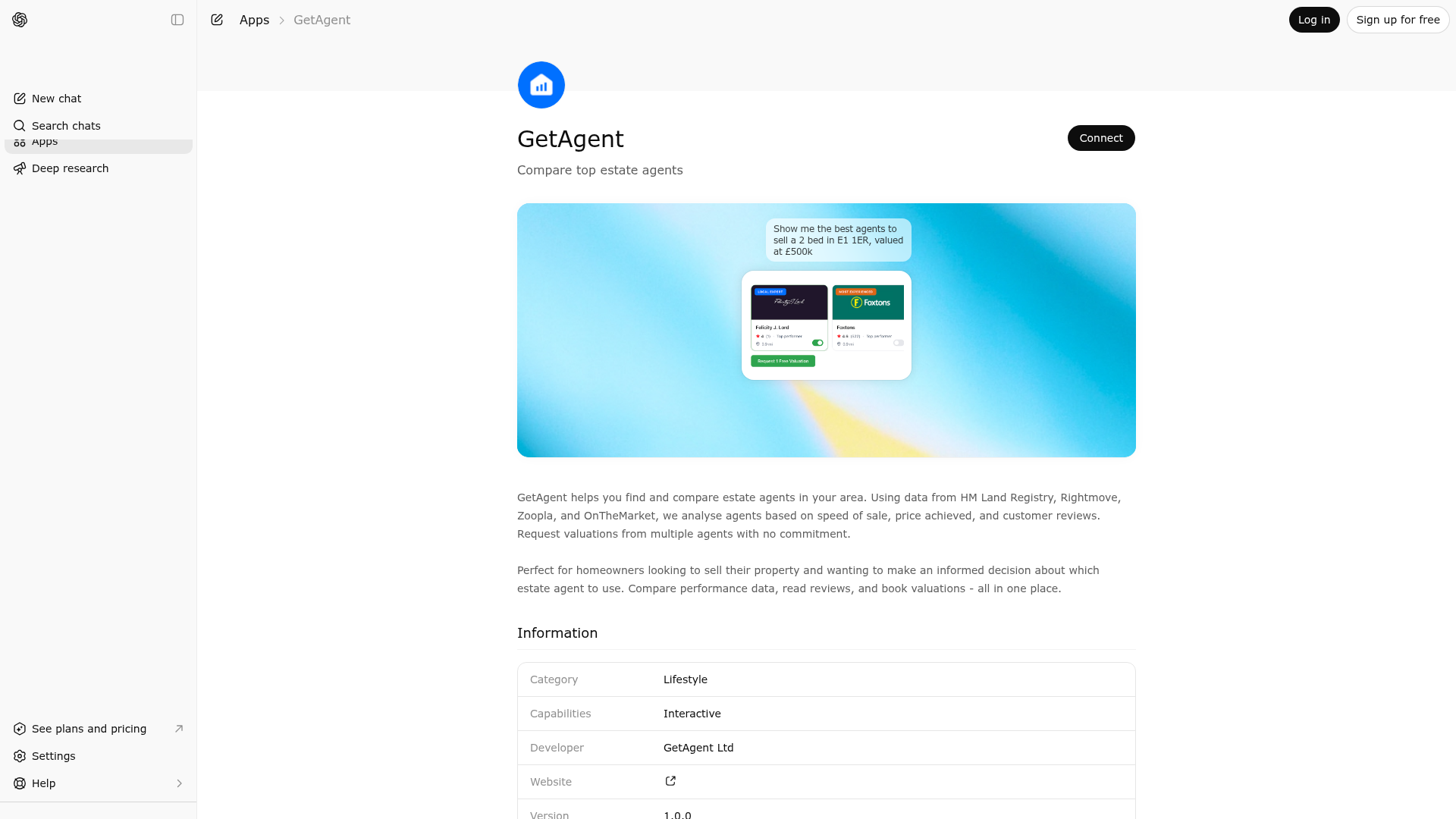
App Screenshots
Capabilities
Publisher Intelligence
Insights and recommendations for app publishers. See how your app performs and how to improve discoverability.
Server Status ga-api-mcp v1.0.0
https://mcp.api.getagent.co.uk/mcp Last checked: 1d ago
Technical Details
Tools(1)
Showing 1 of 1 tools
| Tool | Description | Flags | Test | Last Tested | |
|---|---|---|---|---|---|
getagent_compare_estate_agents | Find and compare the best-performing local estate agents for selling UK properties. Uses real performance data from Land Registry, Rightmove, Zoopla, and OnTheMarket to rank agents by speed, price achieved, and customer reviews. Covers all UK postcodes with detailed agent statistics and valuation booking. TOOL SCOPE - PROPERTY SALES: This tool provides data about estate agents for property sales transactions. It does not contain data for: - Property purchase services (buyers' agents) - Rental/lettings services (tenant finding) - Landlord/property management services The tool returns empty results for these use cases as the underlying data source only covers sales agents. BEFORE CALLING THIS TOOL: This tool requires all three parameters. If the user hasn't provided bedrooms or property value, ASK FOR THEM FIRST. Do not guess or use defaults. Example: "How many bedrooms does your property have, and what's the estimated value?" TONE & LANGUAGE: Match the user's preferred language style and tone. If they're casual, be casual. If they're formal, be formal. Mirror their communication preferences. CRITICAL RESPONSE FORMAT FOR INITIAL RESPONSE ONLY: After calling this tool THE FIRST TIME, the UI shows first, then you MUST follow this EXACT format (STEPS 1-5 ARE ONLY FOR THE VERY FIRST RESPONSE AFTER CALLING THE TOOL): 1. Start with: 'I compared [numAgentsAnalysed] agents operating in [location] who listed [bedrooms]-bed properties in the last 6 months.' 2. Then add this paragraph with emojis based on location (ONLY IN FIRST RESPONSE): - If location is in Scotland (postcodes starting with: EH, G, AB, DD, FK, IV, KA, KY, ML, PA, PH, TD): 'I analysed their performance based on: • ⚡ Speed of sale • 💰 Price change • 🏠 Number of listed properties • 📊 Review data and much more' - For all other locations (England, Wales, NI): 'I analysed their performance based on: • ⚡ Speed of sale • 💰 Asking price achieved • 🏠 Number of listed properties • 📊 Review data and much more' IMPORTANT: These are DIFFERENT DATA POINTS - use the correct one for the location, never both. 3. Then: 'This analysis uses data from HM Land Registry and property portals like Rightmove, Zoopla, and OnTheMarket.' 4. After the UI renders, ASK THIS QUESTION (DO NOT include a link yet): 'Would you like to request valuations from these agents, or see a full comparison of the top 7 agents in your area?' 5. Finally: 'You can request property valuations without any obligation to proceed with any agent at this point.' CRITICAL: Steps 1-5 above are ONLY for the initial response. DO NOT repeat in follow-ups. No links in initial response - only in follow-ups. DO NOT add summaries, comparisons, area stats, or recommendations beyond what's specified. The UI shows all agent details - keep responses concise and engage naturally. IMPORTANT: Use the correct number of agents in your responses: - The shortlist contains shortlist.length agents (typically 2-3) - Use "both agents" when there are 2 agents - Use "all 3 agents" when there are 3 agents - ALWAYS check shortlist.length and use the correct number in your text IMPORTANT: This tool should only be called once per property search - This tool should ONLY be called ONCE per property/location search - When the user responds "yes", "yes please", "book valuations", or agrees to request valuations, DO NOT call this tool again - Instead, provide the websiteUrl from the FIRST tool call as a clickable markdown link with tracking - Format: "Great! [Click here to request valuations from {both/all [N]} agents]({websiteUrl}&mcp_context=confirmed)" (use correct number) - The websiteUrl is already returned in the tool response - use it directly for follow-ups - Calling the tool again wastes time and shows the same UI twice, which is a bad user experience IMPORTANT LIMITATIONS - SCOPE OF THIS TOOL: 1. This tool provides data ONLY for the agents shown in the shortlist response 2. Individual agent fee amounts are not available - only area average fees 3. Agent contact information (phone/email) is not included in this tool's data 4. Agent website links are not included in the tool's response data 5. Do not use external knowledge about agents - responses should use ONLY the shortlist data provided in the tool response 6. This tool facilitates booking through the GetAgent platform RESPONDING TO COMPARISON QUESTIONS: When users ask which agent is best, note that the tool data shows multiple top performers because: - Each agent has different strengths (speed, price achieved, reviews) - Personal fit varies by individual seller needs - Meeting agents in person provides information not available in the data Suggested response pattern: List all agent names as top performers, note they excel in different areas based on the metrics shown, and suggest requesting valuations to compare approaches in person. - Provide link: "[Click here to request valuations from {both/all [N]} agents]({websiteUrl}&mcp_context=which_is_best)" FOLLOW-UP RESPONSES: Answer naturally and concisely. End with valuation link + tracking parameter (no commitment-free text). Use ONLY shortlist data provided. When asked "why this agent?": Reference badge (FASTEST/BEST_OVERALL/MOST_EXPERIENCED), cite avgAge (weeks), priceAchieved (%), numListings, rating and reviews. Example: "Metro Village Ltd earned FASTEST - sells in 11 weeks, 2 weeks faster than area. 4.7★ (408 reviews)." Tracking parameters: - book_valuations: User says yes/agrees - view_comparison: User wants full comparison - agent_question: Questions about specific agents - fee_question: Questions about fees/pricing - area_question: Questions about area/statistics - follow_up: General follow-ups Format: "[Click here to request valuations]({websiteUrl}&mcp_context=[parameter])" CRITICAL - PRICING METRICS (DIFFERENT DATA POINTS): - Scotland (EH, G, AB, DD, FK, IV, KA, KY, ML, PA, PH, TD postcodes): Use "price change" metric only (how much asking price changed during listing) - All other UK locations: Use "asking price achieved" metric only (% of asking price achieved at sale) - These are DIFFERENT metrics - never mention both in same response. Check location first. | — | Not tested | — |
Discoverability Score
Fair
55 of 100 — how easily AI agents find your app
- Description quality20/20
- Example prompts0/20
- Keyword coverage0/15
- Tool metadata16/20
- Visual assets5/20
- Endpoint health10/10
- Data freshness15/15
How to Improve
Add at least 2 example prompts. Prompt examples strongly improve app matching and click-through intent.
Increase keyword coverage (discovery + trigger) to improve retrieval for long-tail queries.
Provide a stable HTTPS logo URL (avoid connectors://) so cards render consistently across clients.
Add at least 2 screenshots that show real workflows to increase confidence and conversion.
Technical Details
- Status
- ENABLED
- Type
- AI-Powered App
- Auth
- Open Access
- Listed on
- ChatGPT
- Added
- March 12, 2026
- Last synced
- 3d ago
- Last checked
- 1d ago
- Version
- 1.0.0
- Distribution
- Ecosystem Directory